

AI workspace 2026 Rank: #2529
Filloom ✓
AI chat meets every web tool you already use.
Verdict
A quick read before you dig into the full page.
- Best if
- AI chat meets every web tool you already use
- Skip if
- Limited web application integration
- Pick this when
- Streamlines workflows
Considering Klyra AI instead? Compare side by side
Overview
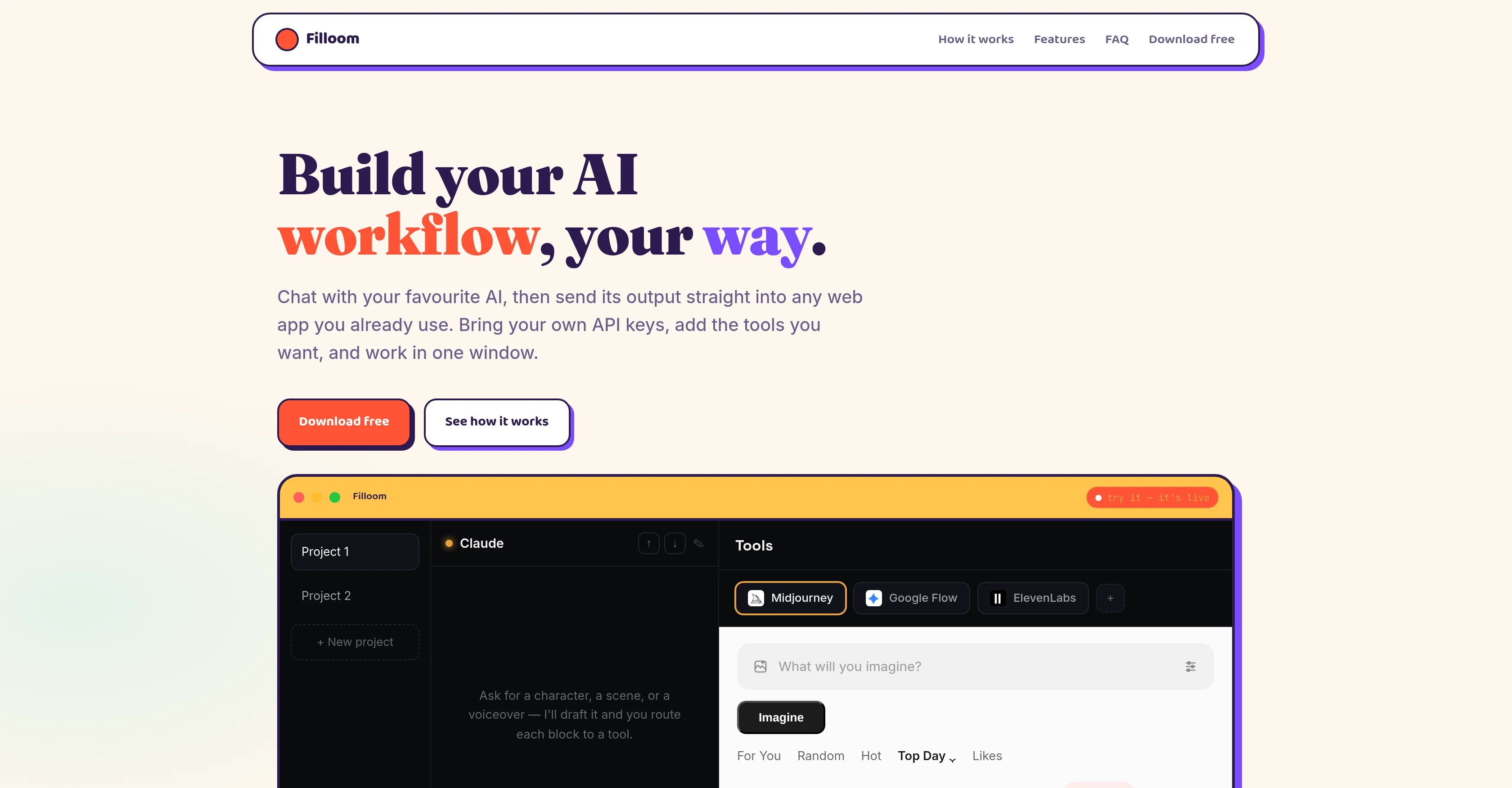
Filloom revolutionizes AI workflow by enabling users to create and manage AI applications and tasks in a single integrated workspace. This innovative tool offers users the power to interact with their favorite AI, and then send its output directly into any web application they frequently use.
Filloom notably allows users to bring their own API keys. This flexibility extends to adding tools to enhance productivity, including Midjourney, ElevenLabs, Runway, and a variety of web applications.
Fillooms hallmark feature is its capacity to streamline workflow by rerouting AI output directly into these chosen tools, eliminating the need for copy-pasting and redundant windows.
It is customized for macOS, guaranteeing runs locally and ensuring that API keys stay securely within the user's Mac. Another exciting feature is its offering of chat options with multiple AI models including Claude, ChatGPT, Gemini, Mistral, and Grok.
Such creations can be directly transferred to a designated tool in the workspace through a 'Send to' button. Filloom also enables the AI to learn user's brand guidelines, tone-of-voice doc, or skills file and apply these standards in its output.
Moreover, Filloom empowers users with the autonomy to use any web app by merely adding the URL. Finally, this tool shines in its ability to keep project workspaces distinct, remembering specific models, tools, and knowledge for different projects and swiftly morph between them.
Access & connections
Where you can use Filloom.
Platforms
Capabilities
What this tool accepts, produces, and is strongest at.
Input
- API
- Code
- Tabular
- Image
- Text
Output
- API
- Text
- Image
Highlights
- Agents
- Local
- API
Supported features
- Agents
- Runs Locally
- API
Pros & cons
Pros
- Streamlines workflows
- Eliminates redundant windows
- MacOS customization
- Secure local running
- Learning brand guidelines
- Customizable web app integration
- Skills file learning
- Unique project workspace maintenance
Show 28 more
- Own API keys usage
- Productivity tools integration
- Various web applications support
- Direct transfer to designated tools
- 'Send to' button
- Learning user's tone-of-voice doc
- User's URL usage
- Keeps project workspaces distinct
- Remembers specific models
- Quickly switches between projects
- Integrated with ChatGPT model
- Enhanced with Midjourney tool
- Enhanced with ElevenLabs tool
- Enhanced with Runway tool
- No need for copy-pasting
- Fast Petition windows elimination
- Direct output to favourite web apps
- One window operation
- Software learns your style
- API keys stay on Mac
- No copy, no paste, one-window
- User-friendly project transitions
- Image and video theme suggestions
- Real-time editing beside the chat
- Ready-to-use blocks of text
- Automatic downloads on per-project basis
- Logged-in tabs for functionalities
- Secure encryption of API keys
Cons
- MacOS exclusive
- Users must provide API keys
- Limited chat options
- May risk brand's tone distortion
- Limited web application integration
- URL addition necessary
- Requires project workspace distinction
- Relies on local storage
Show 1 more
- Runs only if online
Compare alternatives
Similar tools in the catalog — with a clear reason to open each one.


Liminary ✓
Free TrialStop hunting for things you know you saved.
Free + from $29/mo
Full comparison
OpenClaw OS ✓
UnknownGenerate interactive apps instantly with live data.
Why look Higher community rating
Full comparison


Releases 1
FAQ 12
What is Filloom?
How does Filloom work?
How is Filloom enhancing productivity?
What are the key features of Filloom?
What AI models does Filloom offer for chat?
What type of applications can I manage with Filloom?
How does Filloom streamline workflow?
How does Filloom customize its output?
How does Filloom secure the API keys?
What are the system requirements for Filloom?
Can I use my own API keys with Filloom?
What tools can I add into Filloom?
Related tools
Recommended

ChatGPT ✓
FreemiumAsk anything, create anything, and move from idea to action.

freebeat AI ✓
FreemiumTurn Music & Ideas into Viral Videos In One Click

Claude ✓
FreemiumBuilding reliable, interpretable AI systems

MarketAlerts.ai ✓
FreemiumInvest smarter with AI on your side

leania.ai ✓
Free TrialMRI scan for Businesses: Find What to Cut, Replace, Automate with AI

Hedy AI ✓
FreemiumDominate every meeting with Hedy as your brilliant AI ally