Flowcharts

FigureLabs Flowcharts ✓

Publication-ready research flowcharts, effortlessly.

44 views 1 saves Freemium
More categories (4)

Free + from $7.99/mo

Verdict

A quick read before you dig into the full page.

Best if
Publication-ready research flowcharts, effortlessly
Skip if
Limited export format options
Pick this when
Customizable flowcharts

Considering Flowova AI instead? Compare side by side

Overview

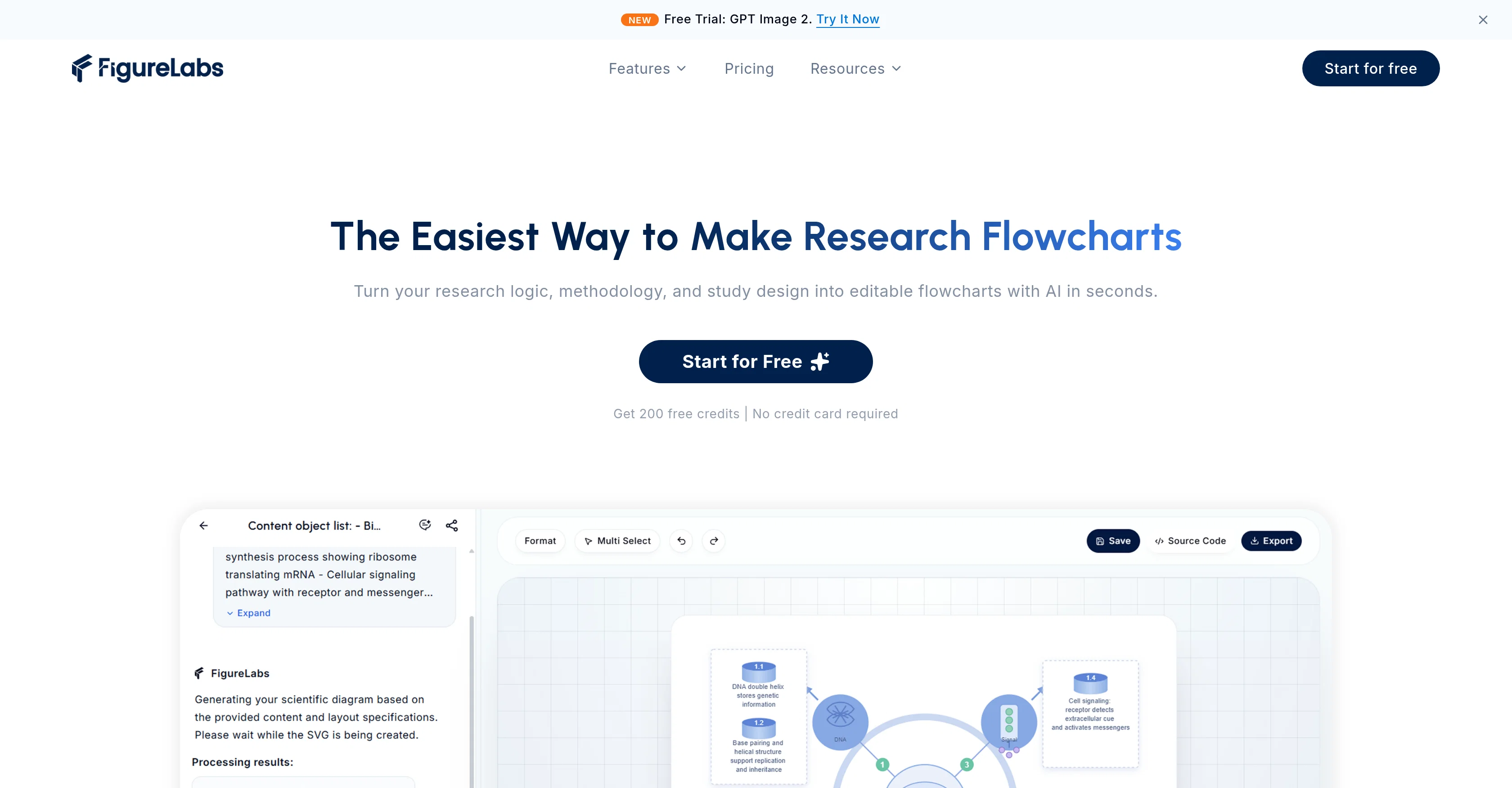
Research Flowcharts is a tool by FigureLabs designed to assist researchers in creating professional, publication-ready flowcharts. It employs AI technology to power its suite of features, essentially simplifying the process of making research diagrams.

The tool includes options of AI optimized templates, all customizable according to users' specific needs. Also notable is the solution's theme switcher which promotes ease of toggling between different aesthetic styles depending on what suits the presentation best.

Additionally, Research Flowcharts hosts export options in different formats such as PPTX and SVG, enhancing the versatility of created flowcharts for use across a variety of platforms.

In sum, the tool aims to streamline the flowchart design process for academic research use, from creation to export.
FigureLabs Flowcharts website

Access & connections

Where you can use FigureLabs Flowcharts.

Platforms

Web

Capabilities

What this tool accepts, produces, and is strongest at.

Input

  • Text

Output

  • Image

Pros & cons

Pros

  • Customizable flowcharts
  • Theme switcher feature
  • Multiple export formats
  • PPTX and SVG export
  • Streamlined design process
  • Designed for academic research
  • Professional, publication-ready flowcharts
  • Versatile for various platforms
Show 1 more
  • Ease of toggling styles

Cons

  • Lacks real-time collaboration feature
  • No mobile application available
  • Limited template diversity
  • No auto-save function
  • Missing multi-language support
  • Insufficient user guide/documentation
  • Lack of integrations with academic databases
  • Limited export format options
Show 2 more
  • No data import feature
  • No offline mode available

Compare alternatives

Similar tools in the catalog — with a clear reason to open each one.

Releases 1

Initial release August 5, 2025 Current
Initial release of FigureLabs Flowcharts.

FAQ 12

What features does FigureLabs Flowcharts have?
FigureLabs Flowcharts encompasses numerous features including AI-powered templates, a theme switcher, export options in multiple formats such as PPTX and SVG, and customizable templates. It also has the capability to create professional, publication-ready flowcharts.
How does AI technology simplify the process of creating research diagrams in FigureLabs Flowcharts?
FigureLabs Flowcharts uses AI technology to simplify the process of creating research diagrams by offering optimized templates, minimizing the effort needed to create professional-looking flowcharts. The AI implementation also contributes to the feature of a streamlined design process.
What type of templates does FigureLabs Flowcharts offer?
FigureLabs Flowcharts provides AI optimized templates. These templates are designed to assist in creating effective and professional-looking flowcharts without having to start from scratch.
Can I customize templates in FigureLabs Flowcharts?
Yes, FigureLabs Flowcharts does offer customization options for templates. Users can adapt any template to suit their specific needs.
What is the purpose of the theme switcher in FigureLabs Flowcharts?
The purpose of the theme switcher in FigureLabs Flowcharts is to allow users to easily alternate between different aesthetic styles, catering to specific presentation needs or preferences.
How does the theme switcher in FigureLabs Flowcharts improve the aesthetics of presentations?
The theme switcher in FigureLabs Flowcharts improves the aesthetics of presentations by enabling users to choose or switch between styles that best match their content, context, or audience's expectations. This leads to visually impactful representations that resonate with the presentation's purpose.
What are the export options available in FigureLabs Flowcharts?
FigureLabs Flowcharts offers export options in various formats. Specifically, export formats include PPTX and SVG which allows users to utilize the created flowcharts across different platforms.
Can I use the flowcharts created in FigureLabs Flowcharts across multiple platforms?
Yes, the flowcharts created in FigureLabs Flowcharts can be used across a variety of platforms, thanks to its export options in formats such as PPTX and SVG.
Does FigureLabs Flowcharts support PPTX and SVG export options?
Yes, FigureLabs Flowcharts indeed extends support to PPTX and SVG export options. This enhances the usability of the created flowcharts across different platforms.
What is the overall goal of FigureLabs Flowcharts in relation to academic research?
The overall goal of FigureLabs Flowcharts is to streamline the design process of flowcharts for academic research, from creation to export. It is designed to assist researchers by providing a platform that simplifies the creation of professional, publication-ready flowcharts.
How does FigureLabs Flowcharts streamline the design process from creation to export?
FigureLabs Flowcharts streamlines the design process from creation to export by offering AI optimized templates which simplifies the creation process, a theme switcher which enhances aesthetics, and varied export options catering to different platform requirements. The entire process caters to simplicity and efficiency.
Who is the intended user for FigureLabs Flowcharts?
The intended user for FigureLabs Flowcharts is researchers, particularly those involved in academic research and seeking to create professional, publication-ready flowcharts.
FigureLabs Flowcharts Free + from $7.99/mo