

Expensify ✓
AI expense management made faster and smarter.
Free + from $5/mo
Verdict
A quick read before you dig into the full page.
- Best if
- AI expense management made faster and smarter
- Skip if
- Complex for first-time users
- Pick this when
- Automates expense tracking
Considering Rolly: AI Money Tracker instead? Compare side by side
Overview
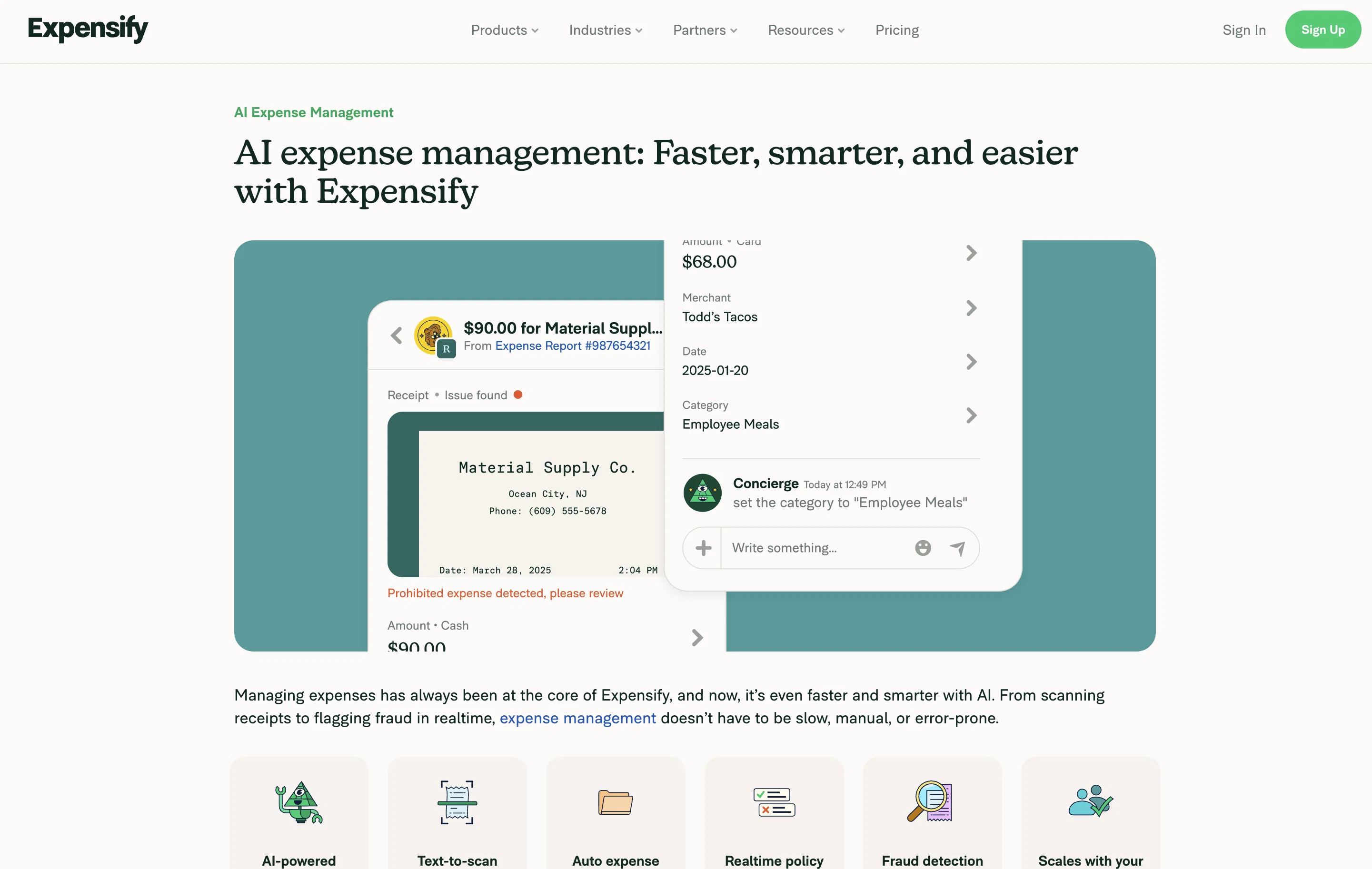
Expensify is an AI-powered expense management tool designed to automate and streamline various phases of expense tracking. It revolves around 'Concierge', an AI assistant that functions within the platform, assisting users, enforcing policies, answering inquiries, and even managing entire expenses.
It employs generative AI, configuring responses, tasks, insights, and deploying conversational assistance. The AI-powered tool enhances accuracy in expense tracking and reporting by executing automated data entry, categorizing expenses based on policies and user's past behavior, and promptly identifying discrepancies.
Concierge uses an advanced model to analyze receipt details, spot anomalous transactions, and apply policy checks to prevent fraudulent expenses. Users can take a photo of their receipt and have details automatically extracted, or they can forward or text receipts directly to the platform.
The software verifies expenses against company policies in real-time and flags transactions that do not comply with set rules to mitigate costly errors.
It provides visibility on payment tracking, offering a view of the statuses of expenses, from submission to payment, on a singular dashboard. Existing accounting software can integrate seamlessly with Expensify, including QuickBooks, Xero, NetSuite, and Sage Intacct, providing an uninterrupted transition from expense data to ledger entry.
Regardless of whether a user is a freelancer, a small business, or part of a larger team, the software can adapt to any size to enhance time efficiency, accuracy, and guide the way for growth.
Access & connections
Where you can use Expensify.
Platforms
Capabilities
What this tool accepts, produces, and is strongest at.
Input
- Tabular
- Image
- Text
Output
- Tabular
- Text
Pros & cons
Pros
- Automates expense tracking
- Streamlines various expense phases
- Automated data entry
- Expense categorization based on user's behavior
- Quick discrepancy identification
- Advanced receipt detail analysis
- Anomalous transaction spotting
- Real-time policy checks
Show 41 more
- Integral fraud prevention
- Photo receipt data extraction
- Real-time expense verification
- Real-time expense status visibility
- Integration with multiple accounting softwares
- Adaptable for all business sizes
- Improves time efficiency
- Singular dashboard for payment tracking
- Behavior-based expense categorization
- Embedded conversational assistance
- Real-time expense compliance check
- Proactive fraud detection
- Clearly shows spending patterns
- Supports complex questions
- Scalable across team sizes
- 24/7 human support team
- Automates reporting submission
- Direct receipt forwarding feature
- Automated mileage tracking
- Text-to-scan receipts feature
- Auto expense categorization
- Fast reimbursements process
- Corporate card reconciliation
- IRS-compliant rates
- Automated receipt capture
- Intelligent expense categorization
- Realtime payment tracking
- Seamless accounting integrations
- Prevents costly mistakes
- Uses latest LLM tech
- Embedded virtual accountant
- Realtime insights
- Automated report submissions
- Improves expense reporting accuracy
- Integrates with QuickBooks, Xero
- Adaptable to business growth
- Predictive expense intelligence
- Identifies and prevents fraudulent expenses
- Integrates with NetSuite, Sage Intacct
- Reduces approval delays
- Auto categorization saves time
Cons
- Limited receipt submission methods
- Reliance on past behaviour for categorization
- Limited software integrations
- May flag non-fraudulent anomalies
- Complex for first-time users
- Doesn't support all currencies
- Limited customer support
- No offline capabilities
Show 2 more
- Requires constant policy updates
- Inadequate privacy settings
Compare alternatives
Similar tools in the catalog — with a clear reason to open each one.

Rolly: AI Money Tracker ✓
FreemiumAI-powered expense tracking through interactive chat interface.
Why look Typically cheaper
Full comparison
Clint ✓
Free TrialAI-powered expense tracking that optimizes your spending.
Why look Typically cheaper
Full comparison


Moooney AI ✓
FreemiumTrack expenses effortlessly with AI.
Why look Higher community rating
Full comparison
ShowMeMoney ✓
Free TrialAI-powered expense tracking for smarter spending
Why look Typically cheaper
Full comparisonReleases 1
FAQ 12
What is Expensify?
How does Expensify's AI-assistant, Concierge, assist users?
What is the role of 'generative AI' in Expensify?
How does Expensify enhance accuracy in expense tracking and reporting?
How does Expensify's AI-assistant analyze receipt details?
How does Expensify prevent fraudulent expenses?
How does Expensify verify expenses against company policies?
What visibility does Expensify provide on payment tracking?
Which accounting software can integrate with Expensify?
Can Expensify adapt to any business size?
How does Expensify cater to freelancers and small businesses?
Does Expensify perform behavior-based categorization?
Related tools
Recommended

Vossa: AI expense tracker ✓
FreemiumAI expense tracker with voice input and receipt scanning

Smart Clerk ✓
FreemiumAI-powered bookkeeping from bank statements and online banking

AI Receipt Tracker ✓
FreeRevolutionizing expense tracking with AI-powered receipt management.

TaxLens ✓
FreemiumTurn receipts into tax deductions.

ImageToTable.ai ✓
FreemiumExtract structured data from images and PDFs into usable tables with AI

ProfitMap ✓
Free TrialTurn your P&L into a profit roadmap.