

Emberly ✓
Organize knowledge visually with mind maps and notes.
Free + from $5/mo
Verdict
A quick read before you dig into the full page.
- Best if
- Organize knowledge visually with mind maps and notes
- Skip if
- Limited support options
- Pick this when
- Integrated note-taking, mind-mapping
Considering Mind Map Wizard instead? Compare side by side
Overview
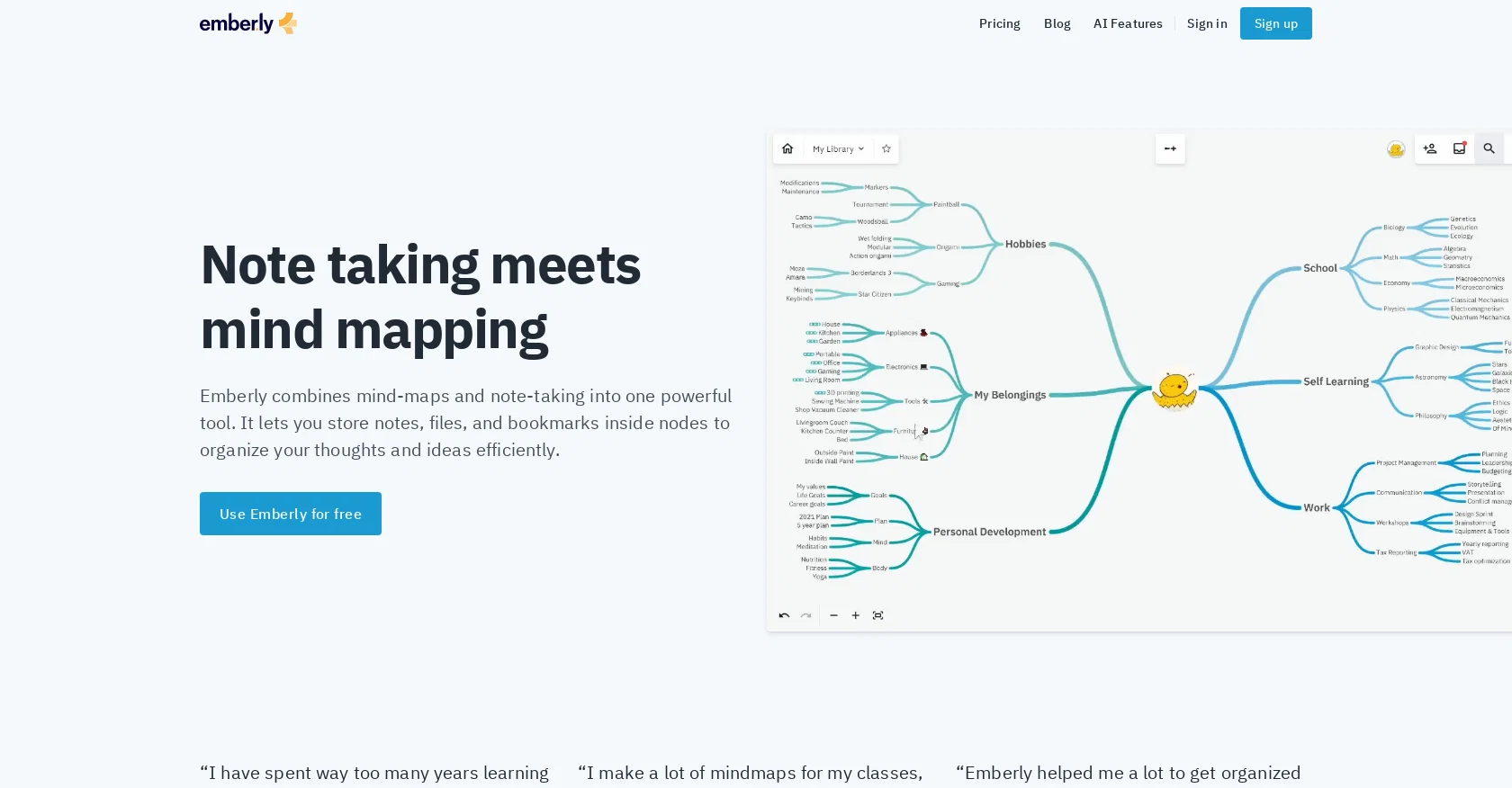
Emberly is a web-based AI-powered tool that integrates note-taking and mind mapping features in one place. Emberly helps users organize notes, files, and bookmarks visually in nodes, making it easy to access and locate information.
With the AI-driven mind map feature, users can generate mind maps to kick-start their creativity, and the automatic quizzes function enhances learning by generating quizzes from notes.
Emberly also comes with an AI writing assistant that can help with brainstorming, summarizing notes, and writing. Emberly's collaborative editing feature allows users to work together in real-time, while the bi-directional links feature enables the creation of interconnected webs of thoughts.
Additionally, Emberly has a browser plug-in that allows users to save bookmarks with a single click. Emberly's AI-powered features enhance learning and knowledge retention.
The AI-generated mind maps, quizzes, and writing assistance features help users to learn more effectively. Emberly's knowledge library feature ensures that your knowledge is organized and easy to access, providing quick access to resources and notes even when they were acquired in previous years.
Emberly has been widely used by students, knowledge workers and teams, as it was built to solve problems for all sorts of people. Emberly is available as a free service, with an optional premium pricing option.
Emberly intends to improve the learning and knowledge retention process and make information management efficient for users.
Access & connections
Where you can use Emberly, and what it plugs into.
Platforms
Integrations
Capabilities
What this tool accepts, produces, and is strongest at.
Input
- Tabular
- Text
Output
- Text
- Image
Pros & cons
Pros
- Integrated note-taking, mind-mapping
- Visual organization of bookmarks, notes
- Nodes for information access
- Automatic quizzes from notes
- Collaborative editing feature
- Bi-directional linking
- Browser plug-in for bookmarking
- Knowledge library feature
Show 11 more
- Supports various use cases
- Free service with premium option
- Efficient information management
- Helps master information overload
- Great for students, knowledge workers
- Designed for longevity of notes
- Facilitates re-finding resources, notes
- Virtual debate feature
- Real-time collaborative work
- Web-based tool
- Convenient one-click bookmarking
Cons
- Web-based only
- Reliant on JavaScript
- Required browser plug-in
- Limited offline functionality
- No mobile application
- Potential privacy issues
- Unknown third-party data handling
- Optional premium pricing unclear
Show 1 more
- Limited support options
Compare alternatives
Similar tools in the catalog — with a clear reason to open each one.

Mind Map Wizard ✓
FreemiumGenerate mind maps with AI: free, no sign-up, no ads
Why look Offers a public API
Full comparison
InstantMind ✓
Free TrialAI-powered mind maps from any content, instantly.
Why look Better for writing
Full comparison

MindMap AI ✓
FreemiumTurn ideas and files into AI powered mind maps
Free + from $4.99/mo
Full comparison
Mindmap ✓
FreemiumVisualize ideas effortlessly with free mindmaps.
Free + from $12/mo
Full comparison
Mapify ✓
PaidTransform anything to mind maps by AI
Why look Higher community rating
Full comparisonReleases 1
FAQ 12
What is Emberly?
What are the key features of Emberly?
How does Emberly's AI-driven mind map feature work?
What does Emberly's automatic quizzes function do?
How does the AI writing assistant in Emberly help with brainstorming?
What is the collaborative editing feature of Emberly?
What does the bi-directional links feature in Emberly do?
What function does Emberly's browser plug-in perform?
How does Emberly enhance learning and knowledge retention?
Who can use Emberly?
Is Emberly available for free?
Does Emberly have a premium pricing option?
Related tools
Recommended

Hyperis ✓
FreemiumOrganized task prioritization.

Scholarcy ✓
FreemiumConvert long articles into summary flashcards.

LearningStudioAI ✓
Free TrialAI-powered authoring tool for effortless online course creation.

Scisummary ✓
Free TrialCutting-edge scientific articles summarization.

Recall ✓
FreemiumSummarize Anything, Forget Nothing!

TutorAI ✓
FreemiumInstant knowledge on any topic