

DxO PhotoLab 9 ✓
RAW photo editing at its finest
Trial; then from $239.99
Verdict
A quick read before you dig into the full page.
- Best if
- RAW photo editing at its finest
- Skip if
- Limited to RAW conversion
- Pick this when
- DeepPRIME noise reduction
Considering Viyou AI Image Generator instead? Compare side by side
Overview
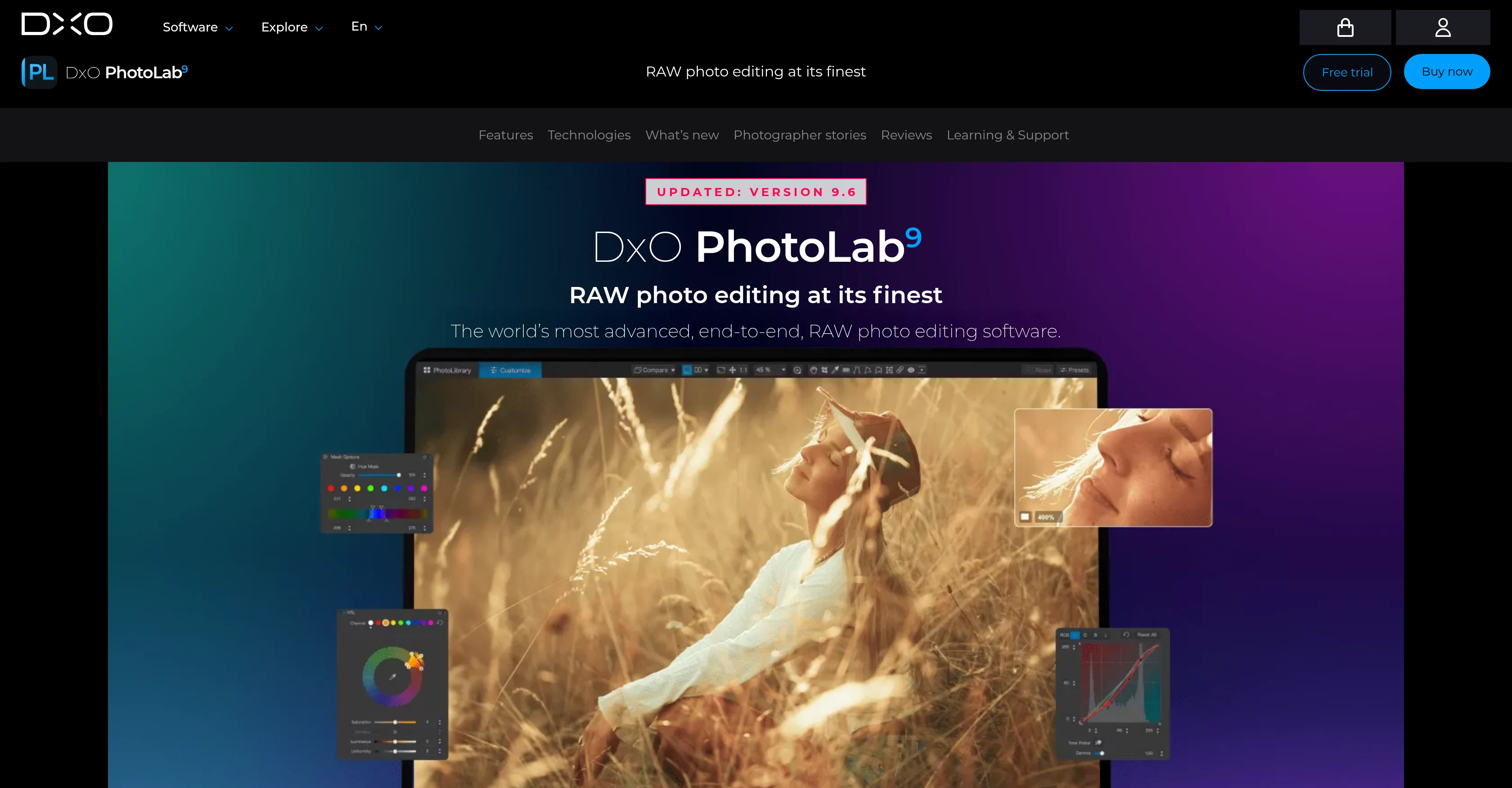
DxO PhotoLab 9 is an advanced, comprehensive RAW photo editing software. Offering a complete end-to-end photo editing experience, this tool incorporates several advanced features that ensure optimal image quality.
A key feature is its DeepPRIME noise reduction, a groundbreaking technology powered by machine learning. This feature reduces noise in photos, improving overall quality and bringing out vibrant colours and detail.
Another prominent feature is DxO Modules, designed to provide unmatched image quality. It optimize lens sharpness by applying tailored corrections, eliminating softness, and maximizing sharpness exactly where it is needed.
Its lens optimization is scientifically-based, using data from thousands of analyzed camera-lens combinations to ensure crisp clarity in all photos. Additionally, DxO PhotoLab 9 introduces AI Masks, complementing the local adjustment tools, offering the possibility of making intuitive local adjustments.
The software also incorporates advanced color science and creative tools for a more enhanced editing experience. Robust file management is another feature ensuring effortless organization of images.
Lastly, laboratory-grade corrections are made available. This aids in achieving unmatched image quality, capable of transforming raw files in a manner unattainable by other similar tools.
Covering all technical aspects of image quality, DxO PhotoLab 9 demonstrates its commitment to deliver the best in image enhancement. It is an indispensable tool for professional photographers as well as hobbyists seeking to elevate their photo editing capabilities.
Access & connections
Where you can use DxO PhotoLab 9.
Platforms
Capabilities
What this tool accepts, produces, and is strongest at.
Input
- Image
Output
- Image
Supported features
- Denoise
Pros & cons
Pros
- DeepPRIME noise reduction
- Advanced color science
- End-to-end photo editing
- Lens sharpness optimization
- Intuitive local adjustments
- Robust file management
- Laboratory-grade corrections
- Tailored corrections
Show 12 more
- Transforms raw files
- Improves vibrant colors
- Maximizes image detail
- Lens correction capabilities
- Image enhancement
- Scientifically-based lens optimization
- DxO Modules for quality
- Crisp image clarity
- Easy photography organization
- High-quality RAW editing
- Professional-grade photo editing
- Versatile for pros and hobbyists
Cons
- No plugin suite
- No geometry control
- Missing perspective control
- No shape control
- Limited to RAW conversion
- No Adobe Photoshop integration
- No Lightroom Classic integration
- No free version available
Compare alternatives
Similar tools in the catalog — with a clear reason to open each one.

Viyou AI Image Generator ✓
FreemiumTransform text and images into stunning videos and visuals.
Why look Typically cheaper
Full comparison
Img2Img AI ✓
FreemiumTransform any image with AI in seconds.
Why look Typically cheaper
Full comparison
Creen AI ✓
Paid40+ AI models for video, image and art. Free, no sign-up.
Why look Typically cheaper
Full comparison
Photoeditor ✓
PaidEnhanced image editing with object and text removal.
Why look Typically cheaper
Full comparison
Cleanup pictures ✓
FreemiumRemove unwanted elements from photos instantly.
Why look Typically cheaper
Full comparisonReleases 1
FAQ 12
What is the main functionality of DxO PhotoLab 9?
How does the DeepPRIME noise reduction feature in DxO PhotoLab 9 work?
What is the purpose of the DxO Modules feature in DxO PhotoLab 9?
How does DxO PhotoLab 9 ensure optimal image quality?
Can DxO PhotoLab 9 make local adjustments to images?
What are the AI Masks in DxO PhotoLab 9?
How does DxO PhotoLab 9 optimize lens sharpness?
Can DxO PhotoLab 9 handle RAW photo editing?
What is the aim of the laboratory-grade corrections feature in DxO PhotoLab 9?
Does DxO PhotoLab 9 offer robust file management?
What types of photographers is DxO PhotoLab 9 suitable for?
Can DxO PhotoLab 9 remove softness from images?
Related tools
Recommended

ChatGPT ✓
FreemiumAsk anything, create anything, and move from idea to action.

DeepSeek ✓
FreeUnravel the mystery of AGI with curiosity

Hedy AI ✓
FreemiumDominate every meeting with Hedy as your brilliant AI ally

Whacka ✓
Free TrialTurn ideas into real apps from your phone.

Wan Video ✓
UnknownAI creative platform that lowers creative barriers.

ZeroTwo ✓
FreemiumGo Beyond Answers