

Time tracking 2026 Rank: #1967
drifty ✓
See where your focus actually goes.
Free + from $4/mo
Verdict
A quick read before you dig into the full page.
- Best if
- See where your focus actually goes
- Skip if
- Costly API key usage
- Pick this when
- Automatic time tracking
Considering Monitup instead? Compare side by side
Overview
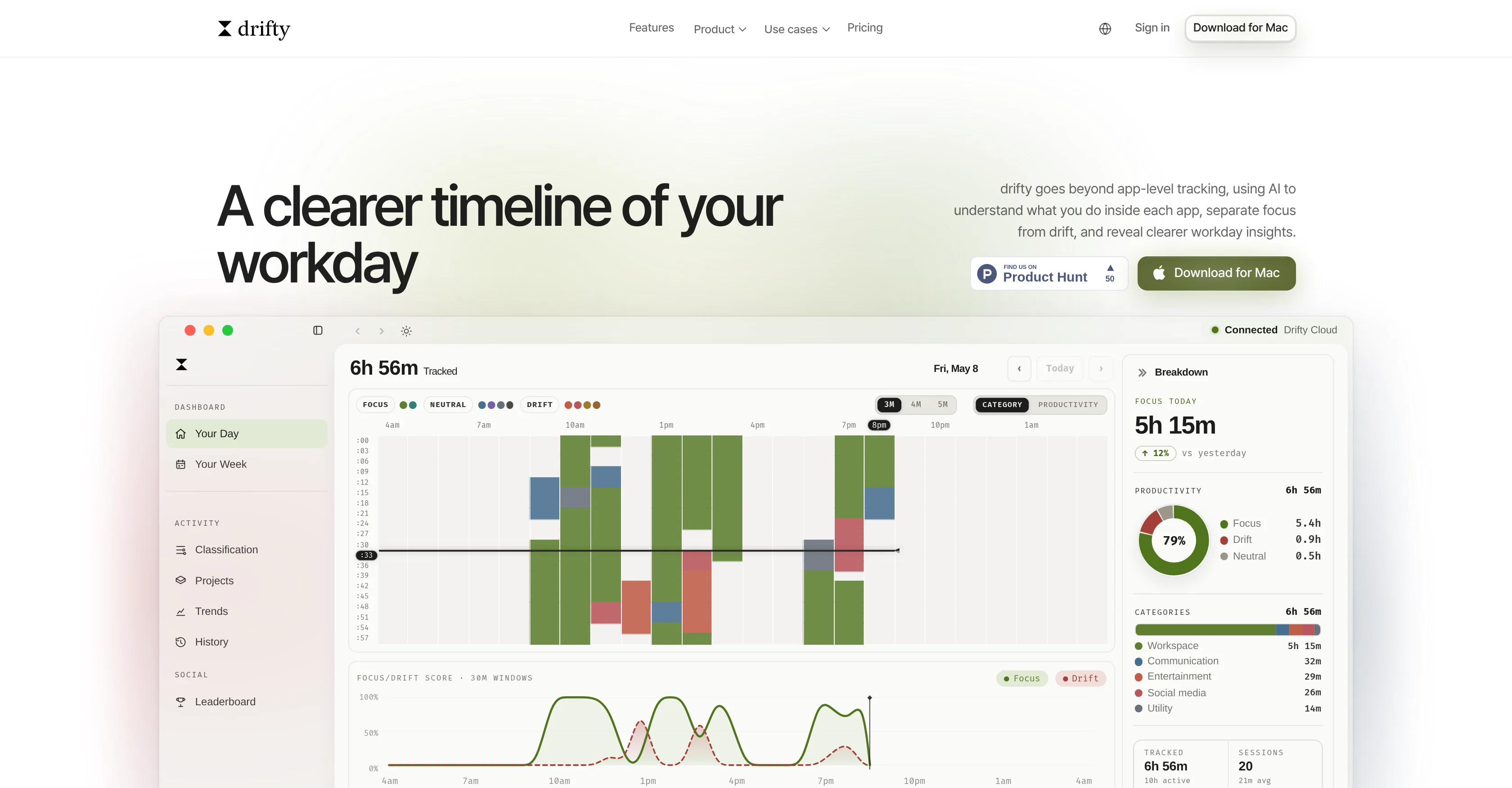
drifty is an AI-based time tracker designed to monitor the use of different applications and provide insight into the user's workday. It differentiates between focus and drift time within an application, thus providing a clear representation of productivity.
The tool automatically records the apps, sites, and sessions utilized throughout a day and categorizes these into their respective work contexts, eliminating the need for manual timers or tagging.
Specifically, drifty uses an AI classification system called Gemini, DeepSeek, and Qwen to automatically tag captured activities as focus, neutral, or drift time.
Furthermore, drifty provides users with the flexibility to choose where they want their AI model to run - locally on their Mac, in the drifty Cloud, or via their own API key.
Privacy is a key feature, with no screen recording or saved screenshots, as well as an emphasis on minimal context label hints. Other functionalities of drifty include presenting a daily activity timeline, weekly focus profile, detailed session insights, and an alarm feature for returning the user to focus, all aiming to aid in understanding and enhancing productivity patterns.
Access & connections
Where you can use drifty.
Platforms
Capabilities
What this tool accepts, produces, and is strongest at.
Input
- API
- Sensor data
Output
- Tabular
- API
Pros & cons
Pros
- Automatic time tracking
- Private time tracking
- No manual timers
- Activity context labeling
- Automatic Tagging
- Gemini, DeepSeek, Qwen classifiers
- Privacy protecting measures
- No screen recording
Show 37 more
- Minimal context labels
- Activity timeline presentation
- Weekly focus profile
- Detailed session insights
- Returning focus alarm
- Enhancing productivity
- Work pattern analysis
- Work context categorization
- Visual app/site/session capture
- Context engine model routes
- No model setup
- Privacy control settings
- Focus/Drift rhythm insights
- Built for real work patterns
- Background capture functionality
- 3-minute recording blocks
- No timer initiation needed
- Daily activity timeline
- Weekly calendar from captured activity
- 9 smart categories
- Session-level detail
- Zero manual tagging
- On-device operation
- Recurring pattern insights
- Weekly focus heatmap
- Drift Alarm feature
- Return to focus suggestions
- Context-specific suggestions
- Extreme nudge closes loop
- Recorded app/site/session context
- No screen recording or screenshots
- Built for Mac
- Same-app understanding
- Displays work context
- Alerts for returning to focus
- Free starting price
- Compare productivity trackers
Cons
- Mac exclusive
- Potential high RAM usage
- Needs internet for certain features
- No manual tagging option
- Strict focus enforcement can interrupt
- No visual surveillance
- Missing in-app focus distinction
- Costly API key usage
Compare alternatives
Similar tools in the catalog — with a clear reason to open each one.

Monitup ✓
Free TrialMeasure and boost productivity with AI-powered tracking.
Free + from $6/mo
Full comparison

RescueTime ✓
Free TrialFully automated time tracking software to reclaim your day.
Free + from $6.50/mo
Full comparison
Clockk ✓
Free TrialAI-powered time tracking for your workweek.
Why look Higher community rating
Full comparison

Releases 1
FAQ 12
What is drifty?
What are the key features of drifty?
How does drifty's AI technology work?
What does drifty monitor during a workday?
How does drifty differentiate between focus and drift time?
How does drifty classify activities?
What AI classification systems does drifty use?
Can I choose where the AI model runs in drifty?
Does drifty respect my privacy?
Does drifty record the screen or save screenshots?
What are the capabilities of drifty in terms of tracking and presenting productivity data?
Can drifty provide detailed session insights?
Related tools
Recommended

ChatGPT ✓
FreemiumAsk anything, create anything, and move from idea to action.

DeepSeek ✓
FreeUnravel the mystery of AGI with curiosity

Kick ✓
FreemiumAccounting software that does the work for you

Grok ✓
FreemiumConversational AI for understanding the universe.

ThumbnailCreator.com ✓
Free TrialCreate eye-catching YouTube thumbnails in seconds.

Pounce ✓
Free TrialGet real followers and engagement in minutes.