Document translation 2026 Rank: #2759
DocTranslator ✓
Translate Word documents instantly, formatting intact.
Verdict
A quick read before you dig into the full page.
- Best if
- Translate Word documents instantly, formatting intact
- Skip if
- Lack of user account might limit features
- Pick this when
- Translates 100+ languages
Considering Pairaphrase instead? Compare side by side
Overview
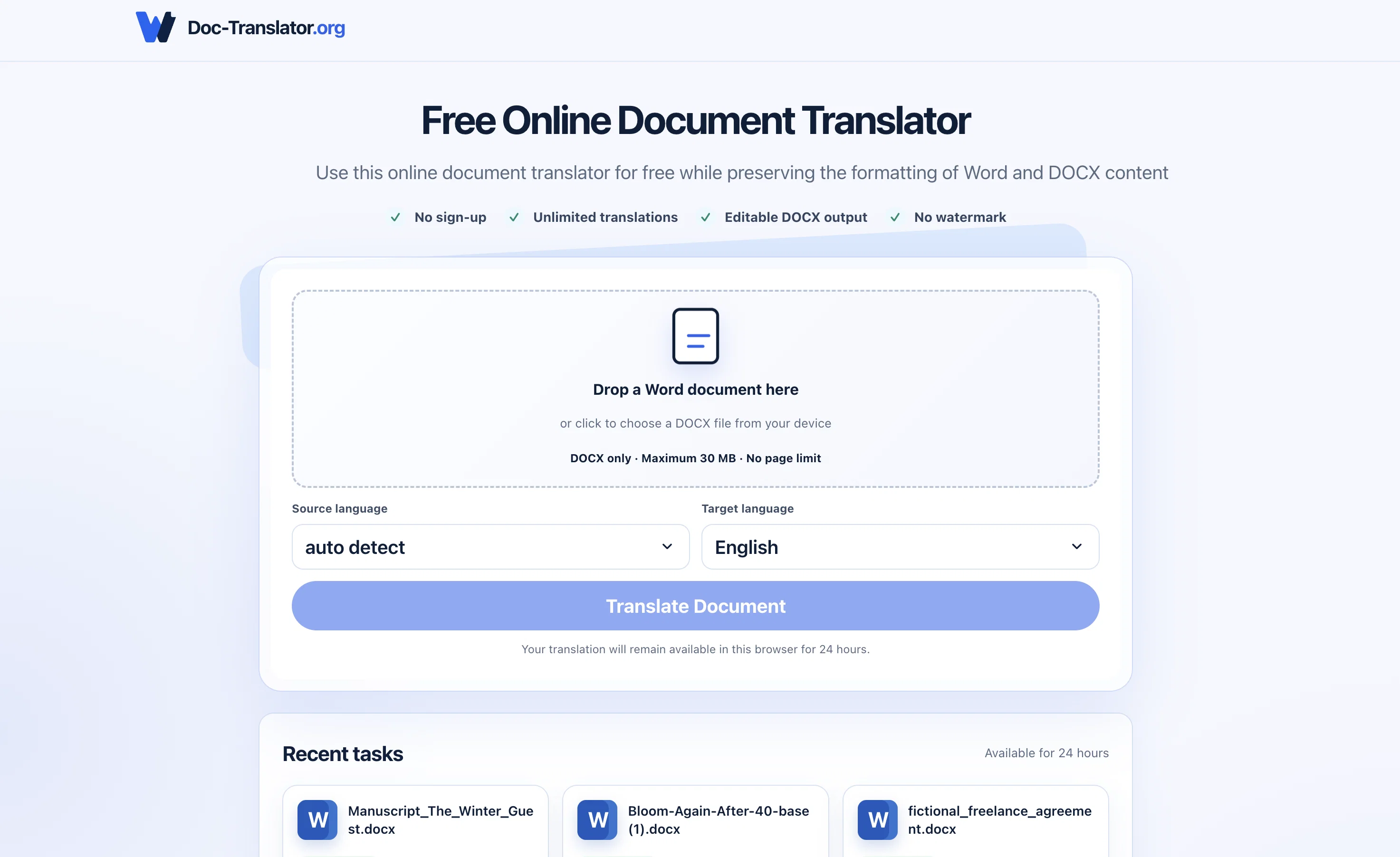
Doc-Translator.org is a free web-based tool for translating Word and DOCX documents to more than 100 different languages. Users can easily upload a file, choose a target language, and receive an editable translation, all while preserving the original layout, including paragraphs, tables, images, fonts, headers, footers, lists, and numbering.
The application offers unlimited translations with a maximum file size of 50 MB and has no page limit. A key feature of Doc-Translator.org is its robust format preservation, aiming to maintain the integrity of the source file's content and structure as much as possible.
Moreover, the tool guarantees privacy for users as it deletes files automatically 24 hours after upload. It is not necessary to create an account to use the service, making the process quick and seamless.
The translations are powered by state-of-the-art AI language models for accurate, contextually aware results. These features make the service ideal for personal and professional use, ranging from school assignments and travel plans to job applications and business documentation.
Access & connections
Where you can use DocTranslator, and what it plugs into.
Platforms
Integrations
Capabilities
What this tool accepts, produces, and is strongest at.
Input
- Text
- Structured data
Output
- Text
Pros & cons
Pros
- Translates 100+ languages
- Keeps original layout
- Preserves document structure
- Supports DOC and DOCX formats
- Contextually aware translations
- 50 MB file limit
- No page limit
- Automatic file delete after 24 hours
Show 36 more
- Guaranteed user privacy
- No account creation needed
- Editable translations
- Preserves tables, images, fonts
- Retains headers, footers, lists
- Unlimited translations
- Free service
- Robust format preservation
- Preserves paragraph order
- Translates headings, tables, headers
- Supports notes, links, text boxes
- Personal and professional use
- Maintains document integrity
- Supports global and regional language pairs
- Translates course materials, assignment instructions
- Translates travel plans, accommodation details
- Translates resumes, CVs, cover letters
- No sign-up required
- Detects source language automatically
- Upload and download workflow
- Reference organization retained
- Support for many language pairs
- Translates large reports with tables and images
- Retains numbering in translated file
- Uploaded files used only for translation
- No daily or monthly quotas
- Automatic source language detection
- Translated file download available
- Maximum file size clarity
- Simple three-step use
- Preservation of page size, margin
- Supports only secure HTTPS uploads
- Ability to make final wording changes
- Preserved layout allows easy comparison
- Clear workflow for document translation
- Async processing for document translation
Cons
- Limited to DOCX format
- Max file size 50MB
- No real-time synchronization
- Risk of potential data loss within 24 hours
- Lack of user account might limit features
- No app version
- No multi-file batch processing
- No collaborating functionality
Show 2 more
- No version history
- Doesn't support OCR for scanned documents
Compare alternatives
Similar tools in the catalog — with a clear reason to open each one.

Pairaphrase ✓
PaidAI Translation Management Software for Secure Workflows
Why look Offers a public API
Full comparison
O.Translator ✓
FreemiumAI-powered document translation with perfect formatting
Why look Offers a public API
Full comparison
Office Translator ✓
PaidIntelligent AI document translation, preserving format.
Why look Higher community rating
Full comparison
Alexa Translations A.I. ✓
UnknownBreaking the Language Barrier
Why look Higher community rating
Full comparison

Releases 1
Imported reviews 1
It didnt translate the document that I uploaded.