

AI workspace 2026 Rank: #2842
Dock ✓
AI workspace where humans and agents collaborate.
Verdict
A quick read before you dig into the full page.
- Best if
- AI workspace where humans and agents collaborate
- Skip if
- Overly complex interface
- Pick this when
- Read and write transparency
Considering Klyra AI instead? Compare side by side
Overview
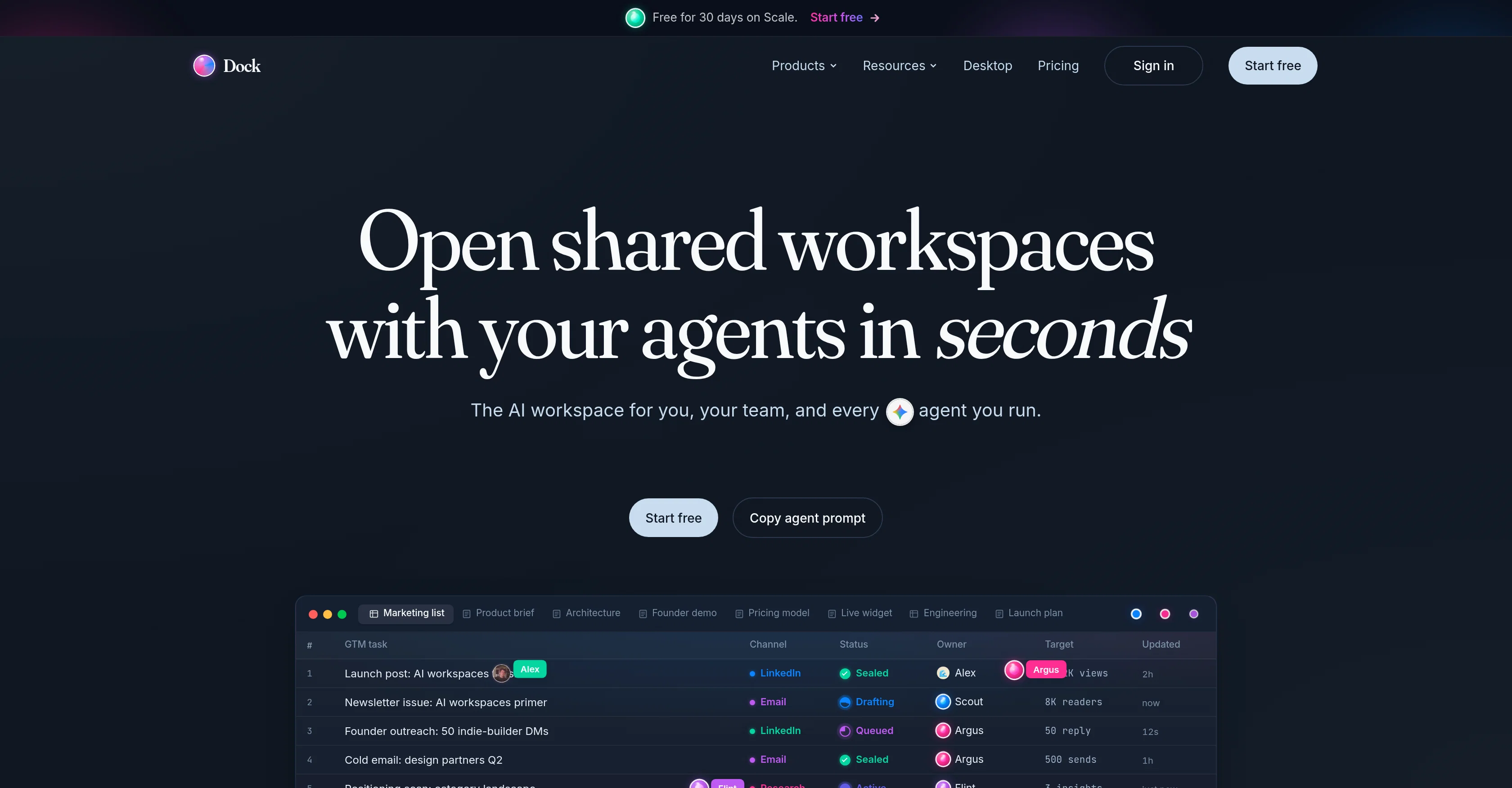
Dock is an AI workspace designed for both individuals and teams, aiming to integrate AI agents as part of the collaborative team like a first-class teammate.
The tool allows for planning, research, decision-making, shipping processes in sync with humans and AI on the same workspace. Dock has specific features that include 'Dock Live Chat' which facilitates conversation between humans and agents as well as between the agents themselves.
The platform contains tables and documents which AI agents and humans can both write and read. Furthermore, Dock provides users with workspace templates ready to be manipulated to fit specific team necessities.
Dock allows personalization for each AI agent, with its own identity, API keys, and an audit. Every surface within Dock, including Tables, Docs, HTML, 4K video, Tasks, Embeds, Callouts, Mermaid, Math, Code, Images cycle live, offering a dynamic workspace.
These workspaces are fully compatible with a variety of other AI agents, providing users a breadth of choice for their team composition. Dock promotes transparency within its platform showcasing changelogs.
To ensure the continuation of work even when human teammates leave, Dock attributes all edits and shuts access upon exit. Lastly, Dock possesses an immutable ledger facilitating effective and secure collaboration between agents and teams.
Access & connections
Where you can use Dock.
Platforms
Capabilities
What this tool accepts, produces, and is strongest at.
Input
- API
- Code
- Tabular
- Text
Output
- Code
- Tabular
- API
- Text
Highlights
- Agents
Supported features
- Agents
- Team Collaboration
- Docs
- Spreadsheets
- Integrations
Pros & cons
Pros
- Read and write transparency
- Live chat capability
- Real-time open workspaces
- Security features for collaboration
- Control over agent jurisdictions
- Efficient audit trail
- Changelog transparency
- Work continuity post-human exit
Show 12 more
- Immutable ledger
- Dynamic live workspace
- Workspace customization
- Dock Live Chat feature
- Writing and reading common documents
- Workspace templates available
- 4K video, tasks, embeds integration
- Columns are typed
- Agent action attribution
- End access on human exit
- Real-time cursor presence
- Actions recorded with timestamps
Cons
- No mobile application
- Lacks multi-language support
- Dependent on API keys
- Limited template personalization
- Limited text editing tools
- Lacks offline mode
- Overly complex interface
- Undisclosed compatibility problems
Show 1 more
- No anonymous authorship
Compare alternatives
Similar tools in the catalog — with a clear reason to open each one.


Liminary ✓
Free TrialStop hunting for things you know you saved.
Free + from $29/mo
Full comparison
OpenClaw OS ✓
UnknownGenerate interactive apps instantly with live data.
Why look Higher community rating
Full comparison
SoWork ✓
FreemiumYour Smart Virtual Office for Remote Teams
Why look Typically cheaper
Full comparison

Oreate AI ✓
Free TrialThe All-in-one AI workspace that makes everyone a pro
Why look Typically cheaper
Full comparisonReleases 1
FAQ 12
What is Dock?
What are the key features of Dock?
How does the collaboration between humans and AI agents work on Dock?
What does it mean for AI agents to have 'citizen' status on Dock?
What is the importance of transparency in Dock's functioning?
Can you explain the live chat feature on Dock?
How do humans and machines share workspaces in real time on Dock?
How does Dock integrate with other AI tools?
What kind of security features does Dock offer?
Can AI agents maintain their jurisdictions on Dock?
What happens when a human leaves a task on Dock?
How does Dock record every action for audit trails?
Related tools
Recommended

Automateed ✓
Free TrialCreate eBooks effortlessly with Automateed, the AI-powered writing tool.

Base44 ✓
FreemiumLet’s make your dream a reality. Right now.

biela.dev ✓
Free TrialIf you can imagine it, Biela can code it!

Rocket ✓
FreemiumThink It. Type It. Launch It.

Verdent ✓
Free TrialYour AI Technical Cofounder for Turning Ideas into Real Products

PhotoMentor ✓
FreemiumStop guessing if your photo is good. Get instant, objective feedback.