

Presentations 2026 Rank: #1416
Data2Slide ✓
Turn data into presentations in under 5 minutes.
Verdict
A quick read before you dig into the full page.
- Best if
- Turn data into presentations in under 5 minutes
- Skip if
- Limited free version
- Pick this when
- Interactive HTML presentations
Considering MagicSlides.app AI PPT Maker instead? Compare side by side
Overview

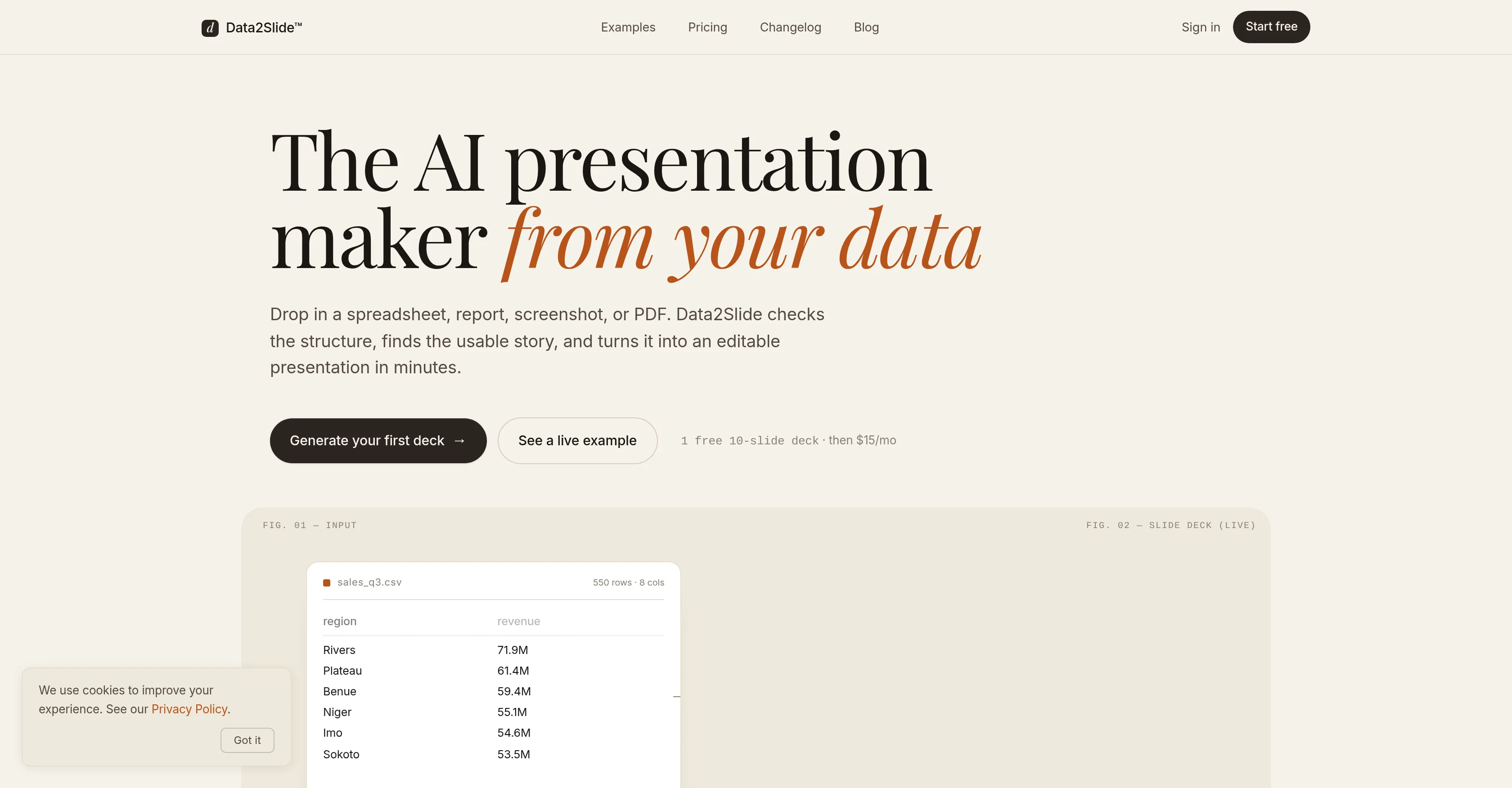
Data2Slide is an AI-driven presentation maker that supports a variety of file formats. This tool has the capability to generate insightful presentations from users' inputted data, offering an innovative time-saving solution for presenting complex amounts of information.
It accepts a myriad of data-containing file formats such as CSV, Excel, PDF, and screenshots. After receiving the input, through a process fuelled by artificial intelligence, Data2Slide produces concise and interactive presentations in a relatively short timespan.
These presentations are designed to be shared, presented live, or downloaded for offline use. In contrast to traditional methods, this tool offers a dynamic and swift approach to converting data into comprehensible visual slides.
This service aims at both business professionals seeking to display data in a more engaging way, and individuals wanting to automate the process of creating a presentation.
Keep in mind, attributes like processing time and specific functionalities may vary as this tool continues to evolve. Therefore, direct engagement with the platform or the provider's official resources is recommended for the most accurate details.
- Interactive Html Presentations
- Data File Upload
- Screenshot To Presentation
- Pdf To Presentation
- Offline Download
Access & connections
Where you can use Data2Slide, and what it plugs into.
Platforms
Integrations
Capabilities
What this tool accepts, produces, and is strongest at.
Input
- Tabular
- Image
- Text
Output
- Tabular
Supported features
- Slides
- Spreadsheets
- Image Understanding
- Visual Creation
- Automation
Pros & cons
Pros
- Interactive HTML presentations
- Data extraction insights
- Structured storytelling
- Web-native presentations
- Live presentation capability
- Link sharing option
- Offline download
- Tailored for data-driven storytelling
Show 32 more
- Generates under 5 minutes
- Supports various file formats
- Automates presentation creation
- Supports CSV, Excel, PDF
- Interactive presentations
- Designed for live presentations
- Rapid data to slide conversion
- Dynamic conversion approach
- Aids business professionals
- Automates slide creation
- Evolving tool
- Time-saving solution
- Data visualization capacity
- Compatible with different formats
- Support for larger files
- Advanced exports
- Shared or individual use
- Variant functionalities
- Versatile presentation options
- Business-oriented tool
- Data interpretation feature
- Offline use possible
- Time efficient tool
- Automated data interpretation
- Engaging visual slides
- Fast document conversion
- Comprehensible visual slides
- Designed for professional use
- Supports screenshots as input
- Innovative data presentation
- Can process complex data
- Support for multiple pages
Cons
- Limited free version
- Potentially inconsistent processing times
- Doesn't support all file formats
- Lacks static PowerPoint-style option
- Unclear advanced export functionalities
- Potential compatibility issues
- Dependent on quality of data input
- No direct customer support mentioned
Show 2 more
- Tool still evolving
- Unclear update schedule
Compare alternatives
Similar tools in the catalog — with a clear reason to open each one.

MagicSlides.app AI PPT Maker ✓
FreemiumCreate Stunning PPTs in Seconds with the AI PPT Maker
Why look Typically cheaper
Full comparison
NextDocs.io ✓
FreemiumThe AI-native editor for docs, slides, and more
Why look Offers a public API
Full comparison
Gamma ✓
FreemiumAI-powered content creation, minus the hassle.
Why look Typically cheaper
Full comparison
AI Slide Generator ✓
Free TrialCreate stunning presentations from any text in seconds
Why look Typically cheaper
Full comparison

Releases 1
FAQ 12
What is Data2Slide?
How does Data2Slide work?
What types of data files can I upload in Data2Slide?
How does Data2Slide transform data into a presentation?
How long does it take for Data2Slide to prepare a presentation?
Can I use Data2Slide for live presentations?
Can I download Data2Slide presentations for offline use?
How user-friendly is the interface of Data2Slide?
What is the role of AI in Data2Slide?
Is Data2Slide a data visualization tool?
Can I share the presentations I create with Data2Slide?
What affects the final rendering time in Data2Slide?
Related tools
Recommended

Notis ✓
Free TrialThe first WhatsApp assistant that runs on your ChatGPT and Claude subscriptions

Script.it ✓
FreemiumDescribe it in English, automate it instantly.

AI Agent Builder by Latenode ✓
FreemiumTurn workflow descriptions into working AI agents.

Lium AI ✓
FreemiumAI for complex data

AI Deck Creator ✓
Free TrialTurn content into a polished slide deck.

Presentation Agent ✓
Free TrialTurn documents into narrated video presentations instantly.