

CrePal ✓
Your AI agent picks perfect models for any video.
Free + from $16/mo
Verdict
A quick read before you dig into the full page.
- Best if
- You are content creators and need: Recreate a viral cat work video with 22M views on YouTube
- Skip if
- Too complex for beginners
- Pick this when
- Optimized model selection
Considering freebeat AI instead? Compare side by side
Overview

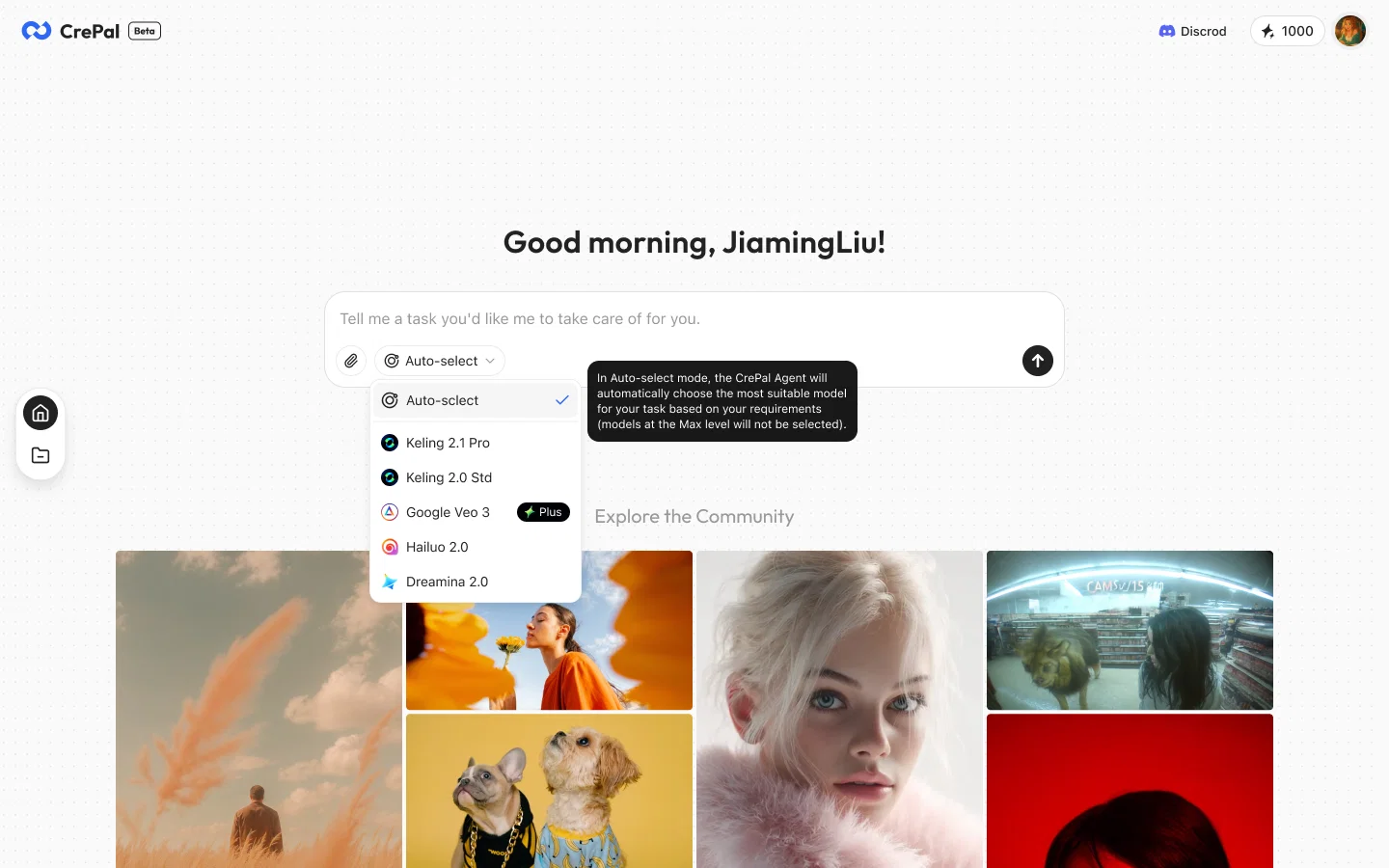
CrePal is a comprehensive AI-based video creation Agent. It is designed to assist users in creating high quality videos by leveraging advanced AI models for image and video generation.
It uses AI to intelligently select the optimum model combination that best suits the user's particular creative requirements. This allows for greater control and convenience in video creation, as the tool dynamically adjusts its workings to fit the needs specified by the user.
The scope of the models integrated into CrePal range from basic to advanced, able to tackle a variety of tasks such as image manipulation, video enhancements, overlays, and more complex editing needs.
It can be used by both beginner and professional video creators who are looking to streamline their workflow and make the video creation process more efficient.
The technology behind CrePal presents users with a powerful medium for shaping their creative vision into a quality video product.
Best for
Short scenarios where CrePal tends to shine.
-
Recreate a viral cat work video with 22M views on YouTube.
Best for Content creators
-
Create a world-class advertisement video for your product by incorporating the latest trends.
Best for Social media managers
-
Bring your movie plot to life and publish the video.
Best for Video editors
Example outputs 1
Sample generations and before/after results for CrePal.
Access & connections
Where you can use CrePal, and what it plugs into.
Platforms
Capabilities
What this tool accepts, produces, and is strongest at.
Input
- Image
- Text
- Video
- Audio
Output
- Audio
- Video
- Text
- Image
Highlights
- API
- MCP
Supported features
- API
- MCP
Pros & cons
Pros
- Optimized model selection
- Dynamically adjustable
- Wide model range
- Supports complex editing
- Beginner-friendly
- Professional use ready
- Efficient video process
- Advanced editing capabilities
Show 8 more
- High-quality video output
- Streamlined workflow
- Implements overlays
- Image manipulation features
- Creative vision interpretation
- Unique intelligent selection
- All-in-one video tool
- Personalized creation fit
Cons
- Requires high processing power
- Too complex for beginners
- Cannot import external models
- Limited customizability available
- Not suitable for large projects
- Limited video format support
- No offline working mode
- No cross-platform compatibility
Show 2 more
- Dependant on frequent updates
- Opaque model selection process
Compare alternatives
Similar tools in the catalog — with a clear reason to open each one.

freebeat AI ✓
FreemiumTurn Music & Ideas into Viral Videos In One Click
Why look Typically cheaper
Full comparison
MagicLight ✓
FreemiumTransform text into captivating videos instantly.
Why look Typically cheaper
Full comparison
Seedance ✓
FreemiumMulti-shot video generation from text and image.
Why look Stronger for image work
Full comparisonPeople also view
Tools that often show up alongside CrePal in collections and comparisons.
Seedance ✓
FreemiumMulti-shot video generation from text and image.
MagicLight ✓
FreemiumTransform text into captivating videos instantly.

Kaiber Superstudio ✓
Free TrialAI Video Generation

HeyGen ✓
FreemiumCreate AI spokesperson videos from text
freebeat AI ✓
FreemiumTurn Music & Ideas into Viral Videos In One Click

D-ID ✓
FreemiumCreate AI-generated videos with ease

ResearchMonkey AI | YouTube Summarizer ✓
Free TrialSave Hours of Research in Seconds with 40+ AI Tools

OutlierKit ✓
PaidEnter one channel, see the entire niche.
Releases 1
Imported reviews 1
"CrePal integrates all the top-performing models on the market and automatically crafts the best-formatted prompts for each of them. All I need to do is chat with it, and I can create a viral TikTok short—absolutely amazing!
FAQ 12
What is CrePal?
How does CrePal use AI in video creation?
What are the key features of CrePal?
How does CrePal improve the video making workflow?
Can beginners use CrePal effectively?
How does CrePal cater to professional video creators?
What tasks can CrePal handle in terms of video editing?
How does CrePal maintain creative control for users?
Does CrePal offer advanced video editing features?
What kinds of models does CrePal integrate for video creation?
How does the intelligent selection of models work in CrePal?
Does CrePal dynamically adjust according to user's needs?
Related tools
Recommended

Automateed ✓
Free TrialCreate eBooks effortlessly with Automateed, the AI-powered writing tool.

DeepSeek ✓
FreeUnravel the mystery of AGI with curiosity

remio: Your Personal ChatGPT ✓
FreemiumGet Tailored Answer with Your Personal ChatGPT

PixPal - Free AI Chat with Image Editor & Video Gener... ✓
FreeAI chat with images – Create, edit, innovate for free!

Harvey ✓
UnknownCustom AI for elite law firms' complex challenges

EzRemove ✓
FreeInstantly remove image backgrounds with AI.