

Cradl ✓
Automate document workflows with AI.
Free + from $350/mo
Verdict
A quick read before you dig into the full page.
- Best if
- Automate document workflows with AI
- Skip if
- No code can limit customization
- Pick this when
- Document parsing tool
Considering Lido Document Processing instead? Compare side by side
Overview
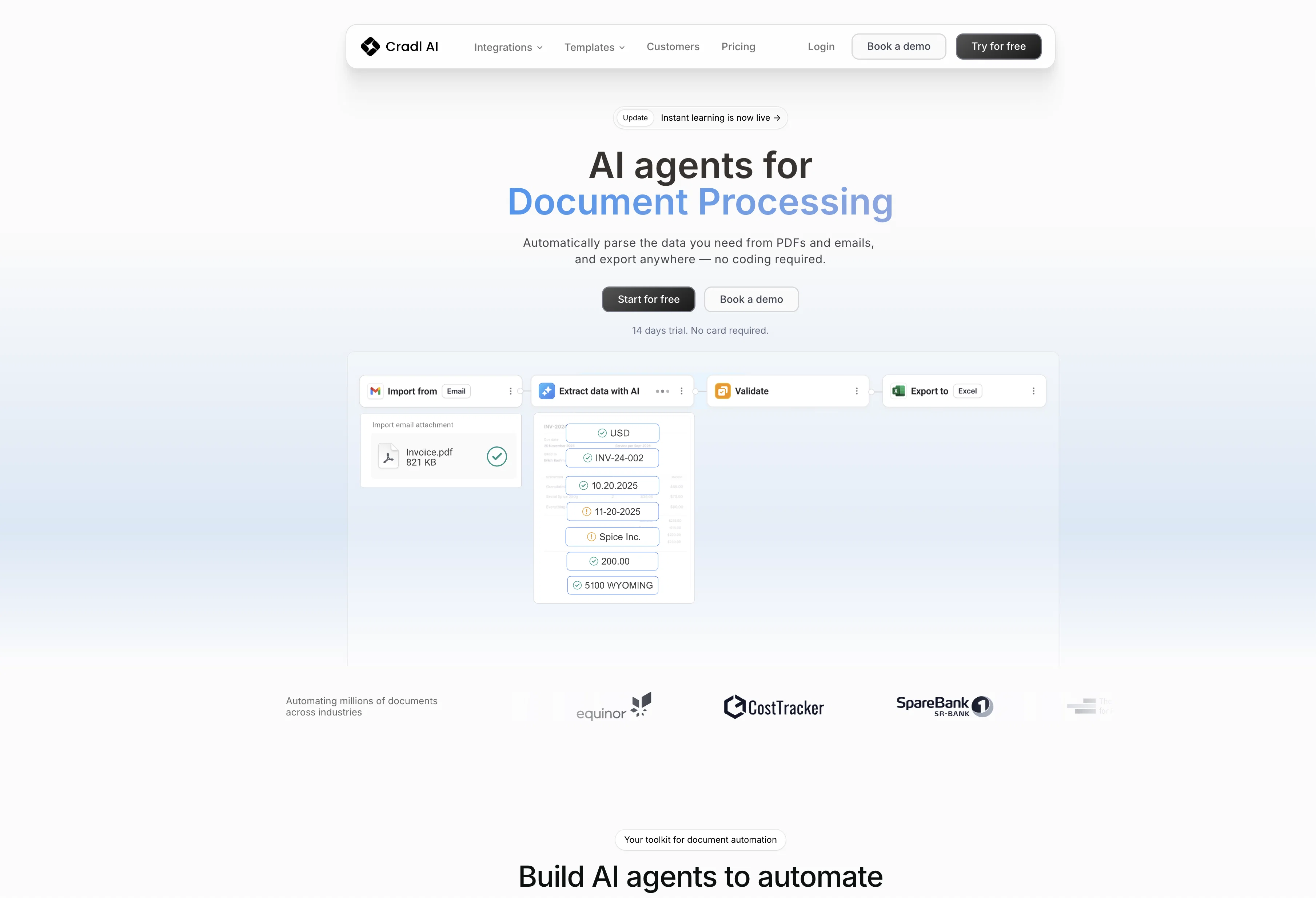
Cradl AI is a document automation software designed to streamline internal document workflows. Its primary function is to extract necessary data from various types of documents such as invoices, receipts, contracts, payslips, ID cards, and tax forms using artificial intelligence.Cradl AI's no-code platform allows for custom automation workflows and the training of personalized AI models tailored to specific documents.
With the capacity to process multiple document layouts in a single AI model, and support for Latin-based characters and digits, it caters to a broad range of document structures and languages.The tool integrates seamlessly with other automation platforms via native connectors and APIs, enhancing the utility of existing workflows.
It also offers the ability to automatically retrain AI models over time using feedback collected from users. The software emphasizes data ownership and security, ensuring that users maintain control of their data while staying compliant with security standards.For training and support, Cradl AI offers a human review setup feature and extensive template libraries for quick-start setup and inspiration.
Organizations use Cradl AI for its ability to automate and expedite data entry tasks, thus reducing document processing times and freeing up resources for other tasks.
Access & connections
Where you can use Cradl.
Platforms
Capabilities
What this tool accepts, produces, and is strongest at.
Input
- API
- Image
Output
- Tabular
- API
Pros & cons
Pros
- Document parsing tool
- Uses deep learning
- Intuitive interface
- No prior ML experience required
- Fully customizable
- Language independent models
- Layout independent models
- API and SDKs
Show 39 more
- Quick user onboarding
- Human-in-the-loop platform
- Secure and GDPR compliant
- Full data control
- Cross-industry usage
- Pay-as-you-go pricing
- Affordable at higher volumes
- No-code platform
- Custom automation workflows
- Processes multiple document layouts
- Supports Latin-based characters and digits
- Seamless integration with other platforms
- Data ownership emphasized
- Human review feature
- Template libraries
- Efficient data entry
- Supports a variety of documents
- Quick-start setup
- Invoices processing
- Receipts processing
- Contracts processing
- Payslips processing
- ID cards processing
- Tax forms processing
- Automatic model re-training
- Ability to extract tabular data
- Allows user feedback
- Multi-player feature
- Enterprise-grade security
- Easy to contact support
- Tailors automated workflows
- Process any number of document layouts
- Quick model training
- Risk-free production launch
- Automatic model improvement
- Native connectors and APIs
- Integration with favorite automation platforms
- Inspiring template library
- Ease of use
Cons
- Pay-as-you-go pricing model
- Requires initial model training
- Human review needed for low-confidence predictions
- Potential language limitations (Latin-based characters)
- Integration dependent on APIs
- Requires multiple documents for training
- No code can limit customization
- Unclear support availability
Show 2 more
- Limited to document parsing tasks
- Limited template library
Compare alternatives
Similar tools in the catalog — with a clear reason to open each one.

Lido Document Processing ✓
FreemiumAutomate PDF data extraction with AI
Why look Typically cheaper
Full comparison
Molku ✓
Free TrialAutofill PDFs & Sheets instantly from any document.
Why look Typically cheaper
Full comparison
TextMine ✓
UnknownAI-powered knowledge base for critical business documents.
No pricing
Full comparison
SuperAI ✓
PaidAutomate complex document processing with AI
Why look Typically cheaper
Full comparison
Parsio ✓
FreemiumExtract data from emails and documents instantly.
Why look Typically cheaper
Full comparison
Parseur ✓
FreemiumAutomate text extraction from documents
Why look Typically cheaper
Full comparisonReleases 1
FAQ 12
What is Cradl AI?
What are the key features of Cradl AI?
How does Cradl AI work?
How secure is Cradl AI?
How can I customize Cradl AI to my specific needs?
What type of documents can Cradl AI process?
Can I integrate Cradl AI with other automation platforms?
Do I need prior ML experience to use Cradl AI?
What's the process to train models on Cradl AI?
Can Cradl AI process multiple document layouts in a single model?
Does Cradl AI support various languages and characters?
How can I use Cradl AI's human-in-the-loop platform?
Related tools
Recommended

LearningStudioAI ✓
Free TrialAI-powered authoring tool for effortless online course creation.

Scisummary ✓
Free TrialCutting-edge scientific articles summarization.

GPTinf ✓
PaidBypass AI detectors with one-click rephrasing.

VenturusAI ✓
FreemiumBusiness idea analysis and reporting.

GPTExcel ✓
FreemiumGenerate spreadsheet formulas with AI

DataSquirrel ✓
FreemiumData cleaning & visualization for insights gained.