

CopyCopter ✓
Turn your blog into short videos in 1 click
from $13/mo
Verdict
A quick read before you dig into the full page.
- Best if
- You are solopreneurs and need: Car Review
- Skip if
- Customization might be complex
- Pick this when
- Single click operation
Considering freebeat AI instead? Compare side by side
Overview
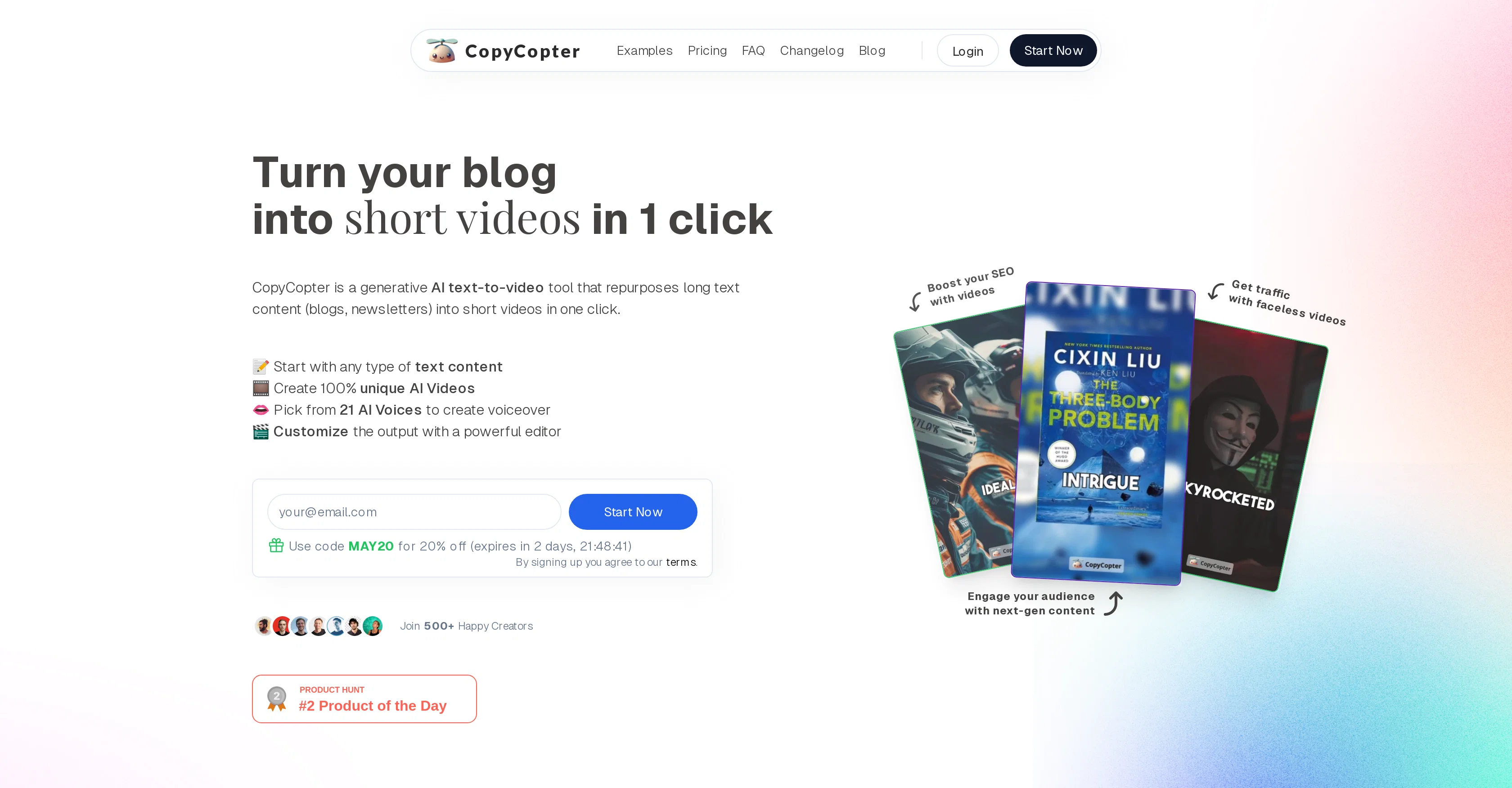
CopyCopter is an AI-powered tool designed to transform longform text content, like blogs and newsletters, into short videos in an effortless, single click operation.
It provides a platform for users to engage with any type of text content, create unique AI videos, choose from various AI voices for voiceovers, and customize output with an integrated editor.
The process starts with the user providing text content through a publicly accessible URL (blogs, articles, news etc.). The platform then writes a unique video script for the article.
Users can customize their video by modifying the voice script, picking the voice actor, and deciding between Stock Footage and AI-Generated Images. Additionally, an advanced video editor offers tools to fine-tune the final output, including image and video replacement, and options for automatic posting on platforms like TikTok and YouTube.
Features of CopyCopter include a selection of unique voices, an easy-to-use video editor, and a high quality AI-powered image generation model. Regular new updates allow for a continually evolving set of features.
The tool is noted for its adaptability, being suitable for a wide range of content types, and its user-friendly nature, accommodating even those new to video editing.
Best for
Short scenarios where CopyCopter tends to shine.
-
Car Review
Best for Solopreneurs
-
Conspiracy Theory
Best for Marketers
-
Documentary
Best for Founders
-
Meditation
Best for Engineers
-
Kids Story
Best for Partners
-
News Report
Best for CEOs
-
War Documentary
Best for Automation Wizards
-
Book Review
Best for Solopreneurs
Example outputs 1
Sample generations and before/after results for CopyCopter.
Access & connections
Where you can use CopyCopter, and what it plugs into.
Platforms
Integrations
Capabilities
What this tool accepts, produces, and is strongest at.
Input
- Text
Output
- Video
Pros & cons
Pros
- Single click operation
- Integrated customization editor
- Converts text from URL
- Automatic unique video script
- Voice actor selection
- Advanced video editor tools
- Replacement of image and video
- Auto posting on TikTok, YouTube
Show 19 more
- Constant feature updates
- Adaptable to various content
- User-friendly, even for beginners
- Supports content conversion
- Supports tutorial creation
- Includes digital marketing features
- Converts blogs, newsletters
- Generates 100% unique videos
- Personalize voice scripts
- Edit video script
- Quick video generation
- SEO enhancement via videos
- Create faceless videos
- Works on public URLs
- Custom script generation
- Insert own images, videos
- Auto-posting on social media platforms soon
- Include stock video footage
- New feature suggestions welcomed
Cons
- Requires publicly accessible URL
- Limited voice actor selection
- Image replacements manual
- No direct text input
- Automatic posting limited platforms
- Updates may disrupt workflow
- Limited editor tools
- Adaptability not fully explained
Show 1 more
- Customization might be complex
Compare alternatives
Similar tools in the catalog — with a clear reason to open each one.

freebeat AI ✓
FreemiumTurn Music & Ideas into Viral Videos In One Click
Why look Freemium alternative
Full comparison
MagicLight ✓
FreemiumTransform text into captivating videos instantly.
Why look Freemium alternative
Full comparison
HeyGen ✓
FreemiumCreate AI spokesperson videos from text
Why look Freemium alternative
Full comparison
Seedance ✓
FreemiumMulti-shot video generation from text and image.
Why look Stronger for image work
Full comparisonPeople also view
Tools that often show up alongside CopyCopter in collections and comparisons.
Seedance ✓
FreemiumMulti-shot video generation from text and image.
MagicLight ✓
FreemiumTransform text into captivating videos instantly.

Kaiber Superstudio ✓
Free TrialAI Video Generation
HeyGen ✓
FreemiumCreate AI spokesperson videos from text
freebeat AI ✓
FreemiumTurn Music & Ideas into Viral Videos In One Click

D-ID ✓
FreemiumCreate AI-generated videos with ease

ResearchMonkey AI | YouTube Summarizer ✓
Free TrialSave Hours of Research in Seconds with 40+ AI Tools

OutlierKit ✓
PaidEnter one channel, see the entire niche.
Releases 1
In the news
Launch coverage and community mentions for CopyCopter.
Imported reviews 1
good one compare with others as it clearly refelect what it said even hindi was clear and perfect where most software fail to produce correct prononciation
ramesh rajani
FAQ 12
What is CopyCopter and how does it work?
How does CopyCopter convert longform text into short videos?
Is there a limit to the length of articles CopyCopter can convert?
What type of text content can I use with CopyCopter?
How can I choose AI voices for voiceovers in CopyCopter?
How do I customize the output video in CopyCopter?
What's the difference between Stock Footage and AI-Generated Images in CopyCopter?
Can I edit images and videos in CopyCopter's advanced video editor?
How does CopyCopter's automatic posting feature work for platforms like TikTok and YouTube?
Can CopyCopter advice me on the best unique voice to use for a certain type of content?
Can I use my own images and videos in the CopyCopter editor?
What benefits do I get from CopyCopter's regular new updates?
Related tools
Recommended

Revid ✓
PaidCreate viral AI videos in minutes

Automateed ✓
Free TrialCreate eBooks effortlessly with Automateed, the AI-powered writing tool.

BookAIWriter.com ✓
PaidRevolutionize Your Writing with AI

Viddyoze ✓
Free TrialCreate incredible video content in seconds with AI.

Clipfly AI Video Generator ✓
FreemiumCreate AI-generated videos from text prompts effortlessly.

AI E-books ✓
FreemiumEasily generate e-books using advanced GPT models.