

Codecademy AI Learning Tools ✓
Supercharge your tech skills with AI-powered learning.
Trial; then from $14.99/mo
Verdict
A quick read before you dig into the full page.
- Best if
- Supercharge your tech skills with AI-powered learning
- Skip if
- No customized learning paths
- Pick this when
- Interactive tech learning
Considering LearningStudioAI instead? Compare side by side
Overview
The AI Learning Tools from Codecademy promise a new approach to interactive tech learning. Central to this is the use of artificial intelligence to streamline the learning process.
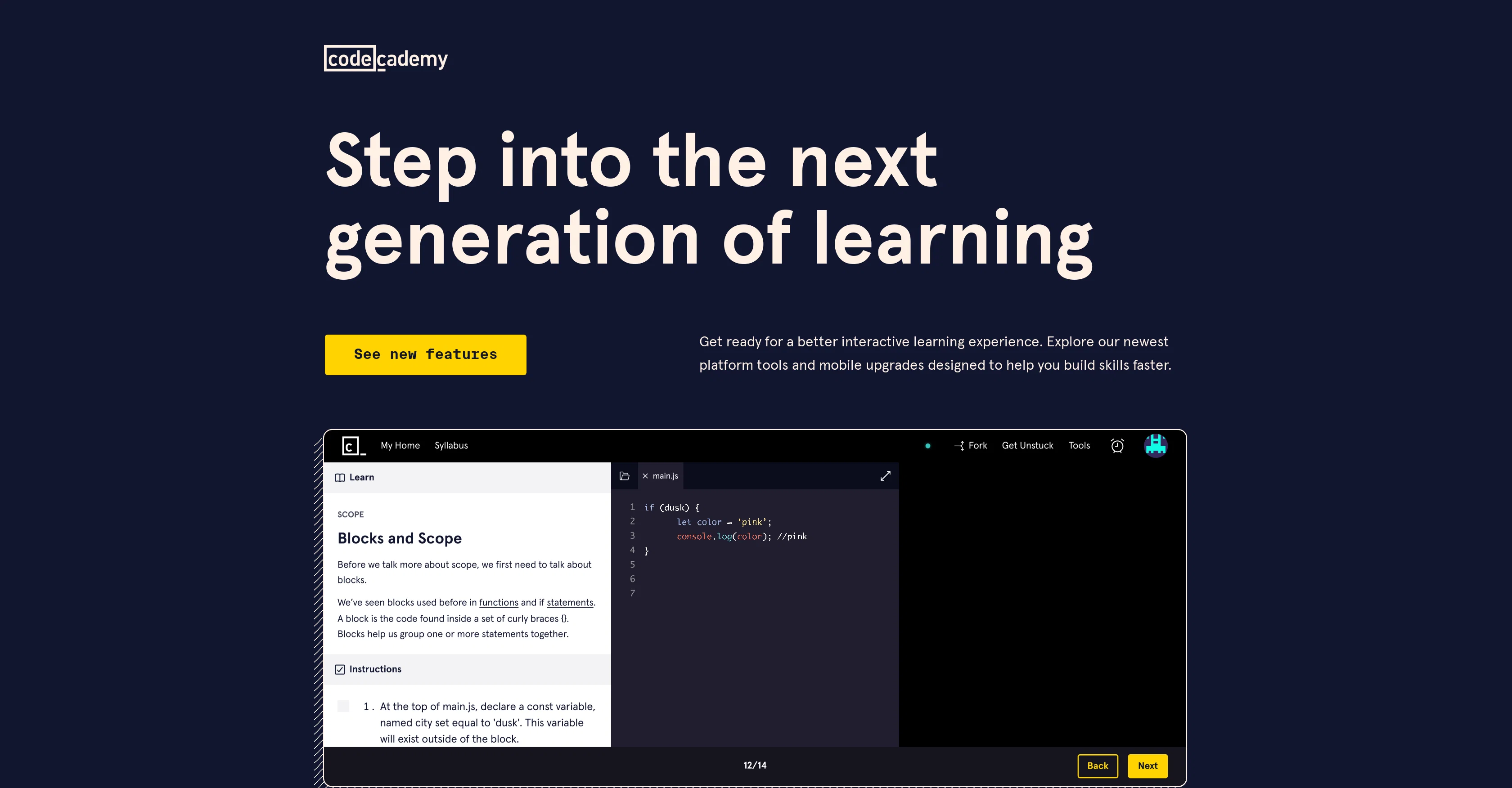
Codecademy's new AI-assisted features include providing context to pieces of code, explaining errors, and offering project hints to learners. They can be used across the learning catalog, encompassing areas like data science and coding basics as well as on popular courses.
The tools also facilitate the development of AI skills through hands-on exercises such as writing, testing, and refining generative AI prompts. The mobile upgrades, including an integrated development environment (IDE), allow learners to code on any device.
Coursework progress can be continued whenever and wherever best suits the learner. Additional features include integrated tooltip documents that provide quick explanations of terms and concepts, and assist in decoding new concepts without leaving the learning environment.
Other notable inclusions are built-in professional tools for data science work such as Jupyter Notebook, instant AI feedback on free response questions, and autocomplete functions for HTML, CSS, and JavaScript languages that ease the learning of their syntax.
These tools collectively aim to provide a more insightful, efficient, and flexible learning experience.
Access & connections
Where you can use Codecademy AI Learning Tools.
Platforms
Capabilities
What this tool accepts, produces, and is strongest at.
Input
- Code
- Tabular
- Text
Output
- Code
- Text
Supported features
- Teaching Humans
Pros & cons
Pros
- Interactive tech learning
- Context given for code
- Error explanation feature
- HTML, CSS, JavaScript Autocomplete
- Project hints provided
- Integrated development environment
- Multi-device compatibility
- Coursework continuation flexibility
Show 14 more
- Integrated tooltip documents
- Decoding of new concepts
- Professional data science tools
- Integrated Jupyter Notebook
- Instant feedback on responses
- Popular course offerings
- Mobile learning upgrades
- Quick build of tech skills
- Syntax learning made easy
- Quick explanations of terms
- Eases learning of syntax
- Professional datas science features
- Efficient, flexible learning
- Interactive learning across catalog
Cons
- Lacks multilingual support
- Limited Library documentation
- No offline availability
- Limited advanced coding resources
- Lack of collaborative coding environment
- No auto-grade feature
- Limited course variety
- No customized learning paths
Show 2 more
- Limited real-world problem sets
- Lack of live support
Compare alternatives
Similar tools in the catalog — with a clear reason to open each one.

LearningStudioAI ✓
Free TrialAI-powered authoring tool for effortless online course creation.
Free + from $39/mo
Full comparison
Mindsmith ✓
FreemiumPlatform for building and sharing eLearning content
Why look Better for writing
Full comparison
AiCoursify ✓
PaidBuild your online course in minutes with AI.
Why look Higher community rating
Full comparison
CraftedCourses.io ✓
PaidCreate and Share High-Quality Online Courses in Minutes
from $13.34/mo
Full comparison
Mexty ✓
FreemiumAI-native interactive learning platform with LMS and SCORM
Why look Typically cheaper
Full comparison
Releases 1
FAQ 12
What is the purpose of Codecademy's AI Learning Tools?
How does Codecademy's AI Learning Tools streamline the learning process?
What are the new AI-assisted features provided by Codecademy?
How can the AI tools provide context to pieces of code?
Can Codecademy's AI-assisted features be used across all learning areas?
How does Codecademy's AI Learning Tools help in developing AI skills?
What is the significance of mobile upgrades like IDE in Codecademy's AI Learning Tool?
Can I continue my coursework from where I left off using Codecademy's AI Learning Tools?
How are the integrated tooltip documents helpful in Codecademy's AI Learning Tools?
What professional tools for data science work are included in Codecademy's AI Learning Tools?
How does the autocomplete functions for HTML, CSS, and JavaScript in Codecademy's AI Learning Tools make learning easier?
How can Codecademy's AI Learning Tools help in coding mentorship?
Related tools
Recommended

Eightify
UnknownAI-powered YouTube video summarizer extracting key ideas for quick content assessment.

Stunning ✓
PaidBuild AI-powered websites in seconds

Automateed ✓
Free TrialCreate eBooks effortlessly with Automateed, the AI-powered writing tool.

Chaindesk ✓
FreemiumCustomizable chatbot for support

ElevenLabs ✓
FreemiumCreate lifelike AI voices for compelling storytelling.

Flowpoint ✓
FreemiumWebsite Analytics Reports with AI Agents