

CodeAnt AI ✓
AI to detect & auto-fix bad code
Trial; then from $19/mo
Verdict
A quick read before you dig into the full page.
- Best if
- AI to detect & auto-fix bad code
- Skip if
- No multi-language support
- Pick this when
- Auto-repairs flawed code
Considering HelpMoji instead? Compare side by side
Overview
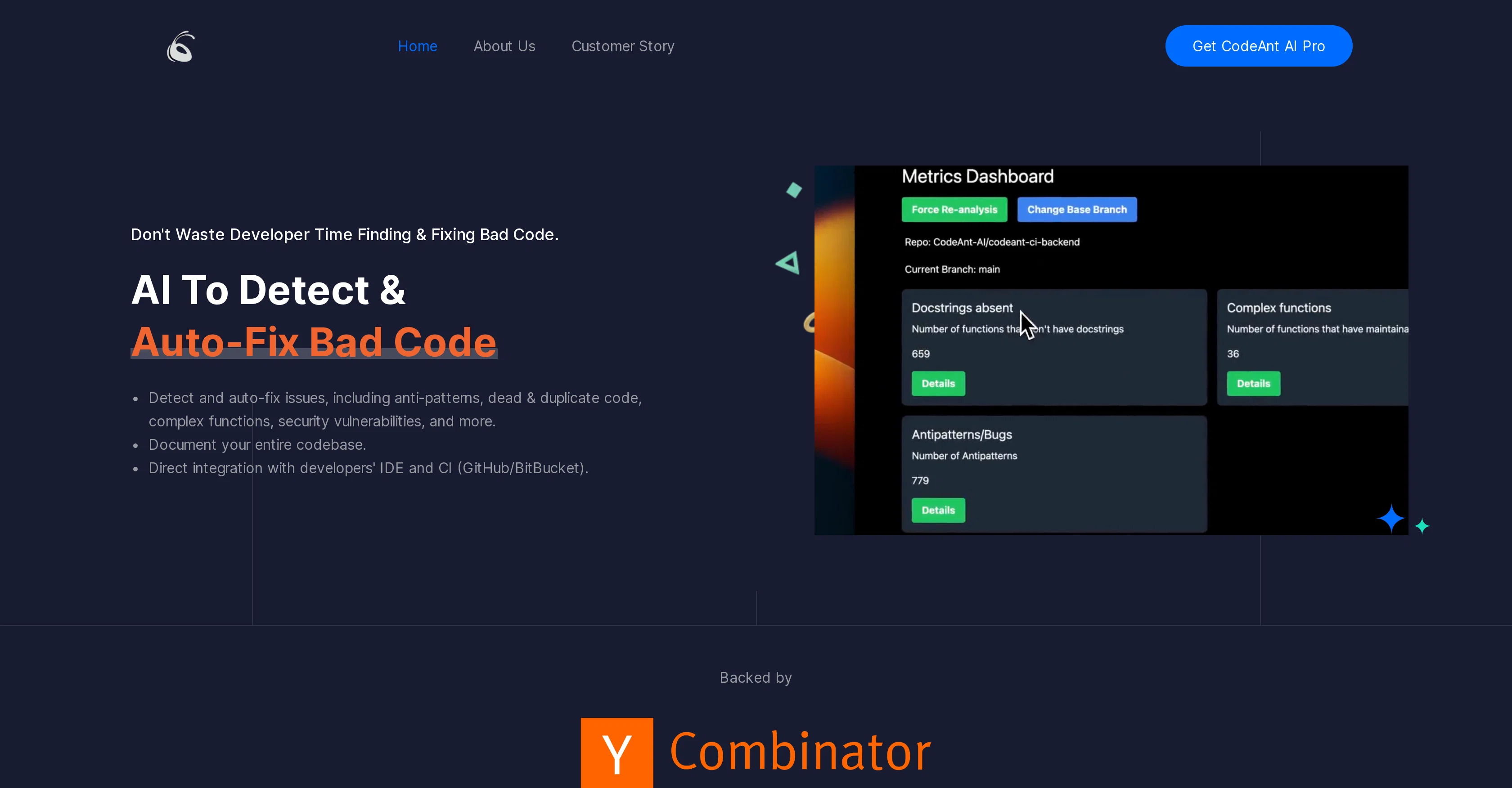
CodeAnt AI is a tool engineered to identify and automatically repair flawed code. The system can detect various issues, such as anti-patterns, duplicate or dead code, overly complex functions, security vulnerabilities and more, offering suggestions and auto-fixes for these problems.
The tool is created with the purpose to streamline developers' workflow, saving time by not only identifying but also rectifying problematic code, directly within the developers' Integrated Development Environment (IDE) and Continuous Integration (CI) systems like GitHub and BitBucket.
The AI tool also documents the entire codebase, providing visibility into the code's structure and quality over time. It can operate on both file and repository levels, offering solutions at the individual file level, as well as scanning the entire codebase for potential issues.
In addition, CodeAnt AI supports end-to-end integration with the development workflow and is designed to automatically address coding issues during pull requests, ensuring the highest code quality.
While it is primarily aimed at developers, CodeAnt AI also provides organizations with an overview of code quality across different repositories and teams.
CodeAnt AI can be deployed entirely on-prem or in Virtual Private Cloud (VPC), ensuring data safety.
Access & connections
Where you can use CodeAnt AI, and what it plugs into.
Platforms
Integrations
Capabilities
What this tool accepts, produces, and is strongest at.
Input
- Code
- Tabular
Output
- Code
- Tabular
Supported features
- Code Review
Pros & cons
Pros
- Auto-repairs flawed code
- Detects multiple code issues
- Streamlines developer workflow
- IDE and CI integration
- GitHub and BitBucket compatible
- Full codebase documentation
- Operates on file, repository levels
- Handles pull request code issues
Show 42 more
- Overview of code quality
- On-prem or VPC deployment
- End-to-end workflow integration
- Code security feature
- Auto-generated code docstrings
- Unit-tests generation
- Bulk code fixes
- Code quality analytics
- Extension for VS Code, JetBrains
- Auto-fixing during code development
- Supports organization-level code analysis
- Enforces clean coding practices
- Deployed in encrypted environment
- Detects, rectifies bad code
- Cost-effective code debugging
- Time saving for developers
- Detects anti-patterns
- Identifies duplicate, dead code
- Recognizes complex functions
- Highlights security vulnerabilities
- Suggests code improvements
- Automatically prompts for bad code
- Reduces tech debt
- Saves developer hours
- Suits individual developers
- Teams, repositories code quality view
- Lines of code scanned
- Auto-fixed anti-patterns count
- Hours saved indicator
- Compatible with more languages
- Supports PR code checks
- Proactive code issue fixing
- Handles up to 200 files
- Manages repository rules
- Offers diagram and Docstring feature
- Improves code onboarding process
- Helpful in reducing tech debt
- Provides security loop hole alerts
- Offers efficiency, quality in one
- Pinpoints inefficiencies in code
- Enhances code security
- Secures data within company's infrastructure
Cons
- No multi-language support
- Limits bulk fixes
- No offline support
- No integration with other IDEs
- Problems with large codebases
- Over-dependency on IDE integration
- May produce false positives
- Not optimized for small teams
Show 2 more
- No version control system integration
- No freemium version for teams
Compare alternatives
Similar tools in the catalog — with a clear reason to open each one.

HelpMoji ✓
FreeWhen tech support can’t answer your questions, they come to us
Why look Fully free option
Full comparison
DebugPT ✓
PaidYour personal AI debugger for perfect code.
Why look Typically cheaper
Full comparison
Multiplayer.app ✓
Free TrialThe debugging agent for developers.
Why look Typically cheaper
Full comparison
Flo ✓
FreeCatch and solve errors automatically in your code.
Why look Fully free option
Full comparison
Metabob ✓
FreemiumAI-powered code review for improved security
Why look Better fit for coding
Full comparison
Releases 1
FAQ 12
What exactly is CodeAnt AI?
What type of code flaws can CodeAnt AI detect?
How does CodeAnt AI integrate with my IDE and CI systems?
Does CodeAnt AI support both GitHub and BitBucket?
What does it mean when CodeAnt AI documents the entire codebase?
Can CodeAnt AI operate on both individual file and repository levels?
Does CodeAnt AI automatically address coding issues during pull requests?
Can CodeAnt AI provide an overview of code quality across different repositories and teams within my organization?
What type of deployment options does CodeAnt AI offer?
How does CodeAnt AI ensure data safety?
What is CodeAnt AI's approach to automated code correction?
What aspects of code security does CodeAnt AI cover?
Related tools
Recommended

Marblism ✓
FreemiumAI Employees who Work for Your Business

B12 AI Website Builder ✓
FreemiumAI-powered website builder

Stunning ✓
PaidBuild AI-powered websites in seconds

AI Client Finder by SynthMind ✓
Free TrialFind Your Potential Clients’ Accurate Contact Data with AI

VenturusAI ✓
FreemiumBusiness idea analysis and reporting.

Recall ✓
FreemiumSummarize Anything, Forget Nothing!