

Bluecast ✓
Grow your personal brand on LinkedIn with AI
Trial; then from $23/mo
Verdict
A quick read before you dig into the full page.
- Best if
- Grow your personal brand on LinkedIn with AI
- Skip if
- Limited to LinkedIn only
- Pick this when
- LinkedIn-focused tool
Considering 2PR instead? Compare side by side
Overview
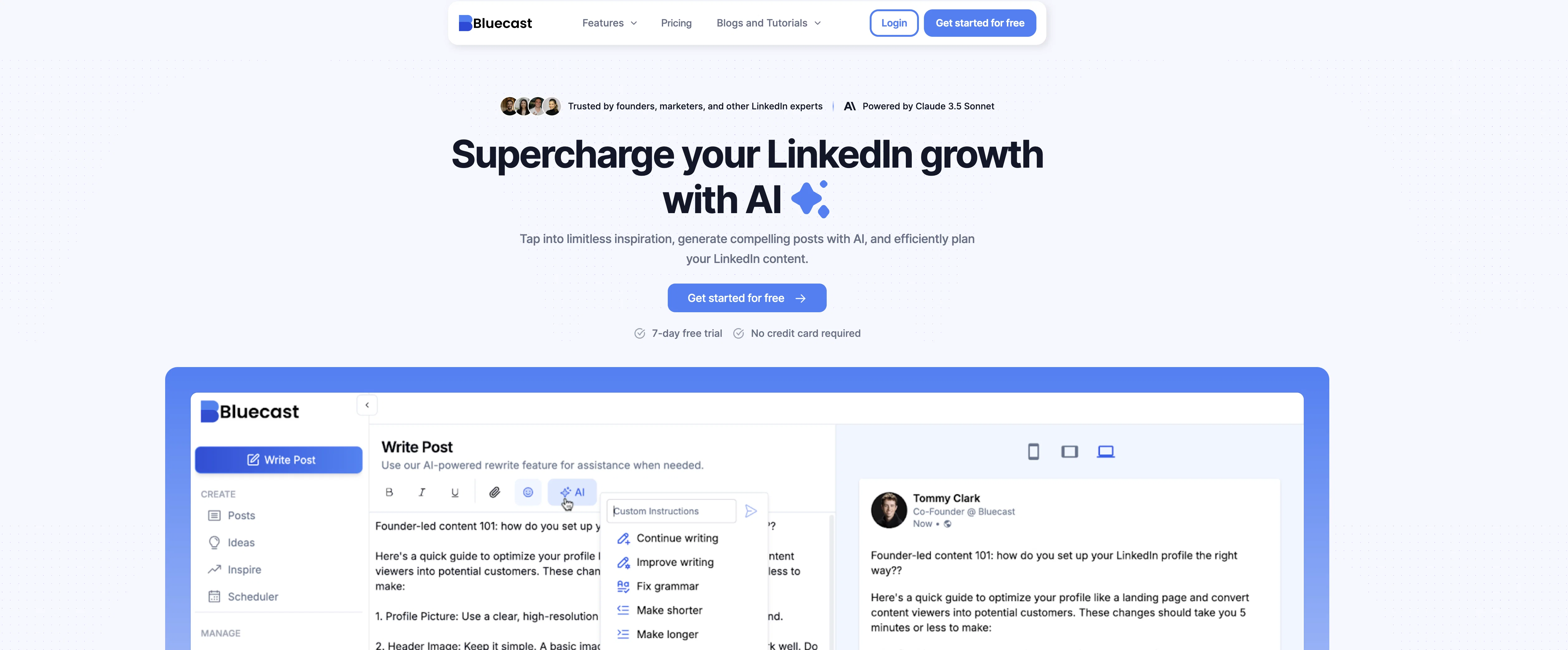
✅ Repurpose with Ease: Turn YouTube videos, blogs, audio files, and even PDFs into fresh, ready-to-publish LinkedIn posts.
✅ Emulate Top Creators: Choose a creator you admire, and our AI mimics their style and tone, crafting posts that reflect their voice—tailored to your unique message.
✅ Idea Generator: Struggling for inspiration? Search for topics and our AI delivers fresh post ideas ready for publishing.
✅ Post Templates: Access proven, high-performing LinkedIn templates that save time and drive results.
✅ Inspiration Feed: Never run out of ideas with a curated feed of trending posts and creators.
✅ Seamless Scheduling: Plan and schedule your posts in advance to stay consistent and keep your audience engaged.
Why Choose Us?
Our AI simplifies the hardest part of LinkedIn—creating engaging, on-brand content. Whether you’re building a personal brand or driving B2B growth, we give you the tools to stay consistent and impactful.
Start your LinkedIn growth journey today!
Best for
Short scenarios where Bluecast tends to shine.
-
Grow your personal brand on LinkedIn with AI
Example outputs 1
Sample generations and before/after results for Bluecast.
Access & connections
Where you can use Bluecast, and what it plugs into.
Platforms
Integrations
Pros & cons
Pros
- LinkedIn-focused tool
- Content Repurposing
- Post scheduler
- Post generator
- Curated feed for inspiration
- Optimized content strategy
- Carousel Generator
- Post Previewer
Show 39 more
- Improves professional presence
- Accelerate growth
- Customized post ideas
- Streamlined content creation
- Repurpose existing content
- Access top LinkedIn influencers
- Plan content calendar
- Visualize posting strategy
- See post previews
- Creates engaging carousels
- Maximizes content usage
- Efficient LinkedIn management
- Multi-format posts
- Industry-specific templates
- Customizable post lists
- Schedule posts and comments
- Save ideas for later
- Automates LinkedIn strategy
- Transforms existing material
- Organizes drafted content
- Effortlessly create posts
- Quick topic suggestions
- Influencer content access
- Generates professional content
- Inspiration from curated lists
- Easily plan LinkedIn content
- Optimize posting timings
- Efficiently reuse top-performing content
- Direct creation from suggested topics
- Eye-catching post generation
- Simplifies LinkedIn strategy
- Improves content quality
- Streamlines LinkedIn post creation
- Supercharges LinkedIn growth
- Offers industry-specific content
- Consistent, high-quality posts
- Endless LinkedIn post ideas
- Time-saving content tool
- Increases network growth
Cons
- Limited to LinkedIn only
- No multi-platform support
- Lacks pre-made templates
- No mentioned analytics features
- No cross-posting feature
- Only English language support
- Lacks content collaboration feature
- Lacks demographic targeting
Show 2 more
- No native mobile app
- No image editing tools
Compare alternatives
Similar tools in the catalog — with a clear reason to open each one.

2PR ✓
Freemium2pr All-in-One AI Tool to Easily Create Winning Linkedin Posts
Why look Offers a public API
Full comparison

Taplio ✓
FreemiumThe LinkedIn growth tool to turn content into pipeline
Why look Better for writing
Full comparison
Cclarity ✓
Free TrialYour authentic LinkedIn voice meets intelligent lead generation
Why look Typically cheaper
Full comparison
People also view
Tools that often show up alongside Bluecast in collections and comparisons.

myAIninja ✓
Free TrialAI-powered content creation for social media, 10x faster

MagicPost ✓
FreemiumEfficient LinkedIn post generation.
Taplio ✓
FreemiumThe LinkedIn growth tool to turn content into pipeline

Syndie.io ✓
Free TrialYour Trusted End-to-End Multi-Channel AI Sales Copilot

Salesprompter ✓
FreemiumAutomated LinkedIn message writing.

ReachifyMe ✓
Free TrialLinkedIn Posts and Carousel Generator

BetterHeadshot ✓
PaidCreate stunning AI headshots in minutes.

Podify.io ✓
Free TrialBoost your LinkedIn brand with AI and micro-communities.
Releases 1
FAQ 12
What is Bluecast?
How does Bluecast use AI to enhance LinkedIn content creation?
What features does Bluecast offer for LinkedIn strategy optimization?
How does the Post Generator feature in Bluecast work?
What is the Repurpose Content Idea Generator function in Bluecast?
Can Bluecast help me find inspiration for my LinkedIn posts?
How does the Post Scheduler feature in Bluecast help improve my posting strategy?
What is the Carousel Generator feature of Bluecast?
Does Bluecast provide a preview of how my posts will look before I publish them?
Is Bluecast easy to use?
Does Bluecast help with LinkedIn networking and growth?
How does Bluecast's Inspiration feature work?
Related tools
Recommended

VideoPal AI ✓
FreemiumCreate viral faceless videos with AI

BuzzLens ✓
UnknownSee what your audience shares about you on social media.

Automateed ✓
Free TrialCreate eBooks effortlessly with Automateed, the AI-powered writing tool.

FameFlame ✓
Paid🚀 Supercharge Your Social Media Growth

Renderfire ✓
PaidAutomate faceless videos for YouTube and TikTok.

Recall ✓
FreemiumSummarize Anything, Forget Nothing!