

Beeble ✓
AI lighting for filmmakers, change scenes in post-production.
Free + from $16/mo
Verdict
A quick read before you dig into the full page.
- Best if
- AI lighting for filmmakers, change scenes in post-production
- Skip if
- Limited enterprise features for Post-production streamlining
- Pick this when
- Individual video passes
Considering Veo instead? Compare side by side
Overview
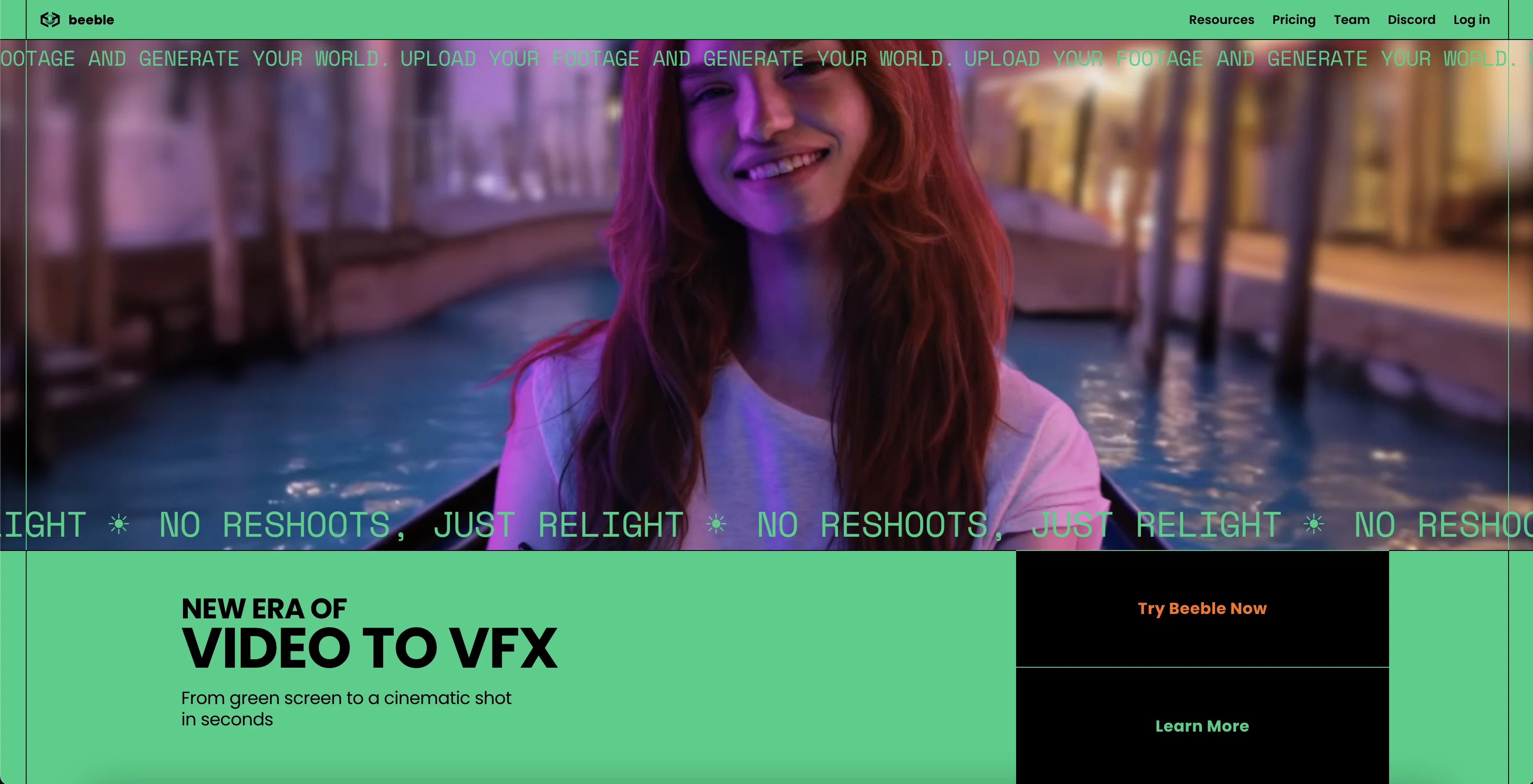
SwitchLight Studio by Beeble is a tool designed to redefine VFX and compositing for filmmakers. It integrates artificial intelligence and physically-based rendering to enable users to alter lighting post-production.
The AI system in SwitchLight Studio generates individual passes for a video, such as depth, normal, roughness, albedo, specular, and ambient occlusion, describing how light interacts with the surface of objects.
This includes capturing the true color of objects without shadows or lighting effects via the albedo pass and 3D geometry through the normal and depth map.
The solution uses Physically-based rendering to replicate real-world lighting accurately. Moreover, SwitchLight Studio features AI Virtual Production, which facilitates the seamless integration of actors into varying environments with realistic lighting.
Users can use its distinct functions: background removal, PBR material and depth extraction, physically based rendering, PBR neural enhancer, and light map extraction.
With these features, users can transform their PBR results, improve realism, create digital doubles, and more, without requiring a comprehensive understanding of AI or 3D software.
For professionals, the software promotes unlimited creativity through individual PBR passes, 4K+ resolution support, guaranteed temporal consistency across frames, and PBR loader for Blender and Unreal Engine.
The solution also provides local processing for image or video data, respecting user's privacy. Kids the software offers enterprise features like Nuke plugin for post-production streamlining, command-line interface, offline capability, and multi-OS support.
Besides, Beeble offers SwitchLight Studio's AI suite as an API, a web-based version, and a mobile application for added flexibility.
Access & connections
Where you can use Beeble.
Platforms
Capabilities
What this tool accepts, produces, and is strongest at.
Input
- API
- Tabular
- Video
Output
- Video
- 3D
- API
Pros & cons
Pros
- Individual video passes
- Physically-based rendering
- Background removal feature
- PBR material extraction
- Depth map extraction
- PBR neural enhancer
- Light map extraction
- 4K+ resolution support
Show 32 more
- Temporal consistency
- Local data processing
- Respects user's privacy
- PBR loader for Blender
- PBR loader for Unreal Engine
- Nuke plugin integration
- Command-line interface
- Offline capability
- Multi-OS support
- API availability
- Web-based version
- Mobile application
- Digital double creation
- Interface with any 3D software
- Extracts 3D Geometry and PBR
- HDRI extraction feature
- Enhanced storytelling tool
- PBR material & depth extraction
- Post-production light modifying
- Parallax in post-production
- Video-to-material model
- Non-invasive background removal
- Zero loss EXR support
- Compatible with vfxplatform.com
- RLM licensing for studios
- Self-occlusion & subsurface scattering enhancements
- Professional compatibility for ControlNet
- Natively extracts light information
- Extracts lighting for portraits, HDRI
- Retains color details without shadows
- Handles matting and map extraction
- Extracts roughness and specular properties
Cons
- Requires green screen for background removal
- Limited to specific 3D programs
- Potentially complicated command-line interface
- Limited offline capabilities
- Potential privacy issues with local processing
- May not support all video resolutions
- Lacks extended support for non-technical users
- Dependent on specific APIs for SwitchLight features
Show 1 more
- Limited enterprise features for Post-production streamlining
Compare alternatives
Similar tools in the catalog — with a clear reason to open each one.


Runway ✓
Free TrialAI-powered creative tools for content generation and editing
Why look Better for writing
Full comparison

LTX Studio ✓
FreemiumAI-powered filmmaking platform for creators and studios.
Free + from $15/mo
Full comparison
FilmmakerPRO ✓
FreeElevate your filmmaking with AI-powered storytelling.
Why look Fully free option
Full comparison
Movie Maker Studio ✓
FreeTurn Ideas into finished Ad, TV show, or short movie in Minutes
Why look Fully free option
Full comparisonReleases 1
FAQ 12
What is Beeble SwitchLight Studio?
What role does AI play in Beeble SwitchLight Studio?
What are individual passes in SwitchLight Studio?
How does physically-based rendering work in SwitchLight Studio?
What features does SwitchLight Studio's AI Virtual Production offer?
How does SwitchLight Studio's feature for background removal work?
What can the PBR material and depth extraction feature do in SwitchLight Studio?
How can Beeble SwitchLight Studio improve my PBR results and realism?
Can I use SwitchLight Studio without a comprehensive understanding of AI or 3D software?
What makes SwitchLight Studio suitable for professional use?
What does 4K+ resolution support mean in the context of SwitchLight Studio?
Does SwitchLight Studio support Blender and Unreal Engine?
Related tools
Recommended

Focal ✓
FreemiumCreate your own TV shows and movies.

AIflixhub ✓
FreemiumAI-powered platform for watching and creating movies

Business Idea Generator AI ✓
FreeGenerate innovative business ideas with AI

Stunning ✓
PaidBuild AI-powered websites in seconds

Flawless ✓
UnknownCinematic AI tools that respect the art of filmmaking.

Findsight ✓
FreeCompare non-fiction ideas from multiple sources.