

Agent management 2026 Rank: #1113
Auto Learning Agents ✓
Self-host your own AI agents in minutes.
Verdict
A quick read before you dig into the full page.
- Best if
- Self-host your own AI agents in minutes
- Skip if
- Documentation might be complex
- Pick this when
- Free, open-source platform
Considering Future AGI instead? Compare side by side
Overview
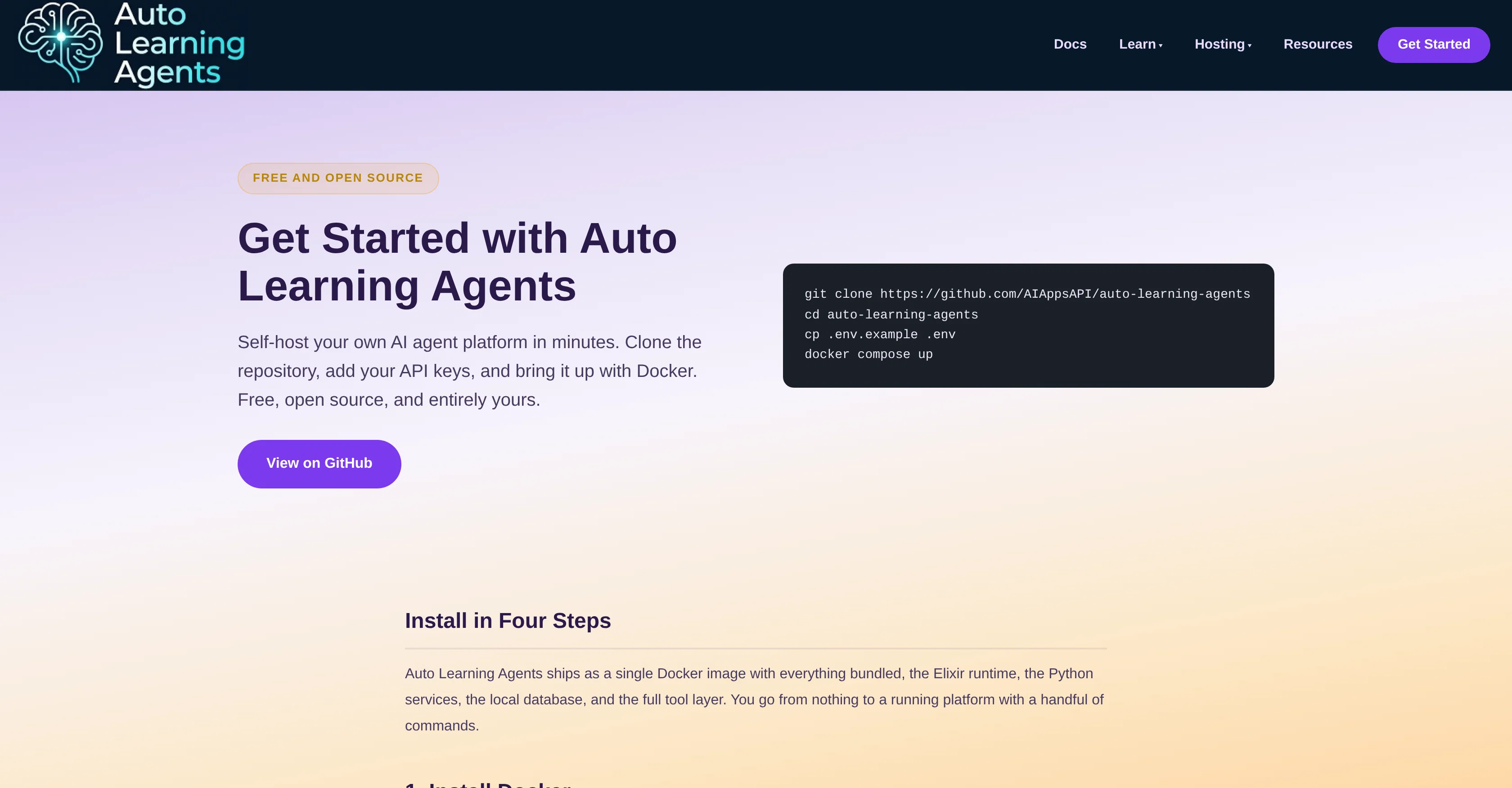
Auto Learning Agents is a free, open-source AI agent platform that can be self-hosted within minutes using Docker. Users can clone the repository, add their API keys and run their own AI agents.
It's compatible with a variety of models, such as Claude, OpenAI, or Gemini, and users can mix these models according to their requirements. It also supports fully local operations with tools like Ollama and without any external keys.
Auto Learning Agents comes bundled with Elixir runtime, Python services, a local database, and a full tool layer, encapsulated within a single Docker image.
It's designed to be easily installed with just a few commands following the installation of Docker and Docker Compose. The platform is designed with light requirements.
Docker is the only requirement on the user's machine and at least one API key from a provider like Anthropic, OpenAI, or Google, or a local model served through Ollama, for the agents to operate.
It leverages a single bundled database for storage and search, avoiding the need for any external setup or a cloud account. The platform can be used for a wide range of applications, including browser automation, fault tolerance, code review, and more.
Comprehensive documentation is provided, covering configuration, model selection, memory backend, and an in-depth understanding of the system behind the platform.
Access & connections
Where you can use Auto Learning Agents, and what it plugs into.
Platforms
Integrations
Capabilities
What this tool accepts, produces, and is strongest at.
Input
- Tabular
Output
- API
Highlights
- Agents
- Open Source
- Local
- API
Supported features
- Agents
- Open Source
- Runs Locally
- API
- Automation
- Computer Use
- Code Review
- Memory
- Search
Pros & cons
Pros
- Free, open-source platform
- Self-hosting capabilities
- Quick setup with Docker
- Mixing models functionality
- Compatible with various models
- Supports fully local operations
- Encapsulated within single Docker image
- Elixir runtime included
Show 42 more
- Python services included
- Local database included
- Full tool layer included
- Light installation requirements
- No cloud account required
- Flexible application range
- Comprehensive documentation
- Browser automation capabilities
- Fault tolerance features
- Code review applications
- Claude and Gemini model support
- Bundled database for storage
- In-depth system understanding
- Ollama tool support
- API keys integration
- Local model served through Ollama
- Easy to clone repository
- No need for external setup
- Docker as only machine requirement
- Supports model selection
- Supports memory backend configuration
- Useful for multi-agent systems
- Dashboard access on localhost
- Light user requirements
- Installation steps documentation
- Supports external model keys
- Self-contained, no external dependencies
- Single command platform start
- Option for fully local run
- Database preparation on first run
- Dashboard for live agents
- Low server requirements
- Scalable solution
- Enhanced security features
- Provides repository README
- Guides on how agents work
- Links for further learning
- Multiple use cases
- Great for research purpose
- Capable of web scraping
- Supports content creation workflow
- Excellent for agent learning architecture
Cons
- Requires Docker knowledge
- Needs API keys
- Limited to provided models
- Interface not mentioned
- Scalability not discussed
- Documentation might be complex
- Database bundled, not selectable
- Assumes command line familiarity
Show 2 more
- Reliance on Elixir and Python
- Potential incompatibilities with Docker
Compare alternatives
Similar tools in the catalog — with a clear reason to open each one.

Future AGI ✓
FreemiumAI Agents hallucinate. Catch it. Fix it fast.
Free + from $250/mo
Full comparison


Hermes Agent Helper ✓
PaidDeploy your private AI agent in minutes.
Why look More privacy-focused
Full comparison

Sentrely ✓
Free TrialThe managed control plane for your AI agents.
Free + from $199/mo
Full comparisonReleases 1
FAQ 12
What is Auto Learning Agents?
How quickly can I set up Auto Learning Agents?
What models are compatible with Auto Learning Agents?
How do I add my API keys to Auto Learning Agents?
Can I run Auto Learning Agents solely with local operations?
What tools does the Auto Learning Agents Docker image come with?
What's the installation process for Auto Learning Agents?
What are the system requirements for using Auto Learning Agents?
Are there any external setup or cloud requirements for Auto Learning Agents?
What kind of applications can I use Auto Learning Agents for?
Is there comprehensive documentation for Auto Learning Agents?
Can Auto Learning Agents be used for browser automation?
Related tools
Recommended

AI-Powered Post Generator ✓
FreeSocial post creation made easy from media sources.

Kling ✓
FreemiumCreate high-fidelity videos from text with lifelike motion and real-world physics

Promtist AI ✓
FreeGenerate optimized prompts for better AI results.

AgentSwarms ✓
FreeLearn, Build and Run Agentic AI on your Browser!

OpenClaw ✓
UnknownThe AI that actually does things.

Lyria ✓
FreeGenerate high fidelity music and audio