

Agent management 2026 Rank: #2579
Buda AI ✓
AI agents that actually run your company.
Verdict
A quick read before you dig into the full page.
- Best if
- AI agents that actually run your company
- Skip if
- Depends on continuous learning
- Pick this when
- Cloud-native workspace
Considering Future AGI instead? Compare side by side
Overview
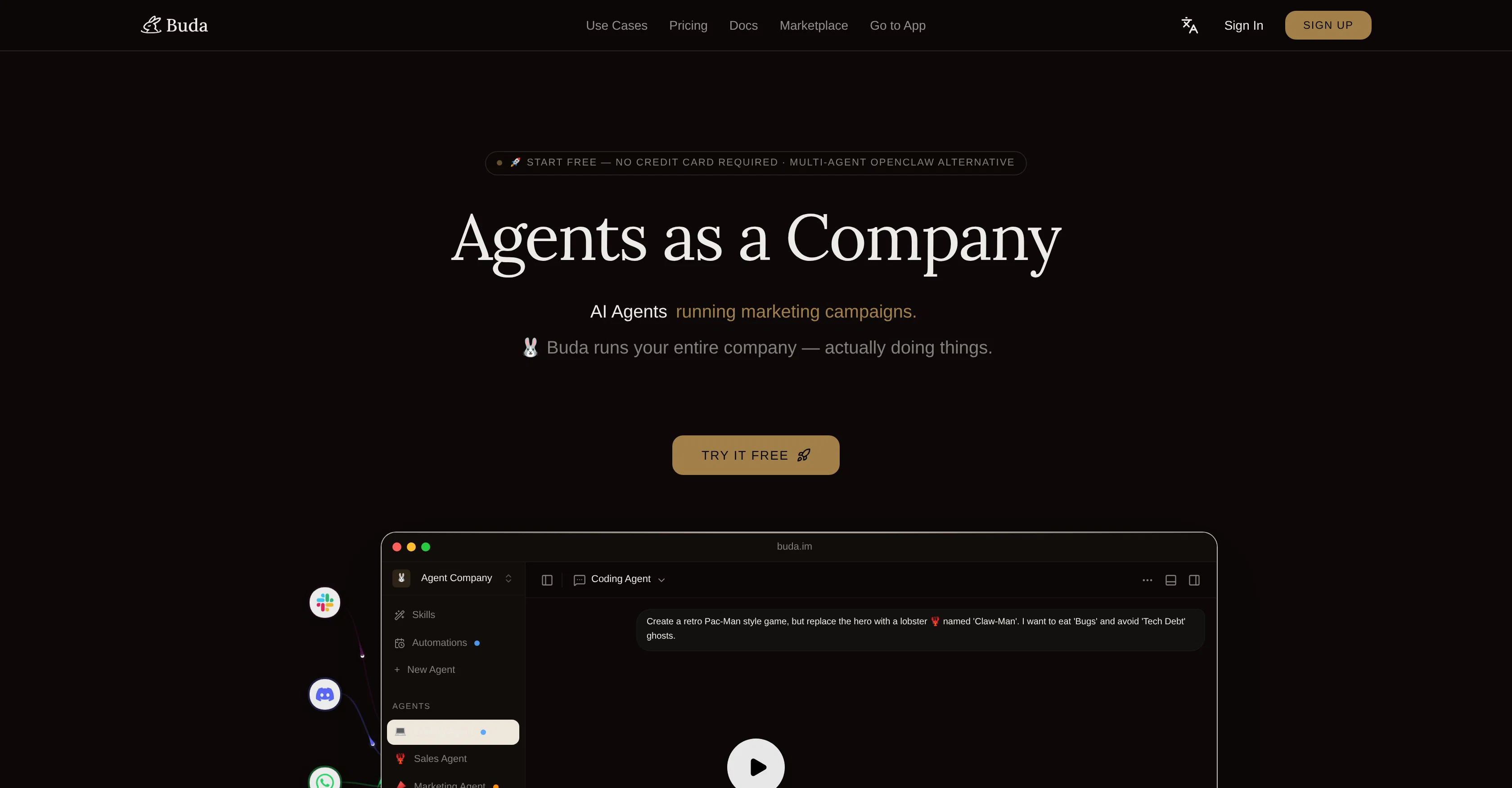
Buda AI is a cloud-native workspace designed to operationalize AI within teams. This platform allows users to establish their own agent company by recruiting Claw agents for various roles such as coding, sales, marketing and operations.
Each agent has distinct skills and automations, which can be customized based on the requirements of the task at hand. Tasks range from creating a retro Pac-Man game to handling HR, Operations, Sales tasks, and more.
This tool is also capable of deploying coding agents to run terminal commands and review PRs locally, automating content creation, social media scheduling, and SEO, along with automating lead generation, follow-ups and CRM management with AI sales agents.
The workspace provides an all-in-one visual UI where users can monitor every step the AI takes, not just the final outcome. Data security is ensured via encryption, two-way sync, and real-time backup.
One of Buda AIs unique features is its persistent memory for AI agents - files, context, and agent memory survive restarts, ensuring sessions never reset to zero.
In addition, the platform provides native terminal access and built-in version control making it easy to test and evaluate agent performance. It's not limited to a web app and allows deployment across different chat platforms such as Discord, Telegram, Slack and more.
The built-in strategy advisors help users prioritize their workflows, and the workspace memory provides insights into past tasks and results. It also supports different media formats like PDF, video, audio, images, PPTX, DOCX, with OCR capabilities, and ensures agents run in an isolated drive sandbox with permission controls.
Access & connections
Where you can use Buda AI, and what it plugs into.
Platforms
Capabilities
What this tool accepts, produces, and is strongest at.
Input
- API
- Tabular
- Text
Output
- Code
- Tabular
- API
- Text
Highlights
- Agents
Supported features
- Assistant
- Image Generation
- Code Assistant
- Agents
- Integrations
- Automation
Pros & cons
Pros
- Cloud-native workspace
- Runs an agent company
- 24/7 agent operation
- Various agent skills available
- Tasks learning and evolution
- Agents recall past sessions
- Automation across tasks
- Unlimited agent allowance
Show 40 more
- Buda Drive for persistence
- Safe data after restarts
- Deploy on any chat platform
- Single dashboard orchestration
- Secure and scalable
- Collaboration and business functionality
- HR, sale and marketing automation
- Operations and task automation
- Coding agent deployment
- Visual UI for monitoring
- Task customization
- Terminal command automation
- Data encryption
- Real-time backup
- Two-way data sync
- Native terminal access
- Built-in version control
- Supports various media formats
- OCR capabilities
- Sandbox agent isolation
- Permission control
- Workspace memory insights
- Built-in strategy advisors
- Workflow prioritization
- Team-level access
- Strategy advising
- Cross-platform deployment
- Social media scheduling
- Coding agent review PRs
- Content creation automation
- SEO automation
- CRM automation
- Lead generation automation
- HR automation
- Workforce management
- Not limited to web app
- Persistent memory for agents
- Role-based access
- Self-developed agent engine
- Multi-user collaboration
Cons
- Doesn't mention pricing
- No offline capabilities
- Affects privacy
- Limited agent customization
- Depends on continuous learning
- Single dashboard may be overwhelming
- No mention of language support
- Relies heavily on cloud
Compare alternatives
Similar tools in the catalog — with a clear reason to open each one.

Future AGI ✓
FreemiumAI Agents hallucinate. Catch it. Fix it fast.
Why look Offers a public API
Full comparison

Hermes Agent Helper ✓
PaidDeploy your private AI agent in minutes.
Why look More privacy-focused
Full comparison
Auto Learning Agents ✓
FreeSelf-host your own AI agents in minutes.
Why look Fully free option
Full comparison

Sentrely ✓
Free TrialThe managed control plane for your AI agents.
Free + from $199/mo
Full comparisonReleases 1
Imported reviews 1
Hello,
If you had to describe your AI in one sentence without using the word "AI," what would you say?
The reason I asked is because it's an interesting way to understand what makes a product truly valuable. How would you describe it?
FAQ 12
What is Buda AI?
How is Buda AI different from OpenClaw?
How does Buda AI organise AI agents?
What tasks can the AI agents in Buda AI perform?
What capabilities do the coding agents in Buda AI have?
How does Buda AI enhance the learning process of AI agents?
What is Buda Drive and how does it function?
How secure is Buda AI?
Does Buda AI support collaborative teamwork?
Can Buda AI manage sales and marketing tasks for a company?
How are the AI agents in Buda AI controlled?
Which chat platforms does Buda AI support?
Related tools
Recommended

WebsitePublisher AI ✓
FreemiumYour AI builds a full app, right from your phone

Vdoo AI | Image to Video Generator ✓
Free TrialTurn any image into AI video. No watermark, 10+ models, free.

B12 AI Website Builder ✓
FreemiumAI-powered website builder

Thea ✓
FreemiumAI study tools to master material, not just memorize it.

Automateed ✓
Free TrialCreate eBooks effortlessly with Automateed, the AI-powered writing tool.

Recall ✓
FreemiumSummarize Anything, Forget Nothing!