

Audiotext Ai ✓
Turn spoken thoughts into usable notes instantly
Free + from $3/mo
Verdict
A quick read before you dig into the full page.
- Best if
- Turn spoken thoughts into usable notes instantly
- Skip if
- Limited options for data export
- Pick this when
- Streamlines note-taking
Considering Voicetype AI instead? Compare side by side
Overview
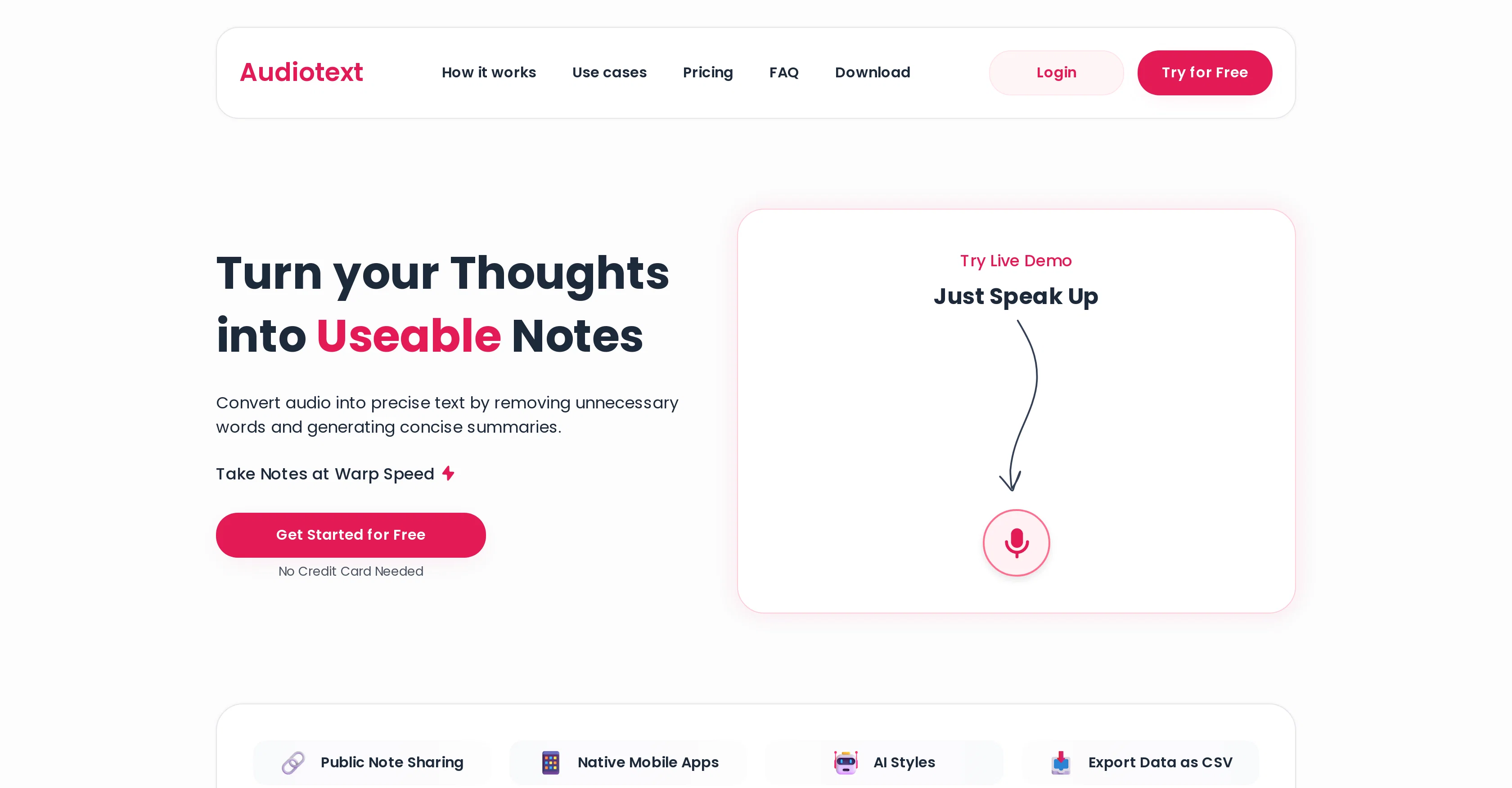
Audiotext Ai is a tool that streamlines note-taking by converting spoken words into written text. It provides an efficient way to transcribe thoughts, ideas, and lectures, eliminating the need for traditional handwritten notes.
Alongside general transcription, Audiotext Ai excels in simplifying the content creation process by enabling bloggers, YouTubers, and writers to dictate their content that is then transcribed automatically.
The service not only enhances learning for students by converting lectures into readable format, but also assists in business settings where meeting minutes can be easily extracted and shared.
Users can maintain a personal voice diary and select from various transcription styles according to their preference. In just a click, the AI can rewrite the notes, making them more concise and readable.
The tool also offers a 'share' feature, where users can create a unique link for their notes to be shared on web and social media platforms. It additionally provides the ability to export the data in CSV format which can be downloaded on web, iOS, and Android platforms.
Access & connections
Where you can use Audiotext Ai.
Platforms
Capabilities
What this tool accepts, produces, and is strongest at.
Input
- Audio
Output
- Text
Supported features
- Transcription
Pros & cons
Pros
- Streamlines note-taking
- Converts speech to text
- Simplifies content creation
- Transcribes automatically
- Enhances learning for students
- Useful for business settings
- Maintains personal voice diary
- Various transcription styles
Show 13 more
- Rewrites notes concisely
- Share feature
- Unique link creation
- Exports data as CSV
- Platform accessibility: web, iOS, Android
- Turns messy speech into clean notes
- Supports short, long summary formats
- Bullet points, active, passive voice
- One-click note rewrite
- Public note sharing
- Native mobile apps
- Accurate voice-to-text conversion
- Text edit option after conversion
Cons
- No offline functionality
- Limited transcription styles
- Depends on speech clarity
- No multilingual support
- No real-time transcription
- No API for integration
- Rewrite feature may alter meaning
- Transcriptions might miss context
Show 2 more
- Share feature lacks privacy control
- Limited options for data export
Compare alternatives
Similar tools in the catalog — with a clear reason to open each one.

Voicetype AI ✓
Free TrialWrite 9x Faster with AI Speech to Text on all Apps
Why look Better for writing
Full comparison
Transcript LOL ✓
FreemiumUnlimited transcripts, summaries, 99.8% accuracy, speaker recognition, superfast
Why look Offers a public API
Full comparison
TurboScribe ✓
Freemium🎯 3 free transcripts every day. 🔥 Unlimited transcription starting at $10/mo.
Free + from $10/mo
Full comparison
RambleFix ✓
Paid⚡ Write by thinking aloud - emails, notes, articles, in your style.
Why look Better for writing
Full comparison
Paraspeech ✓
Free TrialPrivate dictation, cloud optional
Why look More privacy-focused
Full comparisonReleases 1
Imported reviews 1
iPhone SE 2020 and iOS17.6.1 - totally not working
FAQ 12
What is Audiotext Ai?
What are the main features of Audiotext Ai?
Can Audiotext Ai be used by students for studying and note taking?
How does Audiotext Ai assist YouTubers, bloggers and writers?
In what ways can Audiotext Ai be utilised in a business setting?
Does Audiotext Ai have an editing feature?
Can I maintain a voice diary using Audiotext Ai?
Can Audiotext Ai give my notes different writing styles?
How does the 'share' feature in Audiotext Ai work?
In which formats can Audiotext Ai export my notes?
How does Audiotext Ai convert spoken words into text?
Can I use Audiotext Ai on multiple platforms?
Related tools
Recommended

Skeleton Fingers ✓
FreemiumTranscribe audio instantly from any source.

SubEasy.ai ✓
FreemiumAI-powered transcription and translation services with unparalleled accuracy.

WhisperUI ✓
FreemiumConvert audio to text with OpenAI Whisper
AI Audio Kit ✓
PaidVoice transcription simplified for macOS.

Hyperis ✓
FreemiumOrganized task prioritization.

Scholarcy ✓
FreemiumConvert long articles into summary flashcards.