

Faceless videos 2026 Rank: #1120
Aificient Studio ✓
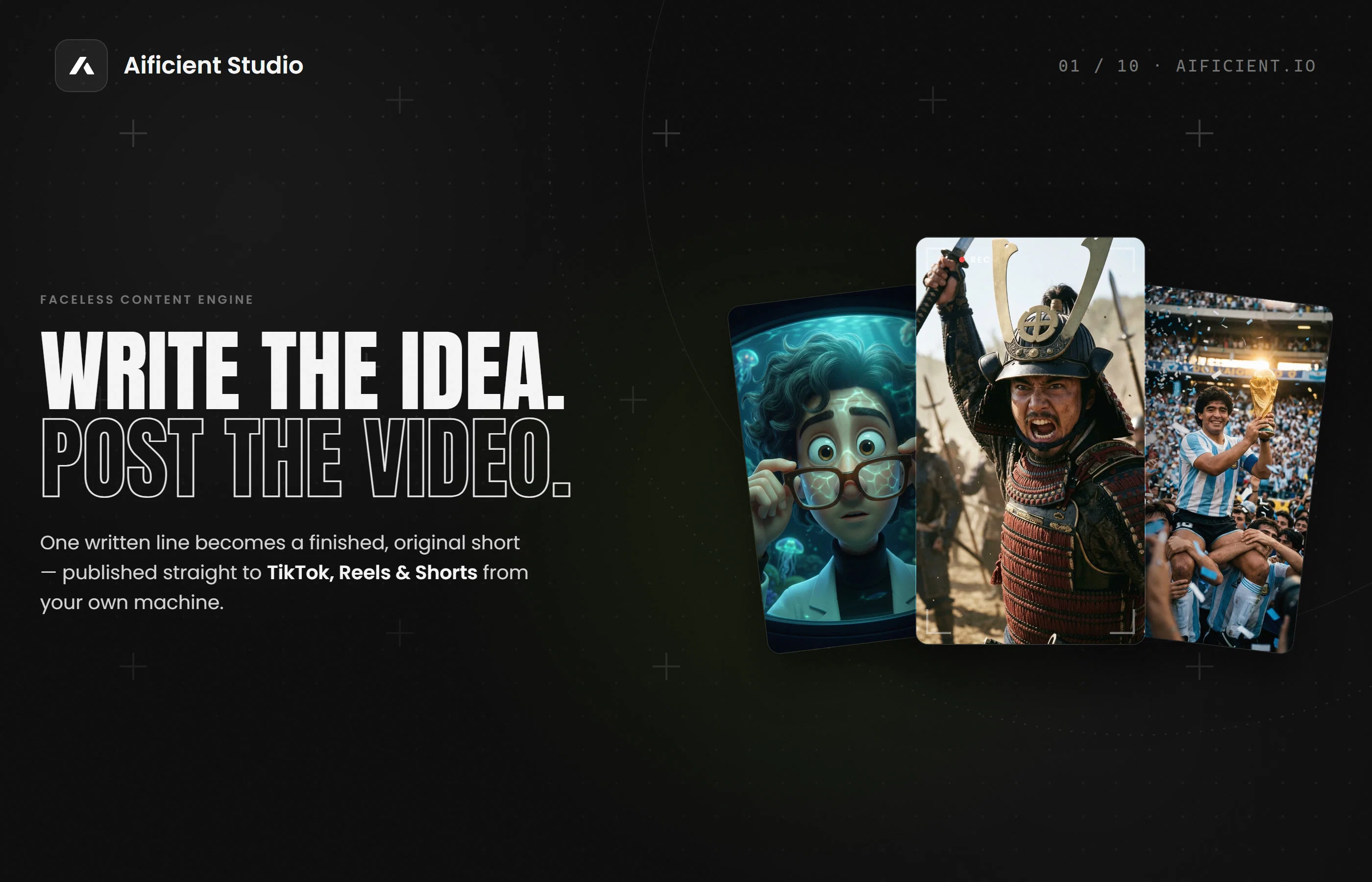
Type an idea. Get a posted video.
Verdict
A quick read before you dig into the full page.
- Best if
- Type an idea. Get a posted video
- Skip if
- Limited visual styles
- Pick this when
- Generates reusable characters
Considering Blipix instead? Compare side by side
Overview



Aificient Studio is an AI-powered application that allows users to create finished, original videos from a written idea. This tool is capable of generating reusable characters, scene images, narrations, and sound effects.
Styled captions are also added for a more customized output. One of its distinct features allows users to turn a real photo into a stylized, reusable character that can be incorporated into any video.
This makes a faceless channel more personalized and recognizable. Functioning as an AI video generator, Aificient Studio also integrates with social media platforms such as TikTok, Instagram Reels, and YouTube Shorts, enabling users to publish their final videos directly.
Moreover, the platform offers a range of visual styles, from 3D Disney-inspired animation to Japanese anime, retro pixel art, and even realistic cinematic visuals.
The application can be utilized in a browser or downloaded as a desktop app for Windows and macOS. Its interface is user-friendly, allowing users to create a finished video by typing just one line.
Importantly, Aificient Studio operates securely, ensuring platform passwords are never shared with their servers.
- Turns One Written Line Into A Finished Vertical Video
- Publishes Directly To Tiktok, Instagram Reels & Youtube Shorts
- Renders On Your Own Gpu Or A Rented Nvidia, Billed Per Second
- Ai Captions In Your Tone, Plus Tiktok Trending Sounds
- Costs About $0.18 Per Minute Of Video — Roughly 25× Cheaper
- Reusable Ai Characters Generated From A Single Photo
- 9 One-click Art Styles, From Cinematic Realistic To Anime
- Ai Narration With Word-level Styled Captions Burned In
- Runs In The Browser Or As A Windows/macos Desktop App
Access & connections
Where you can use Aificient Studio, and what it plugs into.
Integrations
Capabilities
What this tool accepts, produces, and is strongest at.
Input
- Text
- Image
Output
- Text
- Image
- Audio
- Video
Highlights
- SOTA
- Agents
- Local
- API
Supported features
- Agents
- Runs Locally
- API
- Video Generation
Models
Text
Image
Audio
Video
Pros & cons
Pros
- Generates reusable characters
- Scene images creation
- Generates narrations
- Generates sound effects
- Styled captions added
- Turns photo into character
- Publishes videos directly
- Integrates with TikTok
Show 25 more
- Integrates with Instagram Reels
- Integrates with YouTube Shorts
- Range of visual styles
- 3D Disney-inspired animation
- Japanese anime style
- Retro pixel art style
- Realistic cinematic visuals
- Can be used in browser
- Windows and macOS compatibility
- One-line video creation feature
- User-friendly interface
- Maintains password security
- Scene can be re-imagined
- Publishes straight to platforms
- Different style choices
- Parallel post rendering
- Concept or Brainstorm options
- Turns photo into recurring character
- Generates styled captions
- Posts are produced in parallel
- Small cost per video minute
- Computes billed by the second
- Direct publishing from App
- Post scheduling feature
- Handle multiple accounts simultaneously
Cons
- No Linux Support
- Limited Social Media Integration
- No mobile app version
- No multi-language support
- No live help support
- Limited visual styles
- Security concerns (browser session)
- Not free of cost
Show 2 more
- Dependent on user's GPU
- No offline usage
Compare alternatives
Similar tools in the catalog — with a clear reason to open each one.


Vadoo AI ✓
PaidGenerate videos from prompts and scripts.
Why look Typically cheaper
Full comparison



Releases 1
Imported reviews 6
This app is a great help for creating videos; I've been quite surprised by its quality and speed. Congratulations!
Been playing around with this app and I’m genuinely impressed 😂 Give it an idea, add real photos as character references, and it turns it into a full video. And the posters/visuals? Seriously top quality. Didn’t expect it to be this good.
very easy to usee!!! the quality is insane
Very cool app, very cheap and the fact that you can gen and post directly into TT is very useful and saves some time hahaha. Cheers for that! 🥂
Okey, this is actually pretty cool 🎆
Amazing app
FAQ 12
What is Aificient Studio?
How does Aificient Studio turn text into a finished video?
Can I really turn a real photo into a stylized character in Aificient Studio?
Does the AI tool allow custom audio narration?
What social media platforms can I post my videos on directly from Aificient Studio?
What range of visual styles does Aificient Studio offer?
Can Aificient Studio be used in a browser?
Is there a desktop application for Aificient Studio?
Is Aificient Studio compatible with both Windows and macOS?
Do I create a video by simply typing one line in Aificient Studio?
How secure is Aificient Studio?
Can Aificient Studio animate my poster?
Related tools
Recommended

Aiter.io | Paste a URL. Ship a Campaign That Sounds L... ✓
FreemiumAI marketing that sounds like you, not everyone else.

Easy-Peasy.AI ✓
FreemiumAccelerates content creation.

RightBlogger ✓
FreemiumAutomate blogging, SEO, and publishing in one simple platform

Supernormal App ✓
FreemiumThe AI assistant app that turns meetings into completed work

FikaClip ✓
FreemiumTurn long videos into viral Shorts, Reels, and TikToks with AI.

Me.bot ✓
FreemiumYour AI companion that remembers everything.