
Image editing 2026 Rank: #571
AI Image Combiner ✓
Combine two images into one stunning composition.
Verdict
A quick read before you dig into the full page.
- Best if
- Combine two images into one stunning composition
- Skip if
- Limited customer support options
- Pick this when
- Uses GPT Image 2 model
Considering Viyou AI Image Generator instead? Compare side by side
Overview
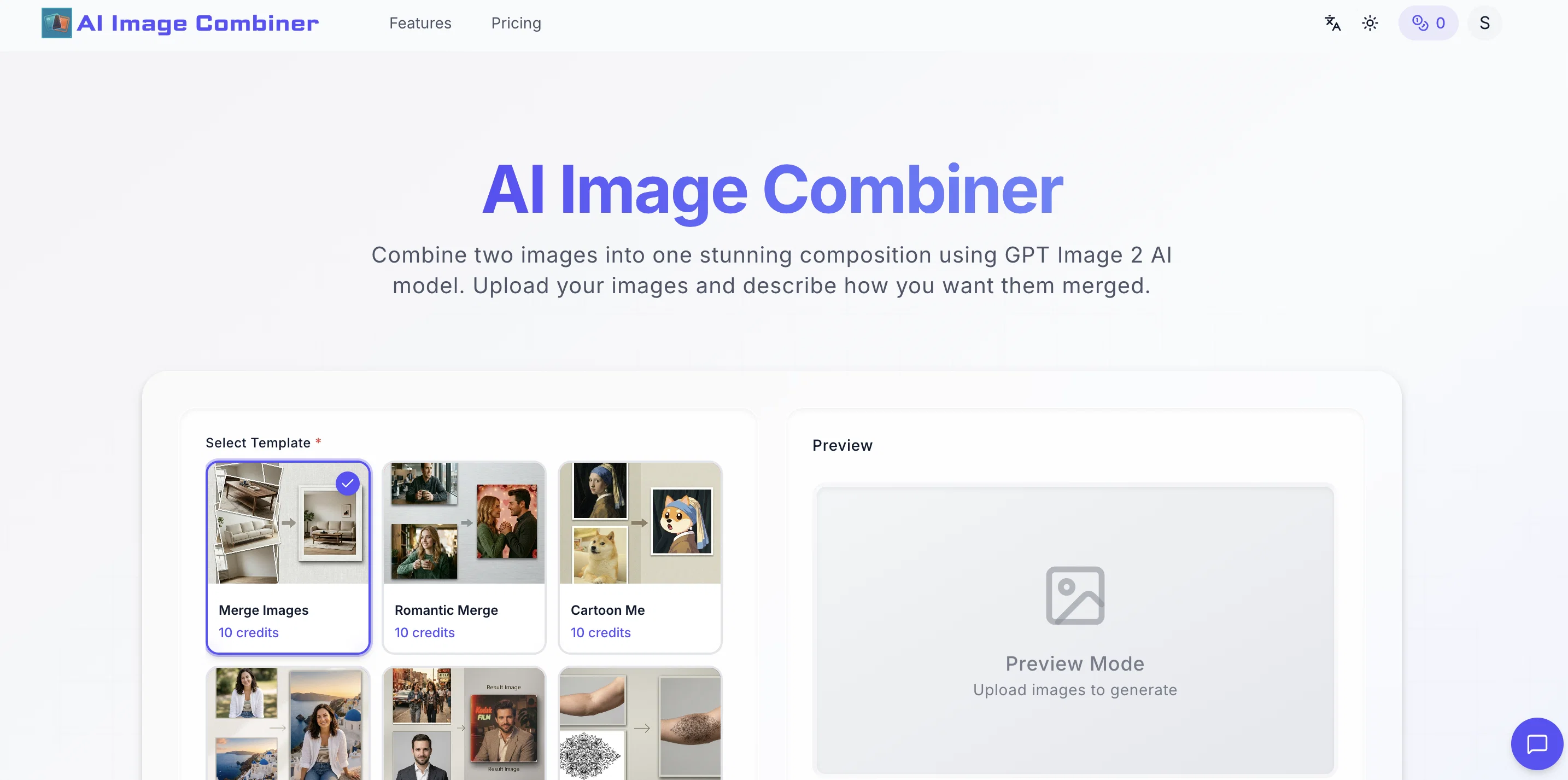
The AI Image Combiner is a tool developed for merging two images into a single composition using the advanced GPT Image 2 AI model. The user can upload desired images and articulate how they want them merged.
The platform supports a range of features like romantic merge, cartoon conversion, nostalgia vibe merging and much more. Flexibility in image resolution, aspect ratio and strength level is also offered for seamless image generation.
Despite its advanced merging technology, it does not prioritize complex user interface or tricky steps. Uploading two photos, describing the vision for final output, and then downloading the merged image are the only required steps.
The tool supports JPG, PNG, and WebP formats and provides high-resolution output. The AI Image Combiner ensures efficient scene analysis that automatically matches lighting, colors, and perspective when adding pictures together.
Providing creative freedom, this tool allows descriptions of any style or composition for the AI to execute. This service is ideal for a range of needs, from professional product photography to social media content creation, creative experiments to memorable travel collages.
Quality amalgamation without watermarks is the key feature of this tool, even in free usage. It takes precedence over traditional methods with its swift, smart, high-quality output and user-friendly interface.
The platform is designed to ensure privacy, and images used are not retained post generation. Beyond its free service, it also offers premium plans providing additional credits, watermark-free and priority services.
Access & connections
Where you can use AI Image Combiner.
Platforms
Capabilities
What this tool accepts, produces, and is strongest at.
Input
- Image
- Text
Output
- Image
Supported features
- Image Generation
- Image Edit
Pros & cons
Pros
- Uses GPT Image 2 model
- High definition output
- Watermark-free images
- Variety of templates
- Previewing tattoos capability
- User privacy focus
- Superior blending results
- Ability to specify styles
Show 39 more
- Fast results (10-30 seconds)
- Various creative needs suited
- Multiple pricing options
- Supports JPG, PNG, and WebP
- Scene analysis feature
- Automatic lighting matching
- Perspective and color matching
- Describing desired style allowed
- Ideal for social media
- Works for product photography
- Romantic merge
- Cartoon conversion
- Nostalgia vibe merging
- High-resolution output
- Advanced scene analysis
- Professional quality results
- No watermarks in free usage
- Not retaining images post-generation
- Credits system for users
- Range of purchase plans
- No image storage for privacy
- Comparative feature list provided
- Simple, transparent pricing
- Private generations in paid plans
- Priority generation queue
- Instructions for better results
- Different merge styles available
- Merge images with different ratios
- No registration needed
- Suitable for commercial use
- Free merging option
- Free from complex UI
- Flexibility in resolution and ratio
- Pre-loaded credits for services
- Described as user-friendly
- Supports creative experiments
- Arrangement by creative prompts
- Custom prompt templates
- High-quality output
Cons
- No offline use
- No continuous batch processing
- Limited to JPG, PNG, WebP formats
- Credits-based operation
- Limited templates
- Need to describe merging preference
- No direct integration with cloud storage
- Not suitable for all creative needs
Show 2 more
- No multi-user collaboration
- Limited customer support options
Compare alternatives
Similar tools in the catalog — with a clear reason to open each one.

Viyou AI Image Generator ✓
FreemiumTransform text and images into stunning videos and visuals.
Free + from $39.99/yr
Full comparison
Img2Img AI ✓
FreemiumTransform any image with AI in seconds.
Why look Offers a public API
Full comparison


Releases 1
Imported reviews 1
I’ve been using Image Combiner for quick image blending tests, and it does exactly what I need without making the workflow complicated. The interface is clean, uploads are simple, and the generated combinations are useful enough to iterate on quickly.
FAQ 12
What is AI Image Combiner?
How does AI Image Combiner work?
Why use AI Image Combiner instead of traditional editing software?
What is the role of the GPT Image 2 AI model in AI Image Combiner?
How do I use AI Image Combiner?
Does AI Image Combiner store my images permanently for privacy?
How fast is the output generation with AI Image Combiner?
Can AI Image Combiner be used for social media content creation?
What are the pricing options of AI Image Combiner?
Is the output from AI Image Combiner high definition?
Does AI Image Combiner put watermarks on its images?
How can I preview tattoos with AI Image Combiner?
Related tools
Recommended

Claude ✓
FreemiumBuilding reliable, interpretable AI systems

VidFlux AI Image Editor ✓
PaidGenerate and edit stunning images with AI.

Vireel AI Image to Image Generator ✓
Free TrialTransform images with AI-powered creative editing tools.

Ai Melodia ✓
FreemiumSongs at the speed of imagination.

TapEdit ✓
Free TrialEdit photos with AI online for free.
ImaginPrompt ✓
FreemiumConvert any image into AI prompts instantly.