

Fusion images 2026 Rank: #2045
AI Image Combiner ✓
Combine people, products, backgrounds with best-in-class AI.
Verdict
A quick read before you dig into the full page.
- Best if
- Combine people, products, backgrounds with best-in-class AI
- Skip if
- Limited to two images
- Pick this when
- Creates seamless visuals
Considering AI Image Combiner instead? Compare side by side
Overview
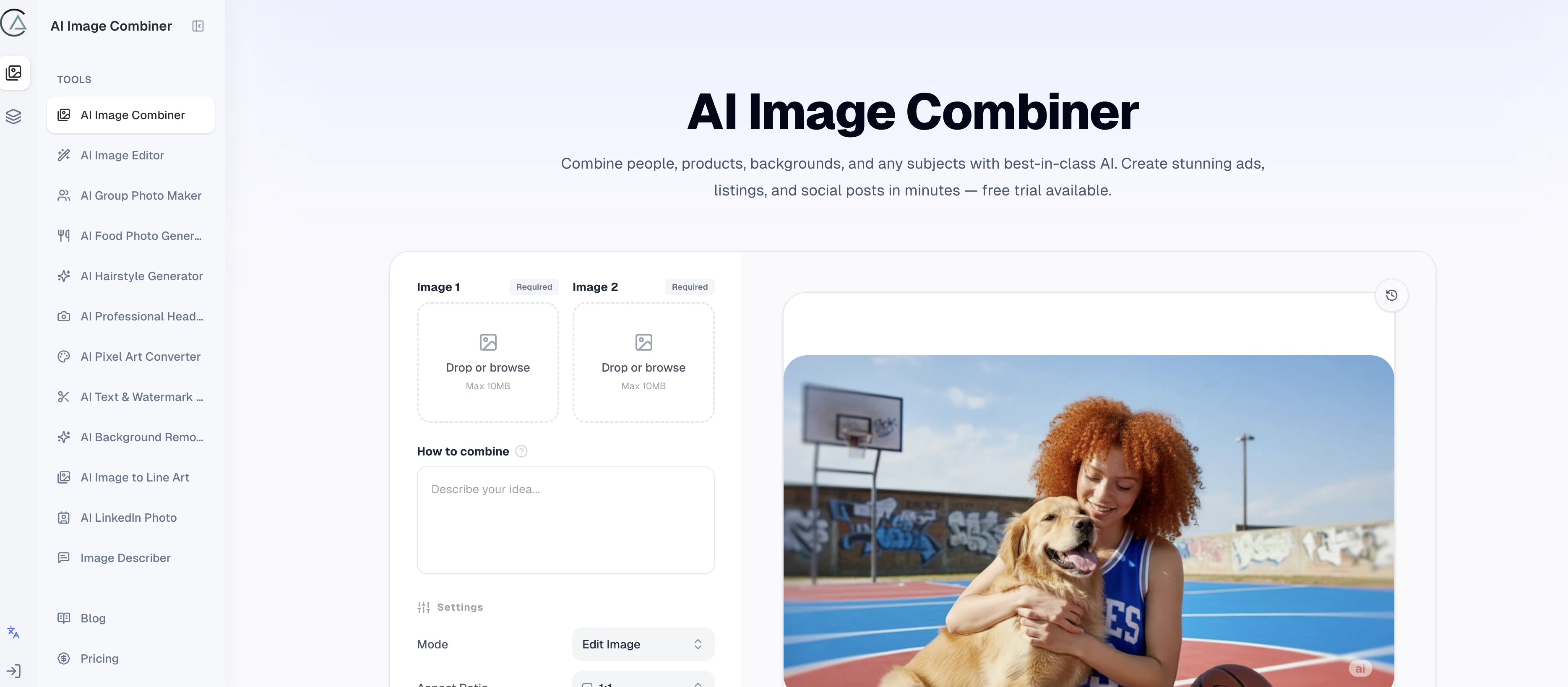
AI Image Combiner is a tool that employs advanced artificial intelligence to amalgamate images. It simplifies the process of combining subjects, products, backgrounds, and other visual elements into a seamless, integrated image, all performed autonomously.
The ability of this tool to handle cutouts, match lighting, and manage edge transitions results in a final product that looks naturally integrated and cohesive.
One of its key features is its ease of use. Users can upload their chosen images, describe their vision, and with a single click, the tool combines the images.
This tool has a diverse range of applications including ads, social posts, listings, presentations, and more. It possesses the capability to support images of different sizes and export transparent PNG files.
The AI Image Combiner has found extensive use for creating family photos, couple shots, fan edits, and product images. Users can benefit from the one-time purchase credit packages that never expire, adding to the operational flexibility of the tool.
This tool is an ideal choice for personal, creator, and commercial usage.
Access & connections
Where you can use AI Image Combiner.
Platforms
Capabilities
What this tool accepts, produces, and is strongest at.
Input
- Tabular
- Image
- Text
Output
- Image
Supported features
- Image Generation
- Image Edit
Pros & cons
Pros
- Creates seamless visuals
- Accurately handles cutouts
- Adjusts lighting
- Smooths image transitions
- User-friendly interface
- Supports diverse image formats
- Exports transparent PNGs
- Flexible tool operation
Show 39 more
- Ideal for ads creation
- Perfect for social media content
- Allows product imaging
- Can be used for presentations
- Facilitates photo manipulation
- Personal and commercial usage
- Easy image export
- One-click image combination
- Allows photo integration
- Supports various aspect ratios
- Enables quality management
- Offers one-time credit packages
- Supports high-resolution output
- 24/7 email support
- Creates studio-quality visuals quickly
- Doesn't store uploaded images
- Supports mobile usage
- Good for lifestyle mockups
- Effective tool for product visuals
- Handy for brand key visuals
- Allows quick concept creations
- Useful for scene replacements
- Improved output via clean inputs
- Allows blending of multiple images
- Capable of character replacement
- Supports different image sizes
- Effective for image compositing
- Flexible scheduling with credit system
- Doesnt require subscription
- No credit expiry
- Allows autonomous operation
- Facilitates digital art
- Blends diverse subject matters
- Ideal for family photos and couple shots
- Great for fan edits
- Produces natural-looking outputs
- Optimizes light matching
- Optimizes edge blending
- Great for commercial use
Cons
- Credits based usage
- No unlimited usage option
- Clarity depending on prompt
- Not ideal for beginners
- Limited to two images
- No built-in image editing
- Max 10MB image size
Compare alternatives
Similar tools in the catalog — with a clear reason to open each one.

AI Image Combiner ✓
FreemiumInstantly blend multiple photos into one seamless image.
Why look Stronger for image work
Full comparison
Releases 1
FAQ 12
What is the AI Image Combiner?
How does AI Image Combiner handle light adjustments in image blending?
Can AI Image Combiner accommodate various image formats and sizes?
What makes AI Image Combiner user-friendly?
How does AI Image Combiner facilitate accurate cutouts in different images?
How does AI Image Combiner smooth edge transitions in combined images?
What kind of visuals can I create using AI Image Combiner?
Does AI Image Combiner support transparent PNG outputs?
Can I use AI Image Combiner for both personal and commercial purposes?
How do I describe the desired outcome to the AI Image Combiner?
Can AI Image Combiner effectively combine people, products and backgrounds?
How does the AI in AI Image Combiner ensure a seamlessly integrated final visual?
Related tools
Recommended

Automateed ✓
Free TrialCreate eBooks effortlessly with Automateed, the AI-powered writing tool.

freebeat AI ✓
FreemiumTurn Music & Ideas into Viral Videos In One Click

Claude ✓
FreemiumBuilding reliable, interpretable AI systems

ThumbnailCreator.com ✓
Free TrialCreate eye-catching YouTube thumbnails in seconds.

Pounce ✓
Free TrialGet real followers and engagement in minutes.

Whacka ✓
Free TrialTurn ideas into real apps from your phone.