

Fusion images vv2.0 2026 Rank: #417
AI Image Combiner ✓
Instantly blend multiple photos into one seamless image.
Verdict
A quick read before you dig into the full page.
- Best if
- Instantly blend multiple photos into one seamless image
- Skip if
- Steep learning curve with prompts
- Pick this when
- Free online tool
Considering Whisk instead? Compare side by side
Overview
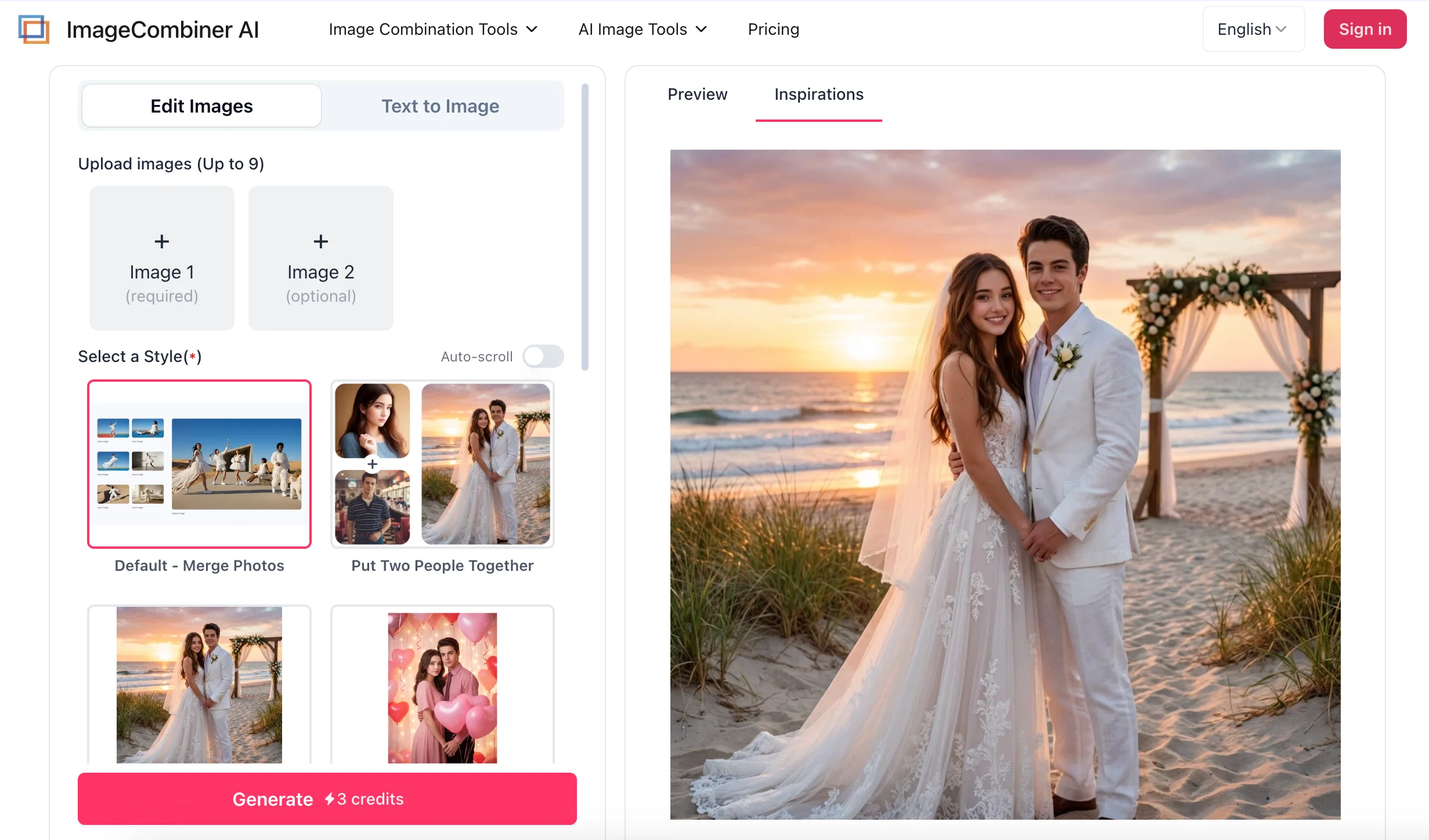
For specific emotional relationships and social scenarios, the platform provides dedicated tools such as the AI Couple Photo Maker, AI Family Portrait Generator, and AI Wedding Photo Maker. Instead of simply stitching portraits mechanically, these features intelligently match appropriate clothing and positioning for the merged subjects based on the theme selected by the user, such as weddings, anniversaries, or specific holidays. Under templates for Valentine's Day, New Year, or Christmas, the system unifies the color tone and background atmosphere of the frame, ensuring that the generated group photos present a cohesive feel and a proper sense of holiday ritual.
To address emotional needs such as remembering loved ones and cherishing family bonds, the platform features a dedicated option to "Add Deceased Loved One to Photo." Since photos of deceased relatives are often old and of lower quality, the AI combines portrait merging with old photo restoration and resolution adaptation technologies. While extracting the portrait, the algorithm actively balances the differences in resolution, contrast, and color tones between the old and new photos, achieving a smooth transition in background and lighting to help users complete a multi-generational family photo across time and preserve precious memories.
At the micro-level of facial processing and creative generation, the "AI Face Merger" and "AI Age Filter" provide interactive adjustments for portraits. The face merging technology analyzes and extracts the geometric facial structure and skin texture of two faces, blending them in appropriate proportions to predict a future child's look or create artistic mashups. Meanwhile, the age filter and AI Headshot Generator can transition the portrait through different age stages, hairstyles, or outfits while highly preserving the subject's original facial features, enriching the playfulness and practical value of portrait generation.
Furthermore, these portrait-merging technologies are applied to commercial displays and professional personal branding. Through the "AI Virtual Try On" feature, the AI maps flat clothing images onto human models, adjusting folds and hems according to body posture to provide a practical visual reference for online shopping. Paired with the AI Headshot Generator, users can quickly transform casual photos into formal business portraits with appropriate attire and corporate backgrounds, simplifying the production workflow for both personal branding assets and e-commerce product staging.
- Combine Two Photos In One Frame
- Merge Multiple Photos With Ai
- Add Person To Photo
- Ai Couple Photo Maker
- Ai Family Portrait Generator
- Put Two People Together
- Put Two Photos Side By Side
- Restore Old Photos
- Remove Background
Access & connections
Where you can use AI Image Combiner.
Platforms
Capabilities
What this tool accepts, produces, and is strongest at.
Input
- Image
- Text
Output
- Video
- Image
Supported features
- Image Generation
- Image Edit
- Video Generation
Pros & cons
Pros
- Free online tool
- High-quality image fusion
- Maintains visual consistency
- Customization options available
- Can merge different species
- Control blending intensity
- Analyzes textures and colors
- Supports custom prompts
Show 40 more
- Applicable to e-commerce visuals
- Automates blending workflow
- Depth and lighting adjustments
- Creates unique blending effects
- Automated detection algorithms
- Creation of cinematic images
- Two photos side by side
- Rapid creation of assets
- Creation of marketing materials
- Merges multiple photos
- Applicable for personal photos
- No specific skills required
- Realistic image fusion
- Mimics famous artworks
- Handles depth automatically
- Blend lighting instantly
- Supports adjustable blending intensity
- Experimental blending options
- Handles complex compositions
- Merge individual photos
- Lighting adjustments automatic
- Texture consistency maintained
- Creates artistic style transfer
- Blend image styles
- Creates surreal art
- Professional-grade fusion
- Enables creative visions
- Creates viral social content
- Blend faces naturally
- Blends different animal species
- Seamlessly swaps backgrounds
- Automates product assets creation
- Dresses models automatically
- Contextualizes inventory
- Blend logo designs
- Ensures catalogue consistency
- Faster property selling
- Transform photos into art
- Merge sketches quickly
- Watermark-free image download
Cons
- Limited to 9 images
- No offline version
- No batch processing function
- Lacks advanced editing features
- No mobile application
- No built-in image library
- No RAW format support
- Quality level tied to premium
Show 2 more
- Steep learning curve with prompts
- May not respect copyrights
Compare alternatives
Similar tools in the catalog — with a clear reason to open each one.


Releases 2
We launched a rich set of photo merging tools:
Add Person to Photo
Put Two People Together
AI Couple Photo Maker
AI Family Portrait Generator
Side by Side Photo
AI Face Merger
Including practical tools that can enhance the effect of image synthesis:
Restore Old Photos
Remove Background
AI Photo Enhancer
AI Headshot Generator
and lots more...
FAQ 12
What is the AI Image Combiner?
How does the AI Image Combiner merge images?
Can I control the intensity of image blending in AI Image Combiner?
What is the AI Image Style Blender feature in AI Image Combiner?
How can I use custom prompts in AI Image Combiner?
Can I put two people together from different photographs using AI Image Combiner?
Is AI Image Combiner suitable for e-commerce visuals?
Can AI Image Combiner be used for professional branding?
Do I need any particular skills to use the AI Image Combiner?
Does AI Image Combiner automate the blending workflow?
Can AI Image Combiner maintain visual consistency in lighting and texture while merging images?
What kinds of customization options does AI Image Combiner provide?
Related tools
Recommended

DeepSeek ✓
FreeUnravel the mystery of AGI with curiosity

PromptFix ✓
FreemiumAI Prompt Optimizer & Analyzer

ChatGPT ✓
FreemiumAsk anything, create anything, and move from idea to action.

Automateed ✓
Free TrialCreate eBooks effortlessly with Automateed, the AI-powered writing tool.

Serno ✓
FreemiumCustom AI experts that map what one AI can't

AirMusic ✓
Free TrialAI music generator and music video creator in one platform.