

GIF background removal 2026 Rank: #457
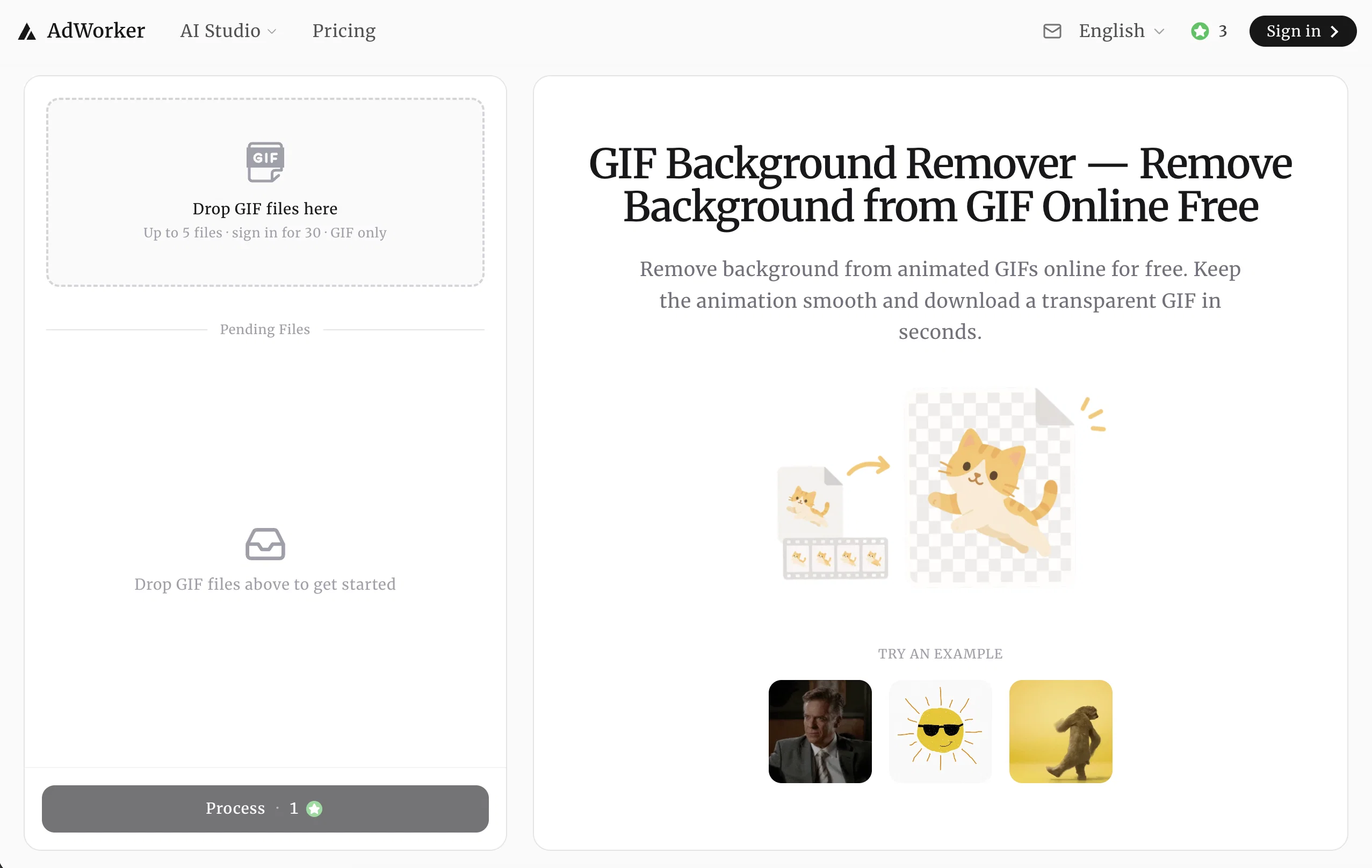
AdWorker | GIF Background Remover ✓
Remove GIF backgrounds while keeping animation smooth.
Verdict
A quick read before you dig into the full page.
- Best if
- Remove GIF backgrounds while keeping animation smooth
- Skip if
- Possible inconsistency with complex backgrounds
- Pick this when
- Processes animation frame by frame
Considering Background Remover Video instead? Compare side by side
Overview
The GIF Background Remover is an online tool primarily designed to remove the background from animated GIFs. Operated by AdWorker, it employs AI models to process and analyze each frame of the GIF independently.
The result is a transparent GIF where the main subject remains consistent across the animation. The tool caters to advanced options such as General (Fast), High-Res Accurate (Slower), Fine Details, People & Models and Dynamic depending on varying user needs.
The GIF Background Remover is particularly useful for enhancing cleaner edges in animated GIFs, creating GIF cutouts for stickers and memes, and generating ready-to-use transparent GIFs for various creative projects like streaming alerts, UI motion assets, meme reactions, etc.
Emphasizing upon its user-friendly approach, this tool supports direct browser use without any need for downloads or signups. Additionally, it supports animated GIF files up to a certain size.
As a value-add, static PNG or JPEG files can also be processed with the integrated Background Remover. The effective removal of white backgrounds from GIFs for uses like dark mode, stickers, overlays, or cleaner layouts is another significant function.
The interaction with this tool is simplified into three core steps - uploading the animated GIF, removing the background frame by frame, and finally, downloading the transparent GIF.
Access & connections
Where you can use AdWorker | GIF Background Remover, and what it plugs into.
Platforms
Integrations
Capabilities
What this tool accepts, produces, and is strongest at.
Input
- Image
Output
- Image
Highlights
- No Signup
Supported features
- No Signup
- Image Edit
- Video Edit
- Image Understanding
- Visual Creation
- Social Media
- Background Removal
Pros & cons
Pros
- Processes animation frame by frame
- Preserves motion and timing
- Ideal for lightweight creative assets
- Simple workflow
- Online tool, no download required
- No sign-up needed
- Free to use
- No watermark on output
Show 29 more
- Supports JPEG and PNG files
- White background removal service
- JPEG and PNG processing
- Features Advanced Options
- Cater to varying user needs
- Enhances cleaner edges
- Provides ready-to-use transparent GIFs
- Supports direct browser use
- Processes each frame independently
- Online workflow: upload, process, download
- Clear subject transparency
- Supports GIF files up to 10MB
- In-moment GIF frame analysis
- No visible white box in output
- Less flicker, fewer distracting edge changes
- Clear GIF cutouts for stickers and memes
- Instant access to GIF output
- Dark mode compatible
- Creates stickers, memes, overlays
- Easy interaction and use
- Useful for stream assets
- Ideal for UI motion assets
- No solid background box in output
- Processes GIF online, retains animation
- Exports cleaner edged GIFs
- Treats each frame individually
- Removes solid and light backgrounds precisely
- Successful on light or dark backgrounds
- Animation remains smooth post-processing
Cons
- Maximum file size 10MB
- Online only
- No API mentioned
- Possible inconsistency with complex backgrounds
- Reliance on browser functionality
- No customer support indicated
- Unknown handling of multiple subjects
- Indeterminate processing speed (slow/fast)
Show 2 more
- No batch processing
- No specified compatibility across different browsers
Compare alternatives
Similar tools in the catalog.

Releases 1
FAQ 12
What is AdWorker's GIF Background Remover?
How does the AI model work for background removal?
What makes AdWorker's GIF Background Remover different from other similar tools?
Is there a sign up requirement to use AdWorker's GIF Background Remover?
Can AdWorker's GIF Background Remover remove white backgrounds from GIF files?
What is the maximum file size that AdWorker's GIF Background Remover can process?
Is there a specific tool for static image background removal?
Can I use this tool for creating cleaner stickers and memes?
How does it contribute to the production of Twitch alerts and gaming overlays?
What kind of GIFs are processed most effectively by AdWorker's GIF Background Remover?
Can AdWorker's GIF Background Remover handle shorter GIFs for efficient processing?
How does the feature of image compressor work?
Related tools
Recommended

AppDeploy ✓
FreeDeploy real apps directly from ChatGPT or Claude
Lyric Remix Studio ✓
FreeAI-powered music generation, transcription, and album art

Suno ✓
FreemiumMake music at the speed of your ideas.

PrompTessor ✓
FreemiumAI Prompt Workspace for Better AI Results

Cursor ✓
FreemiumAI-powered IDE for faster coding

ThumbnailCreator.com ✓
Free TrialCreate eye-catching YouTube thumbnails in seconds.