

Video background removal 2026 Rank: #2736
Background Remover Video ✓
Remove any video backgroundno green screen needed.
Free + from $5.99
Verdict
A quick read before you dig into the full page.
- Best if
- Remove any video backgroundno green screen needed
- Skip if
- Paid video duration model
- Pick this when
- Removes video backgrounds
Considering Unscreen Pro instead? Compare side by side
Overview
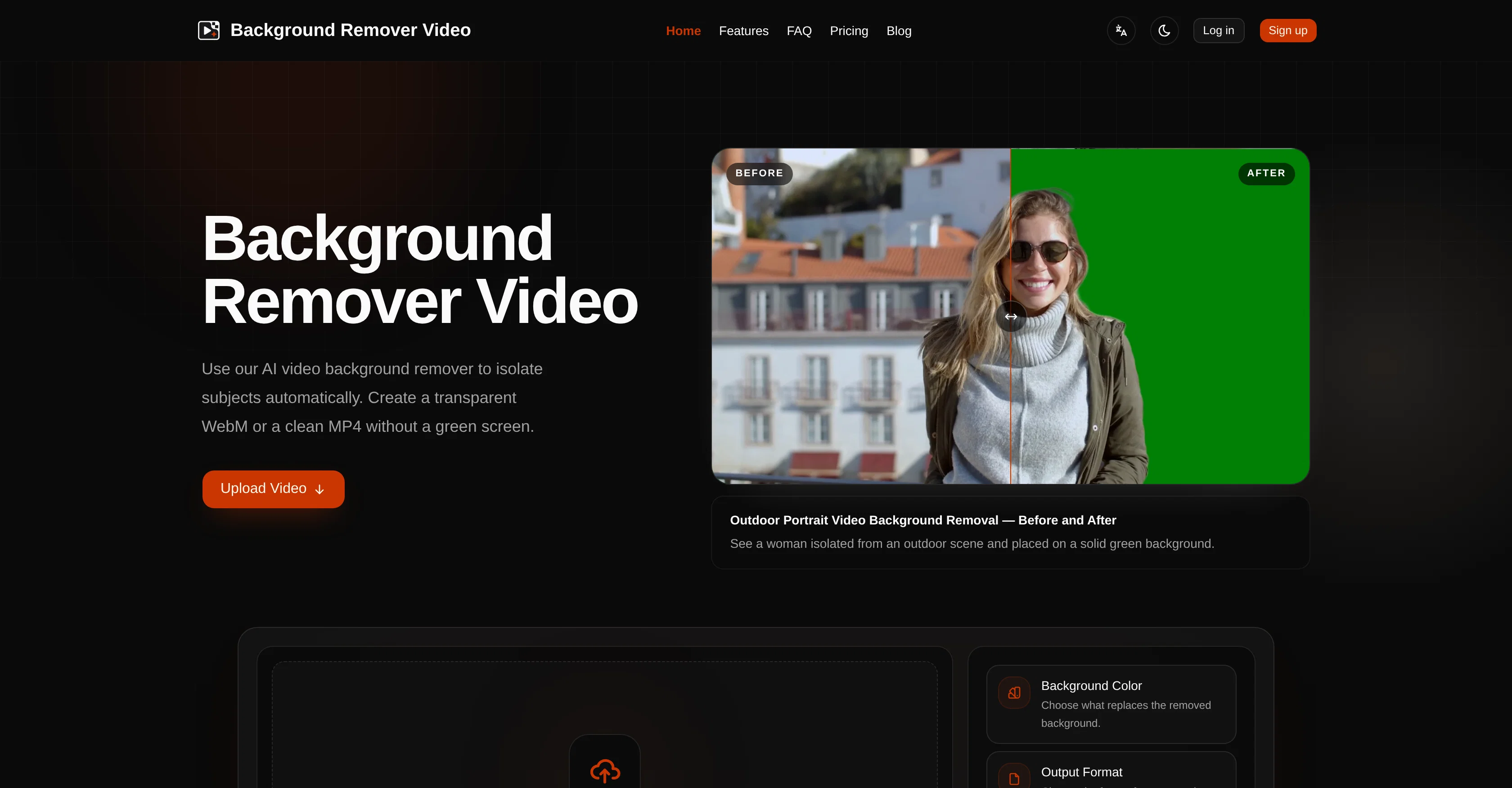
Background Remover Video is an AI-powered tool designed to automatically remove backgrounds from videos without the need for a green screen or complex frame-by-frame editing.
This tool precisely isolates subjects, including those with fine hair and complex movements. The outcomes are clean and consistent throughout the video, suiting various video formats including MP4, MOV, WebM, M4V, and GIF.
This tool also supports longer videos up to 4K resolution which are processed asynchronously to ensure high-quality results even with video duration. The user can choose to keep the video background transparent or replace it with a solid color.
There are multiple output options for the removed background videos, and the original audio of the video can be preserved. The tool also has an auto crop to subject feature which centers the subject automatically.
Moreover, there is a capability to handle long-form video footage such as webinars, courses, and tutorials, with the tool being able to process an entire video sequentially rather than dividing it into short clips.
Users can upload their video files, select their background and audio preferences, let the tool process asynchronously, and retrieve watermark-free results with the selected options.
Access & connections
Where you can use Background Remover Video.
Platforms
Capabilities
What this tool accepts, produces, and is strongest at.
Input
- Video
Output
- Video
Pros & cons
Pros
- Removes video backgrounds
- Supports varied video formats
- Works with 4K resolution
- Processes videos asynchronously
- Transparency or color replacement options
- Preserves original audio
- Has auto crop feature
- Handles long-form footage
Show 33 more
- Watermark-free output
- Suitable for webinars, tutorials
- Processes entire video sequentially
- No need to divide clips
- Precise subject isolation
- Handles fine hair detail
- Can replace green screen
- Multiple output options
- User controlled background preference
- Supports MP4, MOV, WebM formats
- Supports M4V, GIF formats
- Automatic subject centering
- Upload, select, retrieve workflow
- Background color choice
- User-defined audio settings
- Process entire video, no segmentation
- Can handle complex movements
- Transparent or solid backgrounds
- No green screen needed
- Pay as you process pricing
- Stored results for 7 days
- Single-step process for users
- Simple credit system
- Auto-detection of video duration
- Supports up to 4K quality
- Professional-grade precision
- Original aspect ratio retained
- Offers 10 color backgrounds
- Nine output options available
- Credits do not expire
- Can process long-form content
- Transparent or solid color backgrounds
- Support for active subjects
Cons
- No offline mode
- Limited output formats
- Cannot customize credit allocation
- No direct integration with video editing software
- No multiple inputs support
- Does not regard video encoder preferences
- No real-time output previews
- No voice isolation feature
Show 2 more
- No API for external integrations
- Paid video duration model
Compare alternatives
Similar tools in the catalog — with a clear reason to open each one.


Video Background Changer ✓
FreemiumRemove or replace video backgrounds with AI, no green screen required.
Why look Higher community rating
Full comparison
unbg.video ✓
Free TrialRemove video backgrounds instantly with AI precision.
Free + from $6
Full comparison
VidBG Remover ✓
FreemiumRemove video backgrounds instantly no green screen needed.
Free + from $9.9
Full comparison
RemoveBGVideo ✓
PaidRemove video backgrounds instantly with AI.
Why look Offers a public API
Full comparisonReleases 1
FAQ 12
What video formats does Background Remover Video support?
Do I need a green screen to use Background Remover Video?
Can I create transparent videos with Background Remover Video?
What output formats does Background Remover Video offer?
Does Background Remover Video preserve the original audio of the video?
What is the Auto Crop feature in Background Remover Video?
Does the output video from Background Remover Video come with a watermark?
How are credits used in Background Remover Video calculated?
What happens if processing fails on Background Remover Video?
How long are files stored on Background Remover Video?
What is the maximum resolution that Background Remover Video can handle?
Can Background Remover Video process long-form video footage?
Related tools
Recommended

GetLogit ✓
FreemiumArtificial intelligence, available for everyone.

ChatGPT ✓
FreemiumAsk anything, create anything, and move from idea to action.

Notis ✓
Free TrialThe first WhatsApp assistant that runs on your ChatGPT and Claude subscriptions

freebeat AI ✓
FreemiumTurn Music & Ideas into Viral Videos In One Click

Jason AI ✓
PaidAI-powered assistant for B2B sales outreach

DeepSeek ✓
FreeUnravel the mystery of AGI with curiosity