

2.VIDEO ✓
Generate short videos from text or images.
from $17.4/mo
Verdict
A quick read before you dig into the full page.
- Best if
- Generate short videos from text or images
- Skip if
- Limited commercial use rights
- Pick this when
- Generates dynamic short videos
Considering freebeat AI instead? Compare side by side
Overview
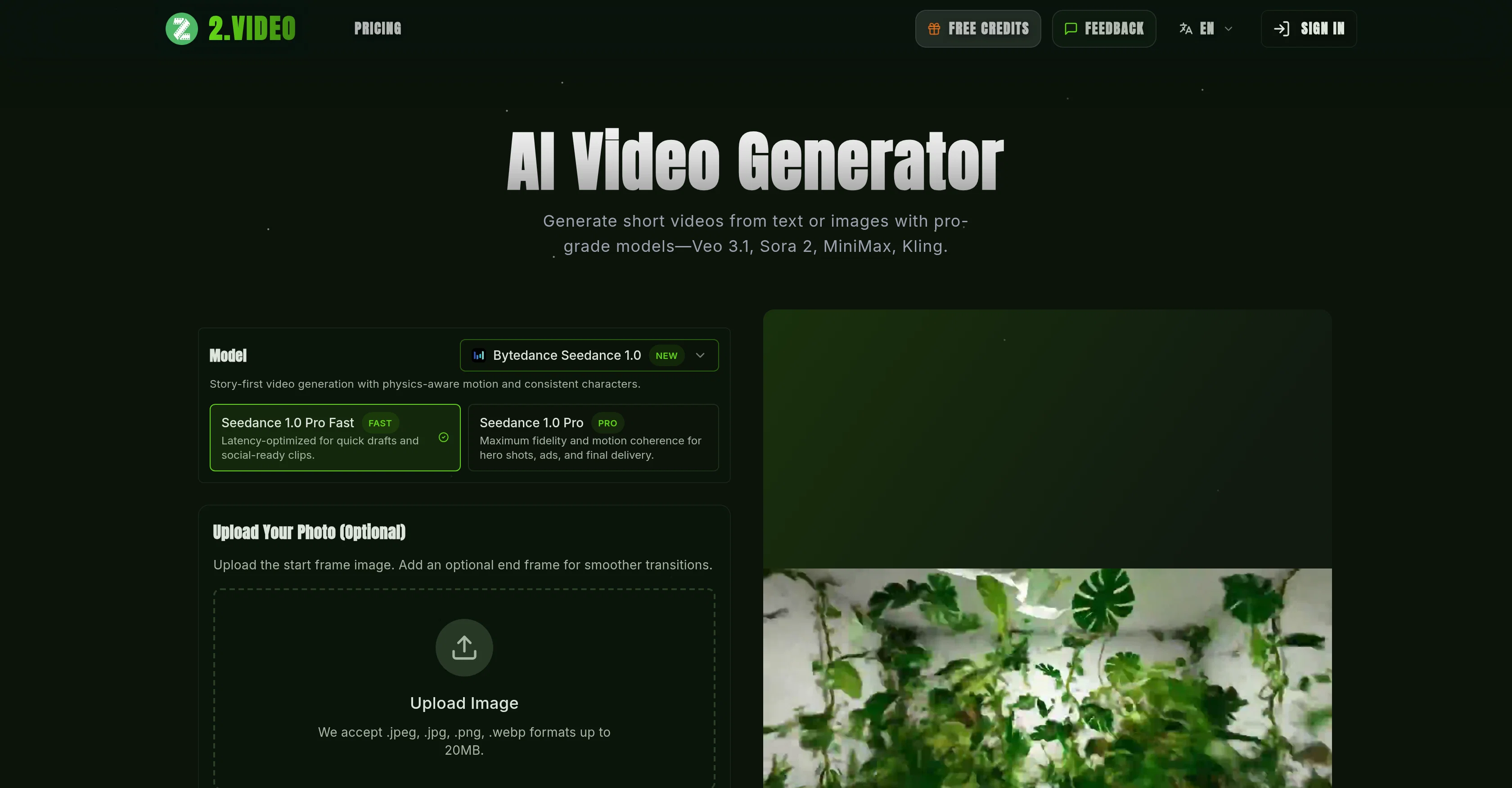
2.VIDEO is an AI video generator tool that turns images or text prompts into dynamic short videos using models Veo 3.1, Sora 2, MiniMax, and Kling. It offers a 'story-first' video creation approach, ensuring physics-aware motion and consistent characters.
This tool is latency-optimized for creating quick drafts and social-ready clips, and provides high fidelity and motion coherence for hero shots, ads, and final deliveries.
The platform accepts various formats like .jpeg, .jpg, .png, .webp for image inputs, and lets users pick the desired aspect ratio, output quality and video length.
The platform allows for an exploration of influential generative video models including OpenAI Sora2, Google Veo3.1, MiniMax Hailuo, and Kuaishou Kling.
Users can transform their ideas into professional videos by defining the style, uploading the content, customizing preferences, and generating and downloading the video.
This tool strives for efficient and on-brand storytelling, ensuring that brand logos, color palettes, and messaging are consistently maintained. The lightning-fast rendering capabilities and instant iteration make it an accessible, scalable, and on-brand solution for professional video production.
The user has creative control over tone, storyboard structure, on-screen text, voiceover style, and brand elements. The videos render in minutes and exports are delivered as MP4 in HD or 4K with aspect ratios ready for various playbacks.
Access & connections
Where you can use 2.VIDEO, and what it plugs into.
Platforms
Integrations
Capabilities
What this tool accepts, produces, and is strongest at.
Input
- Image
- Text
Output
- Video
Supported features
- Realism
- Styling
- TTS
- Video Generation
- Viral baseball trend
Pros & cons
Pros
- Generates dynamic short videos
- High-fidelity video generation
- Physics-aware motion
- Consistent characters
- Story-first video generation
- Latency optimized video production
- Quick drafting
- Professional-grade videos
Show 43 more
- Freedom to define scenes
- Customizable video format
- Customizable voice, style, duration
- Review and edit videos
- Supports multi-aspect ratios
- Matches video qualities to platform
- Allows video tailoring
- Provides video templates
- Maintains branding elements consistently
- Streamlined video production
- Creates videos from images
- Creates videos from text
- Supports uploading images
- Instant iteration capability
- Generative video model exploration
- High-resolution video generation
- Provides creative control
- HD and 4K export
- Process designed for efficient storytelling
- Customizable storyboard structure
- Supports multiple languages
- Auto-creation of cinematic sequences
- Lightning-fast rendering
- Multi-platform delivery
- Supports vertical, horizontal, square formats
- Translates scripts into explainer, tutorial, testimonial, showcase videos
- Transforms ideas into professional videos
- Focuses on whenever 'On-Brand storytelling' is required
- Automated logo detection
- Color palette maintenance
- Iterate instantly without complex editing workflows
- Automated scene assembly
- Voiceover inclusion from your assets
- Clear scripts give strong context
- Support for brand guidelines
- Improvement with high-resolution footage or images
- Allows generation of multiple drafts
- Offers refining scenes
- Allows multitasking during rendering
- Supports commercial use of videos
- Support tweak on prompt for better output
- Monthly render allowance for free accounts
- Option to purchase extra credits
Cons
- Resolution choice limited
- No offline functionality
- Requires high-resolution inputs
- Dependent on specific models
- Limited to JPEG, PNG, WEBP
- Limited video format options
- Dependent on clear scripts
- Limited brand customization
Show 2 more
- Rendering time varies
- Limited commercial use rights
Compare alternatives
Similar tools in the catalog — with a clear reason to open each one.

freebeat AI ✓
FreemiumTurn Music & Ideas into Viral Videos In One Click
Why look Freemium alternative
Full comparison
MagicLight ✓
FreemiumTransform text into captivating videos instantly.
Why look Freemium alternative
Full comparison

HeyGen ✓
FreemiumCreate AI spokesperson videos from text
Why look Freemium alternative
Full comparison

Seedance ✓
FreemiumMulti-shot video generation from text and image.
Why look Stronger for image work
Full comparisonReleases 1
FAQ 12
What is 2.VIDEO?
How does 2.VIDEO create high quality videos?
How long does it take to generate a video with 2.VIDEO?
Can I customize the videos generated by 2.VIDEO?
Can 2.VIDEO generate videos from text prompts?
How can I optimize the latency of produced videos with 2.VIDEO?
Is 2.VIDEO suitable for creating professional grade content?
What types of templates does 2.VIDEO offer for video creation?
Can I add branding elements to videos using 2.VIDEO?
Does 2.VIDEO support video editing?
Can I customize aspect ratio and video quality with 2.VIDEO?
Can 2.VIDEO generate videos from images?
Related tools
Recommended

DeepReel ✓
PaidAI agent for Videos and Images

OverseerOS ✓
FreemiumClone any viral YouTube channel and create faceless videos with AI

Wondershare Filmora ✓
PaidEdit smarter, faster and easier with Filmora’s powerful AI video tools.

Synthesia ✓
FreemiumCreate AI videos from text in minutes.

RightBlogger ✓
FreemiumAutomate blogging, SEO, and publishing in one simple platform

ThumbnailCreator.com ✓
Free TrialCreate eye-catching YouTube thumbnails in seconds.