

Vocal removal 2026 Rank: #2364
VocalAI ✓
AI vocal and audio studio for everyone.
Verdict
A quick read before you dig into the full page.
- Best if
- AI vocal and audio studio for everyone
- Skip if
- No offline usage
- Pick this when
- Transforms any user voice
Considering Singify AI Vocal Remover instead? Compare side by side
Overview
VocalAI is a state-of-the-art tool powered by artificial intelligence designed for a range of advanced audio processing needs. From voice transformation to stem separation, VocalAI makes professional-grade audio services accessible to everyone, whether they are creators, musicians or developers.
Features include voice changer, voice clone, voice design, and vocal remover. The Voice Changer tool allows users to transform any voice into a completely different one while maintaining the integrity of the content and emotion.
The Voice Clone tool can learn and recreate a chosen voice from a reference audio clip. The Voice Design tool lets users define a custom voice from a text description, eliminating the need for reference audio.
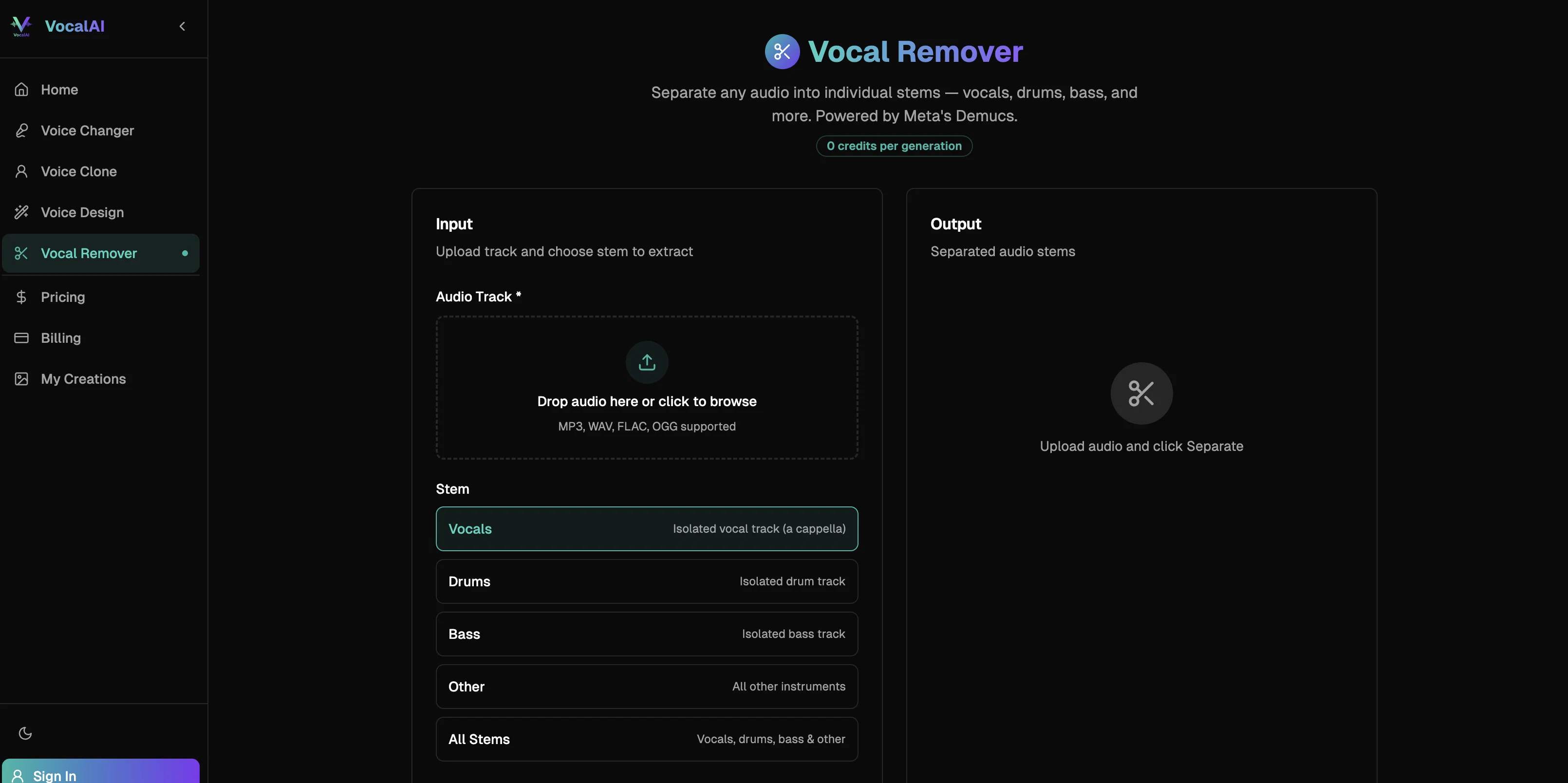
The Vocal Remover separates vocals from instrumentals in a song, an essential tool for stem extraction, karaoke, and remixing. The platform assures a secure environment with user audio files never being shared.
The user interface is designed for simplicity with the process involving upload of the audio file, setting parameters, and downloading the processed audio.
Overall, VocalAI serves as an AI-driven powerful set of tools for transformation and manipulation of audio content.
Access & connections
Where you can use VocalAI.
Platforms
Capabilities
What this tool accepts, produces, and is strongest at.
Input
- Tabular
- Audio
Output
- Audio
Supported features
- Voice Cloning
- Sound Creation
Pros & cons
Pros
- Transforms any user voice
- Maintains speech emotion
- Professional-grade audio quality
- Fast audio file processing
- Supports major audio formats
- Secure audio file processing
- Preview before finalizing
- Allows voice cloning
Show 36 more
- Voice design from text
- Vocal removal capability
- Designed for multiple users
- Configurable audio parameters
- Stem separation feature
- Eliminates need for reference audio
- Upload, set parameters, download simplicity
- Optimized inference pipeline
- Accessible to everyone
- Audio remixing capability
- Frequently updated features
- Free credits to start
- Easy audio upload
- Results in your browser
- Single click download
- Commercial use output
- Extends audio capabilities
- Handles diverse audio lengths
- Capable of voice change
- Custom voice design
- Training and development features
- Maintains content integrity
- User-friendly interface
- Fast processing speeds
- Use for karaoke or remixes
- Supports MP3, WAV, FLAC, OGG
- Audio content transformation
- New speech generation
- Professional audio services
- Secured user data
- Prompts for easy navigation
- Vocal and audio studio for everyone
- Stem extraction tool
- New users receive free credits
- Can purchase more credits
- Subscription for monthly allowance
Cons
- No offline usage
- No live voice modification
- Not for any language
- No multilingual support
- Quality may vary with emotion
- No integrated audio editor
- Processing time varies
- Privacy concerns with voice cloning
Show 2 more
- No mobile app available
- Dependent on input audio quality
Compare alternatives
Similar tools in the catalog — with a clear reason to open each one.

Singify AI Vocal Remover ✓
FreemiumSplit any song into vocals and instrumentals instantly.
Free + from $8.99/mo
Full comparison

Vocal Remover by Remusic ✓
FreemiumUnleash instrumentals with AI vocal removal.
Why look Typically cheaper
Full comparison
Coolo.ai ✓
Free TrialAI tools for music separation and enhancement.
Why look Higher community rating
Full comparison
Releases 1
FAQ 12
What are the main features of VocalAI?
How can I use the voice cloning feature of VocalAI?
What types of audio files does VocalAI support?
Is my data secure with VocalAI?
Can VocalAI really remove vocals from any track?
What is voice designing in VocalAI?
Does VocalAI maintain the emotional content of the speech when changing voice?
Can I preview my results before downloading them in VocalAI?
What is the audio quality promised by VocalAI?
How can I use VocalAI for creating karaoke tracks?
Can I customize voices using VocalAI?
Is VocalAI suitable for professional sound engineers?
Related tools
Recommended

ChatGPT ✓
FreemiumAsk anything, create anything, and move from idea to action.

Ideogram ✓
FreemiumAI-powered creativity booster

Lyric Remix Studio ✓
FreeAI-powered music generation, transcription, and album art

Automateed ✓
Free TrialCreate eBooks effortlessly with Automateed, the AI-powered writing tool.

Suno ✓
FreemiumMake music at the speed of your ideas.

Notis ✓
Free TrialThe first WhatsApp assistant that runs on your ChatGPT and Claude subscriptions