
Content 2026 Rank: #504
Vidocu ✓
Transform videos into tutorials and documentation with AI.
Free + from $31/mo
Verdict
A quick read before you dig into the full page.
- Best if
- Transform videos into tutorials and documentation with AI
- Skip if
- Limited styling and branding controls
- Pick this when
- Transforms screen recordings into tutorials
Considering FlowPost instead? Compare side by side
Overview
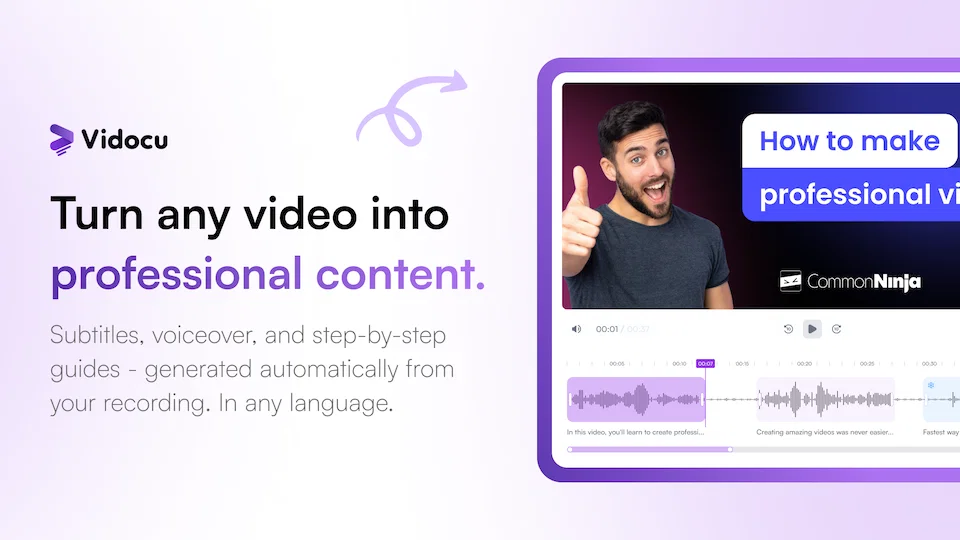
Vidocu is an AI-powered tool designed to transform screen recordings and videos into professional tutorials, help articles, and documentation. It can automatically generate subtitles, voiceovers, and step-by-step guides.
The solution offers a variety of tools, including AI-Powered Subtitles, AI Voiceover, Video Translation in multiple languages, and AI Documentation that enables the conversion of videos into documents and standard operating procedures.
Vidocu also offers impressive video editing features such as trimming, cutting & arranging, zooming & panning, adding elements & annotations along with built-in music library for background music.
Additionally, it provides the ability to insert callouts, highlights, and presentation slides, and allows you to brand your videos with a watermark. Vidocu's developer API enables you to build on top of the solution.
The AI-Powered Trimmer offers intelligent cuts and auto highlights, while the Format Converter allows you to transform video formats. The AI also powers key takeaways in the form of video summaries and is even capable of generating FAQs from video content.Vidocu's powerful AI technology allows automatic generation of subtitles in any language.
It offers multiple natural voice options for voiceover, with auto-generated script from your video content. The platform is capable of translating subtitles and generating voiceover in any language, thus enabling you to reach global audiences seamlessly.Overall, Vidocu eliminates manual work and reduces the amount of time and cost associated with converting videos into tutorials or documentation.
Best for
Short scenarios where Vidocu tends to shine.
-
Transform videos into tutorials and documentation with AI.
Example outputs 1
Sample generations and before/after results for Vidocu.
Access & connections
Where you can use Vidocu.
Platforms
Capabilities
What this tool accepts, produces, and is strongest at.
Input
- Video
Output
- Audio
- Tabular
- Text
Highlights
- API
Supported features
- TTS
- Video Avatars
- Docs
- Video Edit
- Video Generation
- Image Edit
- SEO
- Team Collaboration
- API
Pros & cons
Pros
- Transforms screen recordings into tutorials
- Auto-generates subtitles, voiceovers, guides
- Video translation in multiple languages
- Converts videos into documents/SOPs
- Video editing features: trim, cut, arrange
- Zoom, pan, add elements & annotations
- Built-in music library
- Insert callouts, highlights, slides
Show 40 more
- Branding videos with watermark
- Developer API for custom solutions
- Format converter for videos
- Generates video summaries & FAQs
- Subtitles in any language
- Multiple natural voice options
- Auto-generated script from video
- Converts video content into FAQs
- Video to document conversion
- Brands videos with watermark
- Video trimming, elements & annotation
- Background music from built-in library
- Video arrangement & highlights capabilities
- Callouts insertion in videos
- Standard Operating Procedures documentation
- Global audience reach capability
- Automatically generates video tutorials
- Automatically creates help articles & docs
- Auto highlight features in Trimmer
- Screen recording transformation into tutorial
- Automated zoom & pan effects
- Enables addition of presentation slides
- Integration with multiple languages
- Generates step-by-step guides
- Supports any language for translations
- Localizes voiceovers for global reach
- Eliminates manual work
- Saves time and reduces cost
- Video to document workflow automation
- Generates voiceover in multiple languages
- Developers can extend it with API
- Transforms video formats
- Can generate FAQs from videos
- Offers video arrangement tools
- Highlights key parts of the video
- Zoom & Pan editing tools
- Callouts can be inserted to videos
- Allows adding audio from music library
- Can generate video summaries
- Subtitles generated in any language
Cons
- Lacks live voice-over feature
- No specified video resolution options
- Inadequate tutorial generation customization
- Loom and webinar conversions not mentioned
- Unspecified video format support
- No collaborative editing features
- Unspecified content importing options
- Limited styling and branding controls
Show 1 more
- No mentioned support for other media types
Compare alternatives
Similar tools in the catalog — with a clear reason to open each one.

EasyAI – AI Flow - No Code Content (Video/Image) Ge... ✓
Free TrialChain AI tasks with no-code into workflows for chatbots, video, documents, and
Why look Typically cheaper
Full comparison
RightBlogger ✓
FreemiumAutomate blogging, SEO, and publishing in one simple platform
Why look Typically cheaper
Full comparison
myAIninja ✓
Free TrialAI-powered content creation for social media, 10x faster
Why look Typically cheaper
Full comparisonPeople also view
Tools that often show up alongside Vidocu in collections and comparisons.
RightBlogger ✓
FreemiumAutomate blogging, SEO, and publishing in one simple platform
myAIninja ✓
Free TrialAI-powered content creation for social media, 10x faster

Magicley AI ✓
Free TrialAll-In-One AI Hub

FlowPost ✓
Free TrialAI autopilot for social media posting
EasyAI – AI Flow - No Code Content (Video/Image) Ge... ✓
Free TrialChain AI tasks with no-code into workflows for chatbots, video, documents, and

Easy-Peasy.AI ✓
FreemiumAccelerates content creation.

RepurposingBot ✓
Free TrialTurn one article into dozens of posts.

Kinetik ✓
Free TrialAI agent that handles content strategy and monetization for creators.
Releases 1
Imported reviews 4
Buckle up- this is a long one- but worth the read, and DESERVES THIS LEVEL OF HYPE!
Vidocu is, without exaggeration, the most impressive AI video platform I have used, and I have tested nearly everything in this space.
VEED. Descript. Camtasia. Powtoon. D-ID. Vyond. Microsoft tools. Google tools. GitHub MCP workflows. AI automation stacks. Screen recording suites. Video editors. AI presenters. Knowledge-to-video tools. The list honestly goes on for another couple dozen platforms.
Nothing comes close to what Vidocu is doing right now.
What makes this platform different is not just the output quality. It is the fact that it solves the actual operational problem companies have.
Most startups and scaling organizations already have a goldmine of content sitting around:
• Product demos
• Sales enablement recordings
• Deep dive walkthroughs
• Internal training sessions
• Support calls
• Feature explanations
• Webinar recordings
• Loom videos nobody watches twice
Normally, turning those into polished customer-facing assets is painful. It takes editing skills, scripting, voiceovers, formatting, branding, music selection, timing adjustments, article writing, distribution prep, and hours upon hours of cleanup.
Vidocu turns that entire nightmare into:
Drag. Drop. Done.
And I do not mean “AI done” in the usual disappointing sense where you still spend 3 hours fixing everything manually afterward.
I mean genuinely customer-ready.
Within minutes, Vidocu transforms raw recordings into polished, brand-aligned video content that looks like a professional media team produced it.
The AI voiceover quality is honestly absurd. Natural pacing. Human sounding delivery. Proper synchronization to the video. Intelligent script cleanup. Smooth narration flow. Subtle professional background music. Intelligent scene transitions. Intro and outro generation. It all feels cohesive instead of stitched together.
Then it gets even more ridiculous.
One more click, and suddenly that same recording becomes a polished, customer-facing article. Structured. Clean. Branded. Readable. Actually useful.
This is where the platform becomes a serious business multiplier.
You are no longer just creating videos. You are instantly building:
• A customer education library
• A support knowledge base
• Product onboarding content
• Internal enablement assets
• Training documentation
• Release walkthroughs
• Self-service customer resources
• Marketing collateral
All from content your company already has sitting around unused.
That is the part people are missing.
Vidocu is not just a video editor. It is a content transformation engine.
The market is unbelievably saturated right now with AI video tools that all promise the same thing. Most of them are incremental improvements on old workflows. Fancy wrappers around complicated editing processes.
Vidocu feels like one of the first tools that actually rethinks the workflow entirely.
And somehow, despite how strong this platform is, it still feels massively undiscovered.
Pricing is more than reasonable for what is being delivered here. Frankly, compared to the amount of time, production effort, and staffing this can replace or accelerate, the value proposition is a no-brainer.
I am currently building a business case to push for full-scale adoption internally because this has the potential to completely change how companies handle customer education, onboarding, support content, and enablement at scale.
I rarely say this about software anymore because most tools are overhyped.
Vidocu is underhyped.
If you create customer-facing content in any capacity, especially within startups, SaaS, support organizations, onboarding teams, customer success, enablement, or product marketing, you need to try this platform.
There is genuinely nothing even close to it right now in the AI video market.
Giddy up!
Ground breaking tool
Amazing tool!
One of the best tools in the market, best value for money, endless features
FAQ 12
What is Vidocu?
How does Vidocu convert videos into professional tutorials?
How does Vidocu generate subtitles and in what languages?
Does Vidocu provide different voice options for voiceover?
How does Vidocu translate videos and in how many languages?
What video editing features does Vidocu offer?
What are the uses of Vidocu's developer API?
How does Vidocu's AI-Powered Trimmer function?
What video formats can the Format Converter by Vidocu handle?
What is the benefit of Vidocu's video summaries?
How does Vidocu generate FAQs from video content?
How does Vidocu allow you to brand your videos?
Related tools
Recommended

Notis ✓
Free TrialThe first WhatsApp assistant that runs on your ChatGPT and Claude subscriptions

BestPhotoAI ✓
FreemiumCreate amazing AI photos instantly

Denovo ✓
FreemiumTurn your idea into a real business in minutes.

remio: Your Personal ChatGPT ✓
FreemiumGet Tailored Answer with Your Personal ChatGPT

MarketAlerts.ai ✓
FreemiumInvest smarter with AI on your side

leania.ai ✓
Free TrialMRI scan for Businesses: Find What to Cut, Replace, Automate with AI