

Design 2026 Rank: #974
Variant ✓
Endless designs for your ideas, just scroll.
Verdict
A quick read before you dig into the full page.
- Best if
- Endless designs for your ideas, just scroll
- Skip if
- Limited to websites and apps
- Pick this when
- Generates countless design options
Considering Kolors AI instead? Compare side by side
Overview
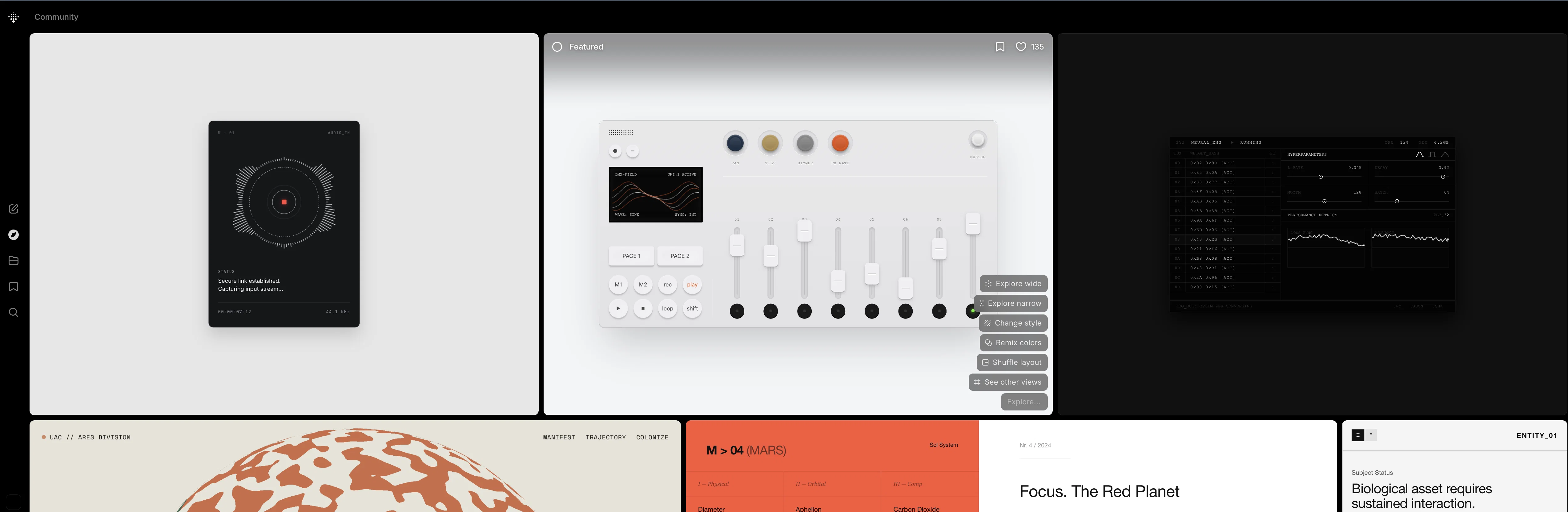
Variant is an AI-driven tool dedicated in offering design solutions for apps and websites. By providing an idea or a concept for an app or a site, users will be able to see countless design options generated by the tool, offering a variety of styles and visual content.
Its key feature lies in its simplicity and efficiency, allowing users to quickly produce and validate a design concept, thereby enabling faster decision-making processes.
Please note that the quantity and diversity of design options will depend on the complexity and uniqueness of the inputted idea. By utilizing AI, Variant simplifies the process of design creation and exploration.
This tool is a user-friendly solution that caters to a broad range of users, from professional designers and developers looking for innovative design inspiration, to beginners who want a streamlined approach to app or website design.
Its algorithm is designed to adapt and provide relevant design proposals based on the idea input, bringing a unique value to the design process. Variant can drive creativity, foster innovation and reduces the time required for the design ideation process.
Access & connections
Where you can use Variant.
Platforms
Capabilities
What this tool accepts, produces, and is strongest at.
Input
- Text
Output
- Image
Supported features
- Image Generation
- Styling
Pros & cons
Pros
- Generates countless design options
- Offers variety of styles
- Efficiency in design process
- Eases decision-making processes
- Adapts to unique inputs
- Ideal for different users
- Algorithm-based design proposals
- Drives creative processes
Show 13 more
- Fosters innovative solutions
- Efficient ideation process
- User-friendly for professionals
- Streamlined for beginners
- Adaptable to input complexity
- Simplifies design exploration
- Produces quick design validation
- Boosts efficiency in design
- Encourages diversity in design
- Supports conceptual design
- Maximizes design simplicity
- Offers professional design inspirations
- Broadens design solution options
Cons
- Depends on input quality
- No explicit control over style
- Potential for design repeats
- Unpredictable output diversity
- Requires constant user interaction
- No offline capability
- No design customisation features
- No integration with design applications
Show 2 more
- Limited to websites and apps
- No provision to input user preferences
Compare alternatives
Similar tools in the catalog — with a clear reason to open each one.


Canvora ✓
Free TrialThe Smartest Visual Assistant that can create visuals in 150+ languages.
Why look Offers a public API
Full comparison

Canva AI ✓
FreemiumAI tools for design, writing, and creativity.
Why look Better for writing
Full comparison

Releases 1
FAQ 12
What is Variant?
How does Variant use AI in design creation?
What can I expect from Variant if I provide a complex design concept?
Can Variant help expedite the decision-making process in design?
Is Variant suitable for beginners in design?
How does Variant's algorithm adapt to provide relevant design proposals?
How does Variant drive creativity and innovation?
What kind of design solutions does Variant offer?
Can I use Variant for app design solutions?
Does Variant offer website design solutions?
How does Variant validate a design concept?
How does Variant foster simplification in the design process?
Related tools
Recommended

remio: Your Personal ChatGPT ✓
FreemiumGet Tailored Answer with Your Personal ChatGPT

Kin - Personal AI Advisors ✓
FreePrivacy-first & designed your for mind, and life at work

PrompTessor ✓
FreemiumAI Prompt Workspace for Better AI Results

Younet ✓
Free TrialAI Agent Orchestration and Automation. Build your agentic business.

Promtist AI ✓
FreeGenerate optimized prompts for better AI results.

Kontentino ✓
FreeTurn ChatGPT conversations into visual social media calendars.