

TAMI Studio by UI-licious ✓
Turn Screenshots into Automated Tests
Free + from $12/mo
Verdict
A quick read before you dig into the full page.
- Best if
- Turn Screenshots into Automated Tests
- Skip if
- Learning curve for teams new to low-code automation
- Pick this when
- Vision AI turns screenshots/recordings into structured test cases
Considering Bytesalt instead? Compare side by side
Overview
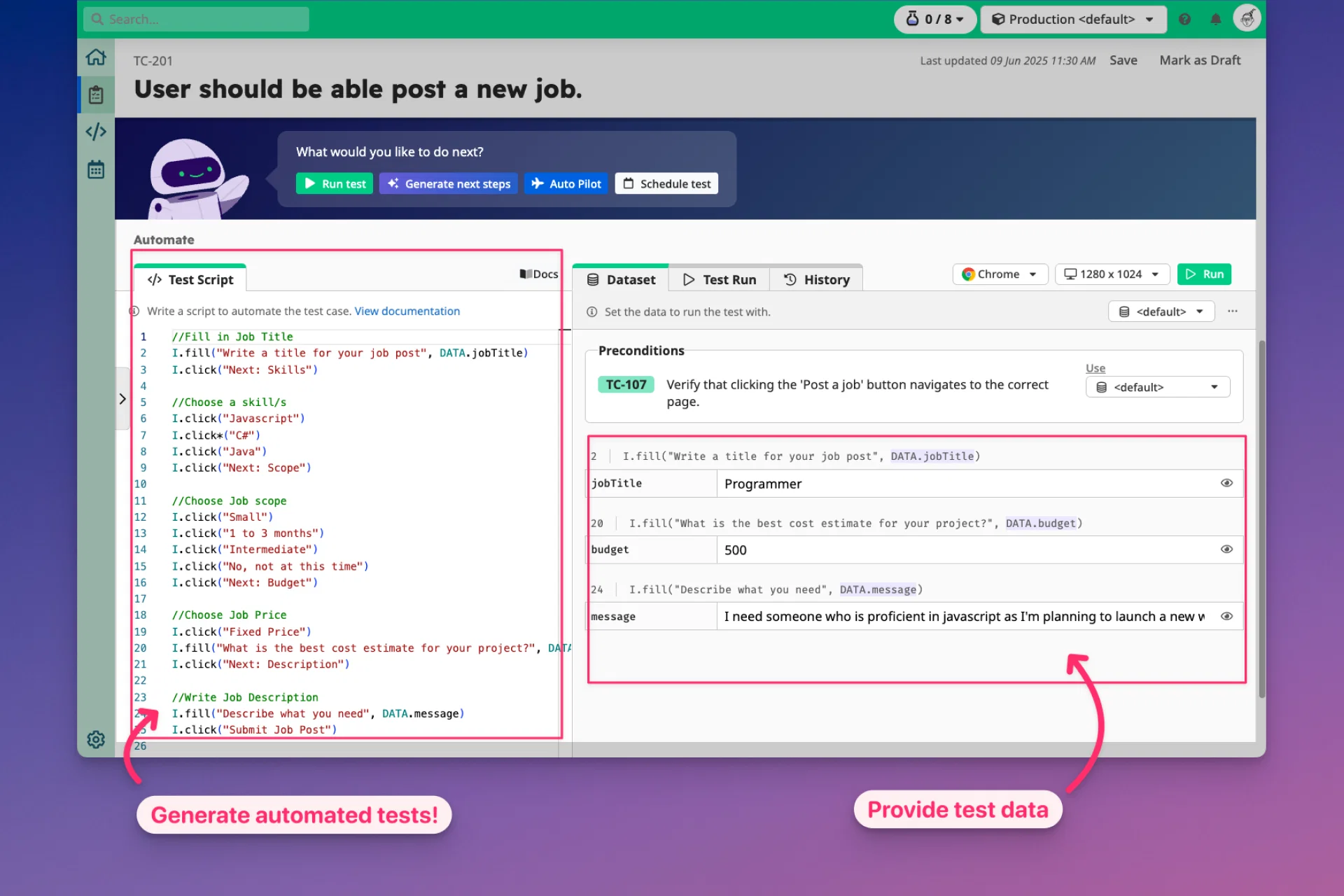
TAMI helps teams move beyond the manual tedium of test authoring by turning visuals into structured, readable, and maintainable test scripts. From generating test cases to writing bug reports, TAMI ensures that every step of the testing lifecycle is faster, more consistent, and less error-prone.
The platform integrates with the UI-licious low-code test framework, allowing you to convert documented test cases into automated scripts with minimal coding effort. Tests can then be executed in parallel across browsers using the UI-licious Cloud Testing Grid, with scheduling and real-time notifications ensuring you’re always up to date.
For modern QA teams, Uilicious TAMI Studio brings together documentation, automation, and monitoring in a unified solutio, giving developers and testers the ability to ship faster with confidence.
Access & connections
Where you can use TAMI Studio by UI-licious.
Platforms
Capabilities
What this tool accepts, produces, and is strongest at.
Input
- Image
- Text
- Video
Output
- Code
- Text
Supported features
- QA Automation
Pros & cons
Pros
- Vision AI turns screenshots/recordings into structured test cases
- Low-code test framework reduces coding effort
- Parallel execution across multiple browsers
- AI-powered bug diagnosis and fix suggestions
- Cloud-based, no installation needed
- Centralized test case management with galleries and trackers
- Detailed bug report generation with logs and screenshots
- Integration with scheduling and notifications for team visibility
Show 2 more
- Self-managed installation available for private networks
- Seamless collaboration with cloud-stored artifacts
Cons
- Requires public access for cloud-based tests (unless self-managed)
- Learning curve for teams new to low-code automation
- Self-managed option may need extra setup effort
- Dependent on accuracy of Vision AI interpretations
- Limited advanced features compared to full custom-coded frameworks
Compare alternatives
Similar tools in the catalog — with a clear reason to open each one.


Quash ✓
Free TrialMobile QA testing your team will actually adopt.
Free + from $79/mo
Full comparison
Floto ✓
FreemiumGet AI design feedback directly in Figma.
Why look Typically cheaper
Full comparison

Releases 1
Imported reviews 1
I have read their documentation, specifically the basics of how to get started and the test script commands. Surprisingly the commands are easy to read and understand. I may need to do a bit more exploring, I think I saw a blogpost that you can also use javascript with this tool like many other tools, so I'll check that out as well.
But for now, this tool seems to be promising enough for QA Testers and Automation testers who want to work faster and more efficient.
FAQ 7
How is TAMI Studio different from Web IDE?
Do I need to install TAMI Studio?
Can I test apps behind a firewall or on localhost?
Can TAMI fix broken tests automatically?
What kind of bug reports can TAMI create?
What browsers are supported in test execution?
Is collaboration supported across teams?
Related tools
Recommended

LearningStudioAI ✓
Free TrialAI-powered authoring tool for effortless online course creation.

Stunning ✓
PaidBuild AI-powered websites in seconds

Mindsmith ✓
FreemiumPlatform for building and sharing eLearning content

Notis ✓
Free TrialThe first WhatsApp assistant that runs on your ChatGPT and Claude subscriptions

remio: Your Personal ChatGPT ✓
FreemiumGet Tailored Answer with Your Personal ChatGPT

leania.ai ✓
Free TrialMRI scan for Businesses: Find What to Cut, Replace, Automate with AI