

Typeright ✓
Supercharge your writing with AI-powered assistance.
Free + from $9.99/mo
Verdict
A quick read before you dig into the full page.
- Best if
- Supercharge your writing with AI-powered assistance
- Skip if
- Limited to textual content
- Pick this when
- Corrects grammar mistakes
Considering Voila instead? Compare side by side
Overview
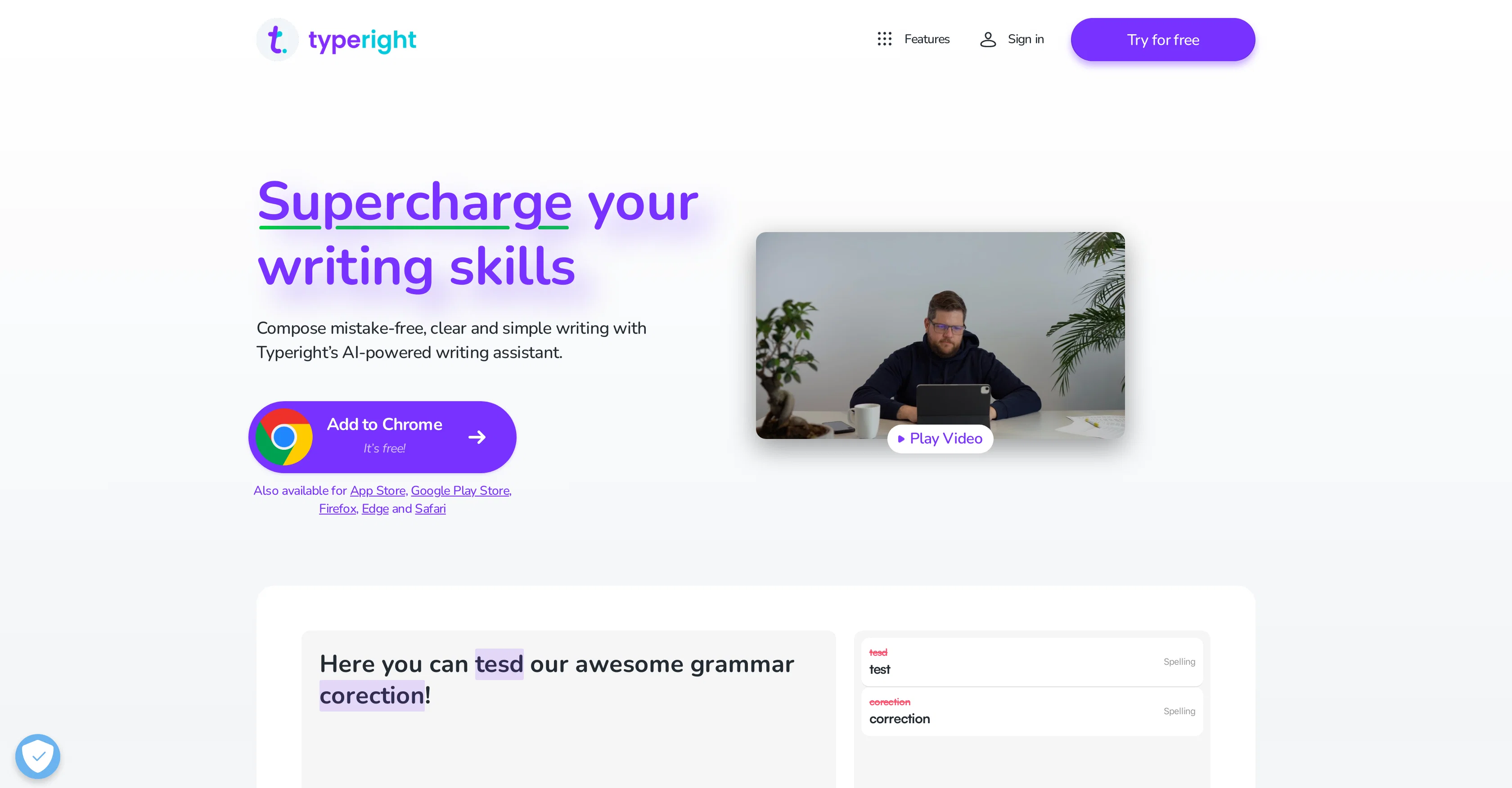
Typeright is an AI-powered writing assistant designed to enhance writing skills by checking for grammar, spelling, and punctuation mistakes. It also provides style and synonym suggestions to help refine and polish your text.
Previously known as Grammatica, Typeright not only helps with correcting errors but also aids in remembering them to avoid repetitions in the future. It handles multiple languages including English, German, and Spanish, making it useful for a diverse group of users.
Typeright includes a suite of features such as simple spelling or punctuation corrections, finding missing words, providing style suggestions, and predictive typing.
It is a versatile tool, available for use on iOS, Android, and desktop via browser extensions, allowing users to improve their writing on a range of devices.
There is also an additional Typeright Plus feature which, when unlocked, grants access to all features across all supported platforms. This platform-independent approach makes Typeright a comprehensive AI-powered writing assistant, accessible wherever one needs it.
Access & connections
Where you can use Typeright.
Capabilities
What this tool accepts, produces, and is strongest at.
Input
- Text
Output
- Text
Pros & cons
Pros
- Corrects grammar mistakes
- Corrects spelling mistakes
- Punctuation correction
- Provides style suggestions
- Synonym suggestion feature
- Improves writing skills
- Memo-aid for common mistakes
- Multilingual (English, German, Spanish)
Show 17 more
- Finds missing words feature
- Predictive typing feature
- iOS, Android, and desktop availability
- Browser extension
- Cross-platform synchronization
- Unlocks all features with Typeright Plus
- Add-on plan for more features
- Accessible on multiple devices
- Aids in remembering mistakes
- Enhancing multilingual writing skills
- Compatible with various browsers
- App available in App Store
- App available in Google Play Store
- App available in Chrome Web Store
- Mobile App and Desktop Extension
- Ease of sign-up for Typeright Plus
- Friendly feedback on errors
Cons
- Limited language support
- Premium for full functionality
- No offline use
- Needs frequent updates
- Dependent on strong connectivity
- May over-correct unique styles
- Limited to textual content
- Possible data privacy concerns
Show 2 more
- May not catch nuanced mistakes
- Compatibility issues across platforms
Compare alternatives
Similar tools in the catalog — with a clear reason to open each one.

Voila ✓
Free TrialSeamless AI assistant to help you create, write, brainstorm, and research.
Why look Typically cheaper
Full comparison
Rizz! Keyboard ✓
FreeAI-powered creative responses in your iPhone keyboard.
Why look Fully free option
Full comparison
Werd - Vibe Write with Multi-agent AI ✓
Free TrialVIBE WRITE With Multi-agent AI
Why look Typically cheaper
Full comparison
Sudowrite ✓
Free TrialAI writing partner for faster, more creative storytelling
Free + from $10.00/mo
Full comparison
RewriteBar ✓
Free TrialRewrite. Refine. Accelerate. — AI productivity for every macOS app. 🚀
Why look Offers a public API
Full comparisonReleases 1
FAQ 12
What is Typeright?
How does Typeright enhance writing skills?
Does Typeright check for spelling and punctuation errors?
What kind of style and synonym suggestions does Typeright provide?
What languages does Typeright handle?
Does Typeright work on mobile devices and web?
Which browsers support Typeright extension?
What additional features does Typeright Plus offer?
Can Typeright predict typing errors?
Can Typeright help in remembering mistakes to avoid repeating them?
Can Typeright find missing words in my text?
Can Typeright be equally useful for diverse groups of users?
Related tools
Recommended

Experts GPT ✓
FreeEmbody 3 expert personas for diverse discussions.

Kin - Personal AI Advisors ✓
FreePrivacy-first & designed your for mind, and life at work

Semantic Scholar ✓
FreeAI-powered research tool for scientific literature

COACH ✓
FreeAI-powered career development platform built by career experts.

Mindmap ✓
FreemiumVisualize ideas effortlessly with free mindmaps.
Gurubase ✓
Free TrialShortcut search for tech resources and answers.