

Trupeer | Translation ✓
Instant AI translation for product videos and tutorials.
Free + from $40/mo
Verdict
A quick read before you dig into the full page.
- Best if
- Instant AI translation for product videos and tutorials
- Skip if
- Limited avatar customization
- Pick this when
- Instantaneous video translation
Considering VideoDubber instead? Compare side by side
Overview
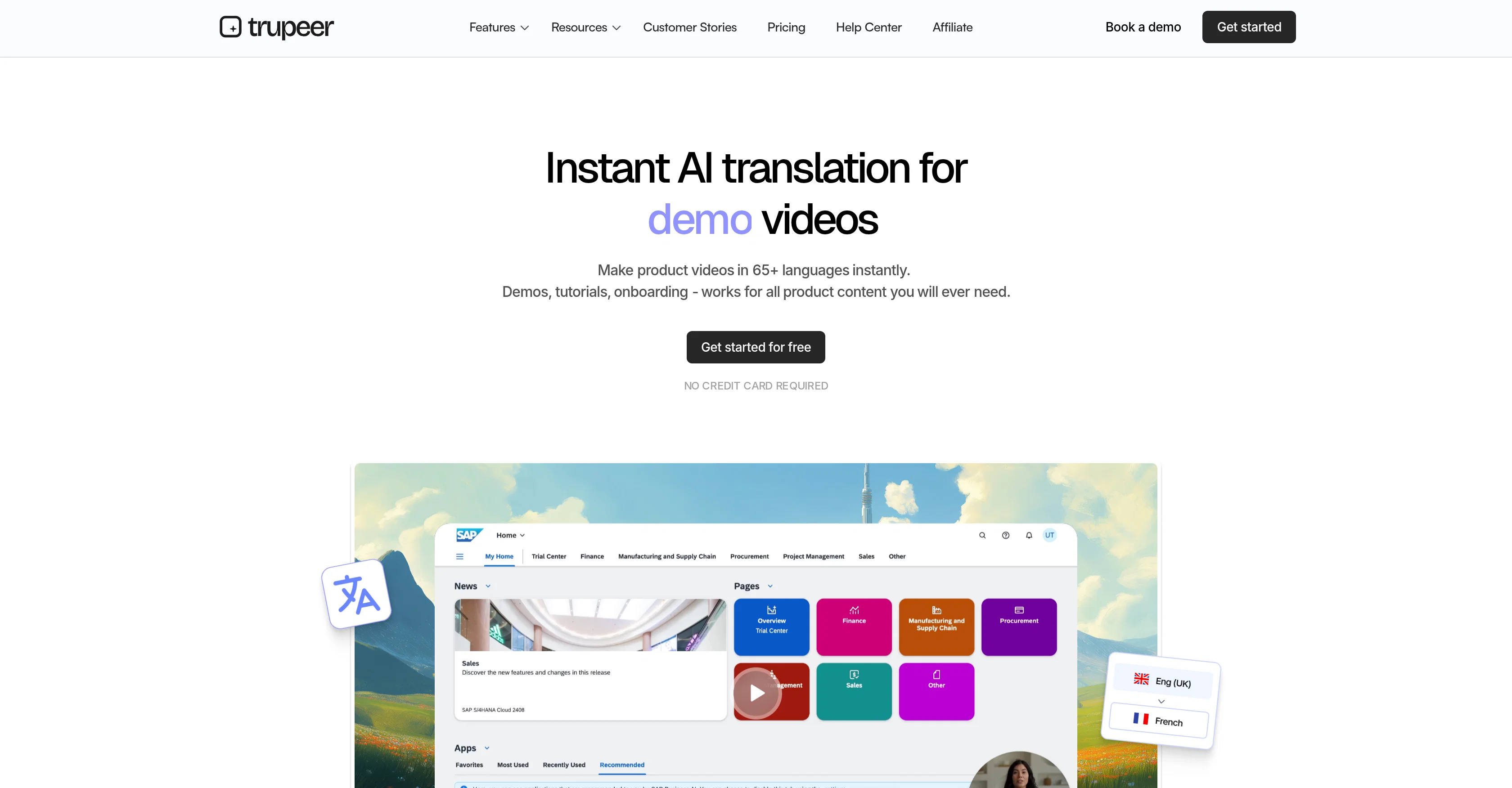
Trupeer AI is an artificial intelligence tool designed to facilitate language translation and localization for videos and documents. One major function of the tool is its ability to translate product videos such as tutorials, demonstrations, and onboarding guides into a multitude of languages almost instantaneously.
For users' convenience, Trupeer AI uses a chrome extension for screen recording, capturing user actions and translating associated dialogue. Users can edit their scripts on-the-fly, and witness the changes made in real time.
Additionally, Trupeer AI offers a feature for transforming raw voiceovers into more polished, AI-generated voiceovers, this includes a vast range of accents and styles, allowing for further localization of content.
This tool also enables the addition of an AI avatar, further personalising a video presentation. Beyond video content, Trupeer AI also serves as a document translator.
Users can generate step-by-step guides in their desired language. The application of this feature is broad, including the creation of multilingual onboarding guides for global teams or generating user manuals in various languages for product deployments in different markets.
For more flexibility, users have the option to personalize their content, from choosing specific AI voiceovers to selecting wallpapers and background music.
Furthermore, Trupeer provides an option to clone user voices for a more personalized sound. Despite the unbiased tone, Trupeer AI has reportedly been employed by a variety of teams to improve their global communication efforts, notably in areas of client onboarding and knowledge transfer.
Access & connections
Where you can use Trupeer | Translation, and what it plugs into.
Platforms
Integrations
Capabilities
What this tool accepts, produces, and is strongest at.
Input
- Text
- Video
Output
- Video
- Text
Supported features
- Translation
Pros & cons
Pros
- Instantaneous video translation
- Multilanguage support
- Document translation feature
- Chrome extension for recordings
- Real-time script editing
- Accent variations in voiceovers
- Style variations in voiceovers
- Content personalization options
Show 25 more
- Voice cloning feature
- Step-by-step guide generator
- Onboarding guide creation
- User manual creation
- On-the-fly script adjustments
- Single-click video translation
- 100+ accents and styles
- HD wallpapers for videos
- Background music selection
- One-click document translation
- Automatic voiceover syncing
- Live script change reflection
- Generates documents in seconds
- Video format flexibility
- Raw screen recording conversion
- Auto-syncs raw recordings
- Polished voiceover creation
- Multilingual product guide creation
- Personalized avatar visuals
- Localizes content for global teams
- Facilitates global communication
- Improves knowledge transfer
- Supports client onboarding process
- Personalizes translated content
- Clone user voice option
Cons
- Limited to Chrome extension
- Requires real-time script editing
- Limited avatar customization
- Voiceover style restrictions
- Clone voice feature imperfections
- Screen recording quality issues
- May have sync issues
- Requires manual content personalization
Show 2 more
- Potential accent misrepresentations
- No multi-language simultaneous translation
Compare alternatives
Similar tools in the catalog — with a clear reason to open each one.

VideoDubber ✓
FreemiumTranslate and dub videos, audios and subtitles with voice cloning and lipsync
Why look Typically cheaper
Full comparison
CAMB.AI ✓
Free TrialAI voice translation and dubbing for videos in 150+ languages.
Why look Typically cheaper
Full comparison
VoiceCheap ✓
FreemiumTranslate, dub and publish any video in any language.
Why look Typically cheaper
Full comparison
UnMarkAI - Remove subtitles first. Translate video, d... ✓
Free TrialAI video translation with dubbing and lip-sync.
Why look Typically cheaper
Full comparison
VMEG Video Translation ✓
FreemiumBreak Down Language Barriers with Video Translation
Why look Typically cheaper
Full comparison
Vidby ✓
FreemiumFast translation and dubbing of videos with AI.
Why look Typically cheaper
Full comparisonReleases 1
FAQ 12
What's the main function of Trupeer AI?
How does Trupeer AI translate product videos?
Can Trupeer AI translate document content?
What are some application examples of Trupeer AI?
Are Trupeer AI's voiceovers customizable?
How does Trupeer AI's chrome extension work?
Can I edit scripts in real-time with Trupeer AI?
What accents and styles are available for Trupeer AI voiceovers?
Can Trupeer AI generate multilingual onboarding guides?
What personalization features does Trupeer AI offer?
How does Trupeer AI clone user voices?
What is the role of the AI avatar in Trupeer AI?
Related tools
Recommended

TheLibrarian.io ✓
Free TrialYour WhatsApp AI assistant for instant productivity.

Notis ✓
Free TrialThe first WhatsApp assistant that runs on your ChatGPT and Claude subscriptions

remio: Your Personal ChatGPT ✓
FreemiumGet Tailored Answer with Your Personal ChatGPT

leania.ai ✓
Free TrialMRI scan for Businesses: Find What to Cut, Replace, Automate with AI

docAnalyzer ✓
FreemiumTurn document overload into work worth putting your name on

There's An AI For That ✓
FreeThe front page of AI