

Trimbox AI Assistant ✓
Automatically draft email replies, straight from Gmail.
Free + from $5.99/mo
Verdict
A quick read before you dig into the full page.
- Best if
- Automatically draft email replies, straight from Gmail
- Skip if
- Cannot handle complex emails
- Pick this when
- Automates email drafting
Considering Auto Gmail instead? Compare side by side
Overview
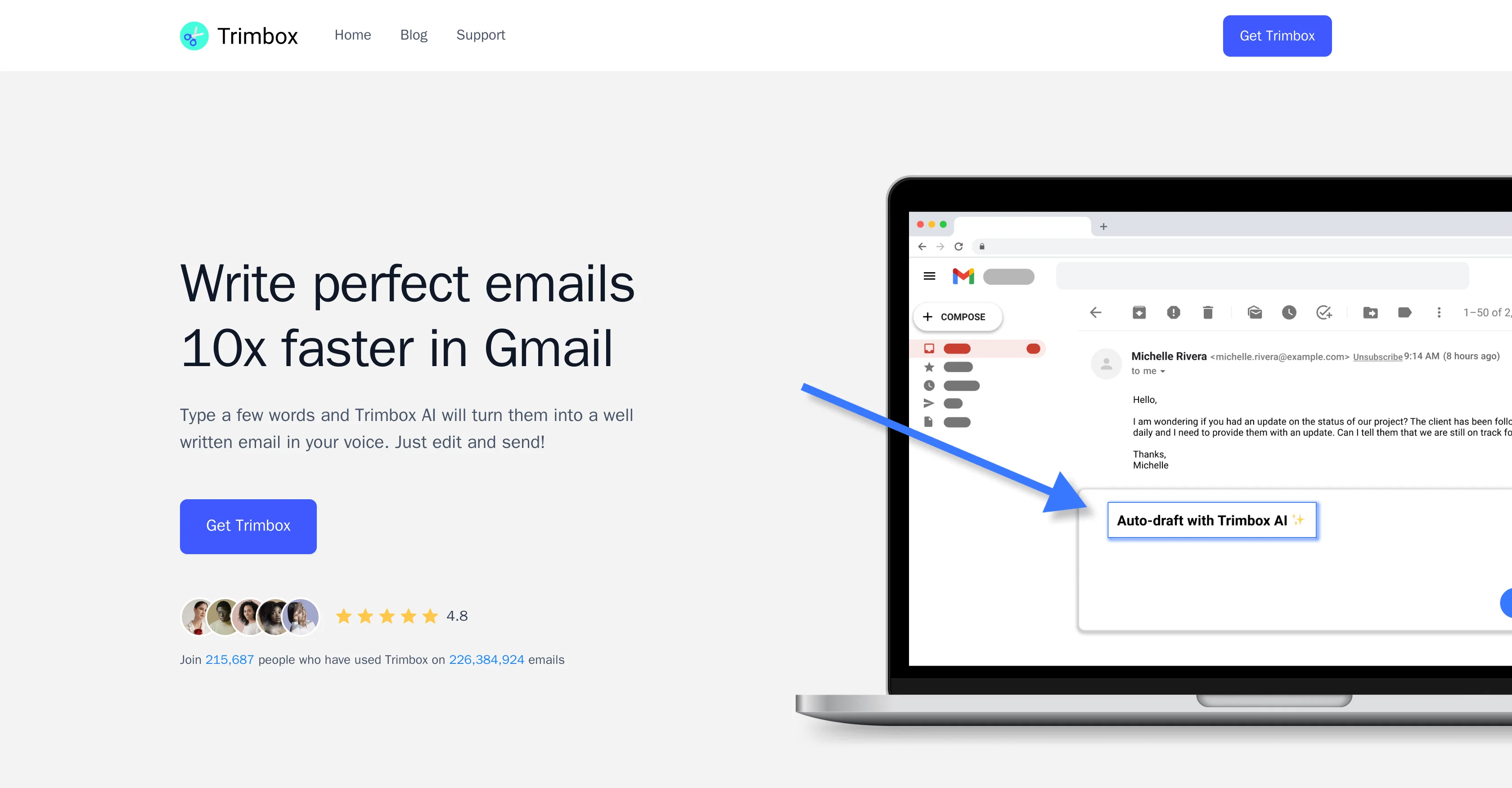
Trimbox AI Assistant is a tool designed to automate email drafting directly from Gmail. It assists users in regaining control of their inbox by minimizing time spent on constructing email replies.
Rather than having to compose emails from scratch, users type a few words and the tool transforms these initial ideas into more comprehensive, professional text, while maintaining the user's voice.
This functionality resides directly within the Gmail interface for seamless integration into users' existing workflows. The drafted emails can further be edited by the users before sending.
The tool also includes features for convenience and efficiency in managing the inbox. Users can unsubscribe from email lists with a single click without having to open the email, reducing unwanted clutter in their inbox.
Trimbox AI Assistant furthermore offers a feature to delete all past emails from a particular sender which can be beneficial when running low on storage space.
The overall utility of Trimbox AI Assistant composes in saving time, increasing email productivity, and maintaining a cleaner and more manageable inbox for its users.
Access & connections
Where you can use Trimbox AI Assistant, and what it plugs into.
Platforms
Integrations
Pros & cons
Pros
- Automates email drafting
- Seamless Gmail integration
- Maintains user's voice
- Allow edits before sending
- Single-click unsubscribe feature
- Bulk email deletion function
- Storage space management
- Helps control inbox clutter
Show 25 more
- Saves considerable time
- Improves email productivity
- Efficient text generation
- Increases email professionalism
- Helps achieve cleaner inbox
- Intuitive to use
- Internally resides in Gmail
- Supports productivity improvement
- Enhances effective communication
- Reduces unwanted inbox mails
- Live within Gmail window
- Extremely time-saving in usage
- Private and secure connection
- Help in mass unsubscribing
- Mass delete old emails
- Trusted by top organizations
- High user-rating
- Loved by 215,687 people
- Used on 226,384,924 emails
- Improves email focusing
- Incredibly cathartic for users
- Excellent for inbox OCD
- Very useful Gmail extension
- Cleaning inbox made easy
- Assist in stopping junk emails
Cons
- Only works with Gmail
- Not suitable for short emails
- Dependent on user's typing
- May not maintain voice accurately
- One-click unsubscribe may misfire
- Mass delete can delete important emails
- Potential privacy concerns
- Limited to email drafting
Show 2 more
- Cannot handle complex emails
- No support for multiple languages
Compare alternatives
Similar tools in the catalog — with a clear reason to open each one.

Auto Gmail ✓
FreemiumAI learns from you and drafts answers to all your emails
Free + from $27
Full comparison
MailWizard ✓
Free TrialGmail emails that write themselves? It's not magic, it's MailWizard.
Free + from $9/mo
Full comparison

AI Mail Assistant ✓
Free TrialChatGPT AI for Gmail: Generate, summarize, translate, and improve emails.
Free + from €4.99 per month
Full comparison
Hiwriter ✓
FreeGenerate perfect emails instantly with AI in Gmail
Why look Fully free option
Full comparison
Ready to Send ✓
FreemiumAI drafts Gmail replies automatically
Why look Typically cheaper
Full comparisonReleases 1
Imported reviews 1
I had the opportunity to use Trimbox for 4 months now, and I must say, I am thoroughly impressed by its simplicity and efficiency. The tool has significantly aided me in composing emails, consistently leaving a positive impression (if I provided a well-thought-out prompt that is).
Additionally, the one-click unsubscribe feature, which allows for unsubscribing without the need to open the emails, and the option to delete all emails from a sender with also just one click, have been invaluable in managing my inbox quickly and effectively.
And as for me, the price is 27,99 € a year with both features in an unlimited version.
FAQ 12
How does Trimbox AI Assistant work with Gmail?
Is Trimbox AI Assistant easy to install?
Can Trimbox AI Assistant customize the emails it drafts?
Does Trimbox AI Assistant maintain my voice in the emails it drafts?
Can I edit the emails that Trimbox AI Assistant drafts?
How does Trimbox AI Assistant help manage my inbox?
Can Trimbox AI Assistant help me unsubscribe from email lists?
Does Trimbox AI Assistant delete past emails to save storage space?
How does Trimbox AI Assistant help improve productivity?
Does Trimbox AI Assistant require a special plugin to function?
How does Trimbox AI Assistant handle privacy and data security?
What platforms is Trimbox AI Assistant compatible with?
Related tools
Recommended

Transcript LOL ✓
FreemiumUnlimited transcripts, summaries, 99.8% accuracy, speaker recognition, superfast

SheetyAI ✓
FreeAI-powered spreadsheet formula generator

MagicSlides.app AI PPT Maker ✓
FreemiumCreate Stunning PPTs in Seconds with the AI PPT Maker

Venturekit ✓
PaidGenerate comprehensive AI business plans instantly

IllumiChat ✓
FreemiumFrom Ticket Backlog to Instant Answers Powered by AI

Hyperis ✓
FreemiumOrganized task prioritization.