Transkriptor ✓
Convert audio or video to text
Free + from $8.33/mo
Verdict
A quick read before you dig into the full page.
- Best if
- You are business professionals and need: Transcribing meetings and lectures
- Skip if
- Limited automation capabilities
- Pick this when
- Multilingual support (40+ languages)
Considering Voicetype AI instead? Compare side by side
Overview

🎙️ Input Made Easy
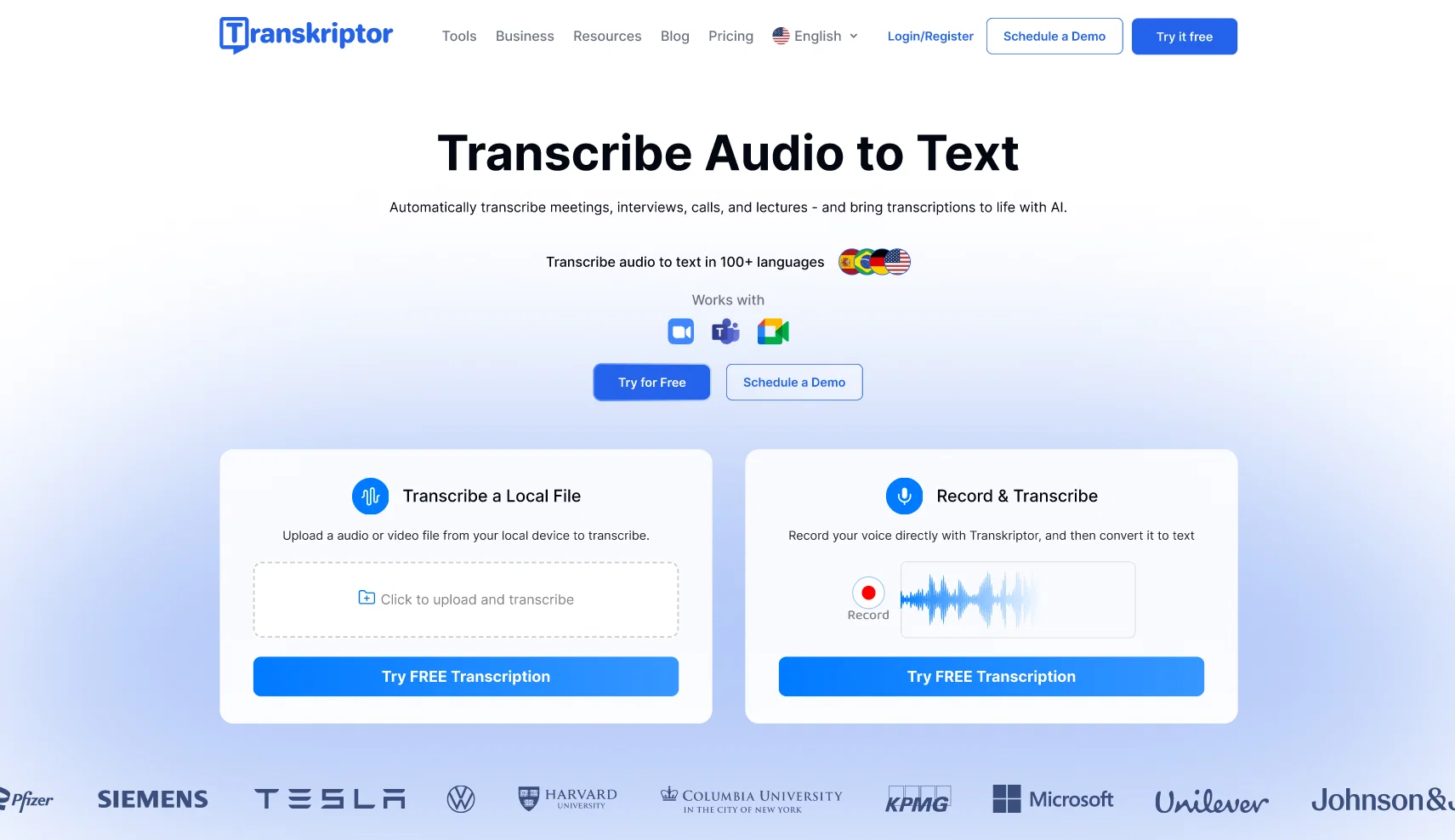
Transkriptor offers versatile input options to accommodate any workflow:
- Upload audio (MP3, WAV, M4A) and video (MP4, MOV, AVI) files
- Paste a YouTube URL to transcribe videos—no download needed instantly
- Record live directly within the tool
- Import files from cloud services like Google Drive and Dropbox
Transkriptor integrates with popular meeting platforms including Zoom, Google Meet, and Microsoft Teams. Receive transcripts automatically after each call or meeting.
🧠 More Than Just Transcription – AI-Powered Features
Transkriptor goes beyond basic speech-to-text with powerful AI enhancements:
🔍 AI Chat Assistant: Ask questions about your transcript like “What are the key topics discussed?” or “Summarize this meeting.”
📊 Smart Insights: Get automatic summaries, topic highlights, and keyword extraction
❤️ Sentiment Analysis: Understand emotional tone and speaker attitudes across conversations
👤 Speaker Identification: Distinguish and label different speakers automatically
⏱️ Timestamping: Add precise time markers or remove them as needed
🌎 Translation: Convert your transcript into 100+ languages instantly
📤 Output & Sharing Options
Customize and export your transcripts with ease:
- Export as TXT, DOCX, PDF, SRT, or VTT
Use the built-in editor to clean up transcripts and auto-sync with audio.
- Create subtitles for videos
- Share transcripts via secure links or collaborate with team members
🔐 Enterprise-Grade Privacy and Security
Data privacy is at the core of Transkriptor’s design:
- Encrypted storage and secure processing
- GDPR-compliant and privacy-focused
- Optional team admin controls and access permissions
- Transcribe Your Voice Notes & Meetings
- Audio File Transcription
- Sentiment Analysis
- Speaker Recognition
- Auto Subtitles
- Add Texts To Videos, Be It Music Video, Visualizer, Or Just Subtitles To Existing Video
- Meeting Intelligence
- Meeting Note Automation
Best for
Short scenarios where Transkriptor tends to shine.
-
Transcribing meetings and lectures
Best for Business professionals
-
Creating subtitles for videos
Best for Researchers
-
Analyzing customer service calls
Best for Journalists
-
Generating summaries of research interviews
Best for Lawyers
-
Converting podcasts to blog posts
Best for Students
-
Creating searchable knowledge bases
Best for Content creators
Example outputs 1
Sample generations and before/after results for Transkriptor.
Access & connections
Where you can use Transkriptor, and what it plugs into.
Platforms
Integrations
Capabilities
What this tool accepts, produces, and is strongest at.
Input
- API
- Video
- Audio
Output
- Audio
- Video
- Text
Highlights
- API
Supported features
- API
- Transcription
Pros & cons
Pros
- Multilingual support (40+ languages)
- Automatic meeting note generation
- Simple user interface
- Highly rated customer satisfaction
- Audio to text conversion
- Video to text conversion
- Transcription of online content
- Meeting transcript automation
Show 27 more
- Minimizes manual note-taking
- Time-saving solution
- Supports multimedia content
- Instantaneous query response
- Automatic document translation
- Supports remote collaboration
- Supports simultaneous editing
- Supports all audio/video formats
- Accessible from any device
- Google Chrome extension
- Mobile app available
- Integrates with Zoom, Teams, Google Meet
- Secure storage of conversation data
- Variety of export options
- Transcription from web links
- Editing in slow motion
- Built-in sharing option
- Multi-speaker recognition
- Fast translation speed
- High transcription accuracy
- Affordable pricing
- Free trial available
- Direct audio recording option
- Automatic transcription email notification
- Rich text editing capabilities
- Client testimonials available
- Large customer base
Cons
- Unsupported file formats
- Limited export options
- Unclear pricing
- Requires reliable internet access
- Limited offline functionality
- Accuracy depends on audio quality
- Missing advanced customization
- Lacks real-time transcription
Show 2 more
- No API for integrations
- Limited automation capabilities
Compare alternatives
Similar tools in the catalog — with a clear reason to open each one.

Voicetype AI ✓
Free TrialWrite 9x Faster with AI Speech to Text on all Apps
Why look Better for writing
Full comparison
Transcript LOL ✓
FreemiumUnlimited transcripts, summaries, 99.8% accuracy, speaker recognition, superfast
Free + from $10/mo
Full comparison
TurboScribe ✓
Freemium🎯 3 free transcripts every day. 🔥 Unlimited transcription starting at $10/mo.
Free + from $10/mo
Full comparison
RambleFix ✓
Paid⚡ Write by thinking aloud - emails, notes, articles, in your style.
Why look Better for writing
Full comparison
Paraspeech ✓
Free TrialPrivate dictation, cloud optional
Why look More privacy-focused
Full comparisonPeople also view
Tools that often show up alongside Transkriptor in collections and comparisons.
Voicetype AI ✓
Free TrialWrite 9x Faster with AI Speech to Text on all Apps
TurboScribe ✓
Freemium🎯 3 free transcripts every day. 🔥 Unlimited transcription starting at $10/mo.
Transcript LOL ✓
FreemiumUnlimited transcripts, summaries, 99.8% accuracy, speaker recognition, superfast
RambleFix ✓
Paid⚡ Write by thinking aloud - emails, notes, articles, in your style.
Paraspeech ✓
Free TrialPrivate dictation, cloud optional
Recap Raven ✓
Free TrialTTRPG Discord bot that recaps, transcribes, GM prep notes and campaign memory

Realms of Shod ✓
Free TrialMultiplayer tools, AI notes, and knowledge-graph surfaces for TTRPG worlds and stories

Pulse by smallest.ai ✓
FreemiumWorld's fastest and most accurate speech-to-text.
Releases 1
Imported reviews 5
It is the bet transcription tool I’ve ever used. I quit taking notes after I discovered Transkriptor.
I’ve been using this app for meetings, interviews, and even lectures. The transcriptions are fast and surprisingly accurate. It’s been a huge time-saver!
Transkriptor has incredibly simplified my meeting notes and audio transcription tasks. Now I can focus on meetings without the stress of taking notes. Its multi-language support is also quite successful!
I record all my lectures, and instead of spending hours rewatching or trying to take perfect notes in real time, I just upload the audio and get a clear transcript in minutes. It catches most of what the professor says. It’s helped me study way more efficiently, and I don’t miss important details anymore.
Transkriptor delivers fast, accurate audio-to-text transcription with a clean interface—highly recommended! Its speaker detection and automatic punctuation make editing effortless.
FAQ 12
What is Transkriptor and how does it work?
What types of content can Transkriptor transcribe?
How does Transkriptor support multilingual transcription?
How many languages does Transkriptor support?
How easy is it to use the Transkriptor interface?
What is the role of the AI-powered assistant in Transkriptor?
How does Transkriptor handle note-taking during meetings?
How do users typically rate the performance of Transkriptor?
How does Transkriptor convert audio to text?
Can Transkriptor convert video to text?
How does meeting notes automation work in Transkriptor?
What type of technology does Transkriptor use for transcription?
Related tools
Recommended

Scisummary ✓
Free TrialCutting-edge scientific articles summarization.

Learn Earth ✓
FreemiumAI-First Adaptive Learning Platform
Speechnotes ✓
FreemiumConvert speech to text online instantly

B12 AI Website Builder ✓
FreemiumAI-powered website builder

Thea ✓
FreemiumAI study tools to master material, not just memorize it.

AcademicGPT ✓
FreemiumAI-powered academic writing assistant.