

TeamsMaestro - Free AI Meeting Note Taker ✓
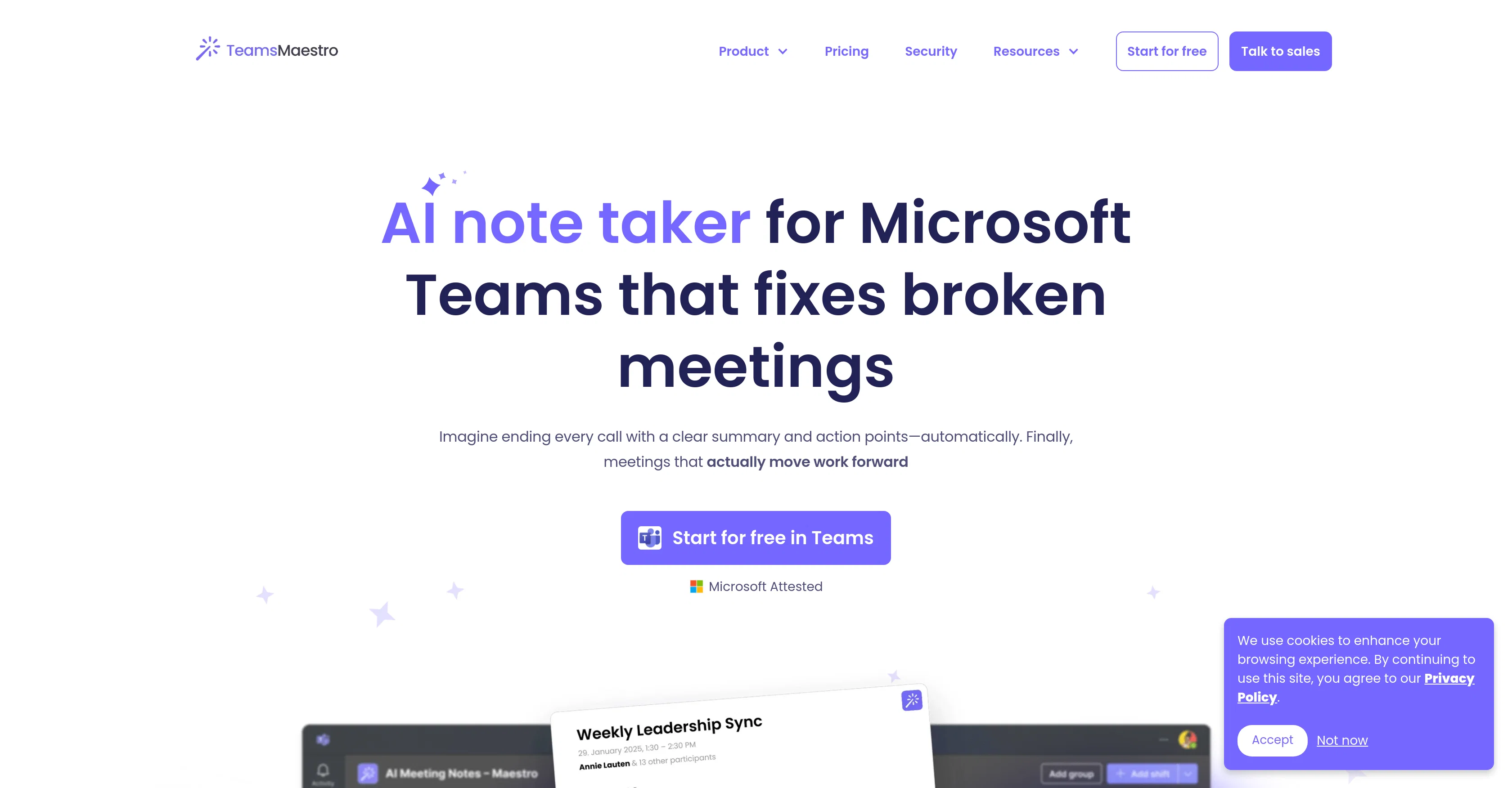
AI note taker that fixes broken meetings.
Free + from $12/mo
Verdict
A quick read before you dig into the full page.
- Best if
- You are professionals and need: Summarize long email threads quickly
- Skip if
- Limited platform compatibility
- Pick this when
- Auto-generates meeting summaries
Considering Jamy instead? Compare side by side
Overview
Tired of scrambling to take notes during fast-paced team meetings? Maestro’s AI Note Taker for Teams automates meeting documentation, so your team can focus on collaboration—not admin work. Perfect for remote teams, leadership, consultants, project managers, and agile workflows, this tool turns chaotic discussions into organized, actionable outcomes.
Key Features:
✅ Smart Summaries: Get concise meeting summaries, key decisions, and follow-up tasks in seconds.
✅ All Your Notes in a Single Place. Get all your meeting notes automatically stored inside Microsoft Teams.
✅ Action Item Tracker: Auto-detects deadlines, action points and owners
✅ Secure & Searchable: Encrypted notes stored in a central hub, easily searchable by topic, date, or project.
✅ Customizable Templates: Tailor notes to your workflow with templates for standups, client calls, or sprint planning.
Why Teams Love It:
- Save 5+ Hours Weekly: Eliminate manual note-taking and follow-up emails.
- Improve Accountability: Clear task ownership ensures nothing falls through the cracks.
- Enhance Meeting Culture: Foster engagement by letting everyone participate, not just scribes.
- Keep Your Data Safe: With enterprise-grade security, SOC2, GDPR, CASA Tier 2 & Microsoft Attestation, you know your data is safe & secure.
Whether you’re brainstorming, onboarding, or aligning stakeholders, Maestro turns meetings into productivity powerhouses.
Transform your team’s workflow—
Start using TeamsMaestro AI Note Taker for free!
Best for
Short scenarios where TeamsMaestro - Free AI Meeting Note Taker tends to shine.
-
Summarize long email threads quickly.
Best for Professionals
-
Generate email drafts from short instructions.
Best for Office workers
-
Respond to meeting requests with a single click.
Best for Managers
-
Personalize AI writing style to match your preferences.
Best for Executives
-
Prioritize inbox and reach inbox zero faster.
Best for Anyone who spends significant time on email
Example outputs 1
Sample generations and before/after results for TeamsMaestro - Free AI Meeting Note Taker.
Access & connections
Where you can use TeamsMaestro - Free AI Meeting Note Taker, and what it plugs into.
Platforms
Integrations
Capabilities
What this tool accepts, produces, and is strongest at.
Input
- Audio
Output
- Text
Pros & cons
Pros
- Auto-generates meeting summaries
- Includes purpose, key takeaways, detailed summary and action points
- Shares summaries via email post-meeting
- Allows centralized note storage
- Seamless integration with Microsoft Teams
- Supports Windows and macOS
- Supports Mobile and Web
- Multi-language support (18 languages)
Show 39 more
- Auto-detects discussed language
- Enterprise-grade security
- GDPR and SOC II compliant
- Microsoft and Google verified
- Fixes broken meetings
- Enhances meeting efficiency
- Promotes alignment and follow-ups ease
- Streamlines team management
- Productivity enhancer
- Boosts collaborative work
- Transcription services
- Data privacy prioritized
- Agenda management
- Email sharing of notes
- Efficient note-keeping
- Bridges language barriers
- Partnership with Microsoft Teams
- Simplifies multi-platform note-keeping
- Trustworthy with sensitive data
- Avoids the need for manual input
- Automated notes for easier follow-ups
- Removes necessity for multiple platforms
- Assists in meeting productivity
- Securely handles user data
- Compliant with international standards
- Automatically joins scheduled meetings
- Offers intelligent recaps
- Boosts team productivity
- Consolidates meeting information
- Identifies sensitive data
- Offers secure, private note-keeping
- Condenses meeting to key moments
- Handles input in multiple languages
- Automated summaries and action points
- No installation required
- Free version available
- Protects meeting data
- Offers support for troubleshooting
- Can opt in/out for meetings
Cons
- Only for Microsoft Teams
- Limited to 18 languages
- Summaries only through emails
- No manual summarization control
- Dependent on meeting invitations
- Cannot disable per meeting
- Limited platform compatibility
- Shared access security concerns
Show 1 more
- Single source note-keeping
Compare alternatives
Similar tools in the catalog — with a clear reason to open each one.

Jamy ✓
FreemiumAutomate meeting notes for seamless productivity.
Why look Typically cheaper
Full comparison
Wave AI Note Taker, Transcription and Summary Tool ✓
FreemiumThe Smartest Way to Capture, Transcribe & Summarize Anything
Why look Typically cheaper
Full comparison
Otter.ai ✓
FreemiumAI Meeting Assistant for real-time transcription and notes
Free + from $19.7/mo
Full comparison
Limitless - Personalized & Secure Memory AI ✓
FreemiumRecall anything you've said or heard in meetings or conversations
Free + from $19/mo
Full comparisonPeople also view
Tools that often show up alongside TeamsMaestro - Free AI Meeting Note Taker in collections and comparisons.

Bubbles Notetaker ✓
Freemium⚡️ Supercharge your meeting productivity
Wave AI Note Taker, Transcription and Summary Tool ✓
FreemiumThe Smartest Way to Capture, Transcribe & Summarize Anything
Otter.ai ✓
FreemiumAI Meeting Assistant for real-time transcription and notes
NoteX AI Meeting Agent ✓
FreemiumBest multilingual AI meeting agent for global teams
Limitless - Personalized & Secure Memory AI ✓
FreemiumRecall anything you've said or heard in meetings or conversations
Jamy ✓
FreemiumAutomate meeting notes for seamless productivity.

Rango AI ✓
Free TrialAI meeting agent that joins calls, takes notes, and answers out loud

OLVA ✓
FreemiumBot-free Real-time AI meeting assistant
Releases 1
Imported reviews 1
TeamsMaestro boosts my productivity by automatically generating clear meeting summaries with key takeaways and action points. It keeps everything organized in one place, making follow-ups easy. Highly recommend!
FAQ 12
How does TeamsMaestro integrate with Microsoft Teams?
What core features does TeamsMaestro offers?
What data is included in the auto-generated meeting summaries by TeamsMaestro?
How quickly can I access my meeting summaries after the meeting ends using TeamsMaestro?
How does TeamsMaestro simplify note-keeping across multiple platforms?
Can TeamsMaestro be used on mobile and web as well as desktop?
Which operating systems are supported by TeamsMaestro?
In what languages can TeamsMaestro transcribe meeting discussions?
How does TeamsMaestro detect the language used in a meeting and transcribe in the same language?
What security measures does TeamsMaestro have to ensure data privacy and safety?
Does TeamsMaestro adhere to GDPR and SOC II compliances?
Has TeamsMaestro received verification from Microsoft and Google?
Related tools
Recommended

Thea ✓
FreemiumAI study tools to master material, not just memorize it.

Transcript LOL ✓
FreemiumUnlimited transcripts, summaries, 99.8% accuracy, speaker recognition, superfast

Mind Map Wizard ✓
FreemiumGenerate mind maps with AI: free, no sign-up, no ads

Scisummary ✓
Free TrialCutting-edge scientific articles summarization.

Claude ✓
FreemiumBuilding reliable, interpretable AI systems

DeepSeek ✓
FreeUnravel the mystery of AGI with curiosity