

Syntha AI README Generator ✓
Create professional README files instantly with AI
Free + from $14
Verdict
A quick read before you dig into the full page.
- Best if
- Create professional README files instantly with AI
- Skip if
- Limited template selection
- Pick this when
- Automatic README.md creation
Considering DocuWriter.ai instead? Compare side by side
Overview
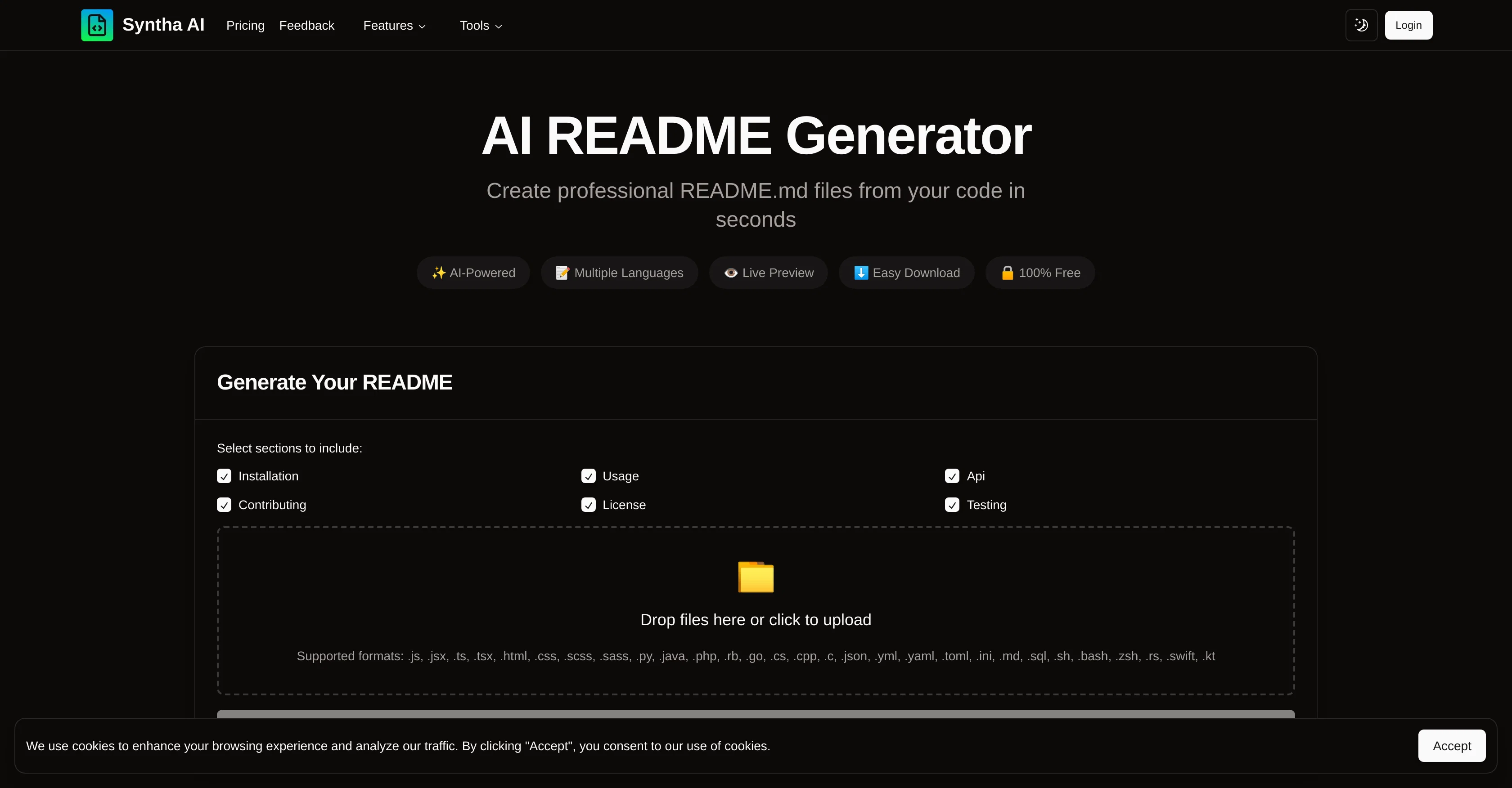
Syntha AI README Generator is a free-usage tool designed to aid the creation of professional README.md files from your code automatically and rapidly. It includes support for a wide array of programming languages, giving users the flexibility to generate README files for different programming projects seamlessly.
Just by uploading your project files, you can conveniently generate a well-structured and standardized README.md file in seconds. Furthermore, the tool enables users to customize the output by choosing preferred README structure and sections which ensures the README file matches the individual requirements of their projects perfectly.
Aside from the generation of README.md files, it equally provides previews, allowing users to review and ensure that the generated output meets their expectations before the final download.
An added advantage is that this tool follows best industry standards and practices while generating the README.md file which not only provides professionalism to your projects but also saves you the time of manual documentation.
Access & connections
Where you can use Syntha AI README Generator.
Platforms
Capabilities
What this tool accepts, produces, and is strongest at.
Input
- Code
- Tabular
Output
- Text
Pros & cons
Pros
- Free usage
- Automatic README.md creation
- Wide programming language support
- Customizable README structure
- Preview before download
- Follows industry standards
- Time-saving
- Professional documentation
Show 8 more
- Supports multi-language programming
- Drag-and-drop files upload
- Markdown download format
- Can choose sections to include
- Support for frameworks
- Easy download
- Secured and free
- Instant documentation
Cons
- Requires file upload
- No in-line editing
- No versioning support
- Limited customization options
- No collaboration features
- No offline use
- No built-in error detection
- No direct Github integration
Show 2 more
- Limited template selection
- Potential data privacy concerns
Compare alternatives
Similar tools in the catalog — with a clear reason to open each one.

DocuWriter.ai ✓
Free TrialAutomated AI-powered tools to generate Code & Api documentation from your source
Why look Offers a public API
Full comparison

AutoKT ✓
Free TrialCode documentation generation for developers.
Why look Typically cheaper
Full comparison
Stenography ✓
PaidAutomatic code documentation powered by AI.
Why look Typically cheaper
Full comparison
Code2Docs ✓
FreeTransform your codebase into comprehensive, beautiful documentation automatically.
Why look Fully free option
Full comparison
Theneo ✓
FreemiumGenerate Stripe-like API docs in seconds
Why look Offers a public API
Full comparisonReleases 1
FAQ 12
What programming languages does Syntha AI README Generator support?
How quickly can Syntha AI README Generator generates a README.md file?
How do I get started with Syntha AI README Generator?
How to upload a project file to Syntha AI README Generator?
Can I preview the README.md file before downloading it in Syntha AI README Generator?
Does Syntha AI README Generator automatically create README files from codes?
How to customize the output in Syntha AI README Generator?
What are the sections that I can choose to include in the README with Syntha AI README Generator?
What are the supported formats for uploading files to Syntha AI README Generator?
Is Syntha AI README Generator fully free to use?
Does Syntha AI README Generator adhere to industry standards and best practices?
Can Syntha AI README Generator save time in the documentation process?
Related tools
Recommended

Thea ✓
FreemiumAI study tools to master material, not just memorize it.

Storytell.ai ✓
FreemiumTurn your data chaos into meaningful insights

VenturusAI ✓
FreemiumBusiness idea analysis and reporting.

GPTExcel ✓
FreemiumGenerate spreadsheet formulas with AI

Photo AI ✓
PaidCreate beautiful AI photos and videos of real people

Stratup.ai ✓
FreemiumInnovative idea generation for businesses.