SuperMaker ✓
AI-powered video creation with audio and visuals
Trial; then from $8.3/mo
Verdict
A quick read before you dig into the full page.
- Best if
- You are digital Artists and need: Creating engaging AI-generated content for digital art and AI projects
- Skip if
- Limited ideation capabilities
- Pick this when
- Cinema-quality video generation
Considering freebeat AI instead? Compare side by side
Overview
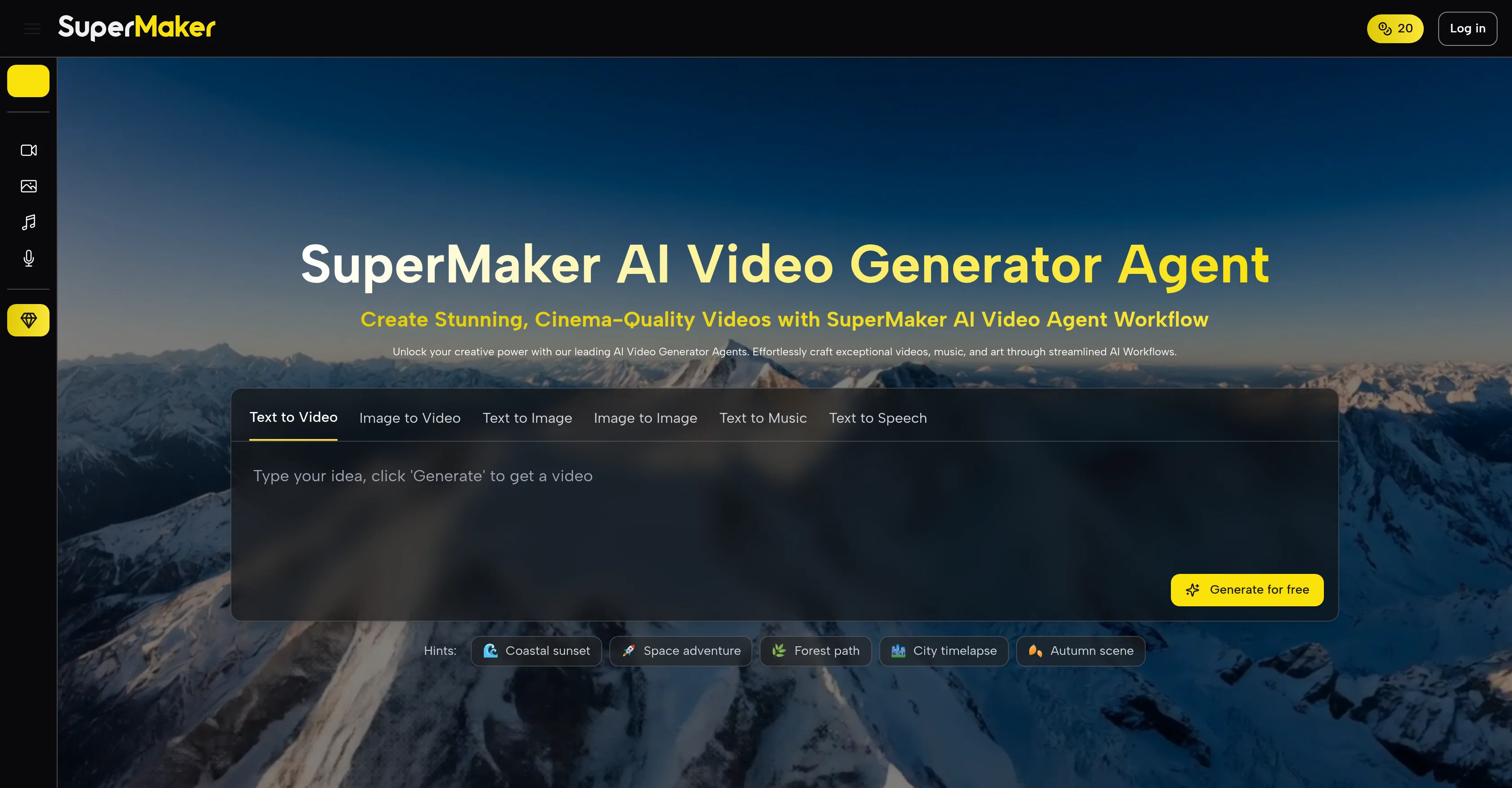
SuperMaker AI Video Generator is an advanced tool designed to facilitate an integrated process for creating cinema-quality videos. Capable of translating text prompts into detailed scripts, the platform is equipped to form a cohesive narrative suitable for professional video production.
The AI takes the script and dynamically converts it into vivid scenes, essentially animating the narrative. The video creation process is also enhanced with the platform's abilities to generate and incorporate AI-produced voiceovers, custom background music, and sound effects for an all-around immersive movie experience.
Users have the flexibility to tweak their projects with intuitive editing features presented in the tool. Additionally, SuperMaker's AI Video Generator can piece together high-resolution frames into a smooth visual experience ensuring impressive fidelity.
The platform is endowed with a complete video workflow function supporting the transformation of abstract concepts into final cuts, with an integrated storyboard generator, precision in lip-sync, dynamic sound effects, and a convenient video editor.
It also provides immersive audio capabilities, ensuring every produced video is accompanied by perfectly synchronized and meticulously aligned sound elements.
The SuperMaker package is complete with a suite of AI tools offering AI Image Maker, AI Voice Maker, AI Music Maker, and an AI Chat Interface. This multi-functional creative toolkit promotes a user-friendly creative process that facilitates everything from video generation to post-production tasks.
Best for
Short scenarios where SuperMaker tends to shine.
-
Creating engaging AI-generated content for digital art and AI projects.
Best for Digital Artists
-
Designing unique artistic content for personal creative projects.
Best for AI Creators
-
Generating realistic AI-generated images for social media and content creation.
Best for Content Creators
-
Developing interactive content and realistic entertainment for media professionals.
Best for Social Media Managers
Example outputs 1
Sample generations and before/after results for SuperMaker.
Access & connections
Where you can use SuperMaker.
Platforms
Capabilities
What this tool accepts, produces, and is strongest at.
Input
- Image
- Text
Output
- Audio
- Video
- Image
Supported features
- Inpainting
- Viral baseball trend
Pros & cons
Pros
- Cinema-quality video generation
- Script creation from text prompts
- Narrative animation
- Custom background music
- Sound effects generation
- Flexible project editing
- High-resolution frames
- Smooth visual experience
Show 34 more
- Complete video workflow
- Storyboard generation
- Precision in lip-sync
- Convenient video editor
- Immersive audio capabilities
- Covers post-production tasks
- Efficient video generation process
- Multifunctional creative toolkit
- Narrative scripting abilities
- Superior character consistency
- Effortless video creation
- Impressive visual fidelity
- Supports multiple languages in voiceovers
- Professional level audio synchronization
- Natural language idea brainstorming
- Visionary ideas transformation
- Visuals and audio fine-tuning
- Supports text/email-based material conversion
- Conversion of scripts into visuals
- Text to video/image/music generation
- Image to video/image generation
- Speech to text generation
- Streamlining of complex creative processes
- Pre-designed sequences of creative tasks
- Visual effects, filters, and comprehensive editing functionalities
- Smart uncrop, photo restoration, and image-to-video conversion
- Superior asset management and versioning
- Combination of various assets to build complex creations
- Professional and creator-friendly
- Multi-industry use cases
- Animations from complex topics
- Transform blog posts into dynamic videos
- Development of scripts, storyboards, and visual scenes
- Comprehensive tutorials and responsive customer support
Cons
- No offline use
- Multi-tool complexity
- Potential script translation issues
- No precise video length control
- Limited storyboard customization
- Restricted high-resolution capabilities
- Limited audio sound effects
- No multi-language support
Show 1 more
- Limited ideation capabilities
Compare alternatives
Similar tools in the catalog — with a clear reason to open each one.

freebeat AI ✓
FreemiumTurn Music & Ideas into Viral Videos In One Click
Why look Typically cheaper
Full comparison
MagicLight ✓
FreemiumTransform text into captivating videos instantly.
Free + from $8.4/mo
Full comparison
Seedance ✓
FreemiumMulti-shot video generation from text and image.
Why look Stronger for image work
Full comparisonPeople also view
Tools that often show up alongside SuperMaker in collections and comparisons.
Seedance ✓
FreemiumMulti-shot video generation from text and image.
MagicLight ✓
FreemiumTransform text into captivating videos instantly.

Kaiber Superstudio ✓
Free TrialAI Video Generation

HeyGen ✓
FreemiumCreate AI spokesperson videos from text
freebeat AI ✓
FreemiumTurn Music & Ideas into Viral Videos In One Click

D-ID ✓
FreemiumCreate AI-generated videos with ease

ResearchMonkey AI | YouTube Summarizer ✓
Free TrialSave Hours of Research in Seconds with 40+ AI Tools

OutlierKit ✓
PaidEnter one channel, see the entire niche.
Releases 1
Imported reviews 4
Don't lie be true
you can do some testing without paying and it's easy to use, plus if you need more features it's actually affordable too. good balance overall.
🎬 SuperMaker.ai Team Update
Hi everyone! Thank you for trying SuperMaker.ai and sharing your valuable feedback.
We want to be transparent with our community: SuperMaker.ai is a brand new product that just launched its first version. As with any V1 release, we know some features aren't perfect yet, and we're working around the clock to improve them.
What we're actively working on:
Enhanced prompt adherence and accuracy
Improved AI video generation quality
Better user interface and workflow optimization
More reliable Text-to-Video and Image-to-Video processing
Your feedback directly shapes our development roadmap. Every review, suggestion, and critique helps us build a better AI video creation platform.
We're committed to rapid iteration - expect frequent updates as we refine the AI Video Generator, improve cinema-quality output, and streamline the creative workflow for all users.
If you encounter any issues or have specific suggestions, please reach out to us at
[email protected]
. We read every message and prioritize fixes based on your input.
Thank you for being part of our journey from day one. We're excited to show you what's coming next! 🚀
- Sunny
Bad prompt adherence.