
Stillgram ✓
Magically remove crowds from travel photos with AI
Free + from $2.99/mo
Verdict
A quick read before you dig into the full page.
- Best if
- Magically remove crowds from travel photos with AI
- Skip if
- 4K limited to Pro version
- Pick this when
- Removes crowded backgrounds
Considering Pixelfox Objects Remover instead? Compare side by side
Overview
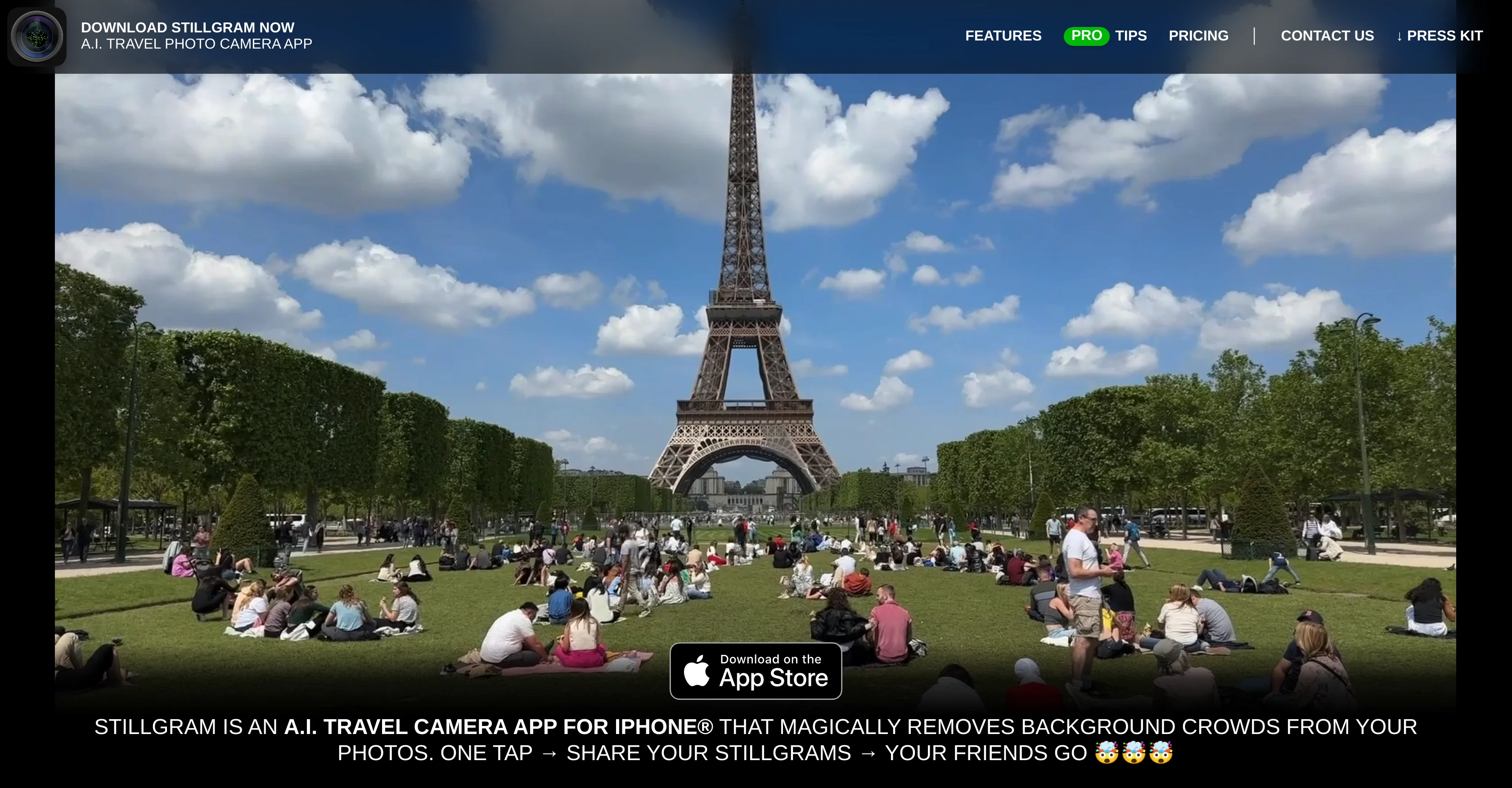
Stillgram is an Artificial Intelligence (AI) driven camera app designed specifically for iPhone users. The distinctive feature of Stillgram is its ability to intelligently subtract background crowds from photographs taken in urban or travel environments, allowing for clean shots of desired subjects without unnecessary distractions.
It essentially provides the ability to capture photos of popular tourist destinations as if they were virtually empty. This is achieved with AI algorithms running offline on the phone, thereby saving mobile data and avoiding potential roaming charges.
The application offers a Pro version, with additional features such as the ability to handpick individuals who stay in the photo and advanced resolution options.
Stillgram also offers a novelty feature named 'LIVE STILLGRAMS', short videos that start with a crowded scene and then transition into a photo with the crowd removed.
The app is lauded for being ultra-fast due to it being optimized for iPhones Neural Engine. Another significant aspect is that it offers guidance and Protips for users to enhance their photo capturing experiences.
This includes advice on crowd management in shots and best practices for achieving the optimal photo. Free with the option of upgrading to PRO for more features, Stillgram provides an innovatively engineered solution for travel photographers striving for crowd-free images.
Best for
Short scenarios where Stillgram tends to shine.
-
Magically remove crowds from travel photos with AI
Example outputs 1
Sample generations and before/after results for Stillgram.
Access & connections
Where you can use Stillgram.
Capabilities
What this tool accepts, produces, and is strongest at.
Input
- Image
Output
- Image
- Video
Pros & cons
Pros
- Removes crowded backgrounds
- Optimized for iPhone's neural engine
- 4K photo resolution
- Choice of subjects
- Shareable live stillgrams
- Advanced resolution options
- Guidance and Protips
- Free or Pro version
Show 20 more
- No mobile data usage
- Selfie-friendly
- Instant photo processing
- Crowd density detection
- Selective object removal
- Watermark free (Pro version)
- Monthly or one-offsubscription
- Resolution control in Pro version
- Pro version with enhanced features
- Crowd-free travel images
- Specialized for iPhone users
- Offline functionalities
- Transition from crowded to empty shots
- User-friendly interface
- Secure auto-upload feature
- Supports both photos and videos
- Offers novel features
- Downloadable from App Store
- Supports international usage
- Saves mobile data and roaming charges
Cons
- Only for iPhone users
- Requires subscription for Pro version
- 4K limited to Pro version
- Selective removal only in Pro version
- Sharing live stillgrams is Pro exclusive
- Could lead to data and privacy concerns
Compare alternatives
Similar tools in the catalog — with a clear reason to open each one.

Pixelfox Objects Remover ✓
Free TrialErase unwanted objects from photos with AI.
Free + from $4.99/mo
Full comparison
SnapEdit ✓
FreemiumAI-powered photo editing made easy.
Why look Stronger for image work
Full comparison
Object removing by HitPaw ✓
FreemiumEffortlessly remove objects from photos online.
Free + from $9.99/mo
Full comparison
HAMA AI Object Remover, Image Eraser ✓
FreeErase unwanted elements from photos in seconds.
Why look Fully free option
Full comparisonPeople also view
Tools that often show up alongside Stillgram in collections and comparisons.
SnapEdit ✓
FreemiumAI-powered photo editing made easy.
Pixelfox Objects Remover ✓
Free TrialErase unwanted objects from photos with AI.
Object removing by HitPaw ✓
FreemiumEffortlessly remove objects from photos online.
HAMA AI Object Remover, Image Eraser ✓
FreeErase unwanted elements from photos in seconds.

BG Generator ✓
UnknownErase unwanted objects from photos with AI.

AniEraser ✓
Free TrialErase watermarks and objects from photos and videos with AI

UnMarkAI - Remove subtitles first. Translate video, d... ✓
Free TrialAI video translation with dubbing and lip-sync.

Try AI Editor ✓
FreemiumEdit any photo with AI free, no sign-up.
Releases 1
FAQ 12
What is Stillgram?
How does Stillgram work?
What are the key features of Stillgram?
How can Stillgram intelligently subtract crowds from my photos?
Can Stillgram work offline?
What makes Stillgram ultra-fast compared to other apps?
What is the difference between the free and the PRO version of Stillgram?
How does Stillgram use AI to improve its features?
Does Stillgram use my mobile data?
What is a LIVE STILLGRAM and how can I create one?
How can I choose who stays in my photo?
What is the resolution of photos taken with Stillgram?
Related tools
Recommended

Stockimg AI ✓
PaidGenerated images and text for design ease.

Caption-spark ✓
FreeSpark captivating captions for social media posts.

B12 AI Website Builder ✓
FreemiumAI-powered website builder

VenturusAI ✓
FreemiumBusiness idea analysis and reporting.

TutorAI ✓
FreemiumInstant knowledge on any topic

Stratup.ai ✓
FreemiumInnovative idea generation for businesses.