

Interview preparation vv1.1
Stealth Interview ✓
Ace technical interviews undetected.
from $49/mo
Verdict
A quick read before you dig into the full page.
- Best if
- Ace technical interviews undetected
- Skip if
- Limited support languages
- Pick this when
- Undetectable by screen sharing apps
Considering Interview Prep AI - MockXP instead? Compare side by side
Overview
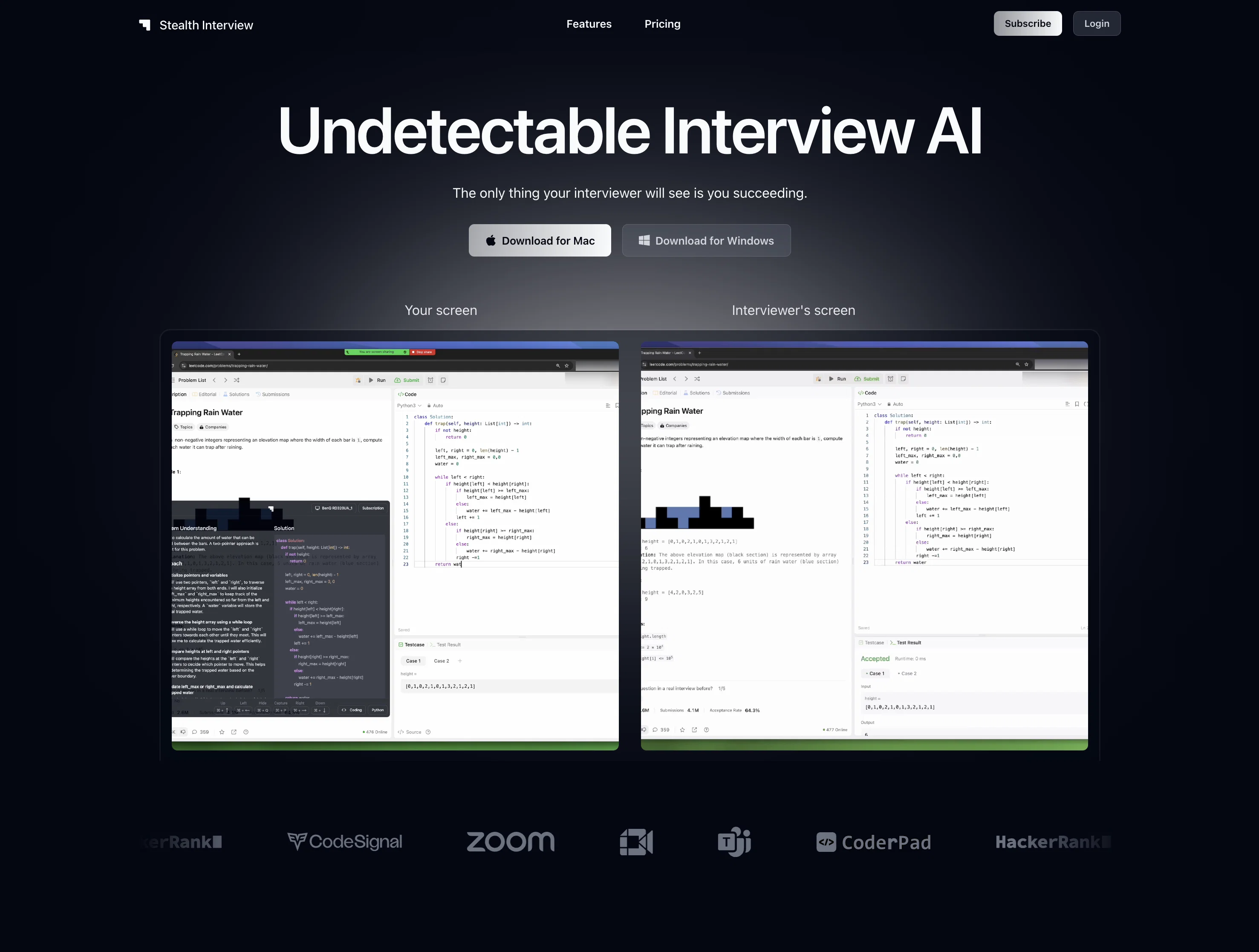
Stealth Interview is an AI tool designed to assist users in technical interviews by being undetectable by screen sharing apps. As a desktop application, it remains invisible to commonly-used platforms, such as Zoom, Google Meet, and Microsoft Teams.
The tool employs a number of features to ensure its covert natureincluding imperceptible window movements and maintaining an 'always on top, never in focus' presence.
All these measures essentially enable the user to interact with the software, without revealing to any interviewer that additional support is being used.
Convenient keyboard shortcuts are provided to allow users to move their window around without losing focus, capture screenshots, hide the app quickly and overlay the app on any window, all of which maintain the perception of a normal user interaction.
The tool further supports multiple coding languages, which adequately cater to a wide range of interview scenarios, from frontend interfaces to SQL and data interviews.
Its main functionality is centered around transforming complex technical problems into manageable solutions, making it easier for interviewees to demonstrate their problem-solving skills, their command of various programming languages, and their understanding of technical interview questions.
Best for
Short scenarios where Stealth Interview tends to shine.
-
Ace technical interviews undetected.
Example outputs 1
Sample generations and before/after results for Stealth Interview.
Access & connections
Where you can use Stealth Interview, and what it plugs into.
Platforms
Integrations
Capabilities
What this tool accepts, produces, and is strongest at.
Input
- Code
- Image
- Text
- Audio
Output
- Code
- Text
Pros & cons
Pros
- Undetectable by screen sharing apps
- Invisible on Zoom, Google Meet, Teams
- Imperceptible window movements
- 'Always on top, never in focus'
- Convenient keyboard shortcuts
- Allows screenshot captures
- Quick hide feature
- Overlay app on any window
Show 20 more
- Supports multiple coding languages
- Aids with complex problem-solving
- Supports frontend to SQL interviews
- Transforms technical problems into solutions
- Works with Mac and Windows
- Does not lose focus
- Always on top of other windows
- Instant feedback on code quality
- Optimized for data interviews
- Assists with UI development
- Ideal for SQL interviews
- Aid in preparing mathematical interviews
- Coming soon: system design interviews
- Different subscription models
- Unlimited screen captures
- Advanced reasoning capabilities
- Priority support
- 2-hour support window
- Priority feature access
- Secure information handling
Cons
- Desktop only
- Screen sharing detectability potential
- Lack of intuitive UI
- Keyboard shortcuts requirement
- Need for constant updates
- Lack of fundmental understanding
- Retention of cheating habit
- Limited support languages
Show 2 more
- Complexity in window management
- High cost
Compare alternatives
Similar tools in the catalog — with a clear reason to open each one.

Interview Prep AI - MockXP ✓
FreemiumFind out if you're interview ready with personalized job interview practice
Why look Freemium alternative
Full comparison
Star Method Coach ✓
FreemiumSTAR Method Coach teaches you to master behavioral interviews with an AI
Why look Freemium alternative
Full comparison
EzIntervuez ✓
FreemiumInterview Intelligence, Automate. Analyze. Acquire.
Why look Freemium alternative
Full comparison
InterviewFox ✓
FreemiumLand offers with real-time AI interview assistance.
Why look Freemium alternative
Full comparison
Thita.ai ✓
FreemiumPractice DSA, system design, and interviews with AI
Why look Freemium alternative
Full comparisonPeople also view
Tools that often show up alongside Stealth Interview in collections and comparisons.
Thita.ai ✓
FreemiumPractice DSA, system design, and interviews with AI
Star Method Coach ✓
FreemiumSTAR Method Coach teaches you to master behavioral interviews with an AI
Interview Prep AI - MockXP ✓
FreemiumFind out if you're interview ready with personalized job interview practice
InterviewFox ✓
FreemiumLand offers with real-time AI interview assistance.
EzIntervuez ✓
FreemiumInterview Intelligence, Automate. Analyze. Acquire.

Braintrust AIR ✓
PaidStructured AI interviews for fairer, faster hiring

nayld.ai ✓
FreemiumStop guessing. Nail your next interview

MyBestResume.ai ✓
PaidBuild an ATS-friendly resume for your target role.
Releases 2
Pass your coding interviews with an undetectable AI desktop app invisible to all screen-sharing apps.
This update adds the following:
- Advanced AI models for coding, Claude Sonnet 3.5 and 3.7
- Window transparency customization
All paid subscribers will be able to use these features right away.
Imported reviews 6
Passed a few coding rounds with this app and got an offer last week!!
Worth it. Hands down the best undetectable app for interviews
the AI chat in the app is sooo good
i attached 5 screenshots to the chat that i was able to crop with one shortcut because my interviewer gave me multiple steps for one problem
it let me iterate on the solution, which other apps don’t have as a feature
killer feature
this job market is terrible and this app was the confidence I needed
This is a fraud it does not work
It would be better
FAQ 12
What is StealthInterview?
What screen-sharing apps is StealthInterview undetectable on?
What are the main features of StealthInterview?
How can StealthInterview assist me during technical interviews?
Which coding languages does StealthInterview support?
How does StealthInterview transform complex technical problems into manageable solutions?
What are the keyboard shortcuts in StealthInterview?
How does StealthInterview ensure it remains 'always on top, never in focus'?
Can StealthInterview be used for SQL and data interviews?
How does StealthInterview stay undetectable during my screen-sharing session?
What's StealthInterview's method for capturing screenshots?
How does StealthInterview's app overlaying feature work?
Related tools
Recommended

Suno ✓
FreemiumMake music at the speed of your ideas.

Kin - Personal AI Advisors ✓
FreePrivacy-first & designed your for mind, and life at work

CodeRabbit ✓
Free TrialEnhanced code review for improved workflow and quality.

Marketing Assistant (Elsa AI) ✓
FreemiumDefine your ideal customers and craft a winning marketing strategy with Elsa.

remio: Your Personal ChatGPT ✓
FreemiumGet Tailored Answer with Your Personal ChatGPT

Veo ✓
PaidGenerate high-quality, cinematic videos with AI.