

Short videos 2026 Rank: #343
SocialClip Studio ✓
Turn long videos into viral short clips with AI. With no Credits
Verdict
A quick read before you dig into the full page.
- Best if
- Turn long videos into viral short clips with AI. With no Credits
- Skip if
- Limited caption styles
- Pick this when
- Turns long videos into clips
Considering Bytecap instead? Compare side by side
Overview
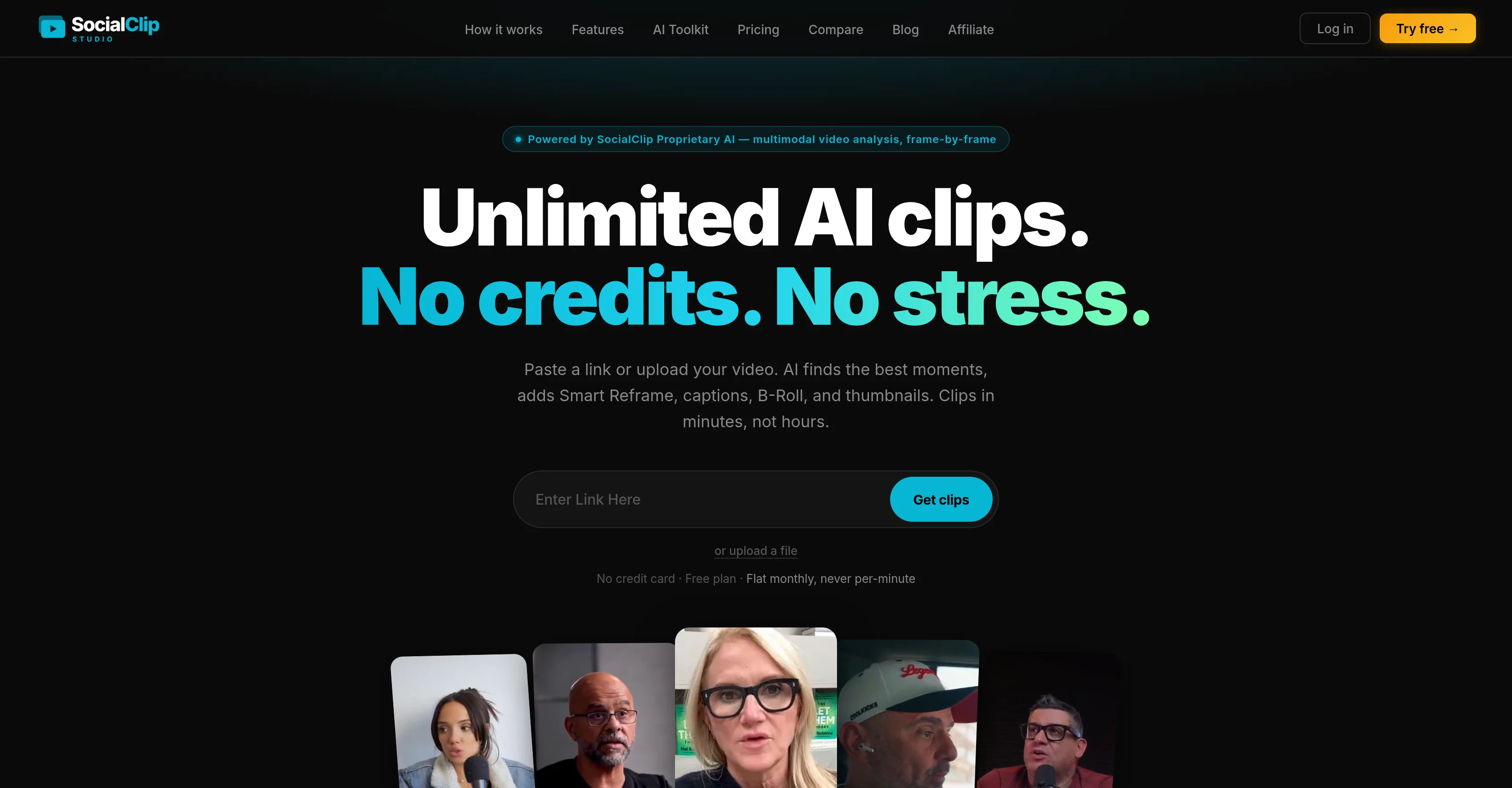
SocialClip Studio is an AI-powered tool designed to transform long videos into dynamic short-form clips. It is a comprehensive tool aimed at aiding in video creation and editing for social media platforms like YouTube, TikTok, Instagram and more.
With the use of AI for multimodal video analysis, SocialClip Studio creates clips by finding momentous portions from a video that are likely to appeal to viewers.
Features include Smart Reframe, which employs face detection to crop videos, and a range of caption styles to enhance understanding and engagement. The tool also has capabilities for B-Roll generation and thumbnail styling, all to make the clip more appealing and potentially viral.
Furthermore, SocialClip has multi-platform publishing options, letting users directly upload their finished video clips to various platforms in a single click.
Besides creating clips, SocialClip Studio hosts features for personalized customization like adding brand logos, choosing aspect ratios, and deciding on a caption style.
Additional features include AI B-Roll overlays which add relevant stock video overlays, styled thumbnails utilizing face detection technology, and a call-to-action overlay feature for product promotion.
It also offers real-time transcription in numerous languages and a scheduling mechanism to optimize the posting time. All these features are aimed at providing a faster, more efficient and engaging way to create and distribute short videos for social media.
- Ai Finds The Best Moments In Any Video (watches Video + Reads Transcript)
- Unlimited Clips — No Credits, No Per-minute Metering
- Smart Reframe — Auto 9:16 Vertical, Keeps Speaker Centered
- Ai Captions — Multiple Animated Styles, Multi-language Transcription
- Auto B-roll Overlay
- Face-aware Thumbnail Generated Per Clip
- Custom Call-to-action Overlay
- Silence + Filler-word Removal
- Auto Emojis
- Auto-zoom On Key Moments
- Background Music
- Publish Or Schedule Direct To Tiktok, Youtube Shorts, Instagram Reels, Facebook, X
- Supports Youtube, Twitch, Kick Links Or File Upload
Access & connections
Where you can use SocialClip Studio, and what it plugs into.
Platforms
Integrations
Capabilities
What this tool accepts, produces, and is strongest at.
Input
- Tabular
- Text
- Video
Output
- Video
- Text
Supported features
- Video Understanding
- Video Edit
- Transcription
- Social Media
- Automation
- Integrations
- Styling
- Clipping
- Thumbnails
Pros & cons
Pros
- Turns long videos into clips
- Supports YouTube, Twitch, Kick
- Raw videos into polished shorts
- Smart Reframe for 9:16 cropping
- Multi-language transcription
- Automatic relevant B-roll overlay
- Face-aware thumbnail generation
- Custom call-to-action overlay
Show 38 more
- Removes silence and filler words
- Auto emojis addition
- Auto-zooms on key moments
- Background music addition
- Direct publishing on several platforms
- Unlimited clips for flat price
- Viral short clips creation
- Automatic moment selection
- Multiple caption styles
- Direct video upload
- Caption styling customization
- Branding capability
- Real-time transcription
- Scheduled content posting
- 18 selectable caption styles
- 99-language transcription support
- Built-in content scheduler
- Recycles stream clips
- Flat rate, no credit system
- No per-minute billing
- Millisecond precise captions
- Context-aware emojis
- Auto-generated cover with face detection
- Hook, climax, end CTA appearance
- Pick vibe matching brand feature
- Removal of awkward pauses
- Styled thumbnail for every clip
- CTA overlays to drive conversion
- Customizable CTA text, colors, position
- Dynamic zoom on key moments
- Caption styles optimized per platform
- Removes dead air, repetitions
- Scores quotable, shareable segments
- Single price for unlimited clips
- Pick date and time for posting
- No watermark for Starter and Pro plans
- Brand kit for Pro plan
- Publishes automatically in your timezone
Cons
- Uploads videos only
- Limited to 9:16 aspect ratio
- Only vertical video editing
- No editing or scrubbing feature
- B-Roll overlays automatic, immovable
- No detailed video analysis
- Language limitations in transcription
- Limited caption styles
Show 1 more
- Only direct publishing to certain platforms
Compare alternatives
Similar tools in the catalog — with a clear reason to open each one.


Opus Clip ✓
FreemiumAI-powered livestream studio for explosive growth
Free + from $14.5/mo
Full comparison
HiClip AI ✓
Free TrialDrop 1 Video, Get 10 Hooked Clips.
Why look Typically cheaper
Full comparison


Releases 1
FAQ 12
How does SocialClip Studio create viral video clips from long-form content?
What platforms are compatible with SocialClip Studio?
How does the Smart Reframe feature work in SocialClip Studio?
How does SocialClip Studio handle captioning and transcription?
What languages does SocialClip Studio's transcription support?
What is the B-roll overlay feature in SocialClip Studio?
How does the auto-generated thumbnail feature work in SocialClip Studio?
Can SocialClip Studio directly publish clips on social media platforms?
How does SocialClip Studio remove silence and filler words from the video clips?
What is the functionality of the scheduling feature in SocialClip Studio?
How does SocialClip Studio's AI determine the best moments for potential virality?
How does SocialClip Studio add relevant emojis automatically?
Related tools
Recommended

AppDeploy ✓
FreeDeploy real apps directly from ChatGPT or Claude

WebZum ✓
Free TrialSite, Google ad, and a 15-second video ad. Five minutes.

ShortsMate ✓
Free TrialTurn any prompt into publish-ready faceless videos.

Notis ✓
Free TrialThe first WhatsApp assistant that runs on your ChatGPT and Claude subscriptions

remio: Your Personal ChatGPT ✓
FreemiumGet Tailored Answer with Your Personal ChatGPT

Pounce ✓
Free TrialGet real followers and engagement in minutes.