

SlideStorm ✓
Create scroll-stopping TikTok slideshows in seconds with AI.
Trial; then from $16/mo
Verdict
A quick read before you dig into the full page.
- Best if
- You are social media managers and need: Driving traffic to a website
- Skip if
- Limited customization in slideshow editor
- Pick this when
- Specially for TikTok marketing
Considering Vidalgo instead? Compare side by side
Overview




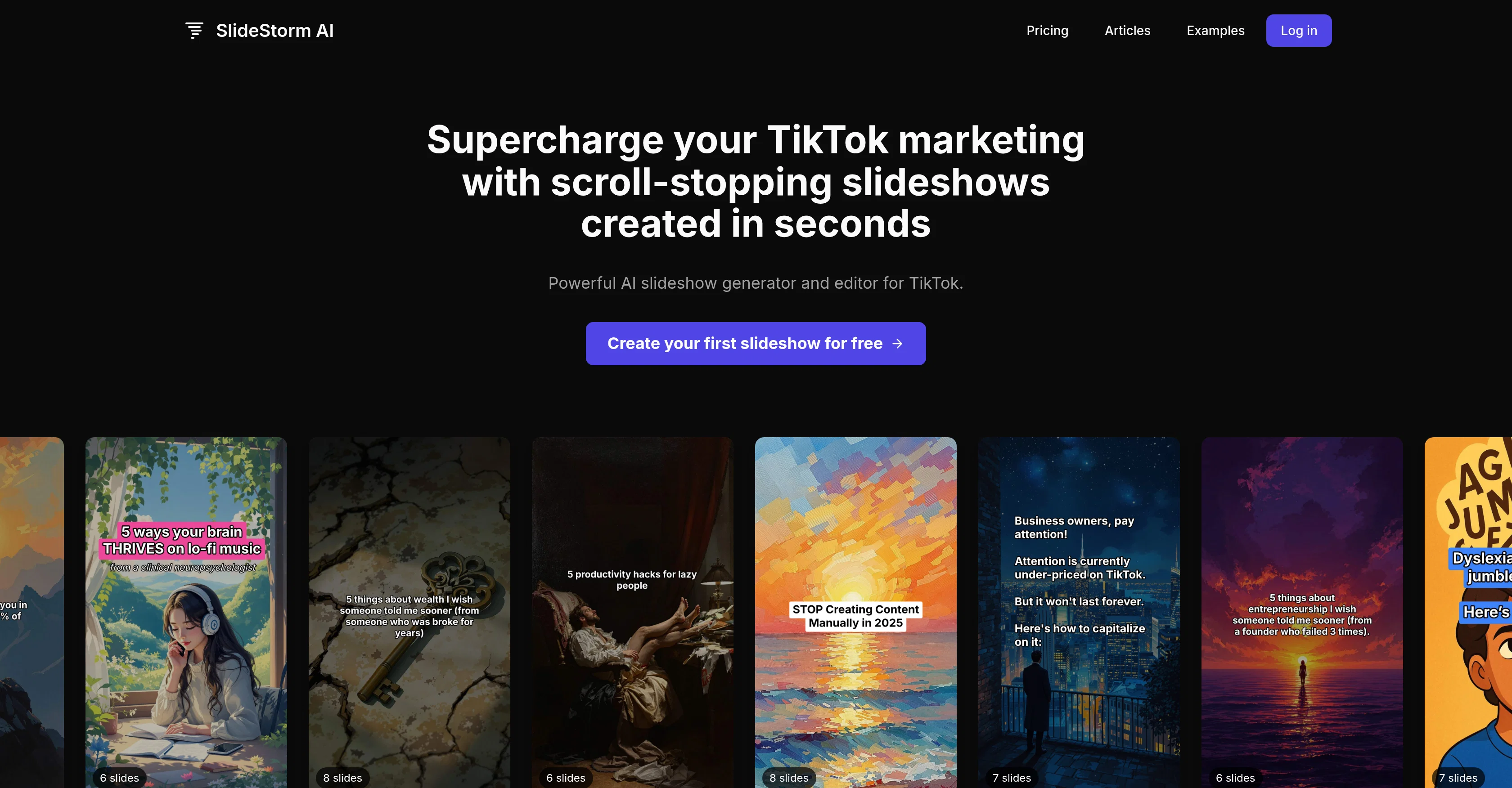
SlideStorm is an artificial intelligence tool specially designed to enhance your TikTok marketing efforts. This tool automates the process of creating, editing, and uploading TikTok slideshows, aiming to drive more traffic to your business.
SlideStorm offers a simple three-step process for slideshow creation: Generate, Review, and Upload. Users enter a prompt, select an image style and slide count to generate a slideshow.
They can then review the content in an editor, making adjustments to text, images, or layout. Finally, the slideshow is uploaded to TikTok, where an accompanying music track can be selected.
An integral feature of SlideStorm is the AI Slideshow Generator which creates professional TikTok slideshows in seconds using a template and a prompt, saving significant time and effort.
This feature automatically adds the images and captions based on the user's prompt. Users can create new images, use SlideStorm's extensive library or upload their own images.
The tool also offers the capability to connect and upload content to multiple TikTok accounts, an advantage for agencies and multi-brand businesses. Users can also access a library of pre-tested templates and prompts to generate engaging content without needing creative skills.
The Slideshow Editor function allows users to further customize their slideshows by adding or removing slides, changing captions or images, or adding a call to action.
- Slideshow Generator
- Slideshow Editor
- Tiktok Upload
- Caption Generation
- Ai Image Generation
- Prompt Library
- Image Library
Best for
Short scenarios where SlideStorm tends to shine.
-
Driving traffic to a website
Best for Social media managers
-
Getting downloads for an app
Best for Content creators
-
Growing a faceless account
Best for Marketing professionals
-
Promoting an online business
Best for Small business owners
Example outputs 1
Sample generations and before/after results for SlideStorm.
Access & connections
Where you can use SlideStorm.
Platforms
Capabilities
What this tool accepts, produces, and is strongest at.
Input
- Image
- Text
Output
- Image
Supported features
- Slides
Pros & cons
Pros
- Specially for TikTok marketing
- Automated slideshow creation
- Three-step creation process
- Template-based slideshow generation
- Allows editing pre-upload
- Extensive image library
- Allows user uploaded images
- Connects multiple TikTok accounts
Show 17 more
- Great for agencies, multi-brand businesses
- Library of pre-tested templates
- No creative skills required
- Allows adding a call-to-action
- Automatically adds captions
- Proven templates and prompts
- Full control in slideshow editor
- Allows changing captions and images
- Subscription-based pricing
- Credit system for services
- Accumulating credits policy
- FAQs provided
- Priority support for premium
- Library images free-to-use
- Allows re-using generated images
- Image generation system
- Schedule posts feature planned
Cons
- Limited to TikTok platform
- No post scheduling feature
- Limited image style options
- Depends on template availability
- Limited to connected TikTok accounts
- Credits required for operations
- Limited prompts in library
- Limited customization in slideshow editor
Show 1 more
- No offline functionality
Compare alternatives
Similar tools in the catalog — with a clear reason to open each one.

Riffkit ✓
Free TrialTurn a viral TikTok into your own video
Why look Higher community rating
Full comparisonPeople also view
Tools that often show up alongside SlideStorm in collections and comparisons.

Vidalgo ✓
UnknownOne-click vertical video creation for social media
Riffkit ✓
Free TrialTurn a viral TikTok into your own video

ReelFarm ✓
PaidAutomate TikToks that drive traffic to your website

InstaShorts ✓
FreemiumCraft viral TikTok shorts with AI-powered video editing.

Summarize Video to Text ✓
FreemiumTurn any video into text instantly.

Shhots AI ✓
PaidPromptless AI Ads Generator

MojoMake - AI Image to Video Generator ✓
FreemiumUse every top AI model and 100+ effects in one account.

HiTranscript ✓
Free TrialCreate searchable transcripts and timed subtitles from Instagram, TikTok and YouTube videos
Releases 1
Imported reviews 1
It’s a brilliant tool that instantly transforms your ideas into dynamic, professional presentations with ease and impact. Overall a nice one!🙌
FAQ 12
What is SlideStorm AI?
How does the SlideStorm AI Slideshow Generator work?
What is the process to create a slideshow using SlideStorm AI?
How can I customize the content of the slideshows in SlideStorm AI?
Does SlideStorm AI allow me to upload my own images?
What kind of businesses is SlideStorm AI ideal for?
Does SlideStorm AI support multiple TikTok accounts?
Can I select a music track for my slideshows in SlideStorm AI?
🛠️ 1
tool
wrote:
SlideStorm AI uploads your slideshow to TikTok where you can select the music track before posting.
What are the steps to upload a slideshow to TikTok using SlideStorm AI?
🛠️ 1
tool
wrote:
To upload a slideshow to TikTok using SlideStorm AI, first create and edit your slideshow. Following this, use the Upload function to upload your slideshow to your TikTok account.
Does SlideStorm AI have pre-tested templates and prompts?
Does SlideStorm AI save my efforts and time in creating TikTok slideshows?
How does SlideStorm AI add captions to my slideshow?
Related tools
Recommended

remio: Your Personal ChatGPT ✓
FreemiumGet Tailored Answer with Your Personal ChatGPT

VDraw - AI Carousel Generator ✓
FreeFrom Any Content to Carousel Post in 30 Seconds.

Scottie — Read Less, Know More ✓
Free TrialRead the news 30x faster

Automateed ✓
Free TrialCreate eBooks effortlessly with Automateed, the AI-powered writing tool.

Notis ✓
Free TrialThe first WhatsApp assistant that runs on your ChatGPT and Claude subscriptions

Whiteboard by Athena AI ✓
FreemiumVisualize your ideas and share with your team