

Personal assistant vv2.0.0 2026 Rank: #641
Sidekick - AI Chat Bot ✓
AI Tools, Assistants, Characters in One App.
Verdict
A quick read before you dig into the full page.
- Best if
- AI Tools, Assistants, Characters in One App
- Skip if
- Limited academic citation styles
- Pick this when
- GPT-5.4 technology integration
Considering Notis instead? Compare side by side
Overview
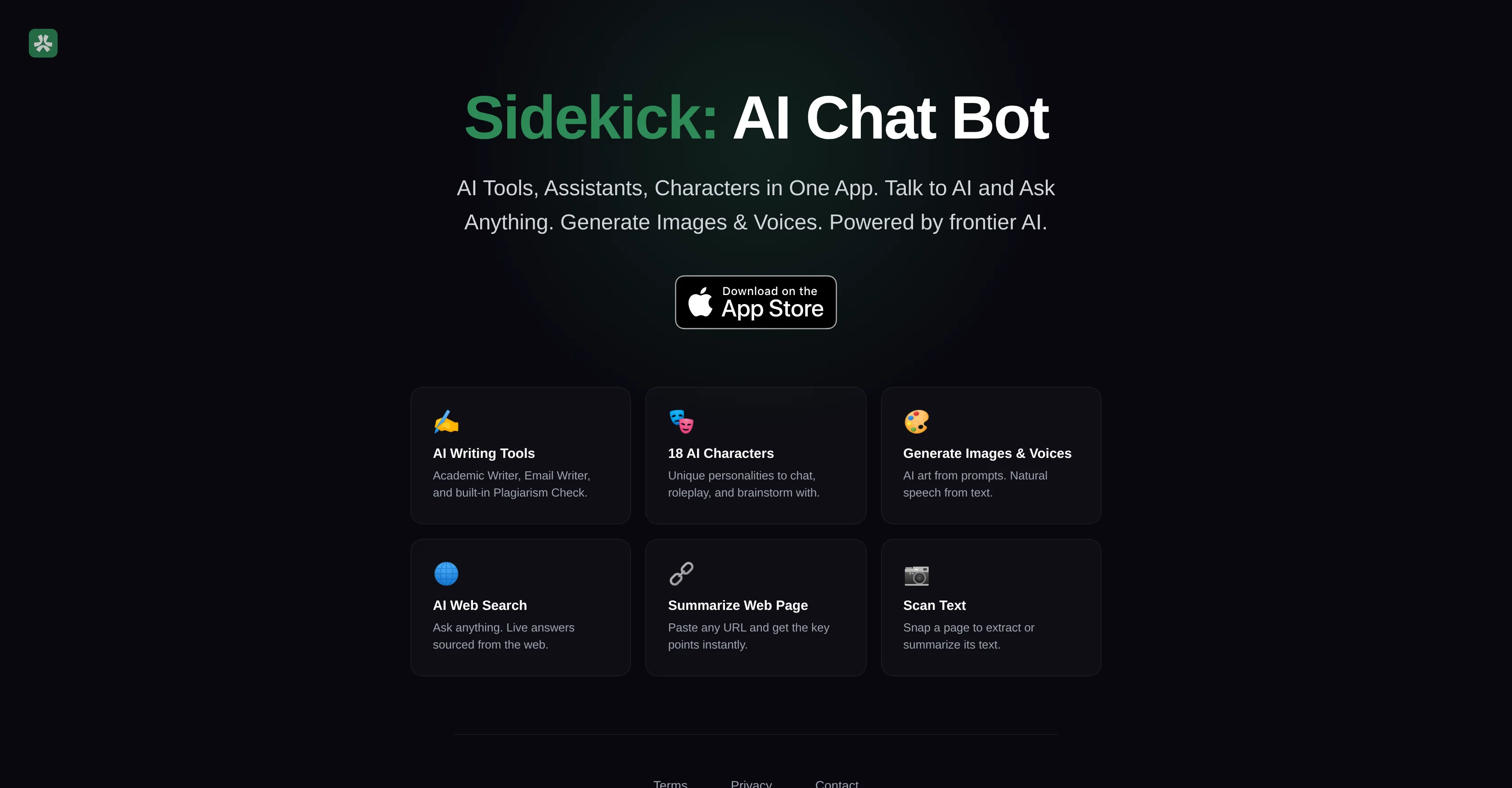
Sidekick is a comprehensive AI chatbot and assistant, propelled by recent advances in AI technology including GPT-5.4 and OpenAI. Equipped with AI tools, assistants, and characters in a single application, Sidekick allows users to carry on conversations with AI and get inputs on a plethora of subjects.
It houses features such as Image and Voice generation, where AI-driven art can be created from prompts and text can be translated into natural speech.
Inline with content creation, Sidekick also includes aids for academic and email writing, and a built-in plagiarism checking feature. Furthermore, it offers 18 unique AI characters for users to chat, roleplay, and brainstorm with enriching the overall user experience.
Apart from direct engagement features, Sidekick can be used for more practical applications such as an AI-driven web search that provides instant answers from the web, summarizing web pages by pasting a URL, and even scanning physical text for instant extraction or summarizing.
Developed by SonderSpot O, Sidekick showcases a broad range of applications for AI, serving as an all-in-one platform for users interested in leveraging AI as a virtual assistant and creative tool.
Access & connections
Where you can use Sidekick - AI Chat Bot.
Platforms
Capabilities
What this tool accepts, produces, and is strongest at.
Input
- Tabular
- Text
Output
- Audio
- Text
- Image
Supported features
- Assistant
- Digital Personas
- Image Generation
- Image Understanding
- TTS
- Writing
- Education
- Search
- Web browsing
Pros & cons
Pros
- GPT-5.4 technology integration
- Voice generation feature
- Converts text into speech
- Built-in plagiarism checker
- Unique personalities for chat
- Role-playing feature
- Brainstorming tools integrated
- Built-in text summarization
Show 7 more
- Physical text scanning
- Automatic text extraction
- All-in-one platform
- Built on data privacy
- Delivers instant answers
- URL-based webpage summarizing
- Creative tool options
Cons
- No language translation capabilities
- No offline use
- Limited to one platform
- No user reviews option
- Requires internet connectivity
- No voice recognition
- No ad-blocker
- Limited academic citation styles
Show 1 more
- Non-adjustable text-to-speech speed
Compare alternatives
Similar tools in the catalog — with a clear reason to open each one.

Notis ✓
Free TrialThe first WhatsApp assistant that runs on your ChatGPT and Claude subscriptions
Why look Typically cheaper
Full comparison
Alice - AI Automation App ✓
Free TrialStop chatting. Start doing.
Why look Typically cheaper
Full comparison
Assindo ✓
Free TrialManaged AI agent like OpenClaw but with real phone calls included
Why look Typically cheaper
Full comparison

Botlor ✓
Free TrialYour AI butler that books, shops, creates, advises.
Why look Typically cheaper
Full comparisonReleases 2
– New: Generate and edit images right in chat
– New: My Images gallery — browse and regenerate every image from your chats
– New: Attach PDFs and text documents to your messages
– Improved: Cleaner, faster AI model picker
– New AI model: Gemini 3 by Google
– Default model upgraded to GPT 5.4 mini — smarter and faster out of the box
– Daily free messages increased to 5!
FAQ 12
What is Sidekick and what does it do?
What is the technology driving Sidekick?
Can Sidekick help with academic writing and email drafting?
What is GPT-5.4 and OpenAI technology?
What can the AI characters in Sidekick do?
How does Sidekick protect user privacy?
Can Sidekick generate images and voices?
What is the role of the text extraction feature in Sidekick?
Are there any cost associated with using Sidekick?
Is there a plagiarism check feature in Sidekick?
Can Sidekick summarize web pages?
How does the AI Web search feature in Sidekick work?
Related tools
Recommended

remio: Your Personal ChatGPT ✓
FreemiumGet Tailored Answer with Your Personal ChatGPT

Recall ✓
FreemiumSummarize Anything, Forget Nothing!

DeepSeek ✓
FreeUnravel the mystery of AGI with curiosity

AppDeploy ✓
FreeDeploy real apps directly from ChatGPT or Claude

Rocket ✓
FreemiumThink It. Type It. Launch It.

Whacka ✓
Free TrialTurn ideas into real apps from your phone.