

ShiftX ✓
Transform complex processes into intuitive workflows with AI.
from $10
Verdict
A quick read before you dig into the full page.
- Best if
- Transform complex processes into intuitive workflows with AI
- Skip if
- Sharing through limited channels
- Pick this when
- Generates process maps
Considering PixieBrix instead? Compare side by side
Overview
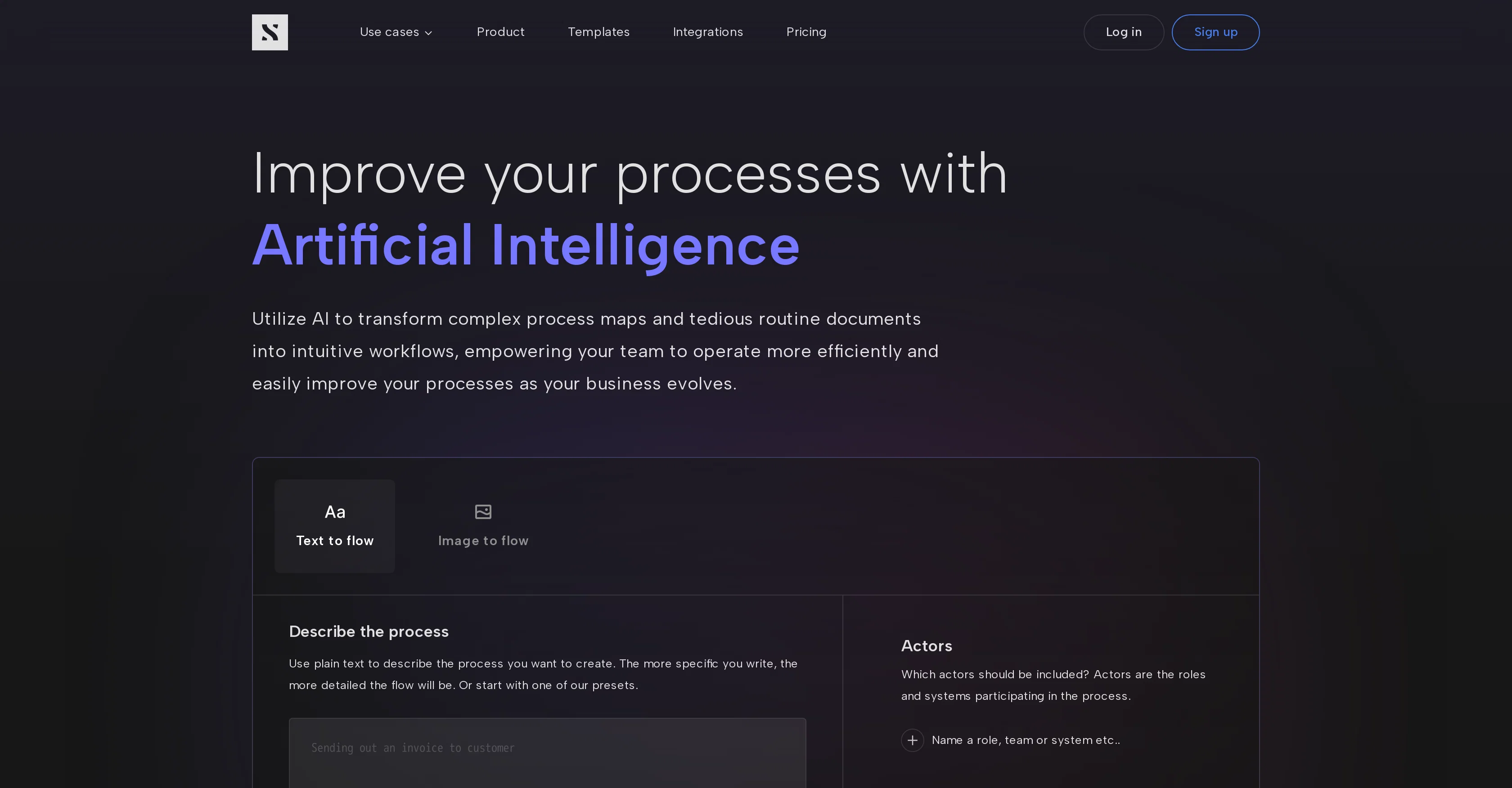
ShiftX is an AI tool designed to streamline business operations by generating process maps from manual routine documents and complex process descriptions.
The tool works by converting the input text or image into an intuitive workflow, thereby increasing the efficiency of your operations and simplifying the process of adapting to evolving business demands.
With this tool, you can include various actors in your process flow, and use one of the preset roles and systems or create your own. After creating a flow, it can be edited in ShiftX to further fit your requirements.
You also have the option to upload an image of an existing process flow from another tool for transformation. You can share your performance feedback via email or through their LinkedIn community.
The variety of flows that can be produced ranges from process maps, customer journey maps, user flows to routines. Its also possible to collaborate with the team directly from the platform, making process-oriented tasks more engaging and inclusive.
The tool assures user data protection with no descriptions or images being used for AI model training. However, the anonymous usage data might be analyzed by ShiftX to improve and enhance their AI features.
Access & connections
Where you can use ShiftX, and what it plugs into.
Platforms
Integrations
Capabilities
What this tool accepts, produces, and is strongest at.
Input
- Image
- Text
Pros & cons
Pros
- Generates process maps
- Converts text to workflow
- Converts images to workflow
- Adapts to evolving demands
- Includes various actors
- Preset roles and systems
- Editable flows within ShiftX
- Transforms existing process images
Show 32 more
- Performance feedback via email
- LinkedIn community interaction
- Variety of flow outputs
- Collaboration directly from platform
- Emphasizes data privacy
- Workflow optimization
- Customer journey mapping
- Collaborative tool
- Text to flow
- Image to flow
- Allows role inclusion
- Detailed flow generation
- Direct editing feature
- Immediate flow transformation
- Types of flow production
- Anonymous usage data analysis
- Problem-solving collaboration
- Collaborative discussion feature
- Included keyboard shortcuts
- Instant process map creation
- Real-time collaboration
- Process mapping and management
- Customer journey optimization
- Routine and procedure management
- Variety of use cases
- Various platform integrations
- Template availability
- Issue assigning to teammates
- Progress tracking
- Team discussion in context
- Whiteboard translation
- Post-it note translation
Cons
- No API mentioned
- Unclear integration options
- Must manually input actors
- Limited preset roles/systems
- No real-time editing feature
- Requires account creation
- Sharing through limited channels
- No mobile app mentioned
Show 2 more
- Minimal layout customization
- Unclear data analysis boundaries
Compare alternatives
Similar tools in the catalog — with a clear reason to open each one.






WebFill ✓
FreemiumFilling forms and emails, solving MCQs, for students and professionals.
Why look Typically cheaper
Full comparisonReleases 1
FAQ 12
What is the main function of ShiftX?
How does ShiftX convert input text or image into a workflow?
Can I include multiple actors in my ShiftX process flow?
Is it possible to edit the process flow in ShiftX?
Can I upload an image of my process flow to ShiftX?
How can I share feedback on ShiftX?
[email protected]
or through their LinkedIn community. Moreover, there's an option to join their slack community for further interaction and feedback sharing.
What types of flows can ShiftX produce?
In what ways can I collaborate with my team within ShiftX?
How does ShiftX ensure the protection of user data?
Can ShiftX be used for customer journey mapping?
Does ShiftX offer preset roles I can use for my process flow?
Can I use images for AI model training in ShiftX?
Related tools
Recommended

Thunderbit ✓
FreemiumScrape leads & other data in just 2-clicks.

Taplio ✓
FreemiumThe LinkedIn growth tool to turn content into pipeline

B12 AI Website Builder ✓
FreemiumAI-powered website builder

VenturusAI ✓
FreemiumBusiness idea analysis and reporting.

GPTExcel ✓
FreemiumGenerate spreadsheet formulas with AI

TurboScribe ✓
Freemium🎯 3 free transcripts every day. 🔥 Unlimited transcription starting at $10/mo.