

Posters 2026 Rank: #2091
Poster.sh ✓
Generate poster concepts from a text brief.
Verdict
A quick read before you dig into the full page.
- Best if
- Generate poster concepts from a text brief
- Skip if
- Limited mobile editing features
- Pick this when
- Professional-grade poster generation
Considering AIPosterGenerator instead? Compare side by side
Overview
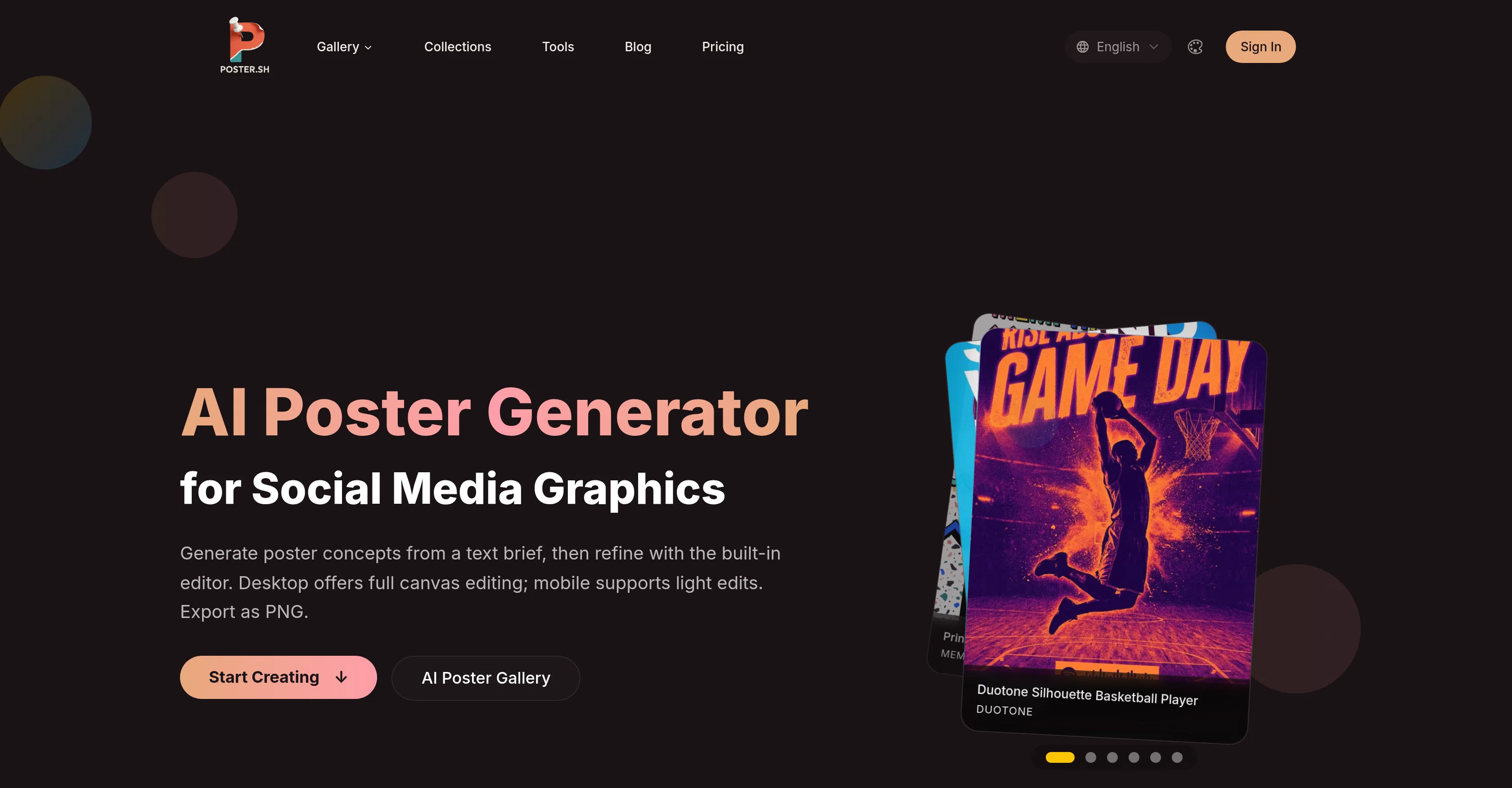
AI Poster Generator is a tool designed to facilitate the creation of professional posters. The platform uses AI to generate poster concepts based on a brief text description provided by the user.
Users can then refine these concepts with the tool's built-in editor. This tool supports full canvas editing on desktop, and light edits on mobile. The built-in editor allows users to adjust text, upload images, and fine-tune layout configurations.
Posters created using this tool can be exported as PNG files, making them ready for social media, printing, or any other use. AI Poster Generator offers an extensive variety of AI-generated poster styles that users can explore.
These include a range of aesthetics, from cyberpunk to minimalist, allowing users to choose the perfect aesthetic for their project. In addition to generating and editing posters, the platform provides multiple creation modes optimized for both beginners and professionals.
Direct Mode offers users total control over the design process, while Smart Mode uses AI-enhancements to streamline creativity.The tool also facilitates multi-format export of designs in 1:1, 2:3, 9:16, 16:9, and 4:5 ratios, optimized for various applications like Instagram posts, Stories, marketing flyers, and digital displays.
Users can further improve their work with a selection of supporting image tools available for format conversion, compression, and sizing for social media.
Finally, a rewards flow feature is incorporated for those who wish to share finished posters and earn credits.
Access & connections
Where you can use Poster.sh, and what it plugs into.
Platforms
Capabilities
What this tool accepts, produces, and is strongest at.
Input
- Image
- Text
Output
- Image
Supported features
- Image Generation
- Image Edit
- Visual Creation
- Styling
- Social Media
Pros & cons
Pros
- Professional-grade poster generation
- Generates poster from text brief
- Built-in editing tool
- Option to select style and size
- Features variety of modification
- Reposition elements on canvas
- Desktop and mobile version available
- Exportable as PNGs
Show 26 more
- Categorizes posters by style and usage
- Optimizes poster styles based on brief
- Multiple creation modes
- Includes image tools in workflow
- Quick Generation Mode
- Multi-format export options
- Streamlines poster creation process
- User-friendly for beginners and professionals
- Full canvas editing on desktop
- Light edits on mobile
- Supports text adjustment, image upload, layout configurations
- Offers extensive variety of poster styles
- Direct Mode for total design control
- Export in different aspect ratios
- Optimized for various applications
- Supporting image tools for format conversion, compression, sizing for social media
- Includes a rewards flow feature
- Supports addition of personal images or logos
- Export optimized for social media, print, and digital uses
- Current Style Routes to compare visual direction
- Flexible creation modes for varying control
- Built-in poster editor for review and edit
- Integrated with supporting image tools
- Reward for sharing finished posters
- Supports image tools in the public poster workflow
- Offers style references
Cons
- Limited mobile editing features
- Single export format (PNG)
- No API for integration
- No offline version available
- Lacks cross-platform app
- Not open-source
- No batch processing function
- Text brief dependent
Show 2 more
- Non-flexible canvas size ratios
- No layered file exports
Compare alternatives
Similar tools in the catalog — with a clear reason to open each one.
AIPosterGenerator ✓
Free TrialTransform ideas into stunning posters with AI
Why look Typically cheaper
Full comparison
AI Poster Generator ✓
PaidCreate stunning posters with AI, no design skills needed.
Why look Stronger for image work
Full comparison

Snappy Ads ✓
FreemiumTurn product photos into high-converting ads instantly.
Free + from $39/mo
Full comparison
AI Photo Editor Free ✓
Freemium3 free edits daily. No sign-up, no watermark.
Why look Typically cheaper
Full comparison
AI Image Generator | Promptsref ✓
FreemiumGenerate stunning AI images, watermark-free.
Why look Typically cheaper
Full comparisonReleases 1
FAQ 12
What is the AI Poster Generator's main function?
How does the AI Poster Generator create posters from briefs?
What are the customization options provided by the AI Poster Generator?
Can I use AI Poster Generator on both desktop and mobile?
What formats can I export my completed posters in from the AI Poster Generator?
What types of AI-generated poster styles does AI Poster Generator present?
How does AI Poster Generator categorize posters?
What is the 'Brief to Poster Workflow' in AI Poster Generator?
What are the creation modes available on AI Poster Generator?
How user-friendly is AI Poster Generator for non-professionals?
Can I add my personal images or logos using AI Poster Generator?
Does AI Poster Generator allow multi-format export options?
Related tools
Recommended

BulkImagen ✓
FreemiumType once, get a stack of images back.

Notis ✓
Free TrialThe first WhatsApp assistant that runs on your ChatGPT and Claude subscriptions

FastBots ✓
FreemiumCreate AI chatbots customized with your business data.

ThumbnailCreator.com ✓
Free TrialCreate eye-catching YouTube thumbnails in seconds.

Pounce ✓
Free TrialGet real followers and engagement in minutes.

VideoIdeas.ai ✓
Free TrialGenerate viral YouTube scripts and ideas in minutes.