

Family photos 2026 Rank: #2658
PixReunion - AI Family Photo Studio ✓
AI family portraits from individual photos.
Verdict
A quick read before you dig into the full page.
- Best if
- AI family portraits from individual photos
- Skip if
- Limited artistic styles
- Pick this when
- Creates group portraits
Considering CreateMemorial instead? Compare side by side
Overview


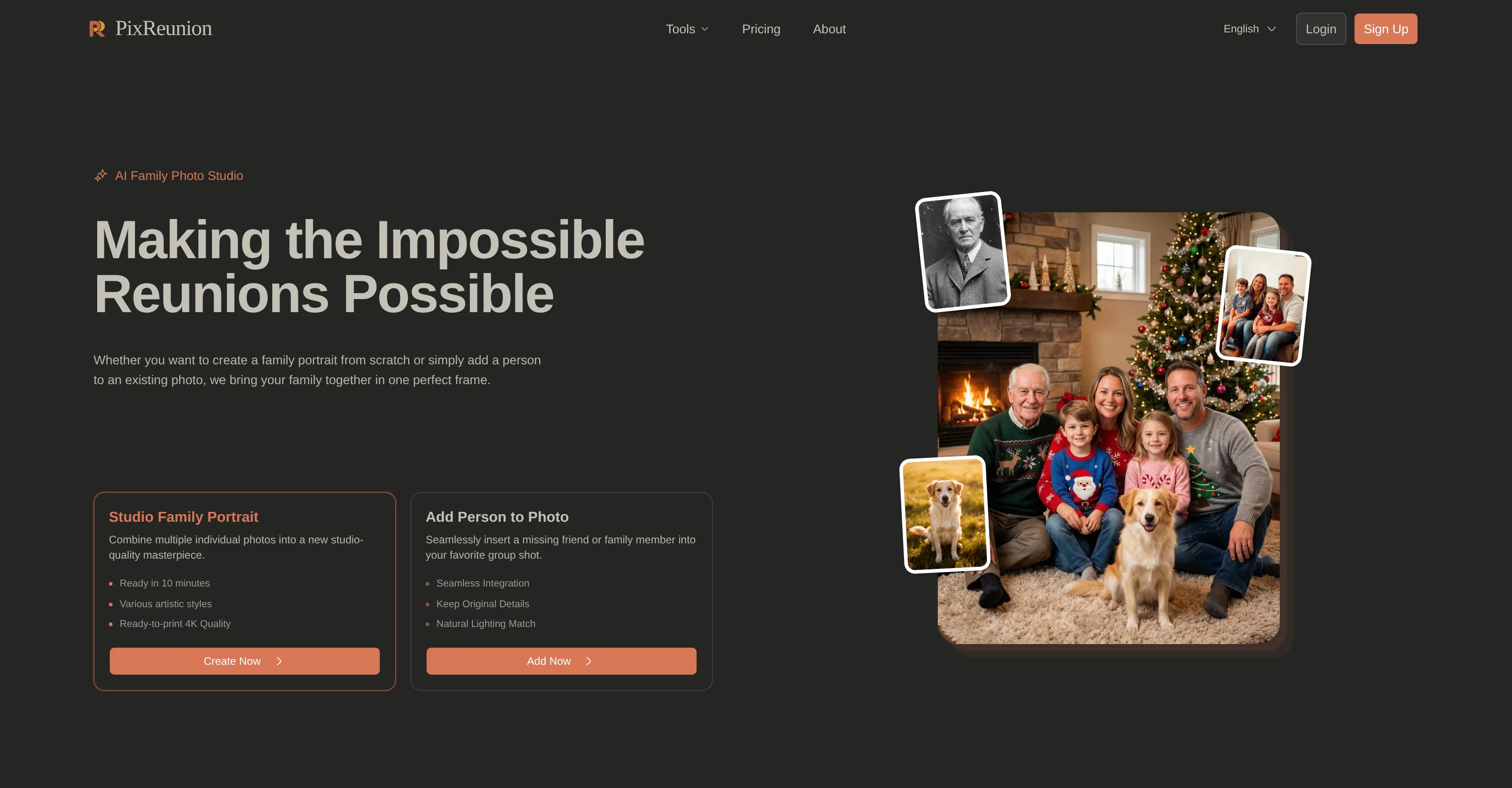
PixReunion is an AI-based tool designed for creating and editing family portraits. It offers unique features such as the ability to generate group portraits from individual photos and reunite family members in pictures despite time and distance.
The tool also provides facilities for adding people to existing photographs in a way that is seamlessly integrated. Other functionalities introduced are restoration and colorization of old photos, upscaling images without quality loss, and removal of unwanted objects from photos.
Various filters and the capability to generate a baby picture from parent photos are also available. PixReunion also ensures high-resolution output, perfect for printing and gifting.
Users have the advantage of creating portraits anytime and anywhere without appointments and with almost immediate delivery time. The tool strictly respects user's data privacy and security with end-to-end encryption, stringent data usage limits, and an automated deletion policy.
Access & connections
Where you can use PixReunion - AI Family Photo Studio.
Platforms
Capabilities
What this tool accepts, produces, and is strongest at.
Input
- Image
Output
- Image
Highlights
- Hard Paywall
Supported features
- Image Edit
- Image Generation
- Realism
- Styling
Pros & cons
Pros
- Creates group portraits
- Adds missing persons
- Restores old photos
- Colorizes vintage pictures
- Scales to high-resolution
- Maintains original image quality
- Object removal feature
- Apply photo filters
Show 39 more
- Generates baby images
- Customized for remote families
- Includes late family members
- Seamless photo integration
- Matches natural lighting
- End-to-End encryption
- Strict data usage limits
- Automated deletion policy
- Quick turnaround time
- Delivers ultra-high resolutions
- Variety of artistic styles
- Suitable for print
- Convenient for personal use
- Can be used professionally
- Short delivery time
- Versatile output formats
- Preserves original photo details
- No need for appointments
- Flexible artistic choices
- Rapidly creates portraits
- Old photo enhancement
- Respects user's privacy
- Minimizes human contact
- Strict Confidentiality Protocol
- Multiple artistic styles
- Trusted by many families
- Can work with old or blurry photos
- Flexible photo requirements
- Ready in 10 minutes
- Makes customized gifts
- Multiple security measures
- Bank-grade encryption technology
- Ultra-high-resolution output
- Perfect for remote families
- Confidential data access
- Sophisticated upscaling algorithms
- Respects facial features
- 4K digital masterpiece
- Specializes in photo restoration
Cons
- Limited to family portraits
- No live editing preview
- No mobile application
- Turnaround time not clarified
- No free trial
- Only high resolution output
- Limited artistic styles
- No collaborative feature
Show 2 more
- Unable to edit text
- Lacks batch processing
Compare alternatives
Similar tools in the catalog — with a clear reason to open each one.

CreateMemorial ✓
FreemiumHonor loved ones with lasting digital tributes.
Why look Freemium alternative
Full comparison
PiXmas ✓
FreemiumTransform photos into magical Christmas studio portraits instantly.
Why look Freemium alternative
Full comparisonReleases 1
FAQ 12
What is PixReunion?
What different services does PixReunion offer?
How does PixReunion merge individual photographs into a group portrait?
Can PixReunion add missing persons into a pre-existing photograph?
What are the use cases of PixReunion's object removal feature?
Can PixReunion turn an image into a high-resolution format without compromising on quality?
How does PixReunion restore old photographs?
What is PixReunion's baby image generation feature?
Does PixReunion offer any security features?
What are the privacy measures used by PixReunion to protect my photos?
Does PixReunion offer any customisation in terms of artistic styles?
What is the turnaround time for receiving a completed artwork from PixReunion?
Related tools
Recommended

AI Course Creator ✓
FreemiumAI-powered course creation in minutes.

DeepSeek ✓
FreeUnravel the mystery of AGI with curiosity
Reshot AI ✓
PaidProfessionally reshoot your photos with AI.

Open eLMS Learning Generator ✓
FreemiumCreate high-quality multimodal eLearning in minutes from text prompts or documents

X-Pilot AI ✓
FreemiumTurn Documents into Accurate Video Course Series

Runable ✓
FreemiumThe Best Way to Work with AI