

Meeting summaries 2026 Rank: #2374
OrbitMeet ✓
Your AI meeting co-pilot for smarter conversations.
Verdict
A quick read before you dig into the full page.
- Best if
- Your AI meeting co-pilot for smarter conversations
- Skip if
- Free tier limited to 5 meetings/month
- Pick this when
- No download required
Considering Jamy instead? Compare side by side
Overview

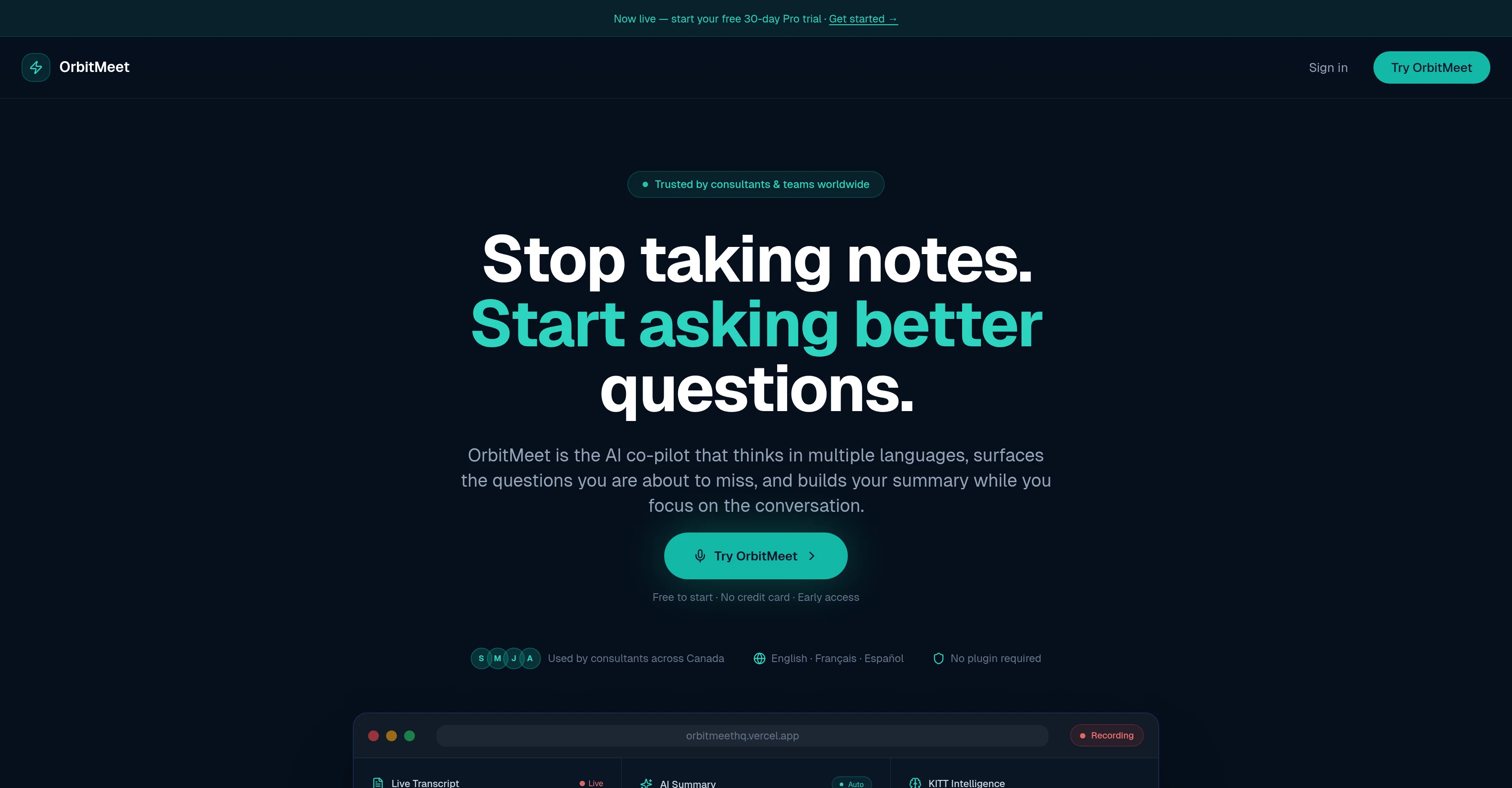
While you focus on the conversation, OrbitMeet transcribes every word, surfaces the questions you're about to miss, and builds your summary automatically. When the meeting ends, post-meeting documents are ready in seconds.
Key features:
- Real-time AI question coaching — surfaces missed questions every 75 seconds
- Live multilingual transcription — EN, FR, ES, PT and more with accent handling
- Auto-generating meeting summary — builds as you speak
- Post-meeting documents — follow-up email, memo, action tracker, MOU draft
- Bot-free — no one else joins your call
- Works everywhere — Zoom, Teams, Google Meet, phone calls, in-person
Access & connections
Where you can use OrbitMeet, and what it plugs into.
Platforms
Integrations
Capabilities
What this tool accepts, produces, and is strongest at.
Input
- Text
- Audio
Output
- Text
Supported features
- STT
Pros & cons
Pros
- No download required
- No plugin necessary
- No need for bots
- Real-time transcription
- Cross-platform compatibility
- Identifies questions every 75 seconds
- Automation of action items
- Instant follow-up documents
Show 37 more
- Rapid document generation
- Supports multiple languages
- Automatic language detection
- Supports hearing-impaired individuals
- Improves engagement
- Facilitates accountability
- Creates memos, action trackers
- Generates emails post-meeting
- Detects commitments
- Offers free plan
- Pro plan for unlimited meetings
- Affordable Pro plan
- Real-time speech to text
- Minimizes miscommunication
- Promotes information retention
- Enhances meeting productivity
- Browser-based tool
- Useful for multilingual teams
- Personalized meeting assistant
- Facilitates record-keeping
- Improves business communication
- Integrable with Zoom, Microsoft Teams
- Supports Google Meet
- Operable in in-person meetings
- Automated note-taking
- Captures insights from conversations
- Intelligently suggests questions
- Extracts key points
- Produces meeting narratives
- Creates meeting tasks
- Provides meeting overviews
- Can serve a team
- Ideal for remote users
- Saves time post-meeting
- Good for non-native speakers
- Supports English, Spanish, Portuguese
- Supports French
Cons
- Best experienced on desktop browser
- No video recording capability
- Free tier limited to 5 meetings/month
- Requires internet connection
- No mobile app (browser only)
Compare alternatives
Similar tools in the catalog — with a clear reason to open each one.

Jamy ✓
FreemiumAutomate meeting notes for seamless productivity.
Why look Typically cheaper
Full comparison
Wave AI Note Taker, Transcription and Summary Tool ✓
FreemiumThe Smartest Way to Capture, Transcribe & Summarize Anything
Why look Typically cheaper
Full comparison
Otter.ai ✓
FreemiumAI Meeting Assistant for real-time transcription and notes
Free + from $19.7/mo
Full comparison
Limitless - Personalized & Secure Memory AI ✓
FreemiumRecall anything you've said or heard in meetings or conversations
Free + from $19/mo
Full comparison
Bubbles Notetaker ✓
Freemium⚡️ Supercharge your meeting productivity
Why look Typically cheaper
Full comparison
NoteX AI Meeting Agent ✓
FreemiumBest multilingual AI meeting agent for global teams
Why look Higher community rating
Full comparisonReleases 1
Imported reviews 1
doesnt work. was really excited for this too
FAQ 12
What is OrbitMeet?
What are the main features of OrbitMeet?
How does the real-time transcription function of OrbitMeet work?
Can OrbitMeet assist in asking productive questions during meetings?
Does OrbitMeet provide post-meeting documents?
Is OrbitMeet compatible with various platforms?
What does 'bot-free' operation mean in OrbitMeet?
Can OrbitMeet improve the productivity of my meetings?
How does OrbitMeet facilitate note-taking during meetings?
How does OrbitMeet aid in tracking discussions during a meeting?
Does OrbitMeet generate a summary of the meeting?
How does the intelligent question coaching feature of OrbitMeet function?
Related tools
Recommended

GetLogit ✓
FreemiumArtificial intelligence, available for everyone.

ChatGPT ✓
FreemiumAsk anything, create anything, and move from idea to action.

Automateed ✓
Free TrialCreate eBooks effortlessly with Automateed, the AI-powered writing tool.

CodeRabbit ✓
Free TrialEnhanced code review for improved workflow and quality.

Claude ✓
FreemiumBuilding reliable, interpretable AI systems

DeepSeek ✓
FreeUnravel the mystery of AGI with curiosity