

NanoPhoto.AI ✓
Turn ideas into stunning AI videos.
Free + from $7.5/mo
Verdict
A quick read before you dig into the full page.
- Best if
- Turn ideas into stunning AI videos
- Skip if
- Limited batch processing options
- Pick this when
- Professional-grade tools
Considering freebeat AI instead? Compare side by side
Overview



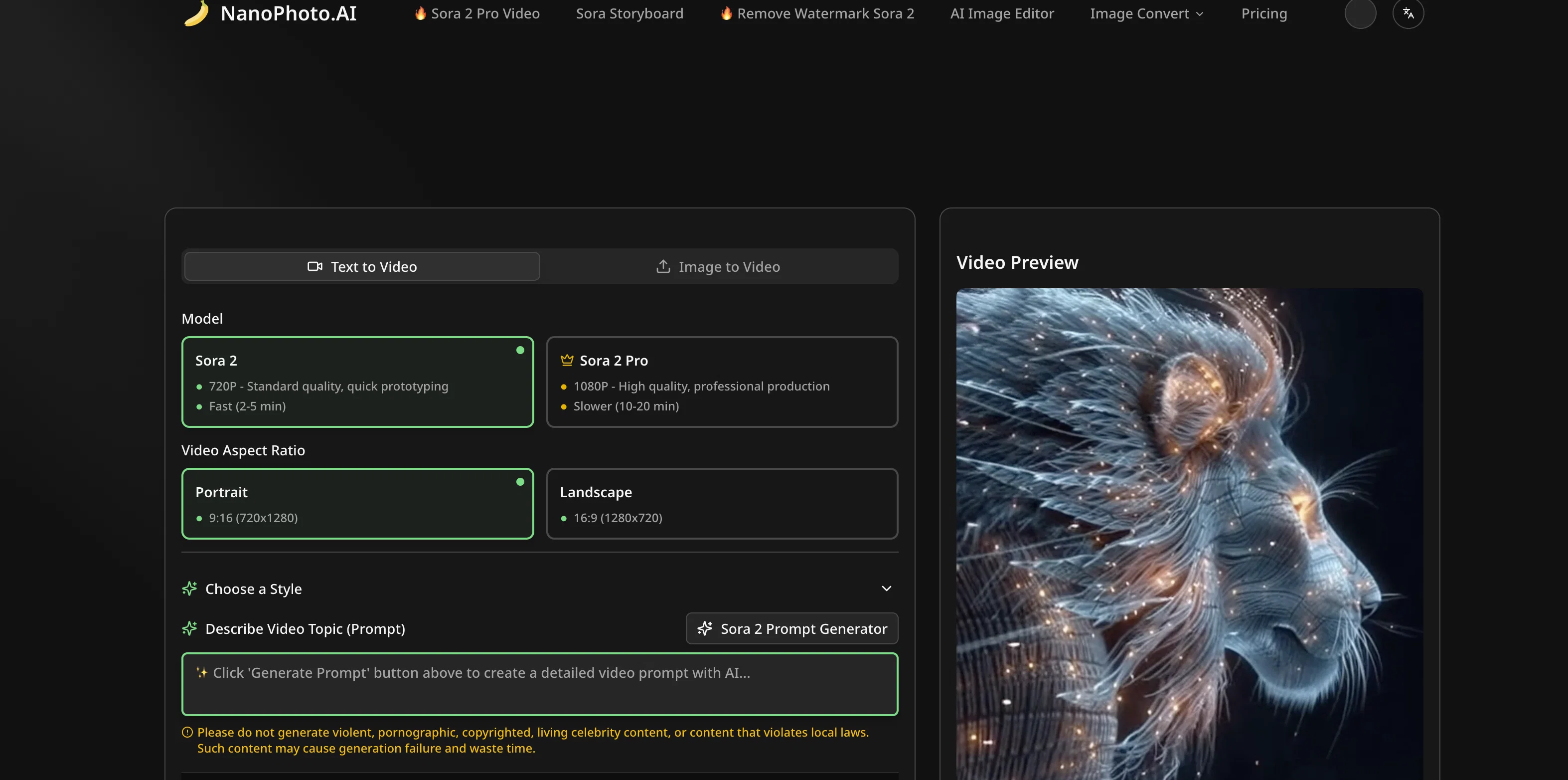
NanoPhoto.AI is an Artificial Intelligence driven platform that offers advanced tools for video and photo editing. There are two main components of the service, AI video editing and AI photo editing.
In the video editing suite named Sora 2 Pro and Sora Storyboard, users can create high-quality AI videos suitable for professional productions, all powered by OpenAI.
The AI photo editing tool, Nano Banana, leverages Google's GEMINI model, providing unmatched photo processing experiences. NanoPhoto.AI supports various image formats such as JPG, PNG, WebP, and HEIC.
Given its diverse range of professional editing styles like removing people, changing hairstyles, restoring photos, users can significantly enhance their creativity in both personal and professional contexts.
The platform also offers image generation capabilities, free image conversion, and compression utilities. In addition, NanoPhoto.AI enables the development of creative content, product imagery, and marketing materials due to its image generation and editing features.
The wide range of features, ease of use, and the ability to handle various image formats make NanoPhoto.AI an efficient and comprehensive solution for all AI-based photo and video editing needs.
Access & connections
Where you can use NanoPhoto.AI, and what it plugs into.
Platforms
Integrations
Capabilities
What this tool accepts, produces, and is strongest at.
Input
- Image
- Text
Output
- Video
- Image
Highlights
- SOTA
- Use code TAAFT
- 20% OFF
Supported features
- Ads
- Background Removal
- Image Edit
- Image Generation
- Social Media
- Sound Creation
- STT
- Text Generation
- Transcription
- Translation
Show 3 more
- Upscaling
- Video Edit
- Video Generation
Models
Text
Image
Audio
Video
Pros & cons
Pros
- Professional-grade tools
- Video editing offerings
- 'Nano Banana' photo editor
- Various editing styles
- Supports diverse image formats
- Batch processing utilities
- Beneficial for multiple roles
- Efficient post-processing
Show 40 more
- Image generation capabilities
- Free image conversion
- Image compression utilities
- Fosters creative content development
- Ease of use
- Comprehensive solution
- Includes Sora 2 Pro
- Includes Sora Storyboard
- People removal feature
- Hairstyle change feature
- Photo restoration feature
- Supports JPG, PNG, WebP, HEIC
- Promotes user creativity
- Enhances work efficiency
- Supports professional production
- Facilitates quick prototyping
- Generates marketing materials
- Product imagery capabilities
- 'Nano Banana' supports Google GEMINI model
- Professional video and photo editor
- Wide range efficient tools
- Unmatchable photo processing experiences
- Partnered with renowned brands
- Covers various daily work needs
- Multi-person family portrait composition
- Including miniatures, magazine generation capabilities
- '10 years younger' retouching feature
- Cost-effective design solutions
- Facilitates Doodling, special effects
- Batch processing for bulk projects
- Effortless image creation
- One-click image conversion
- Boosts online loading speed
- User-friendly interface
- Broadens creative options
- Loaded with 11 editing styles
- Supports high-quality image creation
- Ideal for content creators
- Supports social media influencers
- Comes with a prompt generator
Cons
- Limited video resolution options
- No multi-language support
- Longer processing time for HQ videos
- No support for GIF format
- Lacks real-time editing
- Limited batch processing options
- Lack of video conversion utilities
- Missing advanced audio editing tools
Show 2 more
- Limits on image upload size
- No collaborative workflow support
Compare alternatives
Similar tools in the catalog — with a clear reason to open each one.

freebeat AI ✓
FreemiumTurn Music & Ideas into Viral Videos In One Click
Why look Typically cheaper
Full comparison
MagicLight ✓
FreemiumTransform text into captivating videos instantly.
Free + from $8.4/mo
Full comparison



Seedance ✓
FreemiumMulti-shot video generation from text and image.
Why look Stronger for image work
Full comparisonReleases 1
FAQ 12
What is NanoPhoto.AI?
How does NanoPhoto.AI use AI in its operation?
What are some of the key features of NanoPhoto.AI?
How do I get 50 free credits on NanoPhoto.ai?
🛠️ 1
tool
🙏 1
karma
wrote:
Use code TAAFT at https://nanophoto.ai/settings/credits after signing in.
- ✅ 25 Sora 2 video edits
- ✅ 25 NanoBanana image edits
- ✅ 50 watermark removals
- ⚠️ Limited to first 100 users
- ⚠️ One per account
Act fast - first come, first served! 🚀
What are 'Sora 2 Pro' and 'Sora Storyboard' in NanoPhoto.AI?
How does NanoPhoto.AI aid in video editing?
What is 'Nano Banana' in NanoPhoto.AI?
How does NanoPhoto.AI help in photo editing?
What abilities does NanoPhoto.AI have in terms of image generation and editing?
What are the supported image formats in NanoPhoto.AI?
How does NanoPhoto.AI handle image compression?
What professional editing styles does NanoPhoto.AI offer?
Related tools
Recommended

Nano Banana ✓
FreemiumAI-powered image editing, faster than ever with Nano Banana.

ChatGPT ✓
FreemiumAsk anything, create anything, and move from idea to action.

Notis ✓
Free TrialThe first WhatsApp assistant that runs on your ChatGPT and Claude subscriptions

remio: Your Personal ChatGPT ✓
FreemiumGet Tailored Answer with Your Personal ChatGPT

PrompTessor ✓
FreemiumAI Prompt Workspace for Better AI Results
Postiz ✓
Free TrialStreamline your social media in one place.