

Background removal 2026 Rank: #2081
Mochify ✓
AI-powered image workflows for bulk processing and optimization.
Verdict
A quick read before you dig into the full page.
- Best if
- AI-powered image workflows for bulk processing and optimization
- Skip if
- Limited free monthly processing
- Pick this when
- Bulk processing of images
Considering Remove Background by Picsart instead? Compare side by side
Overview
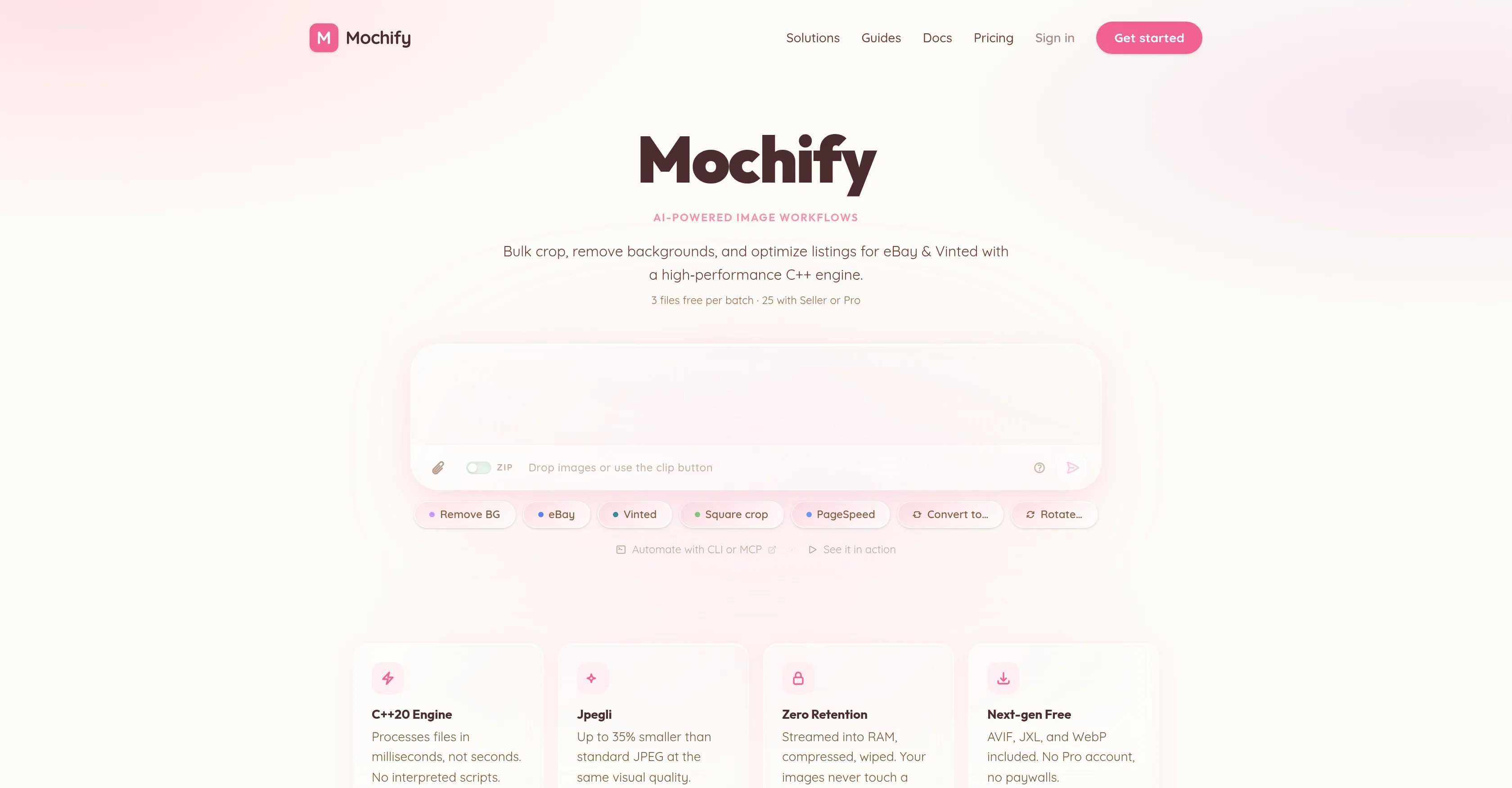
Mochify is an AI-driven tool designed to optimize image workflows. It specializes in the bulk processing of images and implementing intelligent image compression.
The solution offers tools to crop, remove image backgrounds, and improve listings for e-commerce platforms such as eBay and Vinted using a high-performance C++ engine.
A standout feature is its natural language description of desired changes to images, which it interprets and executes accurately. Additionally, Mochify supports the next-generation AVIF, JXL, and WebP image formats and allows conversion to these formats, which can reduce file sizes significantly with no perceptible loss of visual quality.
This reduction in image file size can aid in improving site performance metrics like Google's Largest Contentful Paint (LCP), which can directly affect a website's search ranking and conversion rates.
Mochify distinguishes itself by ensuring users' privacy. Images processed through Mochify are streamed into the server's RAM, compressed, and then erased without being stored on a disk or touching any third-party servers.
For developers and technical users, Mochify provides automation via CLI or MCP and has native support for AI agents. It also offers a REST API for further integration.Mochify provides a range of account options, including free usage with limited processing capability per month, to paid plans offering larger image processing quotas and additional tools like a dedicated API key or MCP server support for AI agents.
The tool's versatility combined with robust features makes it beneficial for any user dealing with high volume image processing.
Access & connections
Where you can use Mochify, and what it plugs into.
Platforms
Integrations
Capabilities
What this tool accepts, produces, and is strongest at.
Input
- API
- Image
- Text
Output
- API
- Image
Highlights
- API
- MCP
Supported features
- Image Edit
- Automation
- API
- MCP
Pros & cons
Pros
- Bulk processing of images
- Intelligent image compression
- Automates image workflow
- Crop and background removal
- eBay and Vinted optimization
- High-performance C++ engine
- Natural language description
- Supports new image formats
Show 32 more
- Improves site performance metrics
- Helps in SEO Ranking
- Enhances conversion rates
- Ensures data privacy
- CLI and MCP automation
- REST API integration
- Free and paid plans
- High volume image processing
- Dedicated API key
- Images never stored
- Fast processing with C++20
- Cropping for Shopify
- Next-gen compression free
- No long-term storage
- Zero image retention
- Magic Flow NLP feature
- Applicable for sensitive content
- NLP-based instructions
- API and CLI automation
- No professional account needed
- Secure processing environment
- Supports AVIF, JXL, WebP
- Direct file streaming into RAM
- Comprehensive pricing options
- Respects user data privacy
- No per-credit paywalls
- Improves user experience
- Chat-based customer support
- Images never touch a disk
- Immediate image compression
- Cloud storage not required
- Seller or Pro plans
Cons
- Limited free monthly processing
- No long-term image storage
- No third-party server interactions
- No professional accounts support
- High-volume processing cost
- Extra charge for dedicated API
- Costs for larger processing volume
- No image retention option
Show 1 more
- Complexity with natural language descriptions
Compare alternatives
Similar tools in the catalog — with a clear reason to open each one.

Remove Background by Picsart ✓
FreemiumInstantly remove backgrounds for clean, transparent images—perfect for products, designs, and creative
Free + from $10/mo
Full comparison
Merchant Floor | Background Remover ✓
FreemiumRemove the background & retouch your product photos
Free + from $20
Full comparison
remove.bg ✓
FreemiumRemove image backgrounds in 5 seconds with one click
Why look Stronger for image work
Full comparison
AI Background Remover - Picsman ✓
Free TrialInstantly remove image backgrounds with AI
Why look Typically cheaper
Full comparison
Removal.AI
FreemiumAI tool for instant automated image background removal and editing.
Why look Typically cheaper
Full comparisonReleases 1
FAQ 12
What is Mochify?
How does Mochify use natural language processing for image optimization?
What are examples of e-commerce platforms Mochify can support?
How can Mochify help with improving SEO ranking?
What image formats are supported by Mochify?
How does Mochify maintain privacy of processed images?
What is the function of the C++20 engine in Mochify?
What are the different account options available on Mochify?
Does Mochify offer a free usage option?
What tools does Mochify offer for developers?
How does Mochify help in improving site performance metrics?
How does Mochify's image compression feature work?
Related tools
Recommended

remio: Your Personal ChatGPT ✓
FreemiumGet Tailored Answer with Your Personal ChatGPT

Younet ✓
Free TrialAI Agent Orchestration and Automation. Build your agentic business.

docAnalyzer ✓
FreemiumTurn document overload into work worth putting your name on

Supernormal App ✓
FreemiumThe AI assistant app that turns meetings into completed work

AppDeploy ✓
FreeDeploy real apps directly from ChatGPT or Claude

ProductAI ✓
PaidAccurate on-brand AI Product Photos