
3D 2026 Rank: #3020
Meshy 3D Agent ✓
Chat your idea into a print-ready 3D model
Verdict
A quick read before you dig into the full page.
- Best if
- Chat your idea into a print-ready 3D model
- Skip if
- Currently in beta, may have rough edges or limited stability
- Pick this when
- World's first conversational AI agent for 3D creation
Considering Meshy instead? Compare side by side
Overview
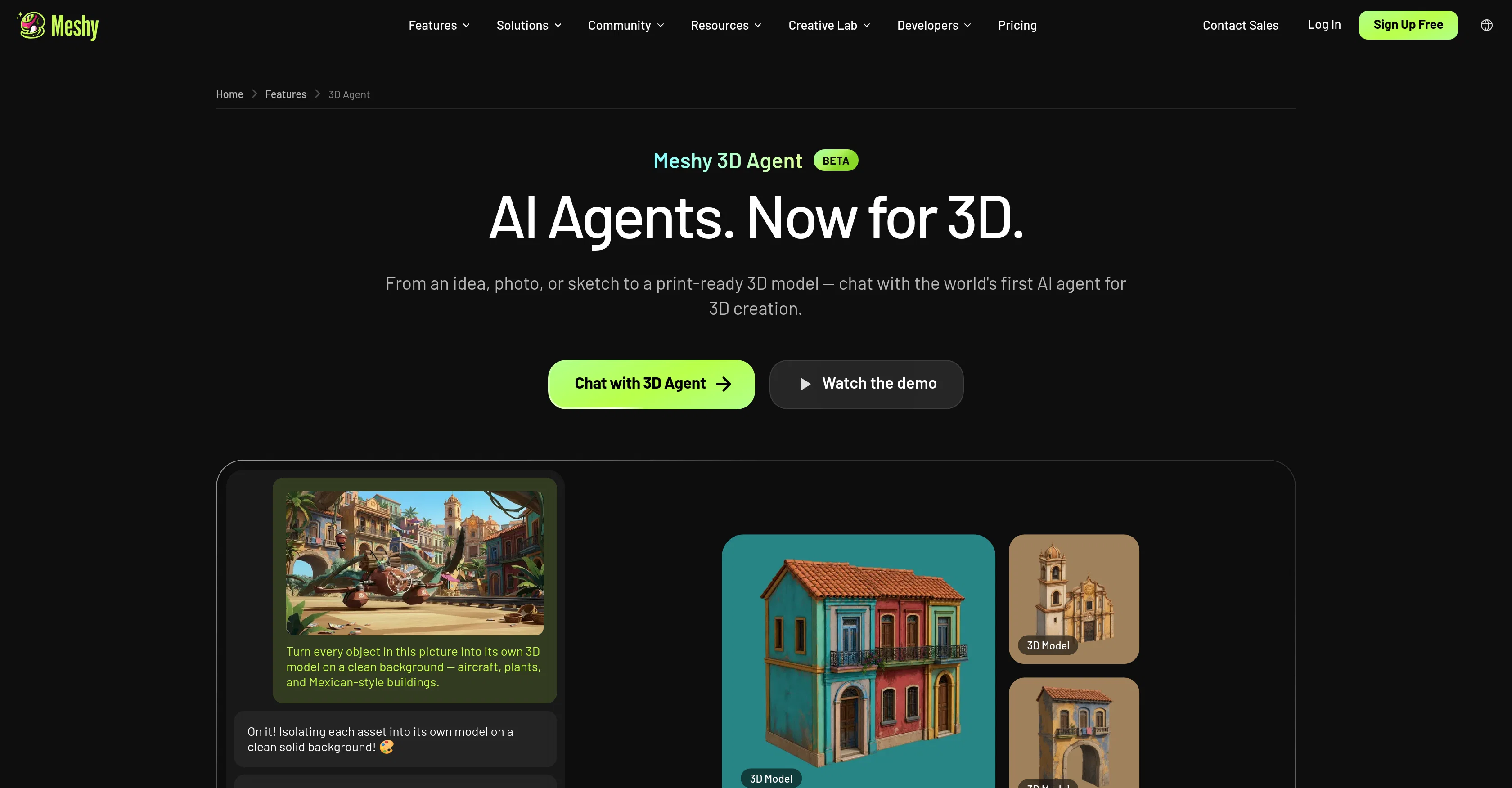
The workflow runs in three steps: describe your idea, approve a design from the concepts shown, and export to your pipeline. Models come out print-ready, with a 97% slicer pass rate in Meshy's internal testing, and export in STL, 3MF, OBJ for 3D printing, or GLB, FBX for game engines like Unity, Unreal Engine, Blender, and Godot. A built-in knowledge base lives right in the chat, so you can ask 3D-related questions without leaving the conversation.
It's built to slot into whichever pipeline you already run: game assets (with Low Poly output for real-time performance), 3D printing (with auto-cleaned, watertight geometry), or product design (exporting GLB, OBJ, or USDZ for visualization and stakeholder review).
- Conversational Ai Agent That Turns Text, Photos, Or Sketches Into 3d Models
- Brainstorms Creative Directions Before Generating Anything
- Generates Multiple 2d Concepts In One Batch, Then Refines Through Chat
- Converts Chosen Concept Into A Full 3d Model
- Built-in 3d Knowledge Base Inside The Chat
- Auto-cleans Geometry For Print-ready, Watertight Output
- 97% Slicer Pass Rate In Internal Testing
- Exports To Stl, 3mf, Obj, Glb, Fbx, Usdz
- Low Poly Output For Real-time Game Engines
- Works Across Game Development, 3d Printing, And Product Design Pipelines
Access & connections
Where you can use Meshy 3D Agent.
Platforms
Capabilities
What this tool accepts, produces, and is strongest at.
Input
- Text
- Image
Output
- 3D
Highlights
- Agents
- API
Supported features
- Agents
- API
- 3D Generation
Pros & cons
Pros
- World's first conversational AI agent for 3D creation
- Accepts text, photo, and sketch inputs
- Brainstorms and pitches creative directions before generating
- Generates multiple concepts in a batch, refines through chat
- 97% slicer pass rate in internal testing
- Auto-repairs geometry for watertight, print-ready output
- Exports directly to major game engines (Unity, Unreal, Blender, Godot)
- Wide format support (STL, 3MF, OBJ, GLB, FBX, USDZ)
Show 2 more
- No 3D modeling experience required
- Built-in 3D knowledge base inside the chat
Cons
- Currently in beta, may have rough edges or limited stability
- No confirmed pricing specific to the 3D Agent feature
- No country or company HQ disclosed
- No confirmed signup-free usage
- Slicer pass rate is based on Meshy's own internal testing, not third-party verified
Compare alternatives
Similar tools in the catalog — with a clear reason to open each one.

Meshy ✓
FreemiumTurn text and images into production-ready 3D models with AI in seconds.
Free + from $16/mo
Full comparison
Modelfy 3D ✓
FreemiumTransform any image to 3D models instantly.
Why look Stronger for image work
Full comparison
digxi studio ✓
UnknownGenerate creative assets with AI-powered studio tools.
No pricing
Full comparison

Releases 1
FAQ 8
How is Meshy 3D Agent different from a regular text-to-3D tool?
Do I need to know Blender or Maya to use it?
What inputs does Meshy 3D Agent accept?
Can I download or 3D print the results?
What file formats can I export?
Can I use the models in Unity or Unreal Engine?
Is Meshy 3D Agent free to use?
Who is Meshy 3D Agent best suited for?
Related tools
Recommended

MagicSlides.app AI PPT Maker ✓
FreemiumCreate Stunning PPTs in Seconds with the AI PPT Maker

GetLogit ✓
FreemiumArtificial intelligence, available for everyone.

ChatGPT ✓
FreemiumAsk anything, create anything, and move from idea to action.

Automateed ✓
Free TrialCreate eBooks effortlessly with Automateed, the AI-powered writing tool.

Kin - Personal AI Advisors ✓
FreePrivacy-first & designed your for mind, and life at work

Aiter.io | Paste a URL. Ship a Campaign That Sounds L... ✓
FreemiumAI marketing that sounds like you, not everyone else.