

Multimedia 2026 Rank: #2231
Lumina by ByteDance ✓
Create images, videos, and apps with AI.
Trial; then from $10
Verdict
A quick read before you dig into the full page.
- Best if
- Create images, videos, and apps with AI
- Skip if
- Limited template variety
- Pick this when
- Generates images and videos
Considering VoooAI instead? Compare side by side
Overview
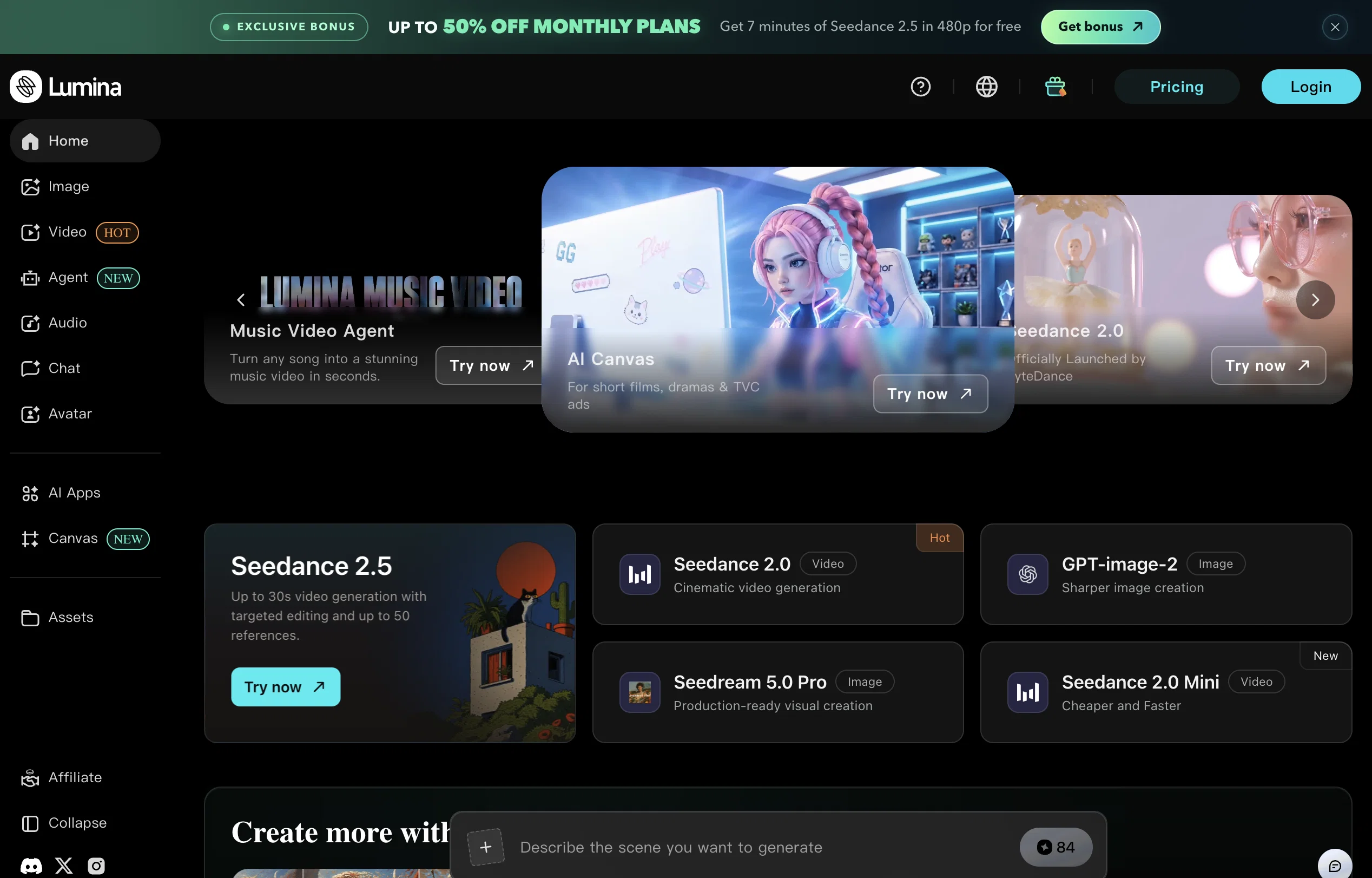
ByteDance Lumina is a versatile AI creativity platform. Its primary functionality is to facilitate the generation of images and videos. With this AI-driven tool, users can assemble unique visual content via an intuitive interface.
In addition to image and video creation, it allows for the exploration of various AI applications and predefined templates, aimed at assisting users in creating impactful content more efficiently.
However, its groundbreaking feature is the AI canvas, an advanced tool for creating complex visuals using intuitive AI functions. This feature allows for enhanced creativity and customization, offering users the possibility of managing the intricacies of visual scenarios with less effort.
An additional noteworthy attribute of ByteDance Lumina is its function as an inspiration hub. The platform brings together a network of creators, curating a wealth of visually-oriented content to stimulate ideas and influence creative processes.
To sum up, ByteDance Lumina streamlines visual content creation with a combination of AI-powered tools and inspirative resources. Not only does it assist in generating visuals, but it also grows with its user, fostering a community of creative individuals.
Access & connections
Where you can use Lumina by ByteDance.
Platforms
Capabilities
What this tool accepts, produces, and is strongest at.
Input
- Text
Output
- Video
- Image
- AR/VR
Pros & cons
Pros
- Generates images and videos
- Intuitive interface
- Predefined templates
- Streamlines content creation
- High customization capacity
- Manages visual scenarios
- Inspiration hub
- Curates visual content
Show 8 more
- Stimulates creative ideas
- Influences creative processes
- Fosters creative community
- Content unique to user
- User growth enablement
- Streamlines creative process
- All-in-one platform
- Accelerates visual creation
Cons
- Lacks API
- No offline usage
- Missing analytics functions
- No multi-language support
- No simultaneous multi-user capability
- Could lack data privacy
- CPU intensive
- Limited template variety
Show 2 more
- No voice or text support
- Not compatible with all formats
Compare alternatives
Similar tools in the catalog — with a clear reason to open each one.

VoooAI ✓
FreemiumGenerate a Multimedia workflow with one sentence.Support OpenClaw
Why look Typically cheaper
Full comparison
Masonry ✓
FreemiumOne prompt, every AI model: compare image and video generation across all
Why look Stronger for image work
Full comparison
Artlist | The Ultimate Creative AI Ecosystem ✓
FreemiumStart Creating Without Limits
Why look Offers a public API
Full comparison
Higgsfield AI ✓
Free TrialAI Video Generator & Image Generator
Why look Stronger for image work
Full comparison
Apple Creator Studio ✓
Free TrialAll yours for the making.
Why look Typically cheaper
Full comparison
Releases 1
FAQ 12
What is ByteDance Lumina?
How does ByteDance Lumina assist in generating visuals?
What is the AI canvas feature in ByteDance Lumina?
What is the primary functionality of ByteDance Lumina?
Can ByteDance Lumina help me explore various AI applications?
What is the role of predefined templates in ByteDance Lumina?
How does ByteDance Lumina enable the management of intricate visual scenarios?
What makes ByteDance Lumina an inspiration hub?
How is ByteDance Lumina fostering a creative community?
Can I customize the content created with ByteDance Lumina?
What kind of content can be curated using ByteDance Lumina?
What are the key features of ByteDance Lumina's user-friendly interface?
Related tools
Recommended

Vosko AI ✓
Free TrialAI Video Localization & Dubbing Engine with Emotion & Voice Preservation.

GetLogit ✓
FreemiumArtificial intelligence, available for everyone.

ChatGPT ✓
FreemiumAsk anything, create anything, and move from idea to action.

freebeat AI ✓
FreemiumTurn Music & Ideas into Viral Videos In One Click

Pounce ✓
Free TrialGet real followers and engagement in minutes.

AirMusic ✓
Free TrialAI music generator and music video creator in one platform.
More from this creator

CapCut Online Creative Suite ✓
FreemiumUnleash creativity with CapCut's all-in-one online suite

Seedream ✓
UnknownTurn words into stunning 4K images instantly.

Seedance ✓
FreemiumMulti-shot video generation from text and image.

Seed by ByteDance ✓
UnknownAdvancing intelligence to serve humanity.

Dreamina ✓
FreeCapCut’s AI studio for generating images, videos, and avatars

BytePlus ✓
PaidAI-Native Cloud for Enterprise Growth